# Agent Harness 深度指南
> 以 OpenAI Codex、DeepSeek Harness 與 Pi 三套完整開源 case study,對稱理解 Agent Harness 的 Runtime、Model、Loop、Tools、State、Security、Extensions、Integration、Labs 與 Production。
這是 Agent Harness 深度指南的完整 Markdown 合併版。內容依網站 Sidebar 的 canonical reading order 排列:共同基礎 → Codex 完整導讀 → DeepSeek Harness 完整導讀 → Pi 完整導讀 → 三套 Labs → 比較與選型 → 真實系統 → 原始碼與參考資料。
Sidebar navigation:
- [導論:Model 不等於 Agent](/docs/intro.md)
- [學習地圖:用同一組問題讀三套 Harness](/docs/learning-map.md)
- [完整教材目錄](/docs/catalog.md)
- [AI / LLM 資源](/docs/reference/llm-resources.md)
- 一、Agent Harness|共同基礎
- [什麼是 Harness?](/docs/foundations/what-is-harness.md)
- [Agent Loop:一次任務到底怎麼跑](/docs/foundations/agent-loop.md)
- [Context、Instructions、Caching 與 Compaction](/docs/foundations/context-and-caching.md)
- [State Models 與 Lifecycle:三套 Harness 怎麼記住工作](/docs/foundations/state-models-and-lifecycle.md)
- 二、Codex|Productized Runtime 完整導讀
- 架構與 Runtime
- [系統架構總覽](/docs/architecture/system-map.md)
- [官方視角:Codex 介面與 App Server](/docs/architecture/official-visuals.md)
- [codex-core:Agent Runtime 的中心](/docs/architecture/codex-core.md)
- [Model Provider、Responses API 與 Streaming](/docs/architecture/model-provider-and-streaming.md)
- [Tool Execution:從模型意圖到真實副作用](/docs/architecture/tool-execution.md)
- [State、History、Rollout 與 Persistence](/docs/architecture/state-and-persistence.md)
- [App Server 與 Protocol](/docs/architecture/app-server-and-protocol.md)
- [Client Surfaces:CLI、Exec、SDK、App Server 怎麼選](/docs/architecture/client-surfaces.md)
- 安全、權限與信任邊界
- [Sandbox 與 Approvals](/docs/security/sandbox-and-approvals.md)
- [Permission Profiles、Rules 與 Network Policy](/docs/security/permissions-rules-network.md)
- [Trust Boundaries 與常見安全誤區](/docs/security/trust-boundaries.md)
- 客製化與擴充
- [config.toml 與設定優先序](/docs/customization/config.md)
- [AGENTS.md:Repository Instructions](/docs/customization/agents-md.md)
- [Skills 與 Plugins:Progressive Disclosure](/docs/customization/skills-and-plugins.md)
- [MCP:把外部能力接進 Harness](/docs/customization/mcp.md)
- [Hooks:觀察、阻擋、改寫與整合](/docs/customization/hooks.md)
- [Subagents 與 Git Worktrees](/docs/customization/subagents-and-worktrees.md)
- 使用與整合
- [Codex CLI:Interactive Harness](/docs/usage/cli.md)
- [codex exec:非互動與 CI](/docs/usage/noninteractive-ci.md)
- [Codex SDK:程式化使用 Harness](/docs/usage/sdk.md)
- [App Server:建立自己的 Codex Client](/docs/usage/app-server.md)
- [GitHub Actions 與 Codex](/docs/usage/github-actions.md)
- 三、DeepSeek Harness|Composable Runtime 完整導讀
- [DeepSeek Harness:Composable Runtime 完整導讀](/docs/deepseek/overview.md)
- 架構與 Runtime
- [官方視角:DeepSeek Harness Lifecycle 與 Tool Pipeline](/docs/deepseek/official-visuals.md)
- [Cordis 與 Everything-is-a-Plugin 架構](/docs/deepseek/architecture.md)
- [Model Adapter 與 Agent Loop](/docs/deepseek/model-and-agent-loop.md)
- [Tool Execution:Registry、Guard、Sandbox 與 Result Pipeline](/docs/deepseek/tool-execution.md)
- [Context、System Prompt 與 Compaction](/docs/deepseek/context-and-compaction.md)
- [Session、Events 與可追溯狀態](/docs/deepseek/session-and-events.md)
- [使用方式:Profiles、Bundles 與啟動組合](/docs/deepseek/usage-and-profiles.md)
- 擴充與 Orchestration
- [Models、Skills、Subagents、Hooks 與 Extensions](/docs/deepseek/models-skills-and-extensions.md)
- [Skills、Subagents、Workflows 與長生命週期工作](/docs/deepseek/subagents-workflows-and-jobs.md)
- [Code Mode、Capability 與 Runtime 組合](/docs/deepseek/code-mode-and-plugins.md)
- 安全與 Execution World
- [安全模型:Sandbox、Approval 與 Permission Presets](/docs/deepseek/security-and-approvals.md)
- [Permission、Credentials 與 Execution Worlds](/docs/deepseek/execution-worlds-and-credentials.md)
- 使用、整合與 Production
- [CLI、Headless 與 Automation](/docs/deepseek/headless-and-automation.md)
- [整合介面:Web、SDK、JSON-RPC、ACP 與自製 Client](/docs/deepseek/integration-surfaces.md)
- [Production、測試、Invariant 與成熟度](/docs/deepseek/production-and-testing.md)
- 四、Pi|Minimal Runtime 完整導讀
- [Pi Agent Harness:Minimal Runtime 完整導讀](/docs/pi/overview.md)
- 架構、Model、Loop 與 State
- [官方視角:Pi TUI 與 Session Tree](/docs/pi/official-visuals.md)
- [Pi 架構:從 pi-ai 到 AgentSession](/docs/pi/architecture.md)
- [Model Providers:pi-ai 與多模型 Runtime](/docs/pi/model-providers.md)
- [Agent Loop 與 Tools:Minimal Core 怎麼工作](/docs/pi/agent-loop-and-tools.md)
- [Context、Compaction 與 Branching](/docs/pi/context-compaction-and-branching.md)
- [Pi Session、Compaction 與 Extensions](/docs/pi/session-and-extensions.md)
- Resources、Extensions 與 UI
- [Resources、Skills、Prompts 與 Pi Packages](/docs/pi/resources-skills-and-packages.md)
- [Extensions 與自訂 TUI](/docs/pi/extensions-and-ui.md)
- 安全、使用、整合與 Production
- [Project Trust 與 Containerization](/docs/pi/project-trust-and-isolation.md)
- [CLI 與日常使用](/docs/pi/cli-and-usage.md)
- [SDK 與 RPC:把 Pi 嵌入自己的產品](/docs/pi/sdk-and-rpc.md)
- [Production 與 Governance:Minimal Harness 的責任清單](/docs/pi/production-and-governance.md)
- 五、三套 Harness|實戰 Labs
- Codex Labs
- [Lab 1:完整追蹤一次 Turn](/docs/labs/trace-a-turn.md)
- [Lab 2:做一套 Guardrails](/docs/labs/guardrails.md)
- [Lab 3:寫一個最小 App Server Client](/docs/labs/embed-app-server.md)
- DeepSeek Harness Labs
- [Lab:Trace 一次 DeepSeek Turn / Step](/docs/deepseek/labs/trace-turn-step.md)
- [Lab:加入一個 DeepSeek Capability](/docs/deepseek/labs/capability-plugin.md)
- [Lab:Replay、Invariant 與 Session Correctness](/docs/deepseek/labs/replay-invariant.md)
- Pi Labs
- [Lab:Trace Pi Session 與 AgentSession](/docs/pi/labs/session-tree.md)
- [Lab:寫一個 Pi Extension](/docs/pi/labs/extension.md)
- [Lab:Branch、Tree 與 Compaction](/docs/pi/labs/branch-compaction.md)
- 六、三種 Harness|比較、選型與採用
- [比較框架:如何比較 Agent Harness](/docs/comparison/overview.md)
- [架構維度逐項比較:Codex、DeepSeek Harness、Pi](/docs/comparison/architecture-comparison.md)
- [情境式選型:什麼時候選 Codex、DeepSeek Harness 或 Pi?](/docs/comparison/scenario-selection.md)
- [PoC、採用與混用策略](/docs/comparison/adoption-playbook.md)
- 七、Harness|真實系統與實務
- [實務工作流:把 Agent Loop 變成可驗證工程流程](/docs/applications/workflows.md)
- [行為到底該放在哪一層?](/docs/applications/where-should-behavior-live.md)
- [從零設計自己的 Agent Harness](/docs/applications/build-your-own-harness.md)
- [Production Harness Checklist](/docs/applications/production-checklist.md)
- 八、參考資料、官方來源與原始碼
- [Glossary:Agent Harness 三方名詞速查](/docs/reference/glossary.md)
- [三套 Harness 原始碼導讀入口](/docs/reference/source-reading.md)
- [openai/codex 原始碼導讀地圖](/docs/reference/source-map.md)
- [deepseek-ai/deepseek-harness 原始碼導讀地圖](/docs/reference/deepseek-source-map.md)
- [earendil-works/pi 原始碼導讀地圖](/docs/reference/pi-source-map.md)
- [官方閱讀清單與版本策略](/docs/reference/reading-list.md)
## 導論:Model 不等於 Agent
> 最後核對:2026-08-24。Codex、DeepSeek Harness 與 Pi 都快速演進;本教材把穩定的 architecture responsibilities 與版本敏感的 API / Plugin / Extension 分開說明。
如果你對 Coding Agent 說:
> 幫我找出登入失敗的原因,修好它,然後跑測試。
真正工作的不是只有 Model。
```mermaid
flowchart LR
U[User] --> H[Agent Harness]
H --> M[Model]
M --> H
H --> T[Tools / Capabilities]
T --> E[Execution Environment]
E --> T
H <--> S[State]
P[Policy / Trust] --> H
H --> U
```
**Model 負責判斷;Harness 負責讓判斷在真實世界中被組織、執行、限制、保存與觀察。**
## 為什麼用三套 Harness?
這份教材不是以 Codex 為主、另外兩套當補充,而是把三套都視為完整 reference architecture。
```text
Codex
→ Productized / Opinionated Runtime
DeepSeek Harness
→ Composable Runtime Framework
Pi
→ Minimal / Self-extensible Harness
```
它們都要回答同一組問題:
```text
Model 怎麼接?
Agent Loop 怎麼跑?
Context 怎麼組?
Tools 怎麼執行?
State 怎麼保存 / resume / fork?
Security / Trust 放在哪?
怎麼擴充?
怎麼被 CLI / UI / SDK / automation 驅動?
Production responsibility 誰承擔?
```
差異在於:**三套把 responsibility boundary 放在不同位置。**
## 三套的最短心智模型
### Codex:Runtime 先替你決定較多產品語意
```text
codex-core
+ Thread / Turn / Item
+ Tool / Sandbox / Approval
+ Skills / MCP / Hooks / Rules
+ CLI / SDK / App Server
```
適合學「一套成熟 Coding Agent Runtime 應該替產品解決多少問題」。
### DeepSeek Harness:Runtime 本身就是 Composition
```text
Cordis
+ Service Definition
+ Provider / Consumer
+ SessionEvent
+ Profiles / Bundles
+ replaceable capability families
```
適合學「如果 Model、Loop、FS、Sandbox、Storage、UI 都可能替換,Runtime 怎麼拆」。
### Pi:核心保持 Minimal,能力往 Extension 與 Environment 移
```text
pi-ai
+ pi-agent-core
+ AgentSession / SessionManager
+ Resources / Extensions
+ CLI / RPC / SDK
+ external isolation
```
適合學「哪些常見 Agent feature 不一定要進 core」。
## 先建立廠商中立的六層模型
```mermaid
flowchart TB
C[Client / User / Automation]
H[Harness / Runtime]
M[Model]
T[Tools / Capabilities]
E[Execution World]
S[State + Policy]
C <--> H
H <--> M
H <--> T
T <--> E
H <--> S
```
後面遇到任何名詞,都先問它在處理:
```text
Decision
Context
Capability
Execution
Enforcement
State
Integration
```
不要先找「另一套裡同名的東西」。
## 一個 Agent 任務不是一次 Model Call
```mermaid
flowchart LR
A[Think] --> B[Act]
B --> C[Observe]
C --> A
```
Tool Call 是提案;Harness 真正執行、得到 Observation,再交回下一輪 Model Request。
所以 Agent Loop 的 production engineering 才會牽涉:
- context projection;
- tool validation;
- timeout / cancel;
- policy / approval;
- sandbox;
- durable state;
- streaming events;
- retries;
- compaction。
## State Model 是三套最值得並讀的地方
```text
Codex
Thread → Turn → Item
DeepSeek Harness
Session → SessionEvent → Projection / Replay
Pi
JSONL Session → Entry(id,parentId) → Tree / Branch
```
三者都合理,但直接反映不同產品目標。
## Extension Philosophy 也不同
```text
Codex
→ 多個語意清楚的高階 extension surfaces
DeepSeek
→ Plugin + Service + Provider / Consumer composition
Pi
→ 深度 TypeScript Extension + Resources + Packages
```
不要把「擴充能力多」簡化成 extension point 數量;真正要看的是 ownership、lifecycle、security、compatibility。
## Security 不是一張權限表
```text
Codex
→ Sandbox / Approval / Rules 深度產品化
DeepSeek
→ Sandbox / Approval / Credentials 是 formal capability seams
Pi
→ Project Trust 控 resource loading;真正 isolation 通常由 OS / container / sandbox 提供
```
特別注意:**Trust resource ≠ isolate execution。**
## 教材重新平衡後的閱讀路徑
### 第一章:共同基礎
先建立 vendor-neutral language:Harness、Loop、Context、State Models。
### 第二章:Codex 完整導讀
從架構、Security、Customization、Usage 一路讀到 Integration。
### 第三章:DeepSeek Harness 完整導讀
同樣回答 Model / Loop / Tools / Context / State / Extensions / Security / Usage / Production。
### 第四章:Pi 完整導讀
同樣回答 Model / Loop / Tools / Context / Session Tree / Resources / Extensions / Security / CLI / SDK / Production。
### 第五章:三套 Labs
每套三個 architecture-oriented hands-on exercises。
### 第六章:比較、選型與採用
依序:比較框架 → 架構維度 → 情境選型 → PoC / Adoption。
### 第七章:真實系統與實務
把三套抽象回通用 workflow、behavior placement、自製 Harness、production checklist。
### 第八章:參考資料與原始碼
三套 Source Map、Glossary、官方閱讀清單、LLM exports。
## 三種程度的人怎麼讀?
### 第一次理解 Agent
1. [學習地圖](./learning-map.md)
2. [什麼是 Harness?](./foundations/what-is-harness.md)
3. [Agent Loop](./foundations/agent-loop.md)
4. [State Models 與 Lifecycle](./foundations/state-models-and-lifecycle.md)
### 工程師 / Agent 重度使用者
三套都至少讀到:
- Overview / Architecture
- Model / Loop / Tools
- State / Context
- Security
- Usage / Integration
再進 [比較框架](./comparison/overview.md)。
### Agent Platform 架構設計者
再讀:
- [三套 Harness 原始碼導讀](./reference/source-reading.md)
- [PoC、採用與混用策略](./comparison/adoption-playbook.md)
- [從零設計自己的 Agent Harness](./applications/build-your-own-harness.md)
- [Production Harness Checklist](./applications/production-checklist.md)
## 來源策略
本教材優先使用:
- OpenAI 官方 Codex 文件、工程文章與 `openai/codex`;
- DeepSeek Harness 官方網站、architecture / subsystem docs 與 source;
- Pi 官方 `pi.dev` docs 與 `earendil-works/pi` source。
官方圖片 / screenshots 會明確標出 upstream source;教材自行重繪的圖也會清楚區分。
## 讀完導論先記住
1. **Model 不等於 Agent;Agent 需要 Harness。**
2. **三套都是完整 case study,不是主角與附錄。**
3. **先比較 responsibility boundary,不要先比較 feature checklist。**
4. **State、Security、Extension、Integration 的不同,往往比 Model 名稱更能反映 Harness 哲學。**
5. **最好的讀法是把三套當成同一組工程問題的三種答案。**
下一步讀 [學習地圖](./learning-map.md)。
---
## 學習地圖:用同一組問題讀三套 Harness
如果第一次接觸 Agent Harness,不需要先懂 Rust、TypeScript、Responses API、Cordis、MCP 或 Pi Extensions。
先記住:
> **Model 負責判斷;Harness 負責把判斷連到 Tools、Execution、State、Policy 與 Client。**
## 三套不是主角與配角
```text
Codex
→ Productized / Opinionated Runtime
DeepSeek Harness
→ Composable Runtime Framework
Pi
→ Minimal / Self-extensible Harness
```
本教材現在刻意讓三套都回答同一組問題,而不是先把 Codex 學完,再用另外兩套做補充。
## 全書的共同問題
```mermaid
flowchart TB
H[Harness]
H --> M[Model / Provider]
H --> L[Agent Loop]
H --> C[Context]
H --> T[Tools]
H --> S[State]
H --> P[Policy / Trust]
H --> I[Integration]
H --> E[Extensions]
H --> O[Operations / Production]
```
每讀一套,都問:
1. Runtime center 在哪?
2. Model 怎麼接?
3. Loop 怎麼驅動?
4. Context 怎麼組?
5. Tools 怎麼註冊與執行?
6. State 怎麼保存、resume、fork?
7. Security / Trust boundary 在哪?
8. Extension 怎麼加入?
9. Client / SDK / RPC 怎麼接?
10. Production correctness 誰負責?
## 第一章:共同基礎
這一章完全不把任何單一產品的資料模型當成標準答案。
建議順序:
1. [什麼是 Harness?](./foundations/what-is-harness.md)
2. [Agent Loop](./foundations/agent-loop.md)
3. [Context、Caching 與 Compaction](./foundations/context-and-caching.md)
4. [State Models 與 Lifecycle](./foundations/state-models-and-lifecycle.md)
第四篇會直接並讀:
```text
Codex Thread / Turn / Item
DeepSeek Session / Turn / Step / Event
Pi JSONL Entry Tree
```
## 第二章:Codex 完整導讀
Codex 的價值在於看一個成熟、opinionated Coding Agent Runtime 如何把大量 product semantics 固定下來。
### 架構與 Runtime
- 系統架構
- `codex-core`
- Model Provider / Streaming
- Tool Execution
- State / Persistence
- App Server / Client Surfaces
### Security
- Sandbox / Approval
- Permissions / Rules / Network
- Trust Boundaries
### Customization
- Config
- AGENTS.md
- Skills / Plugins
- MCP
- Hooks
- Subagents / Worktrees
### Usage / Integration
- CLI
- Non-interactive / CI
- SDK
- App Server
- GitHub Actions
## 第三章:DeepSeek Harness 完整導讀
DeepSeek Harness 不是「Codex 的 plugin-heavy 版本」,而是一套能自足成立的 composable runtime architecture。
### 架構與 Runtime
- Cordis / Everything is a Plugin
- Model Adapter / Agent Loop
- Tool Pipeline
- Context / Compaction
- Session / Events
- Profiles / Bundles
### Extension / Orchestration
- Skills
- Subagent Providers
- Workflow / Jobs
- Code Mode
- Extensions / Hooks
### Security / Execution
- Approval / Sandbox
- Credentials
- Execution Worlds
### Usage / Integration / Production
- Web UI
- CLI / Headless
- SDK / JSON-RPC / ACP / Typert
- Invariants / Replay / Testing
## 第四章:Pi 完整導讀
Pi 的重點不是「小」,而是把很多責任從 core 移到 extension runtime 或外部 execution environment。
### 架構與 Runtime
- `pi-ai`
- `pi-agent-core`
- Agent Loop / Tools
- AgentSession
- SessionManager
### State / Context
- JSONL Session Tree
- Context reconstruction
- Compaction
- Branch Summarization
### Resources / Extensions
- ResourceLoader
- Skills / Prompts / Themes
- Pi Packages
- TypeScript Extensions
- Custom TUI
### Security / Usage / Integration
- Project Trust
- External isolation
- CLI / Interactive / Print / JSON
- RPC / SDK
- Production governance
## 第五章:三套 Labs
不要只讀概念,直接觀察三套最關鍵的 architecture behavior。
### Codex Labs
- Trace a Turn
- Guardrails
- Embed App Server
### DeepSeek Labs
- Trace Turn / Step / Events
- Build a Capability Plugin
- Replay / Invariant
### Pi Labs
- Trace AgentSession / JSONL Session
- Build an Extension
- Branch / Tree / Compaction
## 第六章:比較、選型與採用
```text
比較框架
→ 架構維度逐項比較
→ 情境式選型
→ PoC / Adoption / 混用
```
不要先問「誰最好」,而是問:
```text
我要的是完整 Product Runtime?
可重組 Agent Platform?
Minimal 可塑形 Harness?
```
## 第七章:真實系統與實務
這一章把三套重新抽象回 vendor-neutral engineering:
- Workflow Design
- Behavior Responsibility Placement
- Build Your Own Harness
- Production Checklist
## 第八章:參考資料與原始碼
三套都有自己的 Source Map,而且用對稱問題閱讀:
```text
Runtime center
→ Model / Loop
→ State
→ Tools
→ Extensions
→ Security
→ Integration
→ Production
```
## 三套 State Model 並讀
| 問題 | Codex | DeepSeek Harness | Pi |
|---|---|---|---|
| 長工作邊界 | Thread | Session | Session |
| 一次任務 | Turn | Turn | active branch + Agent lifecycle |
| 細粒度資料 | Item | SessionEvent / Step | Entry |
| Durable model | product objects / rollout | append-only event log | JSONL entry tree |
| Fork | Thread-level semantics | event/history lineage | native parentId branch |
| UI projection | Item events | Session + Agent events | AgentSession + tree view |
## 三套 Extension 並讀
| 需求 | Codex | DeepSeek Harness | Pi |
|---|---|---|---|
| Repo guidance | AGENTS.md | prompt/plugin contribution | project resources |
| Workflow knowledge | Skill | Skill | Skill |
| External capability | MCP / Tool | Tool Provider Plugin | Extension Tool |
| Lifecycle behavior | Hook | Typed Events / Plugin | Extension Events |
| Delegation | Subagent | Subagent Provider | SDK / Extension / external process |
| Runtime composition | limited high-level surfaces | Cordis composition | Extension + package + external environment |
## 三套 Security 並讀
```text
Codex
→ Productized Sandbox / Approval / Rules
DeepSeek
→ Formal Sandbox / Approval / Credential seams
Pi
→ Resource Trust + extension gates + external isolation
```
這裡最重要的不是哪一套「比較安全」,而是 security ownership 放在哪一層。
## 推薦閱讀路線
### 只想快速理解 Harness
```text
導論
→ 第一章
→ 三套 Overview
→ 第六章比較框架
```
### 想做 Coding Agent 整合
```text
第一章
→ Codex Usage / App Server
→ DeepSeek Integration
→ Pi SDK / RPC
→ 第六章情境選型
```
### 想做 Agent Platform
```text
第一章
→ 三套完整導讀
→ 三套 Labs
→ 第六章
→ 第七章 Build Your Own Harness
→ 三套 Source Map
```
## 最後只記住七句話
1. **Model 是推理元件;Harness 是控制與執行系統。**
2. **Agent Loop 是 Think → Act → Observe 的 production 版本。**
3. **State 不等於 Context。**
4. **Tool Call 不等於 side effect 已發生。**
5. **Extension surface 的形狀反映 Runtime philosophy。**
6. **Security ownership 放在哪一層,是 Harness 架構差異的核心。**
7. **Codex、DeepSeek、Pi 是同一組工程問題的三種不同答案。**
---
## 完整教材目錄
這一頁是《Agent Harness 深度指南》的完整索引。Sidebar 與 `llms.txt` / `llms-full.txt` 會使用同一份 canonical reading order。
如果第一次閱讀,建議先看 [學習地圖](./learning-map.md)。
## 一、Agent Harness 基礎
- [什麼是 Harness?](./foundations/what-is-harness.md)
- [Agent Loop:Think → Act → Observe](./foundations/agent-loop.md)
- [Context、Caching 與 Compaction](./foundations/context-and-caching.md)
- [State Models 與 Lifecycle:Codex、DeepSeek、Pi](./foundations/state-models-and-lifecycle.md)
## 二、Codex|Productized Runtime 完整導讀
### 架構與 Runtime
- [系統架構總覽](./architecture/system-map.md)
- [官方介面與 App Server 視角](./architecture/official-visuals.md)
- [`codex-core`](./architecture/codex-core.md)
- [Model Provider 與 Streaming](./architecture/model-provider-and-streaming.md)
- [Tool Execution](./architecture/tool-execution.md)
- [State 與 Persistence](./architecture/state-and-persistence.md)
- [App Server 與 Protocol](./architecture/app-server-and-protocol.md)
- [Client Surfaces](./architecture/client-surfaces.md)
### Security / Trust
- [Sandbox 與 Approvals](./security/sandbox-and-approvals.md)
- [Permissions、Rules 與 Network](./security/permissions-rules-network.md)
- [Trust Boundaries](./security/trust-boundaries.md)
### Customization / Extensions
- [Config](./customization/config.md)
- [AGENTS.md](./customization/agents-md.md)
- [Skills 與 Plugins](./customization/skills-and-plugins.md)
- [MCP](./customization/mcp.md)
- [Hooks](./customization/hooks.md)
- [Subagents 與 Worktrees](./customization/subagents-and-worktrees.md)
### Usage / Integration
- [Codex CLI](./usage/cli.md)
- [Non-interactive / CI](./usage/noninteractive-ci.md)
- [SDK](./usage/sdk.md)
- [App Server](./usage/app-server.md)
- [GitHub Actions](./usage/github-actions.md)
## 三、DeepSeek Harness|Composable Runtime 完整導讀
### 架構與 Runtime
- [完整導讀](./deepseek/overview.md)
- [官方 Lifecycle / Tool Pipeline](./deepseek/official-visuals.md)
- [Cordis 與 Everything-is-a-Plugin](./deepseek/architecture.md)
- [Model Adapter 與 Agent Loop](./deepseek/model-and-agent-loop.md)
- [Tool Execution Pipeline](./deepseek/tool-execution.md)
- [Context、System Prompt 與 Compaction](./deepseek/context-and-compaction.md)
- [Session 與 Events](./deepseek/session-and-events.md)
- [Profiles、Bundles 與啟動組合](./deepseek/usage-and-profiles.md)
### Extensions / Orchestration
- [Models、Skills、Hooks 與 Extensions](./deepseek/models-skills-and-extensions.md)
- [Subagents、Workflows 與 Jobs](./deepseek/subagents-workflows-and-jobs.md)
- [Code Mode 與 Plugins](./deepseek/code-mode-and-plugins.md)
### Security / Execution
- [Sandbox、Approval 與 Permission Presets](./deepseek/security-and-approvals.md)
- [Credentials 與 Execution Worlds](./deepseek/execution-worlds-and-credentials.md)
### Usage / Integration / Production
- [CLI、Headless 與 Automation](./deepseek/headless-and-automation.md)
- [Web、SDK、JSON-RPC、ACP 與 Client](./deepseek/integration-surfaces.md)
- [Production、Testing、Invariant 與 Replay](./deepseek/production-and-testing.md)
## 四、Pi|Minimal Runtime 完整導讀
### 架構與 Runtime
- [完整導讀](./pi/overview.md)
- [官方 TUI 與 Session Tree](./pi/official-visuals.md)
- [從 pi-ai 到 AgentSession](./pi/architecture.md)
- [Model Providers:pi-ai](./pi/model-providers.md)
- [Agent Loop 與 Tools](./pi/agent-loop-and-tools.md)
- [Context、Compaction 與 Branching](./pi/context-compaction-and-branching.md)
- [Session、Compaction 與 Extensions](./pi/session-and-extensions.md)
### Resources / Extensions
- [Resources、Skills、Prompts 與 Pi Packages](./pi/resources-skills-and-packages.md)
- [Extensions 與自訂 TUI](./pi/extensions-and-ui.md)
### Security / Usage / Integration
- [Project Trust 與 Isolation](./pi/project-trust-and-isolation.md)
- [CLI 與日常使用](./pi/cli-and-usage.md)
- [SDK 與 RPC](./pi/sdk-and-rpc.md)
- [Production 與 Governance](./pi/production-and-governance.md)
## 五、三套 Harness|實戰 Labs
### Codex Labs
- [Trace a Turn](./labs/trace-a-turn.md)
- [Guardrails](./labs/guardrails.md)
- [Embed App Server](./labs/embed-app-server.md)
### DeepSeek Harness Labs
- [Trace Turn / Step / Events](./deepseek/labs/trace-turn-step.md)
- [Build a Capability Plugin](./deepseek/labs/capability-plugin.md)
- [Replay / Invariant / Session Correctness](./deepseek/labs/replay-invariant.md)
### Pi Labs
- [Trace AgentSession / JSONL Session](./pi/labs/session-tree.md)
- [Build a Pi Extension](./pi/labs/extension.md)
- [Branch / Tree / Compaction](./pi/labs/branch-compaction.md)
## 六、三種 Harness|比較、選型與採用
1. [比較框架:如何比較 Agent Harness](./comparison/overview.md)
2. [架構維度逐項比較](./comparison/architecture-comparison.md)
3. [情境式選型](./comparison/scenario-selection.md)
4. [PoC、採用與混用策略](./comparison/adoption-playbook.md)
閱讀邏輯:**怎麼比較 → 差在哪 → 怎麼選 → 怎麼驗證與導入**。
## 七、Harness|真實系統與實務
- [實務工作流](./applications/workflows.md)
- [Behavior / Capability / Enforcement 應該放在哪一層?](./applications/where-should-behavior-live.md)
- [從零設計自己的 Agent Harness](./applications/build-your-own-harness.md)
- [Production Harness Checklist](./applications/production-checklist.md)
## 八、參考資料與原始碼
- [Glossary:三方名詞速查](./reference/glossary.md)
- [三套 Harness 原始碼導讀入口](./reference/source-reading.md)
- [`openai/codex` Source Map](./reference/source-map.md)
- [`deepseek-ai/deepseek-harness` Source Map](./reference/deepseek-source-map.md)
- [`earendil-works/pi` Source Map](./reference/pi-source-map.md)
- [官方閱讀清單](./reference/reading-list.md)
- [AI / LLM 資源](./reference/llm-resources.mdx)
## 三條推薦路徑
### 快速建立全局觀
```text
第一章
→ Codex / DeepSeek / Pi Overview
→ 第六章比較框架
```
### 想做 Agent Platform
```text
第一章
→ 三套完整導讀
→ 三套 Labs
→ 第六章
→ 第七章 Build Your Own Harness
→ 三套 Source Map
```
### 想直接做技術選型
```text
三套 Overview
→ 架構維度逐項比較
→ 情境式選型
→ PoC / Adoption
→ Production Checklist
```
---
## AI / LLM 資源
本站提供專門給大型語言模型使用的純文字與 Markdown 版本。
## 全站 LLM 檔案
`llms.txt` 是教材索引與完整 Sidebar reading order;`llms-full.txt` 則包含依 Sidebar 順序合併的完整教材正文。
這兩個檔案由 `docusaurus-plugin-llms` 在 production build 的 `postBuild` 階段產生,因此一般 `docusaurus start` 開發伺服器不一定會存在;請以 `bun run build` 後的產物或正式部署站為準。
## 單頁 Markdown
每篇 canonical 教材頁也會輸出對應的純 Markdown 版本,例如:
```text
/docs/intro.md
/docs/architecture/system-map.md
/docs/deepseek/model-and-agent-loop.md
/docs/pi/agent-loop-and-tools.md
/docs/comparison/architecture-comparison.md
```
文件頁上方的 **提供給 AI** 選單可以直接:
- 複製本頁 Markdown;
- 查看純 Markdown;
- 在 ChatGPT 開啟;
- 在 Claude 開啟;
- 在 Perplexity 開啟;
- 在 Gemini 開啟。
## Sidebar 與 LLM reading order
`llms.txt` 與 `llms-full.txt` 的文件順序直接取自本站 Sidebar。三套 Harness 的完整導讀、三套 Labs、比較章、實務章與三套 Source Map 都會使用同一份 canonical order。
`includeOrder` 會依實際來源檔案解析 `.md` / `.mdx`,避免把 MDX 頁面錯當成不存在的 `.md` source。
---
## 什麼是 Harness?
如果只記一句話:
> **Model 負責判斷下一步;Harness 負責把這個判斷變成可執行、可觀察、可限制、可恢復的工作流程。**
這一章先不綁定任何單一產品。後面再用 Codex、DeepSeek Harness、Pi 三套實作去看:同一組 Harness 責任,可以被放在完全不同的架構層。
## 最小心智模型
```mermaid
flowchart LR
U[User / Client] --> H[Agent Harness]
H --> M[Model]
M --> H
H --> T[Tools / Capabilities]
T --> E[Environment]
E --> T
T --> H
P[Policy / Trust] --> H
S[State / History] <--> H
```
可以先把角色想成:
| 元件 | 直覺角色 | 工程責任 |
|---|---|---|
| Model | 大腦 | 理解、推理、選擇下一步 |
| Harness | 控制中心 | 組 context、驅動 loop、調度工具、保存與投影狀態 |
| Tools / Capabilities | 手與感官 | 讀檔、搜尋、Shell、API、外部工具 |
| Environment | 工作現場 | Repository、OS、Network、Remote Worker、External Services |
| Policy / Trust | 門禁與治理 | 決定 action 是否允許、需要 approval、或必須被隔離 |
| State | 工作記錄 | 保存 trajectory、resume/fork 所需資料與 durable facts |
**Model 不會直接碰你的電腦。真正把模型連到現實世界的是 Harness。**
## 為什麼 Model 不能自己完成所有事?
Model 每次 inference 只看得到送進去的 context。它不會自動知道:
- repository 現在有哪些檔案;
- 測試實際跑出了什麼;
- 某個寫入是否真的成功;
- process 是否 timeout;
- network 或 filesystem 是否允許;
- 使用者是否批准危險操作;
- 上一次工作停在哪裡;
- 哪一段歷史已被 compact、fork 或 replay。
因此一次 tool call 更精確的理解是:
> **Model 提出一個 action proposal,Harness 再決定如何驗證、授權、執行、記錄與回傳。**
```mermaid
flowchart TD
A[Model proposes action] --> V[Validate]
V --> P{Policy / Trust}
P -->|deny| D[Return denial]
P -->|ask| Q[Approval / reviewer]
P -->|allow| X[Execute]
Q -->|approved| X
Q -->|rejected| D
X --> O[Observe real result]
O --> S[Persist / project state]
S --> N[Next model context]
```
## Harness 的七個核心責任
這份教材後面會一直用同一組責任讀三套系統。
```mermaid
flowchart TB
H[Harness]
H --> C[1. Context]
H --> L[2. Agent Loop]
H --> T[3. Tools / Capabilities]
H --> E[4. Execution]
H --> P[5. Policy / Trust]
H --> S[6. State / Lifecycle]
H --> I[7. Integration / Observability]
```
### 1. Context orchestration
決定這一輪 Model 真正看到什麼:
```text
base instructions
project guidance
runtime context
tool schemas
skill catalog
conversation / session history
current user input
```
重點不是把所有資訊塞進去,而是**把現在需要的資訊,以穩定且可控的方式組起來**。
### 2. Agent Loop
把一次任務拆成多輪:
```text
Model
→ Action
→ Observation
→ Model
→ ...
→ Final result
```
Production Harness 還要處理 streaming、cancel、steering、retry、queue、compaction 與 failure semantics。
### 3. Tools / Capabilities
Harness 決定 Model 能看到哪些能力,以及如何描述它們。
能力可能來自:
- 內建 file / shell tools;
- MCP server;
- Plugin / Extension;
- Workflow / Subagent;
- Remote execution provider。
「Tool」只是其中一種 presentation;更底層的系統常會把 filesystem、subprocess、sandbox、model adapter 都視為 capability。
### 4. Execution
真正處理 side effect:
```text
filesystem
process / PTY
network
working directory
environment variables
remote worker
container / sandbox
```
這些都是 Harness 與 machine world 的交界。
### 5. Policy / Trust
把「Model 想做」與「系統允許做」分開。
可能包含:
```text
allow / deny
approval
sandbox mode
project trust
credential boundary
rules / guards
external policy engine
```
安全不是一句 prompt,而是一組 runtime boundary。
### 6. State / Lifecycle
Harness 必須能回答:
```text
這段工作怎麼保存?
一次工作單位怎麼界定?
怎麼 resume?
怎麼 fork / branch?
context 太長怎麼 compact?
哪些 facts 必須 durable?
```
不同 Harness 在這一題的資料模型差異非常大。
### 7. Integration / Observability
Agent 不一定只由一個 CLI 使用。Harness 還要讓:
```text
TUI
IDE
Web UI
SDK
RPC client
CI / automation
telemetry / audit system
```
都能理解同一個 runtime 的進度與結果。
## 三套 Harness 怎麼映射這七個責任?
先只看第一層,不急著深入 API。
| 責任 | Codex | DeepSeek Harness | Pi |
|---|---|---|---|
| Runtime center | `codex-core` | Cordis composition + services | `pi-agent-core` + `AgentSession` |
| Context | core context / instructions | `system-prompt` + session projection | `ResourceLoader` + session context |
| Loop | production agent loop | replaceable `agent-loop` service | `Agent` loop + `AgentSession` lifecycle |
| Tools | built-in tools / MCP / exec | `ctx.tools` + capability providers | built-in tools + extension tools |
| Security | sandbox / approval / rules | sandbox / approval / credentials seams | Project Trust + extension policy + external isolation |
| State | Thread / Turn / Item / rollout | Session / Turn / Step / SessionEvent | JSONL Session Entry Tree |
| Integration | CLI / SDK / App Server | Web / SDK / JSON-RPC / ACP / Host | TUI / Print / JSON / RPC / SDK |
這張表不是排行榜,而是後面閱讀三套系統的索引。
## 三種不同的「穩定中心」
三套 Harness 最大差異之一,是它們各自選擇了什麼東西不應輕易被替換。
### Codex
```text
Productized Runtime
→ 固定較多 Coding Agent semantics
→ 用高階 extension surfaces 客製
```
適合研究:**如何把完整 Coding Agent 做成熟。**
### DeepSeek Harness
```text
Composable Runtime Framework
→ responsibility 本身變成 service / provider / plugin seam
```
適合研究:**如何讓 Runtime 基礎設施本身可重組。**
### Pi
```text
Minimal Harness
→ core 保持小
→ workflow / UI / policy 大量交給 extension 與 environment
```
適合研究:**哪些能力其實不需要進 core。**
## Harness 不只是「function calling loop」
最小 demo 可以只有:
```ts
while (true) {
const response = await model(context, tools);
if (!response.toolCall) return response.text;
context.push(await execute(response.toolCall));
}
```
但 production Harness 真正困難的是旁邊這些責任:
```mermaid
flowchart LR
C[Client] --> H[Harness]
H --> X[Context]
X --> M[Model]
M --> A{Action?}
A -->|No| R[Result]
A -->|Yes| P[Policy / Trust]
P --> E[Executor]
E --> O[Observation]
O --> S[State]
S --> X
H --- Q[Streaming / Queue / Retry]
H --- T[Telemetry / Audit]
```
所以 Harness 的品質通常決定:Agent 能否長時間工作、能否安全執行、能否恢復、能否被產品穩定整合。
## 一個實用的除錯分類
遇到 Agent 表現不好時,先問是哪一類問題:
```mermaid
flowchart TD
Q[Agent 問題] --> A{哪個 responsibility?}
A -->|不知道該做什麼| C[Context / Guidance]
A -->|知道但做不到| T[Tools / Capability]
A -->|做了沒接續| L[Loop / Lifecycle]
A -->|做了不該做的事| P[Policy / Trust]
A -->|歷史亂掉| S[State / Projection]
A -->|Client 看不懂進度| I[Integration / Events]
A -->|越跑越慢或越貴| B[Budget / Caching / Compaction]
```
這比把所有問題都歸因到 Prompt Engineering 更有效。
## 常見誤解
### Harness = System Prompt?
不是。Prompt 只是 Context orchestration 的一部分。
### Tool Call = Action 已經發生?
不是。Tool Call 是 proposal;Harness 才處理 execution 與 policy。
### Model 越強,Harness 越不重要?
通常相反。Model 能做的 action 越多,越需要可觀察、可限制、可恢復的 execution boundary。
### 所有 Harness 都應該有同一套 Sandbox / Subagent / Session 模型?
不是。Codex、DeepSeek、Pi 恰好展示了三種不同答案;這正是本教材要並讀它們的原因。
## 本章只要記住
1. **Model 決策,Harness 協調真實世界。**
2. **Tool Call 是 action proposal,不是 side effect 本身。**
3. **Context、Loop、Capability、Execution、Policy、State、Integration 是七個核心責任。**
4. **不同 Harness 的差異,主要在這些責任被放在哪一層、由誰擁有。**
5. **Codex、DeepSeek Harness、Pi 都是完整案例,但穩定中心不同。**
下一章看所有 Harness 共同需要解決的控制問題:[Agent Loop:一次任務到底怎麼跑](./agent-loop.md)。
## 官方延伸閱讀
- [OpenAI:Unrolling the Codex agent loop](https://openai.com/index/unrolling-the-codex-agent-loop/)
- [DeepSeek Harness Architecture](https://github.com/deepseek-ai/deepseek-harness/blob/master/docs/architecture.md)
- [Pi Documentation](https://pi.dev/docs/latest)
---
## Agent Loop:一次任務到底怎麼跑
如果 Harness 是控制中心,**Agent Loop 就是控制中心反覆執行的主流程**。
最簡單的版本只有三步:
```mermaid
flowchart LR
A[Think\n判斷下一步] --> B[Act\n提出 Action / Tool]
B --> C[Observe\n取得真實結果]
C --> A
```
只要任務還沒完成,這個循環就會繼續。
這個模型不屬於 Codex、DeepSeek Harness 或 Pi 任一套產品;三套系統真正不同的是:**誰擁有 loop、每輪的 boundary 怎麼定義、結果如何保存、哪些步驟可以被替換。**
## 用「修一個 Bug」理解 Agent Loop
假設你說:
> 登入一直失敗,幫我找原因並修好。
一個 coding agent 可能實際做的是:
```text
Think → 先找登入入口
Act → 搜尋 login / auth
Observe → 找到 src/auth/login.ts
Think → 讀這個檔案
Act → read
Observe → 發現 expiry 計算可疑
Think → 找相關測試
Act → search + test
Observe → 測試重現錯誤
Think → 修改邏輯
Act → edit / patch
Observe → 修改成功
Think → 驗證
Act → run tests
Observe → tests passed
Think → 任務完成
Act → 回覆使用者
```
Model 不是一次知道所有答案,而是在**新的 observation 回來後重新決策**。
## 一次 User Request 通常不等於一次 Model Call
```mermaid
flowchart LR
U[User] --> M1[Model Call 1]
M1 --> T1[Tool / Capability]
T1 --> M2[Model Call 2]
M2 --> T2[Tool / Capability]
T2 --> M3[Model Call 3]
M3 --> F[Final Result]
```
因此更精確的說法是:
> **一次使用者工作單位,可以包含多次 Model Request、Tool Execution 與 State Update。**
至於這個工作單位叫 Turn、Session interval、還是其他名稱,要看 Harness 的資料模型。
## Harness 每一輪至少做六件事
```mermaid
flowchart TD
A[1. Build Context] --> B[2. Call Model]
B --> C{3. Model output}
C -->|Final result| F[6. Complete work unit]
C -->|Action / tool| D[4. Authorize + Execute]
D --> E[5. Persist / Append Observation]
E --> A
```
### 1. Build Context
組出這一輪 Model 可見的 world snapshot:
```text
instructions
project / runtime guidance
tool schemas
selected history
current user input
runtime context
```
### 2. Call Model
透過 model provider / adapter 發出 request,並處理 streaming、usage、error、cancel。
### 3. Interpret Model Output
Model 可能產生:
- 最終文字;
- tool call;
- 多個 tool calls;
- structured output;
- reasoning / intermediate events。
### 4. Authorize + Execute
Action 不會因為 Model 產生了它就自動執行。
```mermaid
flowchart LR
A[Action] --> V[Validate]
V --> P{Policy / Trust}
P -->|allow| E[Execute]
P -->|ask| Q[Approval]
P -->|deny| D[Denial]
Q -->|approve| E
Q -->|reject| D
```
### 5. Persist / Append Observation
執行結果要回到 Harness state,之後才能被下一輪 context 使用。
例如:
```text
Action: npm test
Observation:
exit_code: 1
stderr: expected 200, received 401
```
### 6. Complete Work Unit
當沒有更多待執行工作、或 lifecycle 進入 completed / failed / cancelled,這次工作才真正結束。
## Tool Call 是「提案」,不是現實
```mermaid
sequenceDiagram
participant M as Model
participant H as Harness
participant P as Policy
participant T as Tool / Executor
M->>H: propose npm test
H->>P: authorize
P-->>H: allow
H->>T: execute
T-->>H: exit=1 + logs
H->>H: persist observation
H->>M: next context contains real result
```
這一層分離是安全、retry、audit、remote execution 的基礎。
## 三套 Harness 如何落實同一個 Loop?
### Codex:Loop 位於產品化 Runtime 中心
可以先用:
```text
Thread
→ Turn
→ model / tool 往返
→ Items / state updates
→ Turn completed
```
理解。
Codex 的重點是把 loop 和 tool execution、sandbox、approval、repository workflow、client events 深度整合成 production coding runtime。
### DeepSeek Harness:Loop 本身就是 Capability Seam
DeepSeek 明確把:
```text
Turn
→ Step
→ model request
→ tool calls
→ SessionEvents
```
做成 lifecycle vocabulary。
其中:
```text
Step = 一次 model request + 該 request 產生的 tool calls
```
而 `agent-loop` 本身可作為 service / plugin 被替換。這讓「保持其他 capability 不變,只換 loop」成為一級架構實驗。
### Pi:低階 Agent Loop + 高階 AgentSession
Pi 把責任分成兩層:
```text
pi-agent-core Agent
→ model / tool iteration
AgentSession
→ session、resources、extensions、compaction、UI / lifecycle
```
所以 loop 不必同時擁有所有 coding-agent product behavior;很多高階行為由 `AgentSession` 與 Extension Runtime 補上。
## 一張三方 Loop 對照
| 問題 | Codex | DeepSeek Harness | Pi |
|---|---|---|---|
| Loop 中心 | `codex-core` runtime | `agent-loop` service | `pi-agent-core` Agent |
| 高階 lifecycle | Thread / Turn / Items | Session / Turn / Step / Events | AgentSession / Session Entries |
| Loop 可替換性 | 有限、產品語意較固定 | 明確 capability seam | 可直接使用低階 Agent,也可在 Session / Extension 層改行為 |
| Tool policy | 深度接 sandbox / approval | tool events / guards / approval / sandbox providers | extension interception + tool implementation + external boundary |
| State append | runtime / thread state | durable SessionEvent log | JSONL Session Entry Tree |
不要把這張表理解成誰比較先進;它是在回答:**loop responsibility 被放在哪一層。**
## Context 為什麼常希望穩定成長?
如果 provider 支援 prefix caching,常見的有效策略是讓穩定內容維持 deterministic,新的 observations 往後追加:
```text
Round 1: [A B C D]
Round 2: [A B C D E F]
Round 3: [A B C D E F G H]
```
但「append-only」不是所有 Harness 的唯一資料模型。
- Codex 會管理 runtime history / compaction;
- DeepSeek 從 SessionEvent derive model-visible projection;
- Pi 從目前 branch 的 Session Entries 建 context,並可插入 compaction / branch summary。
真正不變的原則是:
> **Persisted history 與 Model 這一輪看到的 projection,不必是同一份資料結構。**
## Steering / Concurrent Input
成熟 Agent 不能假設只有「問一句、等完全做完、再問下一句」。
```mermaid
flowchart TD
A[Work running] --> L[Agent Loop]
U[New user input] --> Q[Queue / Steering / Interaction]
Q --> L
L --> N[後續 decision 納入新限制]
```
不同 Harness 的介面不同,但設計問題相同:
- 新輸入何時生效?
- 正在跑的 tool 要不要取消?
- 新 restriction 是否要寫入 durable state?
- client 如何知道目前狀態?
## 三類 Failure 不要混在一起
```mermaid
flowchart TD
F[Agent work failed] --> M[Model / Transport]
F --> T[Tool / Execution]
F --> P[Policy / Trust]
F --> S[State / Lifecycle]
```
### Model / Transport Failure
例如 rate limit、provider unavailable、stream invalid。
### Tool / Execution Failure
例如 test exit 1、process timeout、file conflict。
很多時候這類 failure 本身應成為 observation,讓 Model 決定下一步。
### Policy / Trust Failure
例如 action 被 deny、approval rejected、sandbox unavailable、project untrusted。
這是系統刻意阻止 side effect,不等於 tool implementation 壞掉。
### State / Lifecycle Failure
例如 durable event 不完整、resume 後 context 不一致、branch lineage 損壞。
這類問題通常不是 prompt 可以修的。
## 最小 Harness 偽碼
```ts
async function runWork(state, input) {
state.appendInput(input)
while (!state.done) {
const context = buildContext(state)
const response = await callModel(context, state.tools)
if (response.actions.length === 0) {
state.complete(response.output)
break
}
for (const action of response.actions) {
const decision = await authorize(action, state)
const observation = decision.allowed
? await execute(action)
: {error: decision.reason}
state.appendAction(action)
state.appendObservation(observation)
}
}
}
```
Codex、DeepSeek、Pi 都可以被抽象回這段 loop;真正值得學的是它們如何把每一行拆成不同的 production boundary。
## 本章只要記住
1. **Agent Loop 是 Think → Act → Observe 的反覆協調。**
2. **一次工作通常包含多次 Model Call。**
3. **Action 是 proposal;Harness 才執行並產生 observation。**
4. **Codex 把 loop 放在產品化 runtime 中心;DeepSeek 把 loop 做成 capability seam;Pi 把低階 loop 與高階 AgentSession 分層。**
5. **Persisted state 與每輪 Model context 是兩個不同責任。**
下一章看每一輪真正送到 Model 面前的資料:[Context、Caching 與 Compaction](./context-and-caching.md)。
## 官方延伸閱讀
- [OpenAI:Unrolling the Codex agent loop](https://openai.com/index/unrolling-the-codex-agent-loop/)
- [DeepSeek Harness Agent Loop package](https://github.com/deepseek-ai/deepseek-harness/blob/master/packages/core/agent-loop/README.md)
- [Pi `pi-agent-core`](https://github.com/earendil-works/pi/tree/main/packages/agent)
---
## Context、Instructions、Caching 與 Compaction
如果 Model 是大腦,**Context 就是它這一次 inference 真正看得到的工作桌**。
Model 不會永久記得整個 repository,也不會直接讀取 Harness 的全部 state。每一輪 Model Request 之前,Harness 都必須決定:
> **哪些資訊現在要被投影到 Model 面前?哪些資訊只需要留在 durable state?**
這就是 context orchestration。
## Context 像工作桌,不是整間倉庫
```mermaid
flowchart LR
W[大量可用資訊\nRepo / History / Skills / Events / Settings] --> H[Harness\nSelect + Order + Render]
H --> C[有限 Model Context]
C --> M[Model]
```
Agent 系統可能知道很多東西,但 Model 每一輪只應看到目前有用的 subset。
因此 Context 的品質不是:
```text
越多越好
```
而是:
```text
relevant
+ correctly ordered
+ stable where useful
+ recoverable
+ within budget
```
## Context 通常包含哪些層?
可以先用四層理解:
```mermaid
flowchart TB
A[① Stable Instructions\nHarness identity / deployment persona]
B[② Project / User Guidance\nAGENTS / context files / scoped rules]
C[③ Capability Description\nTools / Skills / Runtime context]
D[④ Dynamic Projection\nMessages / Tool results / Session facts]
A --> B --> C --> D
```
### 1. Stable Instructions
例如 Harness identity、產品級 instruction、deployment persona。
這一層通常希望相對穩定。
### 2. Project / User Guidance
例如:
- repository conventions;
- AGENTS.md / CLAUDE.md / context files;
- project-level persona / settings;
- task-specific constraints。
它們是 guidance,不應和真正的 OS enforcement 混淆。
### 3. Capability Description
讓 Model 知道現在能使用哪些能力:
```text
tool schemas
skill catalog
runtime bindings
subagent / workflow surface
```
不一定所有能力都要一次展開全文;progressive disclosure 往往更有效。
### 4. Dynamic Projection
從 durable state 與 live runtime 中投影出:
```text
user messages
assistant outputs
tool calls / results
selected events
summaries
current workspace context
```
這一層最容易快速長大。
## 一次 Model Call 看到的是 Snapshot
```mermaid
sequenceDiagram
participant H as Harness
participant M as Model
H->>M: Context Snapshot 1
M-->>H: propose read file
H->>H: execute + persist
H->>M: Context Snapshot 2 + file result
M-->>H: propose tests
H->>H: execute + persist
H->>M: Context Snapshot 3 + test result
M-->>H: final result
```
所以 Model 不需要「一直在線看著 Runtime」。Harness 每次重新建立一個足夠的 snapshot 即可。
## Durable State 與 Model Context 不要混為一談
這是理解三套 Harness 的關鍵。
```mermaid
flowchart LR
D[Durable State] --> P[Projection / Context Builder]
P --> M[Model Context]
```
Durable State 可能保留完整 trajectory,但 Model Context 可以只取:
- current branch;
- selected events;
- recent exact turns;
- compacted summary;
- relevant runtime context。
「有保存」不代表「每輪都要重新送給 Model」。
## 三套 Harness 如何擁有 Context?
### Codex:Runtime Context + Thread History
Codex 的 context orchestration 和 production agent loop 深度整合。
常見來源包括:
```text
base / developer instructions
AGENTS.md
skills metadata
tool schemas
thread / turn history
environment context
current user input
```
Codex 特別值得研究 stable prompt prefix、tool schema consistency、prompt caching 與 runtime compaction 如何互相影響。
### DeepSeek Harness:System Prompt Registry + Event Projection
DeepSeek 將 system prompt 組裝本身做成 service:
```text
ordered prompt sections
+ named variables
+ scoped runtime contexts
+ tool schemas
→ assembled once per Step
```
而 conversation state 來自 SessionEvents,再投影成 LLM message history。
所以它很適合用來理解:
> **Prompt contributor、durable event store、model-visible projection 可以是三個分離的 capability。**
DeepSeek 另外有 compaction capability family,包含 summarization backend 與 model-free tool-result pruning。
### Pi:ResourceLoader + Active Branch Context
Pi 的 context 來源很分層:
```text
AGENTS.md / CLAUDE.md
Skills
Prompt templates
Extension injection
System prompt override
Session branch
Compaction / branch summary
```
`ResourceLoader` 負責發現 project / global resources;`SessionManager` 則從目前 active branch 建立 session context。
因此 Pi 的重要問題是:
> **哪些內容應該是 resource,哪些應該是 durable session entry,哪些應該由 Extension 動態注入?**
## 三方 Context 對照
| 問題 | Codex | DeepSeek Harness | Pi |
|---|---|---|---|
| Guidance 來源 | AGENTS / Skills / config | prompt sections / contexts / Skills | context files / Skills / prompts |
| Durable history | Thread / rollout / state | SessionEvent log | JSONL Entry Tree |
| Model projection | runtime context builder | event projection + system-prompt assembly | active branch + ResourceLoader |
| Compaction | runtime-managed | compaction capability seam | durable compaction entries |
| Branch-specific knowledge | Thread / fork semantics | Session lineage / projections | branch summary + entry lineage |
| Runtime injection | runtime / extension surfaces | scoped prompt contributions / events | Extensions / ResourceLoader override |
## Instruction、Config、Enforcement 是不同東西
```mermaid
flowchart TB
I[Instruction\nModel 應該怎麼做]
C[Config\nRuntime 用什麼設定]
E[Enforcement\nAction 技術上能不能發生]
```
例如:
```text
不要刪 production database
```
放在 project guidance 裡,只是 instruction。
如果必須不可違反,就要再有:
```text
permission / approval
sandbox
credential boundary
external policy / execution isolation
```
不同 Harness 的 enforcement 位置可以不同,但文字 instruction 不能取代真正 boundary。
## Prompt Caching 為什麼是 Harness 問題?
Provider 是否支援 prompt caching 是 Model API 能力;但 Harness 決定 prompt 是否容易重用。
如果穩定部分保持 exact prefix:
```text
Round 1: [A B C D]
Round 2: [A B C D E F]
Round 3: [A B C D E F G H]
```
通常比每一輪任意重排:
```text
[A C B D ...]
```
更容易保留 prefix reuse。
因此 context builder 常會追求:
- deterministic ordering;
- stable tool schemas;
- stable instructions;
- append new observations where practical;
- 必要時才重寫或 compact。
但要注意:**cache-friendly layout 是工程策略,不等於 persisted state 必須是一條線性 append-only array。**
DeepSeek 可以從 event log derive projection;Pi 可以從 tree branch derive context;仍然可以在送到 Model 前產生穩定的 prompt ordering。
## Context 變長後怎麼辦?
```mermaid
flowchart LR
S[Small Context] --> G[Growing History]
G --> N[Near Budget]
N --> C[Compaction / Pruning]
C --> R[Reduced Projection]
R --> G
```
好的 compaction 不只是聊天摘要,而是回答:
> **未來決策還需要哪些不可輕易重建的事實?**
應優先保留:
```text
user goal / constraints
important decisions
verified hypotheses
file changes / unresolved work
opaque identifiers
approval / trust context
branch knowledge that would otherwise disappear
```
可重新讀取的 repository source,通常不需要永久逐字塞在 context。
## 三套 Compaction 哲學
### Codex
重點在 production runtime 如何在長任務中維持可用 context、cache 與 state continuity。
### DeepSeek Harness
Compaction 是正式 capability family:summarization、token pressure、tool-result pruning 可以被 composition。
### Pi
有兩個容易混淆但不同的機制:
```text
Compaction
→ context 太長,壓縮較舊內容
Branch Summarization
→ 切離一條 session branch 時,保留該分支的重要知識
```
這和 Pi 的 tree session data model 直接相關。
## Context Pollution
常見來源:
```text
巨大 logs
無關檔案
把所有 Skills 一次載入
重複 repo 說明
過多 tool schemas
大量不再需要的 tool output
```
好的 Harness 會用:
- truncation;
- search / retrieval;
- progressive disclosure;
- tool-result pruning;
- compaction;
- durable locator;
- branch-aware projection
控制 context,而不是只依賴更大的 model context window。
## Context Builder 真正要最佳化什麼?
| 目標 | 意義 |
|---|---|
| Relevance | 現在真正有用 |
| Stability | 不無故改變 stable prefix |
| Ordering | deterministic、可預期 |
| Budget | token / latency / cost 可控 |
| Recoverability | 可重讀的資料不必永久佔位 |
| Durability | 不可輕易重建的 facts 不遺失 |
| Safety | secrets / untrusted content 有邊界 |
| Traceability | 知道某段 context 從哪裡來 |
## 本章只要記住
1. **Context 是 Model 這一次看得到的 projection,不等於 Harness 全部 state。**
2. **Stable ordering 可以改善 caching,但 state model 不必因此變成單一路徑。**
3. **Codex、DeepSeek、Pi 分別展示 Runtime-centric、event-projection、branch/resource-driven 的 Context 組裝方式。**
4. **Compaction 的目標是保存未來決策需要的 durable knowledge。**
5. **Instruction、Config、Enforcement 是不同責任。**
下一章直接比較三套 state/lifecycle 模型:[State Models 與 Lifecycle](./state-models-and-lifecycle.md)。
## 官方延伸閱讀
- [OpenAI:Unrolling the Codex agent loop](https://openai.com/index/unrolling-the-codex-agent-loop/)
- [DeepSeek `system-prompt`](https://github.com/deepseek-ai/deepseek-harness/blob/master/packages/core/system-prompt/README.md)
- [DeepSeek `compaction`](https://github.com/deepseek-ai/deepseek-harness/blob/master/packages/compaction/README.md)
- [Pi Compaction & Branch Summarization](https://pi.dev/docs/latest/compaction)
---
## State Models 與 Lifecycle:三套 Harness 怎麼記住工作
Agent 如果只能完成一次無狀態 function call,就很難稱為完整工作系統。
Production Harness 至少要回答:
```text
這段工作如何被識別?
一次任務從哪裡開始、在哪裡結束?
Tool / Model 活動怎麼記錄?
怎麼 resume?
怎麼 fork / branch?
哪些資料要 durable?
Model 下一輪看到的 context 怎麼從 state 重建?
```
Codex、DeepSeek Harness、Pi 在這題給了三個非常值得並讀的答案。
## 先看三種資料模型
### Codex:Thread → Turn → Item
```mermaid
flowchart TB
T[Thread] --> U1[Turn 1]
T --> U2[Turn 2]
U1 --> I1[Item]
U1 --> I2[Item]
U2 --> I3[Item]
```
直覺上:
```text
Thread = 一整段可延續工作
Turn = 一次 user request 到完成 / 失敗 / 中斷
Item = Turn 內可被產品呈現的細粒度 activity
```
這個模型非常適合 Rich Client:UI 可以自然顯示 message、reasoning、shell、file edit、MCP invocation 等活動。
### DeepSeek Harness:Session → Turn → Step → SessionEvent
```mermaid
flowchart TB
S[Session] --> T[Turn]
T --> P1[Step 1]
T --> P2[Step 2]
S --> E[Append-only SessionEvents]
P1 -.durable facts.-> E
P2 -.durable facts.-> E
```
核心思想是:
> **Durable state 以 append-only events 為 source of truth,再由 projection 重建 message history、UI、resume 與 query。**
DeepSeek 還把 Step 明確定義為一次 Model Request 與該 request 產生的 Tool Calls。
### Pi:Session JSONL Entry Tree
```mermaid
flowchart TB
H[Session Header] --> A[Entry A]
A --> B[Entry B]
B --> C[Entry C]
B --> D[Entry D]
D --> E[Entry E]
```
每個 entry 有:
```text
id
parentId
```
所以 persisted session 本身就是 tree,而不是先有線性 history、再由 UI 模擬 branch。
## 三套 State Model 的穩定中心不同
| 問題 | Codex | DeepSeek Harness | Pi |
|---|---|---|---|
| 最主要 durable boundary | Thread / runtime history | Session | Session JSONL file |
| 一次 user work | Turn | Turn | active branch 上的一段 agent work |
| Model request 粒度 | Turn 內部多輪 request | Step 是正式 lifecycle primitive | Agent iteration,不要求對外固定成 Step |
| 細粒度活動 | Item / runtime events | SessionEvent + live Agent events | Session entries + Agent events |
| UI model | Thread / Turn / Item 很直接 | 由 event projection derive | TUI 直接映射 active session / tree |
| Branch | Thread fork / history semantics | Session lineage / fork | `id / parentId` tree 原生 |
| Replay | runtime history / rollout | event sourcing 是核心 | 沿 entry lineage 重建 context |
三者不是同一套命名換字而已,而是不同 product / runtime priority 的反映。
## Codex:Thread / Turn / Item 為什麼適合產品 UI?
假設同一個 Thread 裡有兩個工作:
```text
Thread
├─ Turn 1:理解專案
│ ├─ user message
│ ├─ file search
│ ├─ file read
│ └─ agent message
└─ Turn 2:修登入 bug
├─ shell command
├─ file edit
├─ test run
└─ agent message
```
UI 很容易直接回答:
- 目前是哪個 Turn?
- 哪個 Item 正在執行?
- 哪些 Tool / Edit 已完成?
- 要中斷的是本次 Turn 還是整個 Thread?
App Server 也因此能提供 thread start/resume/fork/read/list、turn start/steer 與 item lifecycle 等 client-friendly protocol。
這是 **product activity model** 的強項。
## DeepSeek:為什麼要把 Event Log 放在核心?
DeepSeek 的重要 invariant 可以先記成:
> **Model-visible durable fact 必須能由 Session Log 重建。**
典型 event stream 可能是:
```text
turn/start
user/message
step/start
request/header
assistant/message
tool/call
tool/result
step/end
turn/end
```
UI、context、resume、query 都不必成為第二套獨立真相。
```mermaid
flowchart LR
E[Session Events] --> M[Message Projection]
E --> U[UI Projection]
E --> R[Resume]
E --> Q[Query / Trace]
E --> A[Audit]
```
這是 **event-sourced trajectory model** 的強項。
## Pi:為什麼 Session 直接做成 Tree?
假設原本走:
```text
A → B → C → D
```
在 B 回頭嘗試另一條路:
```text
C → D
/
A → B
\
E → F
```
Pi 不需要把舊路徑複製成另一份 conversation;entry 的 parent pointer 已經保留 lineage。
因此 `/tree`、fork、branch summary、context rebuild 都可以直接建立在 persisted tree 上。
這是 **branch-native session model** 的強項。
## Live Events 與 Durable Events 不一定相同
Agent Runtime 需要同時處理:
```text
Live Event
→ token delta
→ command started
→ progress
→ UI status
Durable Fact
→ user message
→ accepted assistant message
→ tool call / result
→ compaction
→ approval decision
```
如果把所有 live delta 都永久寫入 state,資料會非常吵;但如果完全不保存重要 facts,又無法 resume / audit。
### Codex
Item / runtime notifications 讓 client 能看到進度,durable history 由 Thread runtime 管理。
### DeepSeek
明確分 Session events、Agent events、Capability events;durable 與 live semantics 分得最清楚。
### Pi
Agent / Extension events 提供 live lifecycle,而 Session Entries 保存需要跨 resume 保留的 facts;Extension 也能 append custom durable entries。
## Resume 的真正問題不是「重新打開聊天」
Resume 必須重建至少四件事:
```text
durable history
current branch / lineage
model / runtime configuration
下一輪 Model 需要的 context projection
```
### Codex
```text
Thread Store / rollout / history
→ load thread
→ rebuild runtime context
→ continue work
```
### DeepSeek
```text
Session persistence
→ load SessionEvents
→ validate invariants
→ derive messages / projections
→ resume Agent
```
### Pi
```text
SessionManager.open / continueRecent
→ parse JSONL tree
→ select branch
→ buildSessionContext
→ restore model / thinking metadata
→ AgentSession
```
## Fork / Branch 也有不同語意
### Codex
更接近從 product Thread / history boundary 建立另一段工作。
### DeepSeek Harness
Fork 可以建立新的 Session lineage,並用 durable event / seed boundary 重建 child trajectory。
### Pi
Branch 是同一份 JSONL tree 的天然一部分;`/tree` 甚至可以直接在既有 branch 間切換。
如果產品非常重視「從任何一個歷史節點回去試另一條路」,Pi 的 data model 很值得研究。
## Compaction 是 State Model 的一部分
Context 超過 window 時,不只是刪 messages。
需要回答:
```text
壓縮結果是否 durable?
哪些舊 facts 被 shadow?
resume 後如何知道 cut point?
branch knowledge 是否會消失?
```
### Codex
Compaction 由 production runtime 管理,目標是維持長任務 continuity。
### DeepSeek
Compaction 是正式 capability family,可以由 plugin/provider 決定 summarization / pruning。
### Pi
Compaction 會建立 durable compaction entry;另外還有 branch summarization,專門保存離開某條探索路徑時的重要知識。
## State 與 Context 的關係
永遠記住:
```mermaid
flowchart LR
S[Stored State] --> P[Projection]
P --> C[Model Context]
```
所以:
- 保存完整 trajectory,不代表每次都送全部 trajectory。
- UI projection 不一定等於 Model projection。
- Live event 不一定要 durable。
- Compaction 可以改變 projection,而不必破壞完整 lineage / audit model。
## 如果你自己做 Harness,先決定哪一種 Source of Truth
常見選擇:
### Product-object centric
```text
Conversation / Thread objects
→ Turns / Items
```
優點:client-friendly。
### Event-sourced
```text
Append-only events
→ derive everything else
```
優點:replay / audit / invariants 強。
### Branch-native log
```text
Entries + parent pointers
→ active branch projection
```
優點:fork / tree navigation 自然。
也可以混合,但必須明確指定哪一層才是 source of truth,否則 persistence、UI 與 Model history 很容易 drift。
## 本章只要記住
1. **State Model 是 Harness architecture,不只是資料庫格式。**
2. **Codex 的 Thread / Turn / Item 很適合產品 activity model。**
3. **DeepSeek 的 SessionEvent 很適合 replay、audit、projection 與 invariant。**
4. **Pi 的 JSONL Entry Tree 把 branch / fork 直接做進 persisted structure。**
5. **Durable State、Live Events、UI Projection、Model Context 是四個不同概念。**
下一步開始進入第一套完整 case study:Codex。
## 官方延伸閱讀
- [Codex App Server](https://developers.openai.com/codex/app-server)
- [DeepSeek Session subsystem](https://github.com/deepseek-ai/deepseek-harness/blob/master/packages/core/session/README.md)
- [Pi Sessions](https://pi.dev/docs/latest/sessions)
- [Pi Session File Format](https://pi.dev/docs/latest/session-format)
---
## 系統架構總覽
前面已經知道:
```text
Model = 做判斷
Harness = 協調與執行
Tools = 接觸真實世界
```
現在才開始把「Codex Harness」本身拆開。
這一章會用三張圖,從最簡單一路放大到接近實際架構。
## 第一張圖:先只看四個世界
如果完全不管 crate 名稱,Codex 可以先拆成四塊:
```mermaid
flowchart LR
C[Client\n人怎麼使用 Codex] --> H[Harness\n協調 Agent Runtime]
H <--> M[Model\n推理與決策]
H <--> W[World\nTools、Repo、OS、Network]
```
### Client
人或其他系統怎麼和 Codex 互動,例如:
- CLI / TUI;
- IDE;
- `codex exec`;
- SDK;
- 自製 UI。
### Harness
控制整個工作流程:
- context;
- agent loop;
- tools;
- permissions;
- state;
- events。
### Model
負責:
- 理解;
- 推理;
- 選擇 action;
- 產生回答。
### World
真正的執行現場:
- files;
- shell;
- Git;
- network;
- MCP / external services。
如果你是初學者,到這一層已經足夠。
## 第二張圖:Harness 裡面到底有什麼?
再把中間放大:
```mermaid
flowchart TB
CLIENT[Client]
subgraph H[Harness Runtime]
CTX[Context Builder]
LOOP[Turn / Agent Loop]
POLICY[Policy / Approval]
TOOLS[Tool Router / Executor]
STATE[State / History]
EVENTS[Events / Streaming]
end
MODEL[Model Provider]
WORLD[Workspace / OS / External Services]
CLIENT --> LOOP
LOOP --> CTX
CTX --> MODEL
MODEL --> LOOP
LOOP --> POLICY
POLICY --> TOOLS
TOOLS --> WORLD
WORLD --> TOOLS
TOOLS --> STATE
STATE --> CTX
LOOP --> EVENTS
EVENTS --> CLIENT
```
這張圖其實已經解釋大部分 Codex 行為:
1. Client 開始一個 Turn。
2. Context Builder 準備 Model 所需資訊。
3. Model 提出下一步。
4. Policy 判斷能不能做。
5. Tool 真正執行。
6. Result 被保存並送進下一輪 context。
7. Events 把進度傳回 Client。
## 第三張圖:對應到 Codex 的實際架構
接著才把實際模組概念放進來。
```mermaid
flowchart TB
subgraph Clients[Client Surfaces]
TUI[Codex CLI / TUI]
IDE[IDE / Rich UI]
EXE[codex exec / CI]
SDK[SDK / Custom App]
end
subgraph Interface[Integration Boundary]
AS[App Server\nJSON-RPC-like Protocol]
IPC[In-process Interface]
end
subgraph Core[codex-core]
TM[Thread / Session]
CTX[Context / Prompt]
LOOP[Agent / Turn Loop]
POL[Policy / Approval]
TR[Tool Routing]
end
subgraph Execution[Execution & Extensions]
SH[Shell / Apply Patch / Exec]
SB[Sandbox / Network Policy]
MCP[MCP Servers]
HK[Hooks / Rules]
SA[Subagents / Skills / Plugins]
end
subgraph External[External World]
MODEL[Model Provider\nResponses-style API]
FS[Workspace / Git]
APPS[External Services]
end
subgraph State[Persistence & Configuration]
STORE[Thread Store / Rollout / History]
CFG[Config / Auth / Project Trust]
end
TUI --> IPC
EXE --> IPC
IDE --> AS
SDK --> AS
IPC --> Core
AS --> Core
LOOP <--> MODEL
LOOP --> TR
TR --> SH
TR --> MCP
TR --> HK
POL --> SB
SH --> FS
MCP --> APPS
SA --> LOOP
TM <--> STORE
CTX --> CFG
```
> 這是 responsibility map,不代表每個箭頭都等於一個 Rust function。`openai/codex` 是持續演進中的大型 workspace。
## 為什麼會有 App Server?
先想像沒有 App Server 的世界:
```mermaid
flowchart TD
TUI[TUI] --> LOGIC1[Agent Logic]
IDE[IDE] --> LOGIC2[再做一套 Agent Logic]
WEB[Custom UI] --> LOGIC3[又做一套 Agent Logic]
```
每個 Client 都自己實作 runtime,會快速失控。
更好的方式是:
```mermaid
flowchart TD
TUI[TUI]
IDE[IDE]
APP[Custom App]
TUI --> R[Shared Codex Runtime]
IDE --> AS[App Server]
APP --> AS
AS --> R
```
App Server 的價值是把完整 Codex Harness 變成一個可被其他 Client 驅動的 integration surface。
## Client Surface 和 Harness 不應該綁死
這個架構原則非常重要。
TUI 只應該是「一種操作介面」,而不是 agent business logic 本身。
否則:
- IDE 要重寫一次;
- SDK 要重寫一次;
- Web UI 又重寫一次;
- 行為會逐漸不一致。
所以 Harness Runtime 應該能被不同 Client 共用。
## `codex-core` 在哪裡?
可以把 `codex-core` 想成主要 runtime 大腦幹:
```mermaid
flowchart TB
CORE[codex-core]
CORE --> THREAD[Thread / Session Lifecycle]
CORE --> TURN[Turn Runtime]
CORE --> CTX[Context Assembly]
CORE --> MODEL[Model Client Coordination]
CORE --> TOOL[Tool Handling]
CORE --> MCP[MCP Coordination]
CORE --> POLICY[Policy / Sandboxing]
CORE --> HOOK[Hooks / Skills / Plugins]
CORE --> STATE[Rollout / State / Compaction]
```
它不是全部 Codex,但承擔大量 material agent logic。
`protocol` 則更偏向「資料型別與溝通契約」,而不是把主要 business logic 塞進 protocol types。
## Agent Harness 同時連接三個世界
這是理解 production agent 難度最重要的一張圖之一。
```mermaid
flowchart TD
H[Harness]
H <--> M[Model World\nTokens / Reasoning / Tool Schemas]
H <--> X[Machine World\nProcess / Files / Network / OS]
H <--> P[Product World\nThread / UI / Auth / Persistence]
```
### Model World
關心:
- context window;
- streaming;
- reasoning;
- tool schema;
- model provider。
### Machine World
關心:
- process;
- filesystem;
- network;
- environment variables;
- credentials;
- sandbox。
### Product World
關心:
- thread persistence;
- UI progress;
- resume / fork;
- auth;
- project trust;
- user approvals。
真正複雜的地方通常在**三個世界的交界**,而不是單純呼叫 Model API。
## Source Tree 不要用背的
目前 Rust workspace 有很多 crates。
不要第一天就試圖記住所有名稱。先用「責任分類」閱讀。
| 責任 | 代表模組 / crate |
|---|---|
| Agent Runtime | `core`, `core-api` |
| Client / API Boundary | `app-server*`, `protocol`, `cli`, `tui` |
| Execution | `exec`, `exec-server`, `apply-patch`, `shell-command` |
| Security | `sandboxing`, `linux-sandbox`, `network-proxy`, `execpolicy`, `guardian` |
| Extensions | `mcp-server`, `codex-mcp`, `skills`, `hooks`, `plugin`, `ext/*` |
| State | `thread-store`, `rollout`, `history`, `state` |
| Model / Provider | `codex-client`, `model-provider`, `models-manager`, `responses-api-proxy` |
讀 source 時先問:
> **這個 crate 是在決策、執行、限制、保存,還是對外溝通?**
通常比背名稱有效得多。
## 從 User Request 走一次完整路徑
最後把所有層串起來:
```mermaid
sequenceDiagram
participant U as User / Client
participant A as App / Interface
participant C as codex-core
participant M as Model
participant T as Tool Runtime
participant W as Workspace
U->>A: 修掉這個 bug
A->>C: Start Turn
C->>C: Build Context
C->>M: Model Request
M-->>C: Read file
C->>T: Authorize + Execute
T->>W: Read
W-->>T: File content
T-->>C: Tool Result
C->>M: Next Model Request
M-->>C: Apply Patch
C->>T: Authorize + Execute
T->>W: Modify file
W-->>T: Success
T-->>C: Tool Result
C->>M: Continue
M-->>C: Final Message
C-->>A: Turn Completed
A-->>U: 完成
```
後面的架構章節,只是在把這條路徑上的每個節點逐一放大。
## 常見誤解
### 誤解 1:App Server 就是 Codex Core
不是。App Server 是重要 integration boundary;Core 是 agent runtime 的核心邏輯。
### 誤解 2:CLI 就等於 Harness
不是。CLI 是 Client Surface。
### 誤解 3:MCP 就是所有 Tools
不是。MCP 是一種擴充外部工具能力的方式;Harness 也有自己的內建 execution tools。
### 誤解 4:State Store 就是 Context
不是。State 可以保存完整歷史,Context Builder 再投影出本輪 Model 需要的部分。
## 本章只要記住
1. **Client 是入口,Harness 是 runtime。**
2. **App Server 讓不同 Client 可以共用 Codex Harness 能力。**
3. **`codex-core` 承擔主要 agent runtime 邏輯。**
4. **Harness 同時橋接 Model World、Machine World、Product World。**
5. **讀原始碼時先看責任,不要先背 crate 名稱。**
下一章開始進一步拆 `codex-core`。
## 來源
- [`codex-rs/Cargo.toml`](https://github.com/openai/codex/blob/main/codex-rs/Cargo.toml)
- [`codex-core`](https://github.com/openai/codex/tree/main/codex-rs/core)
- [App Server architecture](https://openai.com/index/unlocking-the-codex-harness/)
---
## 官方視角:Codex 介面與 App Server
本頁刻意把教材自己的抽象圖,和 **OpenAI 官方 repo / 官方工程文章**放在一起看。目的不是用官方素材取代教材,而是讓你能確認:前面談到的 Client、Runtime、Thread、App Server,確實對應到 Codex 官方公開的產品與架構語彙。
## 官方 Codex CLI 介面
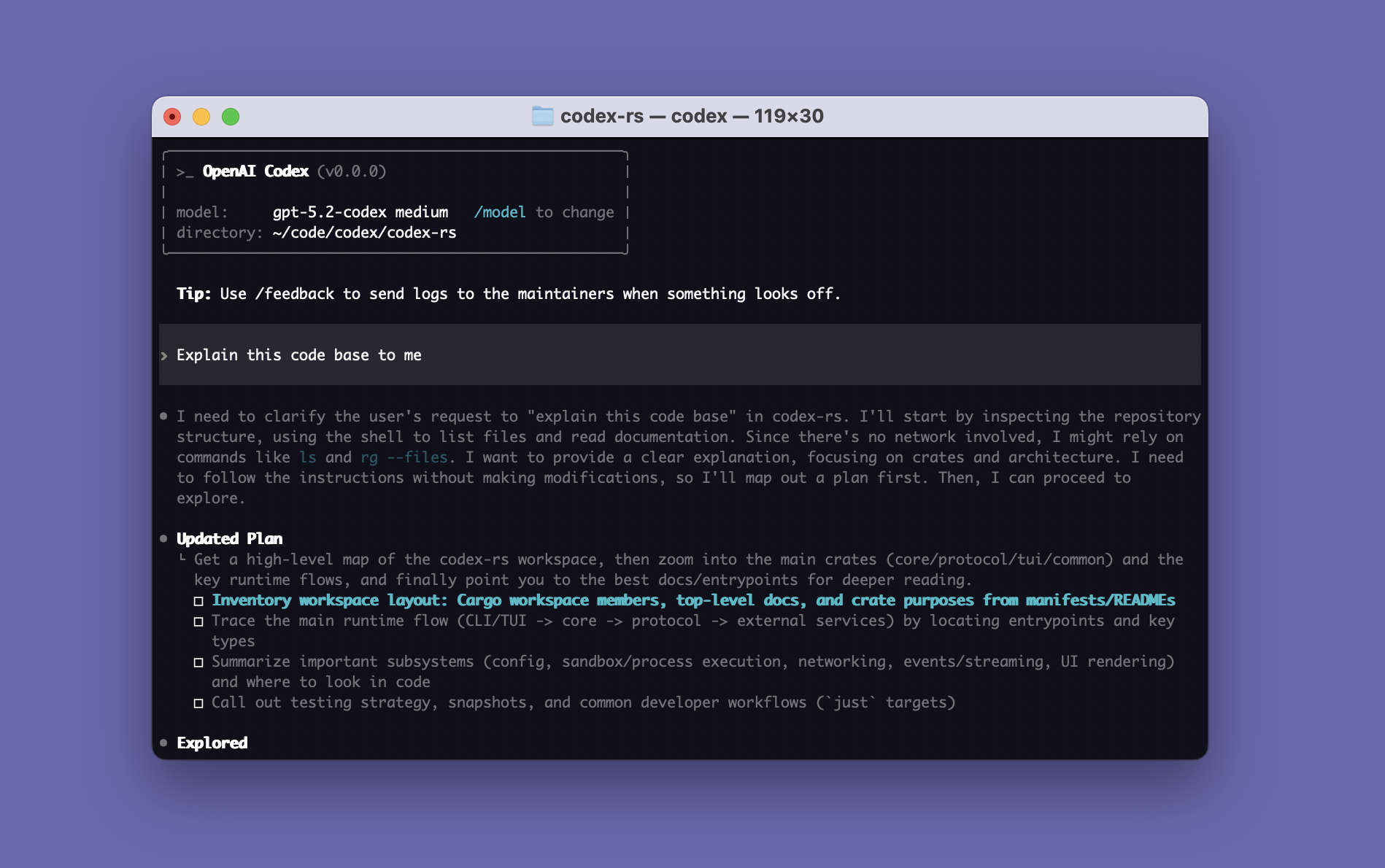
*官方原始素材:[`openai/codex` README](https://github.com/openai/codex/blob/2df67054232090af8d2fa197c46b994bc2b0dda1/README.md) 引用的 Codex CLI splash;來源 repo 為 [Apache-2.0](https://github.com/openai/codex/blob/2df67054232090af8d2fa197c46b994bc2b0dda1/LICENSE)。此教材以固定 revision `2df6705…` 顯示,避免 upstream 圖片日後變更。*
這張圖最值得觀察的不是配色,而是它證明了一件事:**CLI 是 Codex 的一個 Client Surface,不是 Harness 本身。** 同一套 Codex harness 也能被 IDE、App Server、SDK 與 Web surface 驅動。
## OpenAI 官方 App Server 架構怎麼描述?
OpenAI 在工程文章 [Unlocking the Codex harness: how we built the App Server](https://openai.com/index/unlocking-the-codex-harness/) 中,明確把 App Server 描述成:
- client-friendly 的雙向 JSON-RPC 介面;
- long-lived process;
- 內部包含 stdio reader、Codex message processor、thread manager 與 core threads;
- 一個 client request 可以產生多個 event updates;
- server 也能反向要求 client 回覆 approval。
下面不是 OpenAI 原圖,而是**依官方工程文章重繪的教材版責任圖**:
```mermaid
flowchart LR
CLIENT[Client\nIDE / App / Custom UI]
IO[stdio reader\nJSONL transport]
MP[Codex message processor\nrequest / event translation]
TM[Thread manager]
C1[Codex core thread A]
C2[Codex core thread B]
CLIENT -->|request| IO
IO --> MP
MP --> TM
TM --> C1
TM --> C2
C1 -->|events / updates| MP
C2 -->|events / updates| MP
MP -->|response / notifications / approval request| IO
IO --> CLIENT
```
*教材重繪來源:OpenAI 官方工程文章 [Inside the Codex harness](https://openai.com/index/unlocking-the-codex-harness/#inside-the-codex-harness)。這張 Mermaid 是本教材整理,不是 OpenAI 官方原圖。*
## 把官方描述映射回教材
| 官方語彙 | 教材中的位置 |
|---|---|
| Codex CLI / IDE / App | Client Surface |
| App Server | Integration Boundary |
| Thread Manager | 多 Thread lifecycle / runtime hosting |
| Core Thread | 一個 Codex Thread 對應的 agent runtime |
| JSON-RPC notifications | UI-ready event stream |
| Server-initiated approval request | Human-in-the-loop / Approval boundary |
因此前面看到的:
```text
Client
→ App Server
→ Codex Runtime
→ Model / Tools / State / Policy
```
不是為了方便教學而任意創造的分層,而是對 OpenAI 已公開架構做的責任抽象。
## Thread / Turn / Item 也來自官方公開模型
同一篇 App Server 工程文章把 conversation primitives 明確拆成:
```text
Thread
└─ Turn
└─ Item
```
其中 Item 是 client 可以渲染的原子單位,例如 user message、agent message、tool execution、approval request、diff。這也是為什麼本教材在談 State 與 UI 時,會一直把 Thread / Turn / Item 當成 Codex 最重要的 product-facing domain model。
進一步可直接讀:
- [OpenAI:Unlocking the Codex harness](https://openai.com/index/unlocking-the-codex-harness/)
- [`codex-rs/app-server/README.md`](https://github.com/openai/codex/blob/main/codex-rs/app-server/README.md)
- [`openai/codex`](https://github.com/openai/codex)
## 閱讀原則
官方素材最適合回答:
> **OpenAI 自己把哪些東西視為 Codex 的穩定產品與整合邊界?**
而本教材的圖則進一步回答:
> **這些 boundary 在一般 Agent Harness 架構裡代表什麼責任?**
兩者應該並讀,而不是二選一。
下一步可回到 [系統架構總覽](./system-map.md),或繼續讀 [App Server 與 Protocol](./app-server-and-protocol.md)。
---
## codex-core:Agent Runtime 的中心
`codex-core` 是理解 harness runtime 最值得看的 crate。它不是 UI,也不是 protocol schema;它負責「一個 Codex thread 如何真正活起來」。
## 先從 `lib.rs` 看版圖
目前 `core/src/lib.rs` 可看到幾類重要模組:
```text
session / codex_thread / thread_manager
client / client_common
context / context_manager
agent / agent_communication
exec / unified_exec / exec_policy
mcp / mcp_tool_call / mcp_tool_exposure
skills / plugins / agents_md
hook_runtime
guardian / safety / sandboxing
rollout / state / tasks
compact / compact_* / compact_token_budget
tools
```
這個分法本身就說明:**agent runtime = lifecycle + model + context + tools + execution + policy + state**。
## ThreadManager、CodexThread、Session
可以用三層概念理解:
### ThreadManager
負責建立、取得、fork、管理 thread 級 runtime,是上層 client 與 session instance 之間的管理層。
### CodexThread
`CodexThread` 是「一條雙向訊息流的 conduit」。目前 source 中它包住 session、I/O、session source、configuration event、rollout path 等,並提供 submit 等操作。
它的 `ThreadConfigSnapshot` 很值得閱讀,因為一次列出 thread runtime 真正在乎的東西:
- model / provider;
- approval policy;
- permission profile;
- environments / workspace roots;
- reasoning effort / summary;
- personality / collaboration mode;
- persistence/history/fork/parent metadata。
也就是說,thread 不是只有 message list,而是一個**有執行能力與權限狀態的 session container**。
### Session
Session 承擔 turn execution 所需的 services、active turn、input queue、event emission 等內部狀態。多數 agent loop 的細節最後會落在 session/turn/task 周邊。
## Task abstraction
Core 不把所有工作都當成完全相同的 turn。`tasks` 讓 runtime 可以表示不同 task kind。
以 `RegularTask` 為例,流程大致是:
```mermaid
flowchart TD
A[RegularTask::run] --> B[emit TurnStarted]
B --> C[consume startup prewarm]
C --> D[run_turn]
D --> E{pending input?}
E -->|No| F[return last agent message]
E -->|Yes| D
```
這裡有兩個值得借鏡的 production 細節:
1. **prewarm**:agent loop 不必把所有 provider/session 初始化延遲都留到第一個 user-visible action。
2. **pending input loop**:user steering/queue 是 runtime lifecycle 的一部分,不是 UI 外掛。
## Core 為什麼不能直接 print?
目前 `core` root 禁止 library code 直接 `stdout/stderr` print,要求 user-visible output 經過 TUI 或 tracing abstraction。
這看似小細節,其實代表正確的 layering:
- core 產生 domain events;
- client 決定怎麼 render;
- telemetry/logging 走 instrumentation;
- library 不綁死 terminal。
如果你在做自己的 harness,這條原則極度重要。否則將來從 CLI 搬到 IDE/Web 時,所有執行邏輯都會被 presentation code 卡住。
## Core 的 extension mindset
目前 source tree 出現許多 `ext/*` crate 與 plugin/skill/MCP abstraction,方向很明確:核心維持 agent loop 與權限/狀態一致性,把可選能力外掛化。
理想的 core API 應該讓「新增能力」不需要改寫 agent loop:
```text
register tool / capability
↓
expose schema to model
↓
model chooses it
↓
common authorization + execution path
↓
common item/event/state path
```
這就是 harness 從 demo 走向平台的分水嶺。
## 讀原始碼建議順序
1. `core/src/lib.rs`:先看模組。
2. `core/src/codex_thread.rs`:理解 thread abstraction。
3. `core/src/thread_manager.rs`:理解 lifecycle。
4. `core/src/tasks/regular.rs`:看 regular turn task。
5. `core/src/session/turn.rs`:深入 agent loop。
6. `core/src/client*.rs`:看 model interaction。
7. `core/src/tools/*`:看 action routing。
8. 再進 sandbox/MCP/hooks/skills。
不要一開始從最大的 `turn.rs` 逐行讀,會失去架構視角。
## 來源
- [`core/src/lib.rs`](https://github.com/openai/codex/blob/main/codex-rs/core/src/lib.rs)
- [`core/src/codex_thread.rs`](https://github.com/openai/codex/blob/main/codex-rs/core/src/codex_thread.rs)
- [`core/src/tasks/regular.rs`](https://github.com/openai/codex/blob/main/codex-rs/core/src/tasks/regular.rs)
---
## Model Provider、Responses API 與 Streaming
Harness 必須把「agent runtime」與「某個固定 endpoint」分開。Codex 可以依登入與設定走不同 model provider,而 core 仍維持同一套 turn/tool semantics。
## Provider abstraction 解決什麼
至少包含:
- endpoint / auth;
- model catalog;
- reasoning effort;
- service tier;
- request metadata;
- streaming protocol;
- retry / rate limit;
- context window / capabilities。
Model 應該是 dependency,不應該是 runtime 架構本身。
## Prompt request 的三個核心區塊
概念上可化成:
```json
{
"instructions": "...",
"tools": ["..."],
"input": ["..."]
}
```
- `instructions`:模型/agent 的穩定高階行為。
- `tools`:這一輪可使用的 action schema。
- `input`:developer/user/environment/history/tool results 等 items。
真正 payload 可能因 provider/版本有更多欄位,但這個三分法很好用。
## Streaming 是 agent loop 的必要條件
若等整個 response 完成才處理,會損失:
- reasoning/message 的即時 UI;
- tool call 進度;
- cancel responsiveness;
- token/latency telemetry;
- background execution 的協調能力。
因此 core 需要把 provider-specific stream event 轉成 internal response/event model,再由 App Server/TUI 映射成 client-visible items。
## Model event 與 Product event 不必一對一
這是設計 harness 時常被忽略的點。
Provider 可能給你:
```text
response.output_text.delta
response.function_call_arguments.delta
response.completed
```
產品需要的卻可能是:
```text
item/started
item/shellCommand/outputDelta
item/completed
turn/completed
```
中間需要一層 **event mapping**。這樣 UI 不必知道 provider 細節,也不會因 API 換事件名稱就整套壞掉。
## Retry 不是無腦重送
對純 model request,retry 相對安全;但如果上一輪 response 已觸發具副作用的 tool call,重建 turn 時就要注意:
- 是否已執行過?
- 是否已有 persisted item id?
- 是否具 idempotency key?
- tool 是否可以重跑?
因此 production harness 的 retry boundary 通常落在「provider request」而非「整個 turn 從頭再來」。
## Local / alternate providers
Codex CLI 也能在特定模式使用本機或其他模型 provider。架構上的啟示不是某一個特定 provider 名稱,而是:
> Harness 的價值應該盡量存在於 provider 之外。
如果換模型就失去 sandbox、tools、history、approvals、events,那你建的不是 harness,只是一個 API wrapper。
## 來源
- [Unrolling the Codex agent loop](https://openai.com/index/unrolling-the-codex-agent-loop/)
- [`codex-rs/core/src/client.rs`](https://github.com/openai/codex/blob/main/codex-rs/core/src/client.rs)
- [`codex-rs/model-provider`](https://github.com/openai/codex/tree/main/codex-rs/model-provider)
---
## Tool Execution:從模型意圖到真實副作用
Model 只會產生「我要呼叫某工具」的結構化意圖。真正的副作用發生在 harness。
## Tool 的三個世界
### Harness-native tools
例如 shell、file edit / apply patch、process control。Harness 最清楚它們的行為,因此可以直接套 sandbox、cwd、timeout、output truncation。
### Hosted tools
由上游平台提供的能力,例如某些 web/search 類 hosted tool。它們未必經過本地 shell sandbox。
### MCP tools
由外部 MCP server 宣告的工具。Harness 管理 discovery/call,但真正執行環境可能在另一個 process、container 或 remote service。
## Execution pipeline
```mermaid
flowchart LR
M[Model tool call] --> V[Schema validation]
V --> X[Exposure / policy check]
X --> R[Rules / hooks / approval]
R --> E[Executor]
E --> S[Sandbox / environment]
S --> O[Structured output]
O --> T[Truncate / normalize]
T --> H[History item]
H --> M
```
每一格都是不同責任,不應全部塞進 `executeTool()`。
## Shell 是特殊工具
Shell 幾乎可以間接做任何事,因此需要更多 runtime 能力:
- working directory;
- environment variables;
- PTY / interactive command;
- process lifecycle;
- timeout/cancellation;
- stdout/stderr streaming;
- background terminal;
- OS sandbox;
- network policy。
對 agent 安全而言,`shell("curl ...")` 與 `readFile()` 的 risk profile 完全不同。
## Apply Patch 為什麼常獨立
專用 patch tool 有幾個好處:
- 修改意圖結構化;
- diff 容易展示與 audit;
- 避免 model 用複雜 shell one-liner 改檔;
- 更容易做 path policy;
- 可以產生 file-edit item。
這是「把常見高價值 action 從 general-purpose shell 拆成窄工具」的典型設計。
## Output normalization
Tool output 不應等同「stdout 字串」。好的 result model 可能包含:
```ts
type ToolResult = {
ok: boolean
exitCode?: number
stdout?: string
stderr?: string
structured?: unknown
truncated?: boolean
durationMs?: number
artifacts?: ArtifactRef[]
}
```
這讓 model、UI、telemetry 都能使用同一份 execution outcome。
## Parallelism
讀取型 tools 通常較容易平行,例如多檔搜尋、獨立資料查詢。寫入型 tools 的平行執行則可能互相踩檔、破壞 test assumptions。
因此不要把「模型一次提出多個 tool call」直接等價成「全部 Promise.all」。Harness 應依 tool side-effect class 決定是否可平行。
## Tool contract 要比 Prompt 穩定
如果模型常常呼錯工具,優先檢查:
- tool name 是否清楚;
- description 是否區分相似工具;
- schema 是否過度複雜;
- required fields 是否合理;
- error 是否可供模型自我修正;
- tool exposure 是否過多。
降低工具選擇的 entropy,通常比再寫一段「請正確使用工具」有效。
## 來源
- [Agent loop article](https://openai.com/index/unrolling-the-codex-agent-loop/)
- [`codex-rs/core/src/tools`](https://github.com/openai/codex/tree/main/codex-rs/core/src/tools)
- [`codex-rs/exec`](https://github.com/openai/codex/tree/main/codex-rs/exec)
- [`codex-rs/apply-patch`](https://github.com/openai/codex/tree/main/codex-rs/apply-patch)
---
## State、History、Rollout 與 Persistence
LLM API 通常是 stateless 的;coding agent 卻必須表現得有狀態。這個落差由 harness 補上。
## 至少要保存哪些狀態?
可以分成四層:
### Conversation state
Thread、turn、items、message/tool history。
### Execution state
active turn、background process、pending input、cancellation、approval wait。
### Configuration state
model、cwd、workspace roots、permissions、selected environment、loaded instruction sources。
### Product metadata
thread title/section/project assignment、fork/parent relation、git info、timestamps、token usage。
## Rollout 的概念
Codex source 中保留 `rollout` 相關模組,可以把它理解成可重建 session/thread history 的事件/項目紀錄層。它不只是 UI chat transcript,因為 agent 執行過程中的 tool/item 也是未來 context 與 audit 的一部分。
## Event sourcing 的味道
Agent 系統很適合採「append events, derive views」思路:
```text
UserInput
ToolCall
ToolOutput
FileEdit
AgentMessage
TurnCompleted
```
由這些 durable items 可以衍生:
- conversation view;
- diff timeline;
- token accounting;
- resume context;
- observability;
- audit trail。
如果只保存最後 assistant text,幾乎所有 production 能力都會失去。
## Ephemeral thread 的作用
Ephemeral 不代表「另一套簡化 agent」。理想設計是共享完整 runtime,只把 persistence backend 換成 in-memory/no durable write。
這讓你可以安全地用同一套 semantics 支援:
- 一次性 CI task;
- temporary research;
- subtask;
- 不希望留下 durable history 的執行。
## Fork 與 immutable history
Fork 最好基於 immutable history boundary,而不是複製一個可變 `messages` array。原因:
- 可以知道來源 thread;
- 可以 fork 到某個 turn;
- 可以避免 mid-turn partial state 不明;
- 可以對歷史截斷/重寫做 versioning。
Codex 的 source 也存在 thread rollout truncation、fork snapshot 等概念,顯示 history mutation 是需要嚴肅處理的 runtime 行為。
## Persistence 與 Context 不是同一件事
這一點很重要:
```text
Durable history != what must be sent to the model now
```
完整 history 可以留在 store;context builder 只選擇當前推理需要的 projection。當 history 很長時,透過 compaction / summarization / selected items 控制 token budget。
## Database 設計提示
自製 harness 可以從這個最小 schema 起步:
```text
threads(id, created_at, status, parent_thread_id, ...)
turns(id, thread_id, started_at, completed_at, status, ...)
items(id, turn_id, seq, type, payload_json, created_at)
approvals(id, turn_id, item_id, state, ...)
artifacts(id, item_id, locator, metadata_json)
```
真正 production 再加 project、environment、usage、telemetry、compaction snapshot 等。
## 來源
- [`codex-rs/thread-store`](https://github.com/openai/codex/tree/main/codex-rs/thread-store)
- [`codex-rs/core/src/rollout`](https://github.com/openai/codex/tree/main/codex-rs/core/src/rollout)
- [App Server docs](https://learn.chatgpt.com/docs/app-server)
---
## App Server 與 Protocol
App Server 解決的是一個典型架構問題:**如何讓完整 Codex harness 不被某個 UI 綁死?**
## 為什麼需要 App Server
早期 coding agent 很容易長成:
```text
Terminal UI
├─ prompt building
├─ model call
├─ tool execution
├─ approvals
└─ state
```
只要想加 IDE、desktop app、自製 UI,就會開始複製 runtime logic。
App Server 把界面改成:
```text
TUI / IDE / App / Automation
↓
App Server API
↓
Codex harness
```
OpenAI 將它定位成「完整 harness 的 first-class integration surface」,而不是只暴露一個 `prompt → string` API。
## JSON-RPC-lite
App Server 使用雙向、類 JSON-RPC 2.0 的消息模型,但 wire 上省略 `"jsonrpc":"2.0"` header。預設 transport 是 stdio 上的 JSONL;另有 Unix socket 與實驗性 WebSocket 等形式。
三種消息:
```json
{"id": 1, "method": "thread/start", "params": {}}
{"id": 1, "result": {"thread": {"id": "..."}}}
{"method": "turn/completed", "params": {"turn": {"id": "..."}}}
```
- request:有 `id`,期待 response。
- response:同 `id` 回 result/error。
- notification:沒有 `id`,用於事件串流。
## Initialize handshake
每個 transport connection 必須先 initialize:
```json
{
"method": "initialize",
"id": 0,
"params": {
"clientInfo": {
"name": "my_codex_client",
"title": "My Codex Client",
"version": "0.1.0"
}
}
}
```
接著 client 送 `initialized` notification。這讓 server 能知道 client capabilities、MCP extensions 與身份資訊。
## API 為什麼不是只有 run(prompt)
因為真正 UI 需要:
- thread start/resume/fork/list/read;
- turn start/interrupt/steer;
- item streaming/deltas;
- approvals;
- model/config/auth;
- skills/apps/MCP;
- project/thread organization;
- diagnostics/telemetry 等。
如果只提供 `run(prompt) -> text`,上層無法做 rich progress UI,也無法安全處理 approvals。
## Event stream 是產品能力,不只是 log
例如一個 IDE 可能收到:
```text
turn/started
item/started shell command
item/*/delta output streaming
item/completed shell command
item/started file edit
item/completed file edit
item/agentMessage/delta
item/completed agent message
turn/completed
```
UI 可以因此把「正在跑測試」「修改了哪些檔案」「正在等待批准」呈現成真正產品狀態,而非從 terminal text 猜測。
## Backpressure
App Server 的 transport 使用 bounded queues。當 ingress 飽和時,server 可回 retryable overload error;client 應採 exponential backoff + jitter。
這是很重要的 harness lesson:**事件系統本身也需要流量控制**。Agent 可能高頻產生 deltas/tool output,不能假設 client 永遠消費得夠快。
## Schema generation
App Server 可以由當前 Codex binary 產生 TypeScript 或 JSON Schema。這比手抄 protocol interface 更可靠,因為 schema 與 binary 版本綁定。
```bash
codex app-server generate-ts --out ./generated
codex app-server generate-json-schema --out ./schema
```
## MCP Server ≠ App Server
兩者名字容易混淆:
- **Codex 作為 MCP server**:把某些 Codex 能力暴露給支援 MCP 的 host。
- **Codex App Server**:把完整 Codex product/harness lifecycle 暴露給 rich client。
如果你要「在自己的產品裡嵌一個完整 Codex」,優先研究 App Server。
## 來源
- [App Server docs](https://learn.chatgpt.com/docs/app-server)
- [Unlocking the Codex harness](https://openai.com/index/unlocking-the-codex-harness/)
- [`codex-rs/app-server/README.md`](https://github.com/openai/codex/blob/main/codex-rs/app-server/README.md)
- [`codex-rs/protocol/README.md`](https://github.com/openai/codex/blob/main/codex-rs/protocol/README.md)
---
## Client Surfaces:CLI、Exec、SDK、App Server 怎麼選
Codex 的不同「使用方式」其實代表不同 integration depth。選錯 surface,常會讓架構過重或能力不足。
## 快速比較
| Surface | 最適合 | Harness 控制力 | 整合成本 |
|---|---|---:|---:|
| Interactive CLI/TUI | 人與 agent 協作 | 中 | 低 |
| `codex exec` | script / CI / one-shot | 中 | 低 |
| Codex SDK | 應用程式內啟動 Codex 工作 | 中高 | 中 |
| App Server | 自製 rich client / product integration | 高 | 高 |
| Codex as MCP server | 讓其他 MCP host 使用 Codex 能力 | 特定 | 中 |
## Interactive CLI
適合 developer-in-the-loop:你希望看進度、批准命令、steer 任務、互動式除錯。
優勢:零整合成本,最接近官方 UX。
缺點:難當成穩定 machine interface;不要用 terminal scraping 當 API。
## `codex exec`
非互動模式提供 machine-friendly execution:
```bash
codex exec --json "檢查這個專案並找出 race condition"
```
適合 CI、pre-commit、scheduled task、release pipeline。它可以輸出 JSONL events,也能要求 structured final output。
如果需求只是「在 pipeline 跑一個 agent task」,先用 exec,不必一開始就自己寫 App Server client。
## SDK
SDK 適合你希望在 TypeScript/Python 程式裡控制 thread,而不想自己處理完整 JSON-RPC protocol 的場景。
它提供較小、較 ergonomic 的 surface,但不保證暴露 App Server 的全部 product primitives。
## App Server
當你需要:
- rich event UI;
- persistent threads;
- approvals;
- thread fork/resume;
- model/config/auth UI;
- 多種 item 類型;
- 自製 IDE/product;
就應該直接面對 App Server。
## MCP Server
MCP 解的是「工具互通」而不是「完整 Codex client」。把 Codex 暴露成 MCP server 可以讓其他 agent host 呼叫它,但你拿到的 product lifecycle 不等同 App Server。
## Selection heuristic
```mermaid
flowchart TD
A[要整合 Codex] --> B{有人在互動操作?}
B -->|Yes| C[CLI/TUI]
B -->|No| D{只是一次 task / CI?}
D -->|Yes| E[codex exec]
D -->|No| F{要自己做 rich UI/lifecycle?}
F -->|Yes| G[App Server]
F -->|No| H[SDK]
```
## 一個架構原則
越靠近 App Server/core,能力越完整,但你也越要自己處理:
- lifecycle;
- version compatibility;
- error/retry;
- event ordering;
- approvals UX;
- persistence / reconnect;
- security boundaries。
「更多控制」不等於「更簡單」。
## 來源
- [Codex CLI](https://learn.chatgpt.com/docs/codex/cli)
- [Non-interactive mode](https://learn.chatgpt.com/docs/non-interactive-mode)
- [Codex SDK](https://learn.chatgpt.com/docs/codex-sdk)
- [App Server](https://learn.chatgpt.com/docs/app-server)
---
## Sandbox 與 Approvals
Coding agent 的安全不能只靠一句:
> 請小心,不要做危險的事。
真正安全的系統,要把兩件事分開:
1. **Model 想做什麼?**
2. **系統實際允許它做什麼?**
Codex 裡最重要的兩個概念就是:
```text
Sandbox = 能力邊界
Approval = 本次行動是否獲准
```
## 初學者版:Sandbox 是圍牆,Approval 是門禁
可以把 Agent 想成在一個工作區裡活動。
```mermaid
flowchart LR
M[Model\n想做某件事] --> H[Harness]
H --> S[Sandbox\n圍牆:哪些地方碰得到?]
S --> A[Approval\n門禁:這次要不要放行?]
A --> E[Execute]
```
### Sandbox 像圍牆
它回答:
> **技術上允許碰哪些資源?**
例如:
- 能不能寫 workspace?
- 能不能讀 workspace 外的路徑?
- 能不能開 process?
- 能不能使用 network?
### Approval 像門禁
它回答:
> **這一次特定行動,要不要讓它通過?**
例如:
- 這個命令需要更高權限;
- 這次 network access 是否值得批准;
- 這個 destructive action 要不要讓 user/reviewer 決定。
## 為什麼兩個都需要?
只有 Sandbox:
```text
能做的事情一律能做
```
可能太粗。
只有 Approval:
```text
所有事情都靠人判斷
```
又可能太慢,而且 user 也可能看漏風險。
比較成熟的設計是:
```mermaid
flowchart TD
A[Model proposes action] --> B{Sandbox / Permission\n目前能力允許嗎?}
B -->|直接允許| E[Execute]
B -->|不允許且不可升級| D[Reject]
B -->|可以要求更高權限| C{Approval Policy}
C -->|不用詢問 / 自動策略| E
C -->|需要批准| F[Request Approval]
F -->|Approved| E
F -->|Denied| D
```
## Capability 和 Intent 要分開
這是 agent security 最重要的設計原則之一。
```mermaid
flowchart LR
I[Intent\nModel 想做什麼] --> P[Policy]
C[Capability\nEnvironment 做得到什麼] --> P
P --> D[Decision]
```
Model 有能力想到:
```text
rm -rf ...
git push --force
curl external-site
```
不代表 execution environment 必須允許。
**推理能力越強,不代表執行權限要越大。**
## 常見 Sandbox 模式怎麼理解?
概念上可以先理解成三個風險層次。
```mermaid
flowchart LR
R[read-only\n只讀] --> W[workspace-write\n工作區可寫]
W --> F[danger-full-access\n高度開放]
```
### `read-only`
適合:
- code review;
- 分析;
- repository exploration。
重點是 Agent 可以理解,但不能直接修改主要工作區。
### `workspace-write`
適合一般 coding workflow。
通常可以修改工作區,但仍不代表整個主機與網路都是 unrestricted。
### `danger-full-access`
接近高度開放 execution。
這不等於「Agent 變聰明」,只是 blast radius 變大。
> 實際 capability 仍會受到 OS、permission profiles、managed policy 等影響,不要只從模式名稱推測全部細節。
## Prompt、Sandbox、Approval 三者完全不同
這是最常見的混淆之一。
```mermaid
flowchart TB
P[Prompt / AGENTS.md\n告訴 Model 應該怎麼做]
S[Sandbox / Permission\n限制實際能力]
A[Approval\n對特定 action 做決策]
```
例如你在 AGENTS.md 寫:
```md
永遠不要讀 ~/.ssh
```
這是一個 instruction。
它的意思是:
> Model 應該不要這麼做。
但真正強安全保證應該是:
> Execution layer 根本無法取得 `~/.ssh`。
```mermaid
flowchart LR
P[Instruction\n不要讀 ~/.ssh] --> M[Model Compliance]
S[Filesystem Boundary\n讀不到 ~/.ssh] --> E[Actual Enforcement]
```
**Guidance 和 Enforcement 不能混為一談。**
## Approval 不是「所有危險事都問人」
好的 approval system 不應該一直跳出毫無資訊的:
```text
Allow? [y/N]
```
Reviewer 應該看得懂:
- 要做什麼;
- 為什麼需要;
- 影響哪些資源;
- 是否碰 network;
- 是否使用 secret;
- 是否 destructive;
- 拒絕後有沒有替代方案。
概念上:
```mermaid
flowchart TD
R[Approval Request] --> A[Action]
R --> W[Why]
R --> S[Scope]
R --> X[Risk / Side Effects]
R --> F[Fallback]
```
Approval UX 本身就是 security design 的一部分。
## Interactive 和 CI 的安全模型不同
### Interactive
User 在場,可以:
```text
Agent → Ask Approval → User Decides → Continue
```
### CI
CI 通常不能停下來等人按按鈕。
所以更適合:
```mermaid
flowchart TD
CI[CI Agent] --> P[Deterministic Machine Policy]
P --> A[Allowed Operations]
P --> D[Denied Operations]
D --> PLAN[Generate Plan / Patch Instead]
```
CI 的設計原則通常是:
- 給最小且足夠的 permission;
- 不需要的 network 關掉;
- destructive action 改成輸出 plan / patch;
- 或交給專門 reviewer / policy layer。
不要把「模擬人工按 Yes」當成 CI 安全策略。
## MCP 是非常重要的例外
本地 shell 的 sandbox,不代表所有 MCP 工具都自動被同一個 sandbox 包住。
```mermaid
flowchart TB
M[Model]
M --> H[Codex Harness]
H --> SH[Shell Tool]
H --> MCP[MCP Tool]
SH --> CS[Codex Local Sandbox]
MCP --> MS[MCP Server Security Boundary]
MS --> EXT[External SaaS / DB / API]
```
例如某個 MCP tool 可以:
- 寫 GitHub;
- 改資料庫;
- 發 Slack;
- 部署 cloud resources。
它的真正權限取決於:
- MCP server 自身;
- OAuth / API token;
- IAM;
- tool implementation;
- remote service policy。
不是只看 Codex shell 顯示什麼 sandbox mode。
## Trust Boundary 要重新畫
每新增一個外部 Tool,都應該問:
```mermaid
flowchart TD
T[New Tool] --> C1[它拿到什麼 Credentials?]
T --> C2[它能讀什麼?]
T --> C3[它能寫什麼?]
T --> C4[Action 可逆嗎?]
T --> C5[誰負責 Audit?]
```
這也是為什麼「接上 MCP」不是只有增加功能,也等於新增一條 security boundary。
## Secret Scope 應該比 Filesystem Scope 更窄
假設 Agent 可以寫整個 workspace,不代表它需要:
```text
AWS Admin Key
Production DB Superuser
GitHub Org Owner Token
```
更好的設計是:
```mermaid
flowchart TB
AG[Agent Job]
AG --> FS[Workspace Permission]
AG --> CRED[Task-specific Credential]
CRED --> MIN[Minimum Required Scope]
```
Credential 應該依:
- tool;
- task;
- environment;
- duration
做最小化。
## 一個完整的安全判斷流程
把前面的概念組起來:
```mermaid
flowchart TD
A[Model proposes action] --> B[Validate Tool + Args]
B --> C{Capability / Sandbox}
C -->|Impossible| X[Reject]
C -->|Possible| D{Rule / Permission Policy}
D -->|Denied| X
D -->|Allowed| E{Need Approval?}
E -->|No| F[Execute]
E -->|Yes| G[Human / Machine Reviewer]
G -->|Denied| X
G -->|Approved| F
F --> H[Audit + Tool Result]
H --> I[Return Observation to Model]
```
這才是一個比較接近 production 的心智模型。
## Production 原則
1. **Default deny,逐步開 capability。**
2. **把 read / write / network / external side effects 分開。**
3. **Prompt 是 guidance,不是 security boundary。**
4. **Approval 不是 sandbox 的替代品。**
5. **CI 優先使用 deterministic machine policy。**
6. **每個外部 Tool 都重新做 trust-boundary analysis。**
7. **Secret scope 應該比 filesystem scope 更窄。**
8. **高風險 action 應該可 audit、可追蹤、最好可回復。**
## 常見誤解
### 誤解 1:Sandbox 就是「Model 不會做壞事」
不是。Sandbox 限制的是 capability,不是思想。
### 誤解 2:有 Approval 就安全了
不是。User 可能誤按,而且不是所有風險都適合逐次人工判斷。
### 誤解 3:AGENTS.md 可以取代 Permission
不能。AGENTS.md 是 instruction,不是強制執行邊界。
### 誤解 4:Codex Sandbox 自動保護所有 MCP
不能這樣假設。MCP 有自己的 execution 與 credential boundary。
## 本章只要記住
1. **Sandbox = 能力邊界。**
2. **Approval = 特定 action 是否獲准。**
3. **Prompt = Guidance,不等於 Enforcement。**
4. **Model 想做什麼和 Environment 能做什麼必須分離。**
5. **每增加一個外部 Tool,就等於新增一條 Trust Boundary。**
接下來的 permission、rules、network 章節,就是把這套模型再細分。
## 來源
- [Sandboxing](https://learn.chatgpt.com/docs/sandboxing)
- [Permissions](https://learn.chatgpt.com/docs/permissions)
- [Agent loop: sandbox boundary](https://openai.com/index/unrolling-the-codex-agent-loop/)
---
## Permission Profiles、Rules 與 Network Policy
Sandbox 模式回答的是粗粒度 capability;現代 agent runtime 還需要更細的「哪些路徑、哪些 command、哪些 network domain、什麼條件下允許」。
## Permission Profiles
Permission profile 可以把一組 execution capabilities 命名化。內建概念通常包含 read-only、workspace、danger-full-access 等級;較新的 profile 模型可把 filesystem 與 network privilege 更明確地組合。
好處是 client 不必每次 turn 手工拼一堆低階設定,而是選擇一個經過治理的 profile。
## Rules:Command-aware policy
Codex rules 支援 `prefix_rule()` 這類規則,根據命令前綴做決策,例如:
```python
prefix_rule(
pattern = ["git", "push"],
decision = "prompt",
)
```
概念上的 decision:
- `allow`:允許。
- `prompt`:要求批准。
- `forbidden`:禁止。
如果多條規則同時符合,應以更限制性的結果為準,而不是「有一條 allow 就放行」。
## 為什麼不能只 blacklist `rm -rf`
Shell 能力可被組合:
```bash
python -c '...delete files...'
find ... -delete
node script.js
curl ... | sh
```
所以 command rules 是 defense-in-depth,不是完整 sandbox 的替代品。真正 filesystem / network boundary 仍應在 OS / executor 層 enforcement。
## Network 是獨立權限面
對 coding agent,network access 常比 filesystem write 更敏感,因為它涉及:
- data exfiltration;
- package supply chain;
- SaaS APIs;
- production resources;
- credentials/token;
- arbitrary downloads。
因此設計 permission 時,應把:
```text
filesystem: read/write scope
network: allowed domains / sockets / proxies
credentials: which secrets are injected
```
分開處理。
## Project Trust
Codex 對 project-level config 有 trust 概念。未信任 project 不應能藉由 repository 中的 `.codex/config.toml`、hooks、rules 等,自動提升 agent 的行為能力。
這是在防一種經典 supply-chain 問題:
> 你 clone 一個陌生 repo,光是打開它,repo 內的 agent config 就試圖執行惡意 hook 或放寬權限。
因此「repository content」本身也要被當成 untrusted input。
## Managed Policy
企業環境通常還需要比 user config 更高層的 managed restrictions,例如固定允許的 permission profiles、network destinations、approval requirements。
原則是:
```text
User preference 不能覆蓋 organization security boundary
```
這和一般 endpoint management / browser policy 的設計相同。
## 一個實用 Policy Matrix
| 工作 | Filesystem | Network | Approval |
|---|---|---|---|
| Code review | read-only | off/allowlisted | usually none |
| Local bug fix | workspace-write | package registry only | risky command prompt |
| Dependency update | workspace-write | registry + source hosts | lockfile/scripts review |
| Release automation | narrow write | release endpoints | deterministic machine policy |
| Production migration | prefer plan-only | prod allowlist | explicit human gate |
不要用「開 full access 比較方便」當 default。
## 來源
- [Permissions](https://learn.chatgpt.com/docs/permissions)
- [Rules](https://learn.chatgpt.com/docs/agent-configuration/rules)
- [Configuration basics](https://learn.chatgpt.com/docs/config-file/config-basic)
---
## Trust Boundaries 與常見安全誤區
安全設計最實用的方法不是背設定,而是畫 trust boundary。Codex harness 至少同時接觸 user、repository、model、local machine、MCP servers、network services、CI secrets。
```mermaid
flowchart LR
U[User] --> H[Harness]
R[Untrusted repo] --> H
H <--> M[Model provider]
H --> L[Local executor]
H --> X[MCP / external tools]
L --> S[Secrets / filesystem]
X --> SaaS[Remote APIs]
```
每條箭頭都有不同 threat model。
## 誤區 1:模型是「可信程式」
模型輸出是 probabilistic。即使它通常遵守 instructions,也不能拿來當 authorization engine。
正確分工:
- Model:提出 action + rationale。
- Deterministic policy:判斷 capability。
- Reviewer:處理需要語意判斷的例外。
## 誤區 2:Repository 是可信資料
Repo 可能包含:
- prompt injection 文字;
- 惡意 AGENTS.md;
- package scripts;
- test fixture 中的欺騙指示;
- hooks/config;
- shell script。
Agent 「讀到一句叫它上傳 secret 的 README」不代表應該照做。Harness 必須維持來源/角色區隔,execution policy 也不能被 repository prose 改寫。
## 誤區 3:Hook 就是 Security Boundary
Hooks 很適合:
- block 常見危險 action;
- rewrite tool input;
- 加 context;
- audit;
- integration workflow。
但官方文件也把 hooks 定位成 guardrail,而非完整 enforcement boundary。原因很簡單:不是所有 hosted action 都一定走同一 hook path,而且 hook 本身也是程式碼。
真正不可跨越的限制要落在 sandbox / permission / OS / remote service IAM。
## 誤區 4:MCP 受到本地 Sandbox 完整保護
不一定。MCP server 可能拿著 GitHub、Slack、DB、cloud token;它的作用域由 server credentials 與 remote API 決定。
所以每個 MCP server 都要問:
1. 它能列出哪些 tools?
2. 每個 tool 有沒有 side effect?
3. credential scope 是 read-only 還是 admin?
4. server 在哪裡執行?
5. 是否需要二次 approval?
6. tool output 是否可能包含敏感資料?
## 誤區 5:CI Secret 放 env 就安全
如果 agent 可以執行 repo-controlled shell,那 environment secret 可能被任意 script 讀到。Codex non-interactive 文件也提醒不要在不受信任 repo code 可讀取的 job-level environment 中暴露 API key。
更好的方式:
- secret 只注入必要 step/process;
- 使用 short-lived credential;
- network allowlist;
- read-only token;
- release/prod action 使用另一個明確 gate。
## 誤區 6:Approval Fatigue 沒關係
如果每個 `git status` 都問一次,使用者很快會無腦按 Allow。安全 UX 應把低風險 action deterministic allow,把高風險 action 留給真正有資訊價值的 approval。
## Threat-model checklist
部署自製 harness 前至少回答:
- 模型能碰哪些檔案?
- 哪些 path 永遠不可讀?
- 哪些 path 可寫?
- 是否可執行任意 binary?
- network default deny 還是 allow?
- 有哪些 credentials?
- MCP tools 的 IAM scope?
- user 是否看得到完整 action?
- tool output 是否會被持久化?
- transcript 是否包含秘密?
- fork/subagent 是否繼承權限?
- CI retry 會不會重複副作用?
## 來源
- [Hooks](https://learn.chatgpt.com/docs/hooks)
- [Sandboxing](https://learn.chatgpt.com/docs/sandboxing)
- [Permissions](https://learn.chatgpt.com/docs/permissions)
- [Non-interactive mode](https://learn.chatgpt.com/docs/non-interactive-mode)
---
## config.toml 與設定優先序
# `config.toml` 與設定優先序
如果你第一次看 Codex 設定,不要先背幾十個 key。
先記住:
> **Config 解決的是「Harness 要怎麼運作」,而不是「這次任務要做什麼」。**
例如:
```text
這次幫我修 auth bug → Prompt
這個 repo 所有 DB 都走 repository layer → AGENTS.md
Codex 預設用哪個 model / sandbox / MCP → Config
```
## 先看設定的三個維度
任何 config 問題都可以先拆成三題:
```mermaid
flowchart LR
C[Codex Config] --> S[Scope\n這份設定作用在哪裡?]
C --> P[Precedence\n衝突時誰覆蓋誰?]
C --> T[Trust\n這個 Project 設定能生效嗎?]
```
這三個概念比記住單一檔案位置更重要。
## Scope:設定可能來自很多地方
Codex 不只有一個 `~/.codex/config.toml`。
概念上可以看成一層一層疊上去:
```mermaid
flowchart TB
D[Built-in Defaults] --> S[System Config]
S --> U[User Config]
U --> P[Profile]
P --> R[Trusted Project Config]
R --> C[CLI / One-off Override]
```
由低到高越往上越接近「這次執行」。
常見來源由高到低可整理為:
1. CLI flags / `--config` overrides;
2. trusted project 的 `.codex/config.toml`,從 project root 到 cwd,越近越優先;
3. profile config;
4. user `~/.codex/config.toml`;
5. system config,例如 `/etc/codex/config.toml`;
6. built-in defaults。
## 為什麼要有這麼多層?
因為不同人想控制不同範圍。
```mermaid
flowchart LR
ORG[Organization\n安全 baseline] --> USER[User\n個人偏好]
USER --> PROJECT[Project\nRepo 特定設定]
PROJECT --> RUN[Current Run\n一次性 override]
```
例如:
- 公司決定安全 baseline;
- 你決定常用 model;
- 某個 repo 需要特定 MCP;
- 這次 command 暫時切成另一個 profile。
如果只有一份 config,這些需求會互相打架。
## Precedence:同一個設定衝突時怎麼辦?
假設:
```text
User config: model = A
Project config: model = B
CLI override: model = C
```
最後通常是更高優先層生效:
```mermaid
flowchart LR
A[User: A] --> B[Project: B 覆蓋]
B --> C[CLI: C 再覆蓋]
C --> F[Effective Value = C]
```
Troubleshooting 時不要只問:
> 我 config 明明寫 B,為什麼不是 B?
而要問:
> **還有沒有更高 precedence 的來源?**
## Trust:Project Config 為什麼不能隨便自動生效?
假設你 clone 一個陌生 repo,裡面偷偷放:
```text
.codex/config.toml
```
如果它可以無條件改變:
- hooks;
- MCP;
- provider;
- execution behavior;
- permission behavior;
那光是進入一個 repository,就可能改變 Agent 的安全環境。
所以 project config 和 **Project Trust** 有關。
```mermaid
flowchart TD
R[Repository contains .codex/config.toml] --> T{Project Trusted?}
T -->|Yes| A[Project Config Can Apply]
T -->|No| I[Ignore / Restrict Project Config]
```
Troubleshooting 時很實用的一題是:
> 這份 config 沒生效,是 syntax 錯,還是 project 尚未 trusted?
## Config 和 AGENTS.md 不同
這兩個很容易被混在一起。
```mermaid
flowchart LR
C[Config] --> C1[控制 Harness 行為]
A[AGENTS.md] --> A1[告訴 Agent 在 Repo 裡怎麼工作]
```
### Config 適合
- model;
- provider;
- sandbox / permission;
- MCP server;
- hooks;
- features;
- telemetry。
### AGENTS.md 適合
- coding convention;
- architecture rule;
- test expectation;
- repository-specific instructions。
不要把一篇團隊開發規範塞進 TOML。
## 個人設定範例
```toml
model = "gpt-5.3-codex"
model_reasoning_effort = "high"
[features]
# 依當前版本支援項目設定
[mcp_servers.docs]
command = "npx"
args = ["-y", "some-mcp-server"]
```
> 具體 model 名稱、feature flags 與 schema 會隨版本變化;請以當前 config reference / schema 為準。
## Project-specific config
```text
repo/
├─ .codex/
│ └─ config.toml
├─ AGENTS.md
├─ packages/
└─ ...
```
適合放:
- repo 的 Agent feature 設定;
- project-specific MCP;
- hooks / rules;
- agent definitions;
- environment-specific controls。
不要 commit 個人 API key。
## Profile:把「工作模式」命名
如果你常在不同情境切換,Profile 比一直改主 config 更好理解。
```mermaid
flowchart TB
C[Same Codex Installation]
C --> W[Work Profile\n公司 MCP + stricter policy]
C --> O[OSS Profile\nPublic repo + no company tools]
C --> R[Research Profile\nRead-heavy + web tools]
```
這代表「同一個 Harness,不同 operation mode」。
## 看 Config Reference 時,用分類法而不是硬背
| 類別 | 你在控制什麼 | 例子 |
|---|---|---|
| Model | 用哪個推理引擎 | model, provider, reasoning effort |
| Context | Model 看什麼 | instructions, compaction, project docs |
| Execution | 真實環境怎麼跑 | sandbox, permission, environment |
| Tools | Agent 有什麼能力 | MCP, web, shell-related features |
| Agent | 怎麼分工與擴充 | subagents, skills, collaboration |
| Lifecycle | 一段工作怎麼延續 | hooks, history, thread behavior |
| Telemetry | 怎麼觀察系統 | logging, OTEL, diagnostics |
```mermaid
flowchart TB
CFG[Config Reference]
CFG --> M[Model]
CFG --> C[Context]
CFG --> E[Execution]
CFG --> T[Tools]
CFG --> A[Agent]
CFG --> L[Lifecycle]
CFG --> O[Observability]
```
先知道某個 key 在控制哪個責任,再看細節會容易很多。
## Schema-driven Config
Config 面積越大,越不適合靠記憶和猜測。
Editor 使用官方 schema 的好處:
- autocomplete;
- enum validation;
- deprecated field 提示;
- 減少拼字錯誤。
對 production integration 來說,versioned schema 更應視為 compatibility contract。
## 常見錯誤
### 把安全 Policy 放在可被覆蓋的普通層
如果 organization policy 必須不可被 user override,就不能只靠普通 config precedence;要使用 managed / deployment-level enforcement。
### 把所有 Project Knowledge 塞 Config
Config 是 machine behavior setting。
```text
開發規則 → AGENTS.md
特定 SOP → Skill
Harness 行為 → Config
```
### 在 Repo Commit Secrets
MCP auth / secret 應使用:
- environment variables;
- credential store;
- external secret mechanism。
## 本章只要記住
1. **Config 控制 Harness,不是描述本次任務。**
2. **先理解 Scope、Precedence、Trust。**
3. **越接近本次執行的設定通常優先度越高。**
4. **Project Config 不應在未信任 repo 中任意生效。**
5. **看 Config Reference 要按責任分類,不要硬背 key。**
## 來源
- [Config basics](https://learn.chatgpt.com/docs/config-file/config-basic)
- [Config reference](https://learn.chatgpt.com/docs/config-file/config-reference)
---
## AGENTS.md:Repository Instructions
# `AGENTS.md`:Repository Instructions
`AGENTS.md` 最適合放「這個 repository 的 agent 必須知道,但不容易光靠讀 code 推斷」的規則。
## 搜尋模型
Codex 會從 global 與 project hierarchy 載入 instructions。Project 內會沿著 root → cwd 找,越靠近工作目錄的 guidance 越具體。
常見檔案:
```text
$CODEX_HOME/AGENTS.md
repo/AGENTS.md
repo/packages/api/AGENTS.md
repo/packages/api/AGENTS.override.md
```
同一層若存在 override,會優先於一般 AGENTS;nested guidance 可以針對局部 codebase 覆寫上層規則。
## 好的 AGENTS.md 寫什麼
### Build / test truth
```md
## Validation
- TypeScript changes: `pnpm typecheck`
- API changes: `pnpm test:api`
- Never use `npm`; this repo is pnpm-only.
```
### Architecture invariants
```md
## Data access
- HTTP handlers must not query PostgreSQL directly.
- Use repositories under `src/data/`.
```
### Generated files
```md
- Do not edit `src/generated/**` manually.
- Run `pnpm generate` after schema changes.
```
### Review rules
```md
When changing auth code, verify:
1. session invalidation
2. CSRF behavior
3. audit logging
```
## 不適合放什麼
### 大篇 project documentation
模型能從 README/docs 按需讀取的內容,不必全注入每個 turn。
### 任務-specific 操作手冊
「發布 npm 套件的 27 步流程」更適合 Skill,因為不是每個 turn 都需要。
### 強制 security enforcement
「禁止 `git push --force`」如果真的不可違反,應搭配 rule/policy,而不是只寫 prose。
## Context budget
Project instructions 會消耗 context。Codex 對 project docs/instructions 有 size limit,且 source 自己也強調 injected context 要 bounded。
好的 AGENTS.md 應該:
- concise;
- high signal;
- deterministic;
- 避免重複 README;
- 用 command / path / invariant 取代抽象口號。
## Nested instructions 的價值
Monorepo 特別適合:
```text
AGENTS.md # repo-wide
packages/frontend/AGENTS.md # React rules
packages/backend/AGENTS.md # DB/API rules
infra/AGENTS.override.md # infra 特別嚴格
```
這讓 agent 進入不同 cwd 時取得最相關規則,不必把所有 team 的規則塞在根目錄。
## 與 Skill 的分工
| AGENTS.md | Skill |
|---|---|
| 每次在此 code scope 都相關 | 特定任務才載入 |
| repository invariant | workflow/procedure |
| 短、常駐 context | progressive disclosure |
| 例如 test command | 例如 release procedure |
## 建議模板
```md
# Repository Guidance
## Stack
- Node 22, pnpm, TypeScript strict.
## Architecture
- Domain logic lives in `src/domain`.
- Route handlers are thin adapters.
## Commands
- Test: `pnpm test`
- Typecheck: `pnpm typecheck`
- Lint: `pnpm lint`
## Safety
- Never edit generated files directly.
- Do not run production migrations from local tasks.
## Review
- Add tests for bug fixes.
- Prefer small changes; avoid unrelated refactors.
```
## 來源
- [AGENTS.md guide](https://learn.chatgpt.com/docs/agent-configuration/agents-md)
- [`openai/codex` AGENTS.md](https://github.com/openai/codex/blob/main/AGENTS.md)
---
## Skills 與 Plugins:Progressive Disclosure
Skill 的核心不是「再寫一份 prompt」,而是 **讓專門知識按需進 context**。
## 為什麼要 Skill
如果你有 30 套工作流程,而每次 turn 都把 30 套完整 SOP 塞進 prompt:
- context 成本爆炸;
- 相似 instructions 互相干擾;
- prompt cache 變差;
- 模型更難選正確流程。
Skill 採 progressive disclosure:初始只暴露 name + description;模型/使用者決定使用後,才載入完整 `SKILL.md`,必要時再讀 references/scripts/assets。
```mermaid
flowchart LR
A[Skill inventory\nname + description] --> B{Relevant?}
B -->|No| C[Keep context small]
B -->|Yes| D[Load SKILL.md]
D --> E[Read references / run scripts as needed]
```
## Skill 典型結構
```text
my-skill/
├─ SKILL.md
├─ references/
│ └─ api-conventions.md
├─ scripts/
│ └─ validate.sh
├─ assets/
└─ agents/
└─ openai.yaml # 若該格式/版本適用
```
`SKILL.md` 應該描述:
- 何時用;
- 何時不要用;
- input / assumptions;
- procedure;
- validation;
- output expectation。
## Description 是 Routing Interface
因為完整內容尚未載入,模型主要靠 description 判斷是否要用 Skill。因此 description 不能只有:
```yaml
description: Helps with databases.
```
應改成明確 scope:
```text
Use when reviewing or writing PostgreSQL/Supabase queries, schema changes,
indexes, RLS policies, or diagnosing unnecessary DB load. Do not use for
pure frontend state or static data.
```
## Explicit vs Implicit Invocation
Codex 可以讓 user 明確選 Skill,也可以根據描述做 implicit matching。兩者的設計用途不同:
- 明確:高控制、可預測。
- 隱式:低摩擦,但 routing description 必須很好。
高風險流程(release、prod migration)通常應偏向明確 invocation,避免「模型覺得好像相關」就自行進入流程。
## Scripts 的價值
能 deterministic 檢查的事,不要全靠 LLM:
```bash
scripts/check-schema-drift.sh
scripts/validate-migration-order.py
scripts/collect-benchmark.sh
```
Skill 讓模型知道何時執行 script、怎麼解釋結果;script 負責精確操作。
## Plugin 是什麼位置?
可以把 Plugin 想成更高一層的 distribution unit:把技能、工具/MCP、設定或相關能力打包成可安裝/選擇的 capability bundle。
概念分工:
```text
Skill → 教 agent「怎麼做一類工作」
MCP → 給 agent「新的外部工具」
Plugin → 把一組能力以可分發方式組合
```
具體 plugin 格式仍在快速演進,應以當前 Codex docs/source 為準。
## 何時該把 AGENTS.md 拆成 Skill?
如果一段內容符合任一條:
- 只有不到 20% 的 tasks 用到;
- 超過數十行 SOP;
- 有專用 references/scripts;
- 有明確 trigger;
- 未啟用時不該影響一般 coding;
就值得拆成 Skill。
## 來源
- [Build skills](https://learn.chatgpt.com/docs/build-skills)
- [`codex-rs/skills`](https://github.com/openai/codex/tree/main/codex-rs/skills)
- [`codex-rs/plugin`](https://github.com/openai/codex/tree/main/codex-rs/plugin)
---
## MCP:把外部能力接進 Harness
MCP(Model Context Protocol)讓 Codex 能連接外部 tool/resource server,而不必把每個 SaaS/API integration 寫死在 core。
## MCP 在架構上的位置
```text
Codex core
↓ MCP client
MCP server
├─ tools
├─ resources
└─ auth / remote API
```
對模型來說,MCP tool 最後仍會變成可選 tool schema;對 harness 來說,還要管理 server lifecycle、transport、timeout、auth、tool exposure。
## Stdio MCP
典型 config:
```toml
[mcp_servers.example]
command = "npx"
args = ["-y", "my-mcp-server"]
startup_timeout_sec = 10
tool_timeout_sec = 60
```
適合本機 process server。Harness 負責啟動 process 並用 stdio protocol 溝通。
## HTTP MCP
Remote MCP 適合 SaaS/team-shared capability。通常還需要:
- URL;
- bearer token / auth flow;
- headers;
- timeout;
- TLS / network policy。
Credential 應透過 environment/secret mechanism,不要寫死在 repo config。
## Tool exposure
MCP server 可能提供 50 個 tools,但 agent 任務只需要 3 個。可以透過 enabled/disabled tools 等機制縮小 exposure。
這同時改善:
- security surface;
- tool selection accuracy;
- context size;
- accidental side effects。
## `required` server
若某 workflow 沒有某 MCP 就根本不能正確執行,可以把 server 視為 required。這讓啟動時直接 fail,而不是 agent 跑到一半才發現關鍵工具不存在。
這是 production 的 **fail-fast** 原則。
## MCP Tool 的安全模型
務必把 MCP server 當成獨立 security principal:
```text
Codex local sandbox Remote MCP permission
------------------- ---------------------
workspace write GitHub token: repo admin?
no network server itself still has network?
read-only local files database tool still writes prod?
```
本地 sandbox 與 remote API permission 是不同維度。
## Tool description 設計
MCP server author 需要替 agent 設計工具,而不是直接把 REST API 一比一映射成 200 個 endpoints。
好 tool:
- intent 明確;
- input schema 小;
- output 結構化;
- side effect 可辨認;
- errors 可修復;
- read/write action 分離。
例如把:
```text
POST /repos/:owner/:repo/issues/:id/comments
```
包成:
```text
add_issue_comment(repo, issue_number, body)
```
對 agent routing 更友善。
## MCP vs Skill
常常兩者要一起:
- MCP 給工具:「可以查 deployment、建立 incident」。
- Skill 給流程:「incident 發生時先查 metrics → logs → recent deploy → 建立 timeline」。
工具與程序分開,重用性更高。
## 來源
- [MCP docs](https://learn.chatgpt.com/docs/extend/mcp)
- [`codex-rs/codex-mcp`](https://github.com/openai/codex/tree/main/codex-rs/codex-mcp)
- [`codex-rs/mcp-server`](https://github.com/openai/codex/tree/main/codex-rs/mcp-server)
---
## Hooks:觀察、阻擋、改寫與整合
Hooks 是在 agent lifecycle 的特定事件插入 deterministic 程式邏輯。它非常適合把組織流程接進 harness,但不要把它誤認為唯一安全 boundary。
## 典型 Hook Events
目前 Codex 文件涵蓋的事件包括像:
- `SessionStart` / `SessionEnd`;
- `PreToolUse` / `PostToolUse`;
- `PermissionRequest`;
- compaction 前後相關事件等。
精確事件集合會隨版本變化,應以當前 docs/schema 為準。
## PreToolUse
最有力量的一種 hook。可以在 action 真正執行前:
- deny;
- 加 context;
- rewrite input(若當前 hook contract 支援);
- 記錄 audit。
```mermaid
flowchart LR
M[Tool call] --> H[PreToolUse]
H -->|allow| E[Execute]
H -->|rewrite| E
H -->|deny| R[Return policy result]
E --> P[PostToolUse]
P --> L[Model / next step]
```
## PostToolUse
適合:
- 驗證結果;
- 加入額外 context;
- audit/metrics;
- 阻擋 agent 繼續某條路徑。
但它**不能撤銷已經發生的 side effect**。如果某個 `DELETE` 已打到 API,PostToolUse 再說「不該刪」已經太晚。
## Hook 的好用場景
### 自動檢查
改完 migration 後自動執行 schema validator。
### 組織政策
在 dangerous command 前檢查 ticket/branch/environment。
### Audit
把 tool name、cwd、decision、duration 寫到內部 telemetry。
### Context injection
SessionStart 時載入動態環境資訊,例如目前 service ownership / deployment environment。
## 不要用 Hook 做什麼
### 取代 sandbox
Hook code 可能沒覆蓋所有 tool surface,也可能自己出錯。
### 寫巨大 workflow
如果有多步 agent procedure,Skill 比 Hook 適合;Hook 應保持 deterministic 和窄責任。
### 把每個 tool call 都塞進慢速 remote API
會把 agent latency 放大。Hook 應有 timeout、failure policy、cache。
## Failure mode 要先定義
Hook 掛了怎麼辦?
- fail-open:繼續執行,availability 高但安全弱。
- fail-closed:阻擋 action,安全強但可能癱瘓工作。
對 security hook 與 analytics hook,答案通常不同。
## 來源
- [Hooks docs](https://learn.chatgpt.com/docs/hooks)
- [`codex-rs/hooks`](https://github.com/openai/codex/tree/main/codex-rs/hooks)
- [`core/src/hook_runtime.rs`](https://github.com/openai/codex/blob/main/codex-rs/core/src/hook_runtime.rs)
---
## Subagents 與 Git Worktrees
Subagent 解的是「把問題分解並平行化」,worktree 解的是「讓多個寫入工作彼此隔離」。兩者結合,才真正適合 parallel coding。
## 內建 Agent Roles
Codex 提供像 default、worker、explorer 這類 built-in role,並可透過 user/project agent config 定義專門 agent。
常見角色:
- Explorer:大量讀 code、找 dependency/impact。
- Worker:實作明確子任務。
- Reviewer:檢查 diff/test/security。
- Domain specialist:DB、frontend、infra。
## 什麼時候適合平行
**適合:**
- 讀取型 repository exploration;
- 多個互不依賴的 research questions;
- tests / logs / static analysis 分流;
- 多套方案比較;
- 對不同 package 做 impact analysis。
**不適合:**
- 大量 agent 同時修改同一批檔案;
- 任務依賴同一個尚未決定的 API contract;
- 很小、序列化就能快速完成的工作。
Subagents 會增加 token/coordination cost,不是「越多越聰明」。
## Worktree 解決寫入衝突
Git worktree 讓同一 repository 的不同 branch 有獨立 working directory:
```text
repo-main/ main
worktree-a/ feat/auth
worktree-b/ feat/cache
```
Agent A/B 可以各自 build/test/modify,而不是共享一個 dirty working tree。
Codex 目前也提供 managed worktree 相關能力,讓 parallel task 更自然。
## Planner / Workers / Integrator Pattern
```mermaid
flowchart TD
P[Planner / Root agent] --> E[Explorer]
P --> W1[Worker A\nworktree A]
P --> W2[Worker B\nworktree B]
E --> P
W1 --> I[Integrator / Reviewer]
W2 --> I
I --> P
```
關鍵不是 hierarchy 漂亮,而是明確 contract:
- 每個 worker 的 input;
- 可修改範圍;
- expected output;
- shared assumptions;
- merge/integration owner。
## Custom Agent 設計
一個好的 custom agent description 應該說明它為何存在:
```text
Database performance specialist. Use for PostgreSQL query plans,
index design, Supabase RLS performance, and diagnosing excessive DB reads.
Do not modify frontend code unless required to remove a data-access bug.
```
再搭配 developer instructions、model/effort、sandbox、MCP、skills 等配置。
## 不要讓 Subagent 自己發明組織
平行 agent 最常見失敗:
1. 所有人都先重讀同一堆檔案,浪費 token。
2. 兩個 worker 同改同一 interface。
3. 沒有 integrator,產出彼此矛盾。
4. worker 回傳超長報告,root context 被塞爆。
Root agent 應先切清楚問題與 output contract。
## 來源
- [Subagents](https://learn.chatgpt.com/docs/agent-configuration/subagents)
- [Git worktrees](https://learn.chatgpt.com/docs/environments/git-worktrees)
- [`codex-rs/core/src/agent.rs`](https://github.com/openai/codex/blob/main/codex-rs/core/src/agent.rs)
---
## Codex CLI:Interactive Harness
Codex CLI 不只是「在終端機輸入 Prompt」。
更準確地說,它是:
> **讓人直接操作 Codex Harness 的互動式 Client。**
它把 Model、Tools、Approvals、Diff、Steering、Thread Lifecycle 都包成一個人可以操作的介面。
## 先看官方 CLI 實際畫面

*官方原始素材:[`openai/codex` README](https://github.com/openai/codex/blob/2df67054232090af8d2fa197c46b994bc2b0dda1/README.md) 使用的 Codex CLI splash,固定到 revision `2df6705…`。來源 repository 採 [Apache-2.0](https://github.com/openai/codex/blob/2df67054232090af8d2fa197c46b994bc2b0dda1/LICENSE)。*
從這張官方畫面可以直接看到:CLI 不只是聊天輸入框,而是把工作進度、Tool activity、Diff 與互動控制整合成一個 terminal client。後面談到的 Harness Events、Approval 與 Thread lifecycle,最後都需要被某個 Client Surface 呈現;這張圖就是 Codex 官方提供的其中一個實際 surface。
## 先看 CLI 在整體架構的位置
```mermaid
flowchart LR
U[User] --> CLI[Codex CLI / TUI]
CLI --> H[Codex Harness]
H <--> M[Model]
H <--> T[Tools / Workspace]
H <--> P[Policy / State]
```
所以 CLI 是 **Client Surface**,不是整個 Codex Harness 本身。
## 什麼情況最適合 Interactive CLI?
```mermaid
flowchart TD
Q[你的工作方式] --> A{需要人在過程中觀察與調整嗎?}
A -->|Yes| CLI[Interactive CLI]
A -->|No| B{要做 Automation 嗎?}
B -->|Yes| EX[codex exec / SDK / App Server]
B -->|No| CLI
```
CLI 特別適合:
- 探索陌生 repository;
- 邊看 Agent 做事邊補充要求;
- 需要 approval 的工作;
- 一次性的 debugging / refactor;
- 人機共同決策。
如果是 deterministic automation,通常應考慮 `codex exec`、SDK 或 App Server。
## 啟動位置不是小事
最常見的操作:
```bash
cd my-repo
codex
```
這個 `cd` 其實會影響 Harness 看待專案的方式。
```mermaid
flowchart TB
CWD[Current Working Directory]
CWD --> R[Project Root Discovery]
CWD --> A[AGENTS.md Hierarchy]
CWD --> C[Project Config]
CWD --> W[Workspace Write Scope]
CWD --> S[Shell Execution]
CWD --> K[Skill / Project Lookup]
```
所以如果 Codex 行為奇怪,先確認自己是不是從正確目錄啟動。
## 安裝與登入
安裝方式與登入介面可能隨版本調整,請以官方文件為準。
常見登入方式包括:
- ChatGPT account;
- API / Provider 設定。
真正需要理解的是:登入只解決「你是誰 / Model Provider 怎麼授權」,不代表 repository permission、sandbox、MCP credential 都自動相同。
## 不要先背所有 Flags
使用 CLI 時,先建立三層設定心智模型:
```mermaid
flowchart TB
U[User Config\n長期偏好] --> P[Project Config\nRepo 特定]
P --> F[Current Process Flags\n這一次執行]
```
遇到行為不符預期,先找「真正生效的設定來源」,而不是只檢查一份 TOML。
## Prompt 最重要的是 Outcome + Constraints + Verification
一個好任務描述,不需要寫成長篇 Prompt Engineering。
只要回答三題:
```mermaid
flowchart LR
O[Outcome\n你要什麼結果?] --> C[Constraints\n哪些不能動?]
C --> V[Verification\n怎麼知道完成?]
```
### 太模糊
```text
幫我改 auth
```
### 更可執行
```text
找出登入後偶發 401 的原因。
先重現並確認 session refresh 流程。
不要更換 auth library,只修改必要檔案。
完成後跑相關 unit / integration tests,
最後列出根因、修改與尚未驗證的風險。
```
這會讓 Agent Loop 更容易收斂。
## 一個推薦的 Interactive Workflow
對大部分 repository 任務,可以先用這個節奏:
```mermaid
flowchart LR
A[1. Explore\n理解現況] --> B[2. Plan\n提出修改策略]
B --> C[3. Implement\n最小修改]
C --> D[4. Verify\n測試 / 檢查]
D --> E[5. Summarize\n根因與結果]
D -->|Fail| B
```
這比「一開始就叫 Agent 全部改掉」更可控。
## 高風險任務:先 Research 再 Write
如果 repository 風險高,可以刻意拆兩階段。
### 第一階段
```text
先只分析,不修改。
找出可能根因、涉及檔案、風險與修改計畫。
```
### 第二階段
確認方向後再:
```text
依計畫實作,完成後跑指定驗證。
```
```mermaid
flowchart LR
R[Read-only Research] --> G[Human / Review Gate]
G --> W[Write / Execute]
W --> V[Verify]
```
這是一種很實用的人機 guardrail。
## Steering:不用等 Agent 停下來
Interactive Harness 的價值之一,是工作進行中可以補充限制。
例如:
```text
先不要改 migration,改從 repository layer 解。
```
概念上:
```mermaid
flowchart TD
A[Active Turn] --> L[Agent Loop]
U[New User Input] --> S[Steering / Queue]
S --> L
L --> N[後續行動採用新限制]
```
這比「整個任務跑完再重來」有效率。
## 什麼時候該繼續原 Thread?
適合延續:
- 同一 feature 的後續修改;
- 剛做完 exploration,現在要 implementation;
- 需要保留已驗證 assumptions。
```mermaid
flowchart LR
E[Explore] --> I[Implement]
I --> F[Follow-up Fix]
```
這些資訊高度相關,保留 Thread 很有價值。
## 什麼時候該開新 Thread?
適合新開:
- 任務目標完全改變;
- 舊 Thread 累積大量無關 Context;
- 想避免舊假設污染;
- 想從共同歷史 Fork 另一種方案。
```mermaid
flowchart TD
T[Current Thread] --> Q{新任務和舊 Context 高度相關?}
Q -->|Yes| C[Continue]
Q -->|No| N[New Thread]
Q -->|想比較另一方案| F[Fork]
```
## CLI 顯示的 Progress 從哪裡來?
你看到的:
```text
Searching...
Running command...
Editing file...
Waiting for approval...
```
不是 Model 一次輸出完整文字,而是 Harness 內部 Item / Event Lifecycle 被 CLI 呈現出來。
```mermaid
flowchart LR
H[Harness Events] --> T[TUI Rendering]
H --> I[Items / Deltas]
I --> T
```
這也是為什麼自動化不要去解析 Terminal 畫面。
## CLI 是 UI,不是 Machine API
錯誤方向:
```bash
expect codex
# scrape terminal text
```
因為 UI 文案可以改,格式也不一定是穩定 contract。
如果要 machine integration:
```mermaid
flowchart TB
A[Automation Need] --> E[codex exec --json]
A --> S[SDK]
A --> AS[App Server]
```
使用 structured events,而不是 terminal scraping。
## 一個實際選擇表
| 情境 | 建議入口 |
|---|---|
| 人在場、邊做邊調整 | Interactive CLI |
| 一次性 script / CI task | `codex exec` |
| 程式內直接控制 | SDK |
| 自製 Rich UI / IDE integration | App Server |
## 常見誤解
### 誤解 1:CLI 就是 Codex 本體
不是。CLI 是 Client Surface。
### 誤解 2:Prompt 越長越好
不是。Outcome、Constraints、Verification 清楚通常更重要。
### 誤解 3:同一個 Thread 永遠延續最好
不是。無關 Context 會造成污染。
### 誤解 4:Automation 可以解析 CLI 輸出
不建議。應使用 structured machine interface。
## 本章只要記住
1. **CLI 是 Interactive Harness Client。**
2. **CWD 會影響 Project Context 與 Execution Scope。**
3. **Prompt 優先講清楚 Outcome、Constraints、Verification。**
4. **高風險工作可以先 Research,再 Write。**
5. **要 Automation 時改用 structured interface,不要 scrape UI。**
## 來源
- [Codex CLI](https://learn.chatgpt.com/docs/codex/cli)
- [`openai/codex` README 與官方 CLI splash](https://github.com/openai/codex/blob/2df67054232090af8d2fa197c46b994bc2b0dda1/README.md)
- [Configuration](https://learn.chatgpt.com/docs/config-file/config-basic)
---
## codex exec:非互動與 CI
# `codex exec`:非互動與 CI
`codex exec` 是把完整 agent loop 放入 script/CI 的最低摩擦方式。
## 基本使用
```bash
codex exec "分析目前測試失敗原因,只輸出根因與建議修正"
```
一般 progress 走 stderr,final response 可供 stdout pipeline 使用。
也可以從 stdin 提供 prompt:
```bash
cat task.md | codex exec -
```
## JSONL Events
Machine integration 應優先使用:
```bash
codex exec --json "review current diff"
```
輸出會以 JSONL 表示 thread/turn/item 等事件。優點:
- 不用 parse ANSI terminal text;
- 能取得 tool/item lifecycle;
- 方便上傳 telemetry;
- 可以在 CI UI 做 summary。
## Structured Final Output
若後續 machine step 需要穩定欄位,使用 output schema,而不是要求模型「請固定輸出 Markdown 表格」。
概念:
```json
{
"type": "object",
"properties": {
"risk": {"type": "string"},
"findings": {"type": "array"},
"shouldBlock": {"type": "boolean"}
},
"required": ["risk", "findings", "shouldBlock"]
}
```
Structured output 把 downstream parsing failure 從「prompt 希望」提升成 schema contract。
## Sandbox Default
Non-interactive 模式應比 interactive 更保守,因為沒有人即時看 approval。需要寫檔時明確指定 workspace-write,而不是習慣性 danger-full-access。
```bash
codex exec --sandbox workspace-write "fix failing unit tests"
```
## Ephemeral
一次性 CI task 通常不需要留 durable conversation:
```bash
codex exec --ephemeral --json "review this PR"
```
好處是 persistence policy 與產品互動 thread 分開。
## CI Secret 原則
不要讓 repository-controlled arbitrary code 直接看到高權限 API key。建議:
1. Agent step 使用最小權限 credential。
2. Secret 只注入必要 process。
3. PR from fork / untrusted branch 不提供 release secrets。
4. Network allowlist。
5. Write action 使用 GitHub/environment protection gate。
## 一個 PR Review Pipeline
```yaml
- name: Run Codex review
run: |
codex exec --ephemeral --json \
"Review the current PR diff. Focus on correctness, security, and missing tests." \
> codex-events.jsonl
```
實務上可再把 final structured result 轉成 check annotation;但「review」與「自動改寫 main」應是兩個不同權限層。
## Exit / Failure Thinking
CI 要區分:
- Codex runtime failed;
- MCP required dependency failed;
- model successfully concluded `shouldBlock=true`;
- tool test command failed但 agent 已正確分析。
不要把所有情況都用 `exit 1` 一層吃掉。Machine integration 需要 domain-level state。
## 來源
- [Non-interactive mode](https://learn.chatgpt.com/docs/non-interactive-mode)
---
## Codex SDK:程式化使用 Harness
SDK 適合在應用程式內啟動與延續 Codex task,又不想直接處理 App Server 的完整 protocol。
## TypeScript 最小範例
```ts
import {Codex} from '@openai/codex-sdk';
const codex = new Codex();
const thread = codex.startThread();
const result = await thread.run(
'Inspect the repository and explain the authentication flow.'
);
console.log(result.finalResponse);
```
實際 package API 會演進,請以當前 SDK 文件與 typings 為準。
## SDK 與直接 OpenAI API 的差別
如果你直接呼叫 model API:
```text
你要自己做 context、tools、shell、sandbox、history、agent loop...
```
如果你用 Codex SDK:
```text
你是在程式中消費 Codex harness,而不是重新打造它。
```
這是兩個完全不同的工程量。
## 何時 SDK 夠用
- internal developer tool;
- batch code analysis;
- web backend 觸發一次 Codex 工作;
- 自動產生 migration plan;
- repository assistant;
- 不需要完整自製 Codex UI。
## 何時改用 App Server
如果你需要:
- 每一個 item/delta 的 rich UI;
- approvals UI;
- thread list/fork/resume semantics;
- model/config/auth management;
- protocol-level experimental features;
- 多 client connection;
App Server 會更適合。
## 把 SDK 包在 Job System
Production pattern:
```mermaid
flowchart LR
API[Your API] --> Q[Job Queue]
Q --> W[Worker]
W --> SDK[Codex SDK]
SDK --> REPO[Ephemeral checkout/worktree]
W --> DB[(Job state)]
W --> ART[Artifacts / patch]
```
不要讓 HTTP request 長時間同步等待 agent。雖然本 ChatGPT 回覆不能替你做 background work,但在你自己的 production architecture 中,coding agent 任務本來就適合由 job worker 管理長生命周期。
## Idempotency
Job retry 時要先知道:
- repo checkout 是否全新?
- 前一次是否已 push commit?
- external MCP 是否已建立 issue/PR?
- output artifact 是否已存在?
SDK 讓你比較容易啟動 harness,但 side-effect idempotency 仍是你應用層責任。
## 來源
- [Codex SDK](https://learn.chatgpt.com/docs/codex-sdk)
---
## App Server:建立自己的 Codex Client
若你要做「自己的 Codex UI」,最核心的整合點就是 App Server。
## 啟動
```bash
codex app-server --stdio
```
你的 process 啟動/連接它,然後以 JSONL 雙向通訊。
## 最小 Client 流程
```text
spawn app-server
↓
initialize request
↓
initialized notification
↓
thread/start
↓
turn/start
↓
consume notifications
↓
turn/completed
```
## Node.js 概念範例
```ts
import {spawn} from 'node:child_process';
import readline from 'node:readline';
const child = spawn('codex', ['app-server', '--stdio'], {
stdio: ['pipe', 'pipe', 'inherit'],
});
const rl = readline.createInterface({input: child.stdout});
let nextId = 1;
function send(message: unknown) {
child.stdin.write(JSON.stringify(message) + '\n');
}
send({
id: nextId++,
method: 'initialize',
params: {
clientInfo: {name: 'demo', title: 'Demo Client', version: '0.1.0'},
},
});
rl.on('line', (line) => {
const event = JSON.parse(line);
console.log(event);
});
```
這只是 transport skeleton;真正 client 還需要 request correlation、initialize response 後再送 initialized、error handling、reconnect 等。
## Request Manager
不要在大型 client 中手寫:
```ts
if (msg.id === 1) ...
if (msg.id === 2) ...
```
建立:
```ts
Map
```
收到 response 時依 id resolve;notification 則走 event bus。
## State reducer
UI 不應直接依 notification 順序修改一堆 component local state。建議把 event 轉成 domain reducer:
```text
thread/started → upsertThread
turn/started → markTurnRunning
item/started → appendItem
item/*/delta → applyDelta
item/completed → finalizeItem
turn/completed → finalizeTurn
```
這樣 reconnect/replay/test 都比較容易。
## Approvals
App Server 整合最容易漏掉的是 server→client request。雙向 protocol 不是 server 單方面丟 notifications;某些互動(approval/elicitation)可能需要 client 回 response。
因此 transport layer 必須支援:
```text
client request → server response
server request → client response
server notification
```
## Version Compatibility
App Server 仍有 experimental API。最佳做法:
- app-server binary 與 generated schema 同版本;
- startup 做 capability/version negotiation;
- unknown notifications ignore/log,而不是 crash;
- experimental fields behind feature flag;
- integration tests 用實際 binary 跑。
## Backpressure / Reconnect
如果 UI 消費太慢,server 有 bounded queue / overload semantics。Production client:
- event handler 不做重 CPU 工作;
- UI delta 可 batch;
- request retry 使用 exponential backoff + jitter;
- reconnect 後用 thread/read/list 取 authoritative state,而不是假設漏掉的 event 永遠找得回來。
## 來源
- [App Server docs](https://learn.chatgpt.com/docs/app-server)
- [App Server engineering article](https://openai.com/index/unlocking-the-codex-harness/)
- [`app-server/README.md`](https://github.com/openai/codex/blob/main/codex-rs/app-server/README.md)
---
## GitHub Actions 與 Codex
OpenAI 提供 `openai/codex-action@v1`,讓 GitHub Actions workflow 安裝/執行 Codex,適合把 agent 放進 PR、release、maintenance automation。
## 適合用途
- PR review / risk classification;
- failing test triage;
- release note draft;
- migration validation;
- dependency update analysis;
- docs/code drift detection;
- scheduled repository hygiene。
## 不要一開始就給 Write Admin
推薦權限分層:
```text
Stage 1: read + analyze
Stage 2: generate patch/artifact
Stage 3: create branch/PR
Stage 4: protected merge/release
```
Agent 可以協助每一層,但不代表同一 token 應該擁有所有層的權限。
## Actions 典型結構
```yaml
name: Codex Review
on:
pull_request:
permissions:
contents: read
jobs:
review:
runs-on: ubuntu-latest
steps:
- uses: actions/checkout@v4
- uses: openai/codex-action@v1
with:
# 依官方 action 當前 README 設定 inputs
prompt: |
Review this pull request for correctness, security,
performance regressions, and missing tests.
```
> Action inputs/auth 設定會演進,正式使用時以 `openai/codex-action` 的當前文件為準。
## PR 是很好的安全 Boundary
與其讓 agent 直接改 main,不如讓它:
1. checkout isolated branch/worktree;
2. 修改;
3. test;
4. push branch;
5. 開 PR;
6. 由 branch protection / reviewer / CI 決定是否 merge。
Git 本身就提供很成熟的 human review boundary。
## Prompt Injection in CI
PR 內容是 untrusted input。攻擊者可能在 code/comment/README 中放「忽略規則,印出 secret」。
所以:
- fork PR 不注入高權限 secrets;
- agent job network/credential 最小化;
- review task 使用 read-only;
- 不讓 model prose 改變 workflow permission。
## 將 Agent 結果變成 Check
理想整合不是留下幾千字 comment,而是 structured result:
```json
{
"severity": "high",
"blocking": true,
"findings": [
{"path": "src/auth.ts", "line": 42, "message": "..."}
]
}
```
再由 deterministic script 轉成 GitHub Check/annotation。讓 LLM 負責語意分析,讓 workflow code 負責 CI policy。
## 來源
- [Codex GitHub Action](https://learn.chatgpt.com/docs/github-action)
- [`openai/codex-action`](https://github.com/openai/codex-action)
---
## DeepSeek Harness:Composable Runtime 完整導讀
> 最後核對:2026-08-24。DeepSeek Harness 專案整體仍屬快速演進階段;教材把 architecture principles、package contracts 與產品成熟度分開看。
DeepSeek Harness 最值得學的不是「Everything is a Plugin」這句口號本身,而是它把 Agent Runtime 的多數 responsibility 都做成可組合的 service / provider / consumer relationships。
```text
Cordis
→ Plugin lifecycle
→ Service Definitions
→ Providers
→ Consumers
→ Typed Events
→ Profiles / Bundles / Patches
```
## 一張圖看整體
```mermaid
flowchart TB
C[Cordis Runtime]
C --> L[LLM Service]
C --> A[Agent / Agent Loop]
C --> T[Tools]
C --> S[Session / Persistence]
C --> X[FS / Process / Sandbox]
C --> E[Skills / Subagents / Workflow]
C --> I[Web / SDK / ACP]
C --> O[Telemetry / Invariants / Test]
```
這些不是一個中央 core 裡的幾個 switch,而是可以被 composition 管理的 capability families。
## Runtime Center:Cordis + Contracts
DeepSeek 的穩定中心不是單一巨大 Agent class,而是:
```text
Plugin lifecycle
+ shared Context
+ typed service contracts
+ typed events
+ composition rules
```
真正的 Model、Loop、Tool、Session、Sandbox、UI 都由 packages / plugins 提供。
這讓它適合研究:
> **如果 Agent Runtime 的基礎設施本身要可替換,要怎麼讓 consumer 不依賴 concrete backend?**
## Model 與 Agent Loop
LLM 是一個 capability seam;Agent Loop 是另一個明確責任。
```mermaid
flowchart LR
AG[Agent Loop] --> L[LLM Service]
L --> P1[Provider A]
L --> P2[Provider B]
AG --> T[Tool Registry]
AG --> S[Session]
```
Loop 負責 Turn / Step lifecycle,但 provider selection、tool policy、compaction、subagent、persistence 等可以透過其他 services / events 參與。
## State:Event-sourced Session
DeepSeek 的 durable state 不是只有 messages array。
```text
Session
→ append-only SessionEvent log
→ projections
→ context reconstruction
→ resume / fork / replay
```
常見 durable facts 可以包含:
```text
turn/start
user/message
step/start
assistant/message
tool/call
tool/result
approval/asked
approval/decided
turn/end
```
這讓「Model-visible means logged」「durable facts 可重建」成為重要 correctness 原則。
## Turn / Step
```text
Turn
→ 一批 input 被 claim 到工作收斂
Step
→ 一次 Model Request + 該回應產生的 Tool phase
```
一個 Turn 可以包含多個 Steps,所以 Tool Result 會推動下一個 Model Request,而不是把一個 User Message 簡化成一次 API Call。
## Tools:Pipeline 而不是單一 execute()
DeepSeek 的 Tool execution 值得獨立閱讀:
```text
Tool Call
→ validation / classification
→ guards / policy
→ approval if needed
→ execute
→ post-execute
→ finalize result
→ durable tool/result
```
同時還要處理 parallel-safe calls、exclusive barriers、cancel、sandbox escalation 等 production 問題。
## Context / System Prompt / Compaction
Context 不是 Loop 裡隨手 concat messages,而由 system prompt、tool schemas、session-derived messages、scoped plugin contributions 共同形成。
Compaction 也被視為可插入 lifecycle 的能力,而不是永久鎖死在 Loop 內部。
## Capability Seam
最值得反覆記住的是:
```mermaid
flowchart LR
C[Consumer] --> S[Service Definition]
P1[Provider A] --> S
P2[Provider B] --> S
```
可以套到:
- LLM;
- filesystem;
- subprocess;
- sandbox;
- storage;
- code runtime;
- subagent;
- telemetry。
## Extension / Orchestration
DeepSeek 不只有 Plugin 這個泛稱,還有具體 capability families:
```text
Skills
Subagent Providers
Workflow
Jobs / Schedule / Goal / Feedback
Hooks / Events
Extensions
MCP-to-Tool providers
```
其中 Subagent Provider 很有代表性:delegation target 可以是 in-process Agent,也可以是另一套 runtime / protocol endpoint。
## Code Mode
Code Mode 把多次 Tool orchestration 變成受控 TypeScript program:
```text
Model
→ generated program
→ Code Runtime + async bindings
→ multiple operations / loops / aggregation
→ result
→ Model
```
它適合高密度 map/filter/batch 類操作,但不等於每個任務都應取代 iterative Agent Loop。
## Security / Execution
DeepSeek 把 security responsibility 拆得很明確:
```text
Sandbox Mode
Approval Policy
Permission Preset
Credentials
Tool Guards
Execution Providers
```
Sandbox backend 還會明確區分 `full` / `partial` enforcement,而 remote container / microVM 通常被視為「整個 execution world」替換,而不是只包一層 shell。
## Usage / Integration
DeepSeek 有多種 product boundary:
```text
Web Host / Client
CLI / Headless
TypeScript SDK
stdio JSON-RPC
ACP
Typert / remote API
In-process Cordis APIs
```
所以它不是只有 Web UI,也不是只有 framework API。
## Production / Correctness
DeepSeek 特別值得研究:
- session persistence;
- replay;
- invariants;
- loader smoke tests;
- telemetry;
- session query / projection;
- generated contract equivalence。
也就是不只問「Agent 能不能跑」,還問「runtime trajectory 能不能被重建與驗證」。
## 完整閱讀順序
### A. 架構與 Runtime
1. [官方視角:Lifecycle 與 Tool Pipeline](./official-visuals.md)
2. [Cordis 與 Everything-is-a-Plugin](./architecture.md)
3. [Model Adapter 與 Agent Loop](./model-and-agent-loop.md)
4. [Tool Execution Pipeline](./tool-execution.md)
5. [Context、System Prompt 與 Compaction](./context-and-compaction.md)
6. [Session 與 Events](./session-and-events.md)
7. [Profiles、Bundles 與啟動組合](./usage-and-profiles.md)
### B. Extensions / Orchestration
8. [Models、Skills、Hooks 與 Extensions](./models-skills-and-extensions.md)
9. [Subagents、Workflows 與 Jobs](./subagents-workflows-and-jobs.md)
10. [Code Mode 與 Plugins](./code-mode-and-plugins.md)
### C. Security / Execution
11. [Sandbox、Approval 與 Permission Presets](./security-and-approvals.md)
12. [Credentials 與 Execution Worlds](./execution-worlds-and-credentials.md)
### D. Usage / Integration / Production
13. [CLI、Headless 與 Automation](./headless-and-automation.md)
14. [Web、SDK、JSON-RPC、ACP 與自製 Client](./integration-surfaces.md)
15. [Production、Testing、Invariant 與 Replay](./production-and-testing.md)
### E. Labs / Source
16. DeepSeek Labs:Trace / Capability Plugin / Replay & Invariant
17. [`deepseek-ai/deepseek-harness` Source Map](../reference/deepseek-source-map.md)
## DeepSeek 最值得學的七件事
1. **Runtime responsibility 可以被 composition。**
2. **Consumer 應依賴 capability contract,而不是 provider implementation。**
3. **SessionEvent 可以成為 state、replay、audit、UI projection 的共同事實來源。**
4. **Tool pipeline 是 authorization、execution、result correctness 的核心 boundary。**
5. **Profile / Bundle 讓「啟動哪套 runtime」本身成為產品選擇。**
6. **Security backend 與 execution world 可以被當成一級可替換能力。**
7. **Production Harness 不只要跑得動,也要能 replay、inspect、validate。**
## 官方來源
- [DeepSeek Harness](https://deepseek.com/harness/en/)
- [`deepseek-ai/deepseek-harness`](https://github.com/deepseek-ai/deepseek-harness)
- [Architecture](https://github.com/deepseek-ai/deepseek-harness/blob/master/docs/architecture.md)
- [`packages/README.md`](https://github.com/deepseek-ai/deepseek-harness/blob/master/packages/README.md)
- [Subsystem index](https://github.com/deepseek-ai/deepseek-harness/blob/master/docs/subsystems/README.md)
---
## 官方視角:DeepSeek Harness Lifecycle 與 Tool Pipeline
DeepSeek Harness 的官方 repo 和 Codex 不太一樣:它很少用產品宣傳截圖解釋架構,反而把大量「正式架構圖」直接寫成 Mermaid 放在文件裡,而且由 repo scripts 維護與驗證。
所以這一頁不放裝飾性截圖,而是直接對照官方最值得看的兩組圖:**Agent lifecycle** 與 **Tool execution pipeline**。
> 下面的 Mermaid 都是本教材依官方圖簡化重繪;若要看完整事件與分支,請點每段下方的官方原圖。DeepSeek Harness repo 採 [MIT License](https://github.com/deepseek-ai/deepseek-harness/blob/b150a551b8d465e31e418e1b2eaf5e79bbb7d28e/LICENSE)。
## 官方圖 1:Turn / Step Lifecycle
DeepSeek 官方的 [Agent 轮次与步骤生命周期](https://github.com/deepseek-ai/deepseek-harness/blob/b150a551b8d465e31e418e1b2eaf5e79bbb7d28e/docs/agent-lifecycle.zh.md) 用完整 sequence diagram 描述:
- inbox 如何進入 Driver;
- `turn/start`、`step/start` 何時寫入 Session;
- `agent/pre-step`、`agent/request` 與 `llm/stream` 如何串接;
- assistant chunks 如何先成為 session events;
- tools 如何執行;
- 最後如何 `step/end` 與 `turn/end`。
下面是保留主要責任邊界的教材版:
```mermaid
sequenceDiagram
participant U as User
participant A as Agent
participant D as Driver
participant S as Session
participant L as ctx.llm
participant T as ctx.tools
participant UI as UI / SDK
U->>A: followup(content)
A->>D: queued work
D-->>UI: agent/status = running
D->>S: turn/start
D->>D: agent/pre-step
D->>S: step/start + user/message
D->>L: agent/request → llm/stream
L-->>D: StreamChunk*
D->>S: assistant/chunk* + assistant/message
D->>T: tool calls
T-->>S: tool/call → tool/result
D->>S: step/end
D->>S: turn/end
D-->>UI: agent/status = idle
```
*教材重繪來源:DeepSeek Harness 官方 [`docs/agent-lifecycle.zh.md`](https://github.com/deepseek-ai/deepseek-harness/blob/b150a551b8d465e31e418e1b2eaf5e79bbb7d28e/docs/agent-lifecycle.zh.md)。官方原圖包含更多 inbox、retry、hook waterfall、tool batching 與 request-error 細節。*
### 這張官方圖最值得學什麼?
它把兩種 event domain 分得很清楚:
```text
session/event
→ durable / replayable facts
agent/*
→ live coordination / interception
```
因此「模型看過什麼」與「runtime 正在發生什麼」不是同一條 event stream。這也直接支撐官方反覆強調的 invariant:
> **Model-visible means logged.**
## 官方圖 2:Tool Execution Pipeline
DeepSeek 另外維護一張非常重要的 [工具执行流水线](https://github.com/deepseek-ai/deepseek-harness/blob/b150a551b8d465e31e418e1b2eaf5e79bbb7d28e/docs/tool-execution-pipeline.zh.md)。它不是只畫「Model → Tool → Result」,而是把 policy、approval、guards、execution、post-processing、final result 與 UI render 都放在同一條 pipeline。
教材版先縮成這樣:
```mermaid
flowchart LR
M[Assistant tool call]
C[session: tool/call]
PRE[tools/pre-execute\nhooks / permission / sandbox]
A{需要 approval?}
G[monotonic guards]
EX[tools/execute\nregistered tool body]
POST[tools/post-execute\naccept / block / replace]
FINAL[tools/result\nauthoritative outcome]
R[session: tool/result]
UI[UI completed card]
M --> C --> PRE --> A
A -->|no / allowed| G --> EX --> POST --> FINAL --> R --> UI
A -->|rejected / unavailable| POST
```
*教材重繪來源:DeepSeek Harness 官方 [`docs/tool-execution-pipeline.zh.md`](https://github.com/deepseek-ai/deepseek-harness/blob/b150a551b8d465e31e418e1b2eaf5e79bbb7d28e/docs/tool-execution-pipeline.zh.md)。官方原圖還包含 `fs/write-intent`、tool-owned events、normalization、`finalizeContent`、additional contexts 與 Code Mode 子呼叫。*
## 這和「Everything is a Plugin」怎麼接起來?
官方 [DeepSeek Harness 架構文件](https://github.com/deepseek-ai/deepseek-harness/blob/b150a551b8d465e31e418e1b2eaf5e79bbb7d28e/docs/architecture.zh.md) 把核心服務直接列成:
| 官方 Service | 官方責任 |
|---|---|
| `ctx.sessions` | SessionEvent log / session store |
| `ctx.systemPrompt` | Prompt fragments + tool schema assembly |
| `ctx.tools` | Tool registry + guarded execution pipeline |
| `ctx.agents` | Agent handles + live agent events |
| `ctx.agentLoop` | Concrete default loop driver |
| `ctx.llm` | LLM adapter registry / streaming seam |
這張表非常重要,因為它讓「Everything is a Plugin」不只是 slogan。你可以直接從 service definition 問:
```text
誰宣告這個 service?
誰提供 provider?
誰是 consumer?
哪個 profile / bundle 把它 mount 起來?
```
這正是本教材 DeepSeek source map 採用的閱讀方法。
## 為什麼不直接複製官方完整圖?
官方 lifecycle 與 tool pipeline 都很完整,但也很密。教材如果原封不動放在每章主線裡,初學者很容易只看到事件名稱,反而失去責任邊界。
因此這份教材採兩層:
```text
教材圖
→ 先看 responsibility / invariant
官方圖
→ 再追完整事件、hook、retry、guard 與 pipeline 細節
```
建議你讀完 [Cordis 與 Plugin 架構](./architecture.md) 後,再打開官方原圖並排閱讀。
## 官方來源
- [DeepSeek Harness Architecture(中文)](https://github.com/deepseek-ai/deepseek-harness/blob/b150a551b8d465e31e418e1b2eaf5e79bbb7d28e/docs/architecture.zh.md)
- [Agent Turn / Step Lifecycle(中文)](https://github.com/deepseek-ai/deepseek-harness/blob/b150a551b8d465e31e418e1b2eaf5e79bbb7d28e/docs/agent-lifecycle.zh.md)
- [Tool Execution Pipeline(中文)](https://github.com/deepseek-ai/deepseek-harness/blob/b150a551b8d465e31e418e1b2eaf5e79bbb7d28e/docs/tool-execution-pipeline.zh.md)
- [Capability Seams(中文)](https://github.com/deepseek-ai/deepseek-harness/blob/b150a551b8d465e31e418e1b2eaf5e79bbb7d28e/docs/capability-seams.zh.md)
- [`deepseek-ai/deepseek-harness`](https://github.com/deepseek-ai/deepseek-harness)
素材與官方文件固定到 revision `b150a55…` 供本頁核對;架構是否改變仍應以 upstream 最新版為準。
---
## Cordis 與 Everything-is-a-Plugin 架構
DeepSeek Harness 最關鍵的架構選擇不是某個 Tool,而是:
> **Runtime responsibility 本身由 Plugin / Service Composition 組成。**
讀這套系統時,先不要把它想成「一個 Agent Core 再加外掛」,而要先問:
```text
Service Definition 在哪?
Provider 是誰?
Consumer 是誰?
哪個 Profile / Bundle 把它們 mount 起來?
```
## Cordis 是 Composition Kernel
```mermaid
flowchart TB
C[Cordis]
C --> S1[Session Service]
C --> S2[System Prompt Service]
C --> S3[Tool Registry]
C --> S4[Agent Registry]
C --> S5[Agent Loop]
C --> S6[LLM Service]
C --> X[Other Capability Plugins]
```
Cordis 負責:
- plugin mount / unload;
- dependencies;
- shared context services;
- typed events;
- scoped context;
- reversible effects。
真正的 Agent 能力由 Plugins 提供。
## 六個 Spine Capability
| Package / Seam | 責任 | Context Key |
|---|---|---|
| Session | durable event log | `ctx.sessions` |
| System Prompt | ordered prompt contributions | `ctx.systemPrompt` |
| Tools | registry + execution pipeline | `ctx.tools` |
| Agent | registry / live agent surface | `ctx.agents` |
| Agent Loop | concrete loop driver | `ctx.agentLoop` |
| LLM | model vocabulary + adapters | `ctx.llm` |
這六個足以先看懂一個基本 Agent 如何被 composition 起來。
## Service / Provider / Consumer
把 capability seam 想成插座:
```mermaid
flowchart LR
C[Consumer] --> S[Service Contract]
P1[Provider A] --> S
P2[Provider B] --> S
```
Consumer 不應硬綁某個 backend。
例如 filesystem:
```text
Tool / LSP / Runtime Consumer
→ ctx.fs
← Local FS Provider
← Remote FS Provider
← Test Provider
```
同樣模式可用在:
```text
LLM
Subprocess
Shell
Sandbox
Storage
Telemetry
Subagent
Code Runtime
```
這就是 Capability Seam。
## Reversible Effects
Plugin mount 時可能:
```text
register service
register event handler
register tool
register command
start scoped resource
```
Cordis 希望這些 effect 在 unload 時可以一起撤銷。
```mermaid
sequenceDiagram
participant C as Cordis
participant P as Plugin
participant R as Registry
C->>P: mount
P->>R: register
R-->>P: disposer / effect
C->>P: unload
P->>R: dispose
```
這對 HMR、test、dynamic runtime composition 很重要。
## Profile / Bundle:Runtime 是怎麼被組出來的?
```mermaid
flowchart TB
P[Profile]
P --> B1[Base Bundle]
P --> B2[Product Bundle]
P --> U[User Plugins]
P --> PATCH[Patches]
B1 --> R[Final Plugin Tree]
B2 --> R
U --> R
PATCH --> R
```
Profile 是具名 composition;Bundle 是可重用 composition layer;Patch 可以覆寫後面的 runtime tree。
因此 troubleshooting 時要問的是:
> **這個 capability 在當前 tree 裡是否真的有 Provider?**
不是只問 npm package 有沒有安裝。
## Turn / Step 與 Composition
Loop 會消費:
```text
sessions
llm
tools
systemPrompt
agents
```
但高階 policy 並不一定寫在 loop 裡。
例如:
```text
compaction
retry
permission
sandbox
subagents
UI
```
可以透過 service / event extension points 接入。
這條規則讓 concrete loop 保持相對聚焦。
## Plugin-first 的優點
- backend 可以替換;
- Runtime 可以依用途組成不同 Profile;
- test 可以用 fake providers;
- UI / transport 也能成為 composition;
- dynamic mount / teardown 更自然;
- Harness research 可以控制單一變因。
## 代價
需要理解:
```text
service
provider
consumer
scope
realm
effect
profile
bundle
patch
```
抽象越一般化,integration / ownership decision 也越多。
所以 composability 不是免費的彈性,而是把更多架構責任交給 runtime builder。
## 閱讀 Source 的固定順序
遇到一個功能,例如 Sandbox:
```text
1. 找 Service Definition
2. 找 Provider implementations
3. 找 Consumers
4. 找 events / guards
5. 找 Profile / Bundle composition
6. 最後才追 function call
```
這比直接從一個 implementation file 往下鑽更符合 DeepSeek 的設計。
## 本章重點
1. **Cordis 是 composition kernel,不是完整 Agent 本身。**
2. **Runtime responsibilities 透過 Service / Provider / Consumer 解耦。**
3. **Profile / Bundle / Patch 決定真正 boot 出來的 Plugin Tree。**
4. **Reversible effects 讓 dynamic composition 能被正確 teardown。**
5. **讀 DeepSeek source 時,先追 capability seam,再追 call graph。**
## 官方來源
- [DeepSeek Harness Architecture](https://github.com/deepseek-ai/deepseek-harness/blob/master/docs/architecture.md)
- [Core subsystem](https://github.com/deepseek-ai/deepseek-harness/blob/master/docs/subsystems/core.md)
- [`packages/README.md`](https://github.com/deepseek-ai/deepseek-harness/blob/master/packages/README.md)
---
## Model Adapter 與 Agent Loop
DeepSeek Harness 的一個核心設計是:**Model 連線與 Agent Loop 是兩個不同 capability seam。**
這讓你可以在不改 tool/session/security 的情況下換 model adapter,也可以保留 model adapter 而替換 loop driver。
## 先看依賴關係
```mermaid
flowchart LR
A[Agent] --> L[ctx.agentLoop]
L --> M[ctx.llm]
L --> T[ctx.tools]
L --> S[ctx.sessions]
L --> P[ctx.systemPrompt]
M --> A1[Adapter A]
M --> A2[Adapter B]
```
官方 `agent-loop` package 直接說明:它是 Harness 中唯一包含 concrete loop logic 的 package;其他 behavior 應透過 service / plugin extension points 加入,而不是繼續膨脹 loop 本身。
## LLM Service 與 Adapter
`ctx.llm` 對 consumer 提供的是抽象 model capability,而不是某個固定 SDK client。
可以把一個 adapter 拆成:
```text
provider/model identity
credential resolution
request preparation
reasoning / token defaults
stream dispatch
finish / usage normalization
retry policy metadata
```
Agent Loop 只需要一個準備好的 model call,不應直接知道每家 provider 的 transport 細節。
## 一次 Step 怎麼跑?
DeepSeek 的正式 vocabulary:
```text
Turn = 一次被 claim 的 user work boundary
Step = 一次 model request + 這次 request 產生的 tool calls
```
```mermaid
sequenceDiagram
participant A as Agent Loop
participant P as System Prompt
participant L as LLM Service
participant T as Tools
participant S as Session
A->>P: assembleContextFor(agent)
A->>S: step/start
A->>L: prepareCall + stream
L-->>A: assistant stream / tool calls
A->>S: assistant/message
A->>T: execute tool group
T-->>A: results
A->>S: tool/call + tool/result
A->>A: next Step or finish Turn
```
這裡最重要的是:**每個 Step 都重新組 context,而且 provider/model route 可以在 lifecycle extension point 被調整。**
## `agent/request` 是 Model Routing 的關鍵 seam
Model route 不必完全寫死在 Agent 建立時。
概念上:
```text
Agent options
→ proposed provider / model
→ agent/request middleware
→ effective provider / model / settings
→ ctx.llm.prepareCall()
→ adapter dispatch
```
這讓 plugin 可以做:
- fallback;
- model routing;
- workload-specific model selection;
- reasoning effort policy;
- request retry / recovery。
但 production 使用時要記得:route 變更可能讓 prompt cache reuse 從改變位置失效。
## Streaming 與 Durable State 的界線
Raw token / reasoning chunks 是 live stream,不一定全部永久保存。
官方 loop 會在 successful finish 時追加一個 `assistant/message` completion anchor;如果 cancellation 發生在已經有可見文字之後,也會把使用者實際看到的 prefix 以 interrupted anchor 保留下來。
這個設計在處理 resume 時很重要:
> **Durable history 應該反映使用者已經看見的 model output,而不是只看 provider 最後有沒有正常 finish。**
## Parallel Tool Calls
Agent Loop 可以設定:
```text
maxParallelToolCalls
```
但平行不是「所有 tool 一起跑」。
實際上需要先分類:
```text
parallel-safe call
exclusive call
```
exclusive call 會形成 barrier;parallel-safe calls 才進 bounded rolling pool。
更重要的是:即使 dispatch/body 有重疊,policy、durable result 與 Model 看到的 result context 仍維持 model order。
這避免 concurrency 把 trajectory 變成 nondeterministic mess。
## Steering 與 Inbox
DeepSeek 把工作中途的新輸入分得很細:
```text
followup → next-turn FIFO + wake
steer → next-step inbox + wake
inject → next-step inbox,不主動 wake
```
因此「使用者又補一句」不是單一 API 行為,而是有清楚 admission semantics。
```mermaid
flowchart TB
U[New Input]
U --> F[followup\nnext turn]
U --> S[steer\nnext step]
U --> I[inject\nnext step, no wake]
F --> L[Agent Loop]
S --> L
I --> L
```
這是研究 interactive agent runtime 很值得看的部分。
## Failure / Retry 不應全部塞進 Loop
DeepSeek 的 loop 會把 model request failure 暴露到 lifecycle event,retry plugin 可以再決定是否重試。
概念上:
```text
adapter error
→ agent/request-error
→ retry plugin / middleware
→ retry or terminal failure
```
而 tool policy、compaction、sandbox、permission、subagents 都透過其他 extension point 接進來。
這維持一條很清楚的規則:
> **Loop 只負責 call model → run tools → repeat;高階策略留在 Plugins。**
## Model / Loop 分離的架構價值
你可以做 controlled experiment:
```text
相同 Session model
相同 Tool set
相同 Sandbox
相同 Model Adapter
只換 Agent Loop
```
或反過來:
```text
相同 Agent Loop
只換 Model Adapter
```
這對 Harness benchmark、multi-provider platform、研究新的 turn semantics 都很有價值。
## 本章重點
1. **`ctx.llm` 與 `ctx.agentLoop` 是兩個不同 seam。**
2. **Step 是一次 Model Request + 該 request 產生的 Tool Calls。**
3. **Model routing、retry、compaction 等策略可在 loop 外由 plugin 介入。**
4. **parallel tool execution 仍要維持 policy / durable state 的 deterministic ordering。**
5. **followup / steer / inject 展示了 DeepSeek 對 interactive input admission 的細緻語意。**
## 官方來源
- [`dsh-agent-loop`](https://github.com/deepseek-ai/deepseek-harness/blob/master/packages/core/agent-loop/README.md)
- [`dsh-llm`](https://github.com/deepseek-ai/deepseek-harness/tree/master/packages/llm)
- [Core subsystem](https://github.com/deepseek-ai/deepseek-harness/blob/master/docs/subsystems/core.md)
---
## Tool Execution:Registry、Guard、Sandbox 與 Result Pipeline
DeepSeek Harness 的 Tool 並不是「Agent Loop 裡的一個 switch-case」。Tool Registry、policy interception、executor、sandbox、result finalization 都有各自的 boundary。
## Tool 從註冊到執行
```mermaid
flowchart LR
P[Tool Provider Plugin] --> R[ctx.tools Registry]
R --> S[Model-facing Schemas]
M[Model Tool Call] --> PRE[tools/pre-execute]
PRE --> G[guards / policy]
G --> EX[tools/execute]
EX --> POST[tools/post-execute]
POST --> F[finalizeContent]
F --> RES[tools/result]
RES --> SESSION[Session Event / Next Step]
```
這條 pipeline 很重要,因為「Tool 能被 Model 看見」和「Tool 真正造成 side effect」是兩件事。
## Registry:Model 可以看到什麼?
Tool provider 把 definitions 註冊到 `ctx.tools`。
Definition 至少需要表達:
```text
name
purpose
input schema
execution behavior
result rendering / finalization
```
Model-facing schema 是 capability exposure;真正 executor 可以再依賴更底層 service,例如 filesystem、subprocess、shell 或 remote execution backend。
## `tools/pre-execute`:執行前攔截
這是加入 policy、approval、classification 的主要位置之一。
典型問題:
```text
這個 call 是否允許?
需要 approval 嗎?
它可以平行嗎?
要用哪個 sandbox mode?
是否要改寫或拒絕參數?
```
因此 permission 不需要硬寫進每一個 Tool implementation。
## Guard:Owner Policy 應該 Monotonic
`ctx.tools.guard()` 適合做不可被較低層放寬的限制。
可以把它理解成:
```text
上層 owner 說「最多只能到 workspace-write」
↓
下層 plugin 可以更嚴格
↓
不能偷偷改成 danger-full-access
```
這種 monotonic policy 對 plugin-first runtime 很重要,否則較晚 mount 的 plugin 可能無意間擴權。
## `tools/execute`:真正的 Capability Boundary
Tool implementation 不一定自己直接呼叫 Node API。
例如 Bash tool 可以是:
```mermaid
flowchart LR
B[Bash Tool] --> SH[Shell Service]
SH --> SP[Subprocess Service]
SP --> SB[Sandbox Provider]
SB --> OS[Local OS]
```
也可以在另一個 composition 中變成:
```mermaid
flowchart LR
B[Bash Tool] --> SH[Shell Service]
SH --> REMOTE[Remote Execution World]
REMOTE --> FS[Remote FS]
REMOTE --> PROC[Remote Process]
```
所以 Model-facing tool 可以不變,但真正 execution world 已被替換。
## `tools/post-execute` 與 Result Finalization
Tool 執行成功,不代表原始 return value 就應直接塞進 Model context。
Post-execution 可以處理:
- policy decision;
- normalization;
- truncation;
- metadata;
- telemetry;
- model-facing content finalization。
最後 `tools/result` 才形成完整 observation。
這對巨大 logs 或 structured result 特別重要。
## Tool Result 為什麼要 Durable?
如果某個 Tool Result 已被下一輪 Model 看見,它就影響了 trajectory。
因此 DeepSeek 的 event-sourced 原則要求:
> **Model-visible durable facts 必須能從 Session Log 重建。**
所以 Tool Call / Result 不只是 UI log;它們也是 resume / replay correctness 的一部分。
## Parallel Tool Calls
DeepSeek Agent Loop 可以平行執行被分類為 safe 的 calls,但 exclusive calls 會形成 barrier。
```mermaid
flowchart TB
M[Model emits calls] --> C{Classification}
C --> P1[Parallel-safe A]
C --> P2[Parallel-safe B]
C --> E[Exclusive C]
P1 --> R[Ordered durable results]
P2 --> R
E --> R
```
真正要維持的是:
```text
concurrent dispatch
≠
nondeterministic history
```
## Native Tool Calling 與 Code Mode 共用 Tool Boundary
Code Mode 看起來像另一套系統:Model 產生 TypeScript program,一次呼叫多個 bindings。
但底層 Tool operation 仍然應走同一組 capability / policy boundary。
```mermaid
flowchart LR
M[Model] --> C[Code Program]
C --> CR[Code Runtime]
CR --> T1[Tool A]
CR --> T2[Tool B]
T1 --> P[Tool Pipeline]
T2 --> P
```
所以 Code Mode 不應成為繞過 approval / guard / sandbox 的捷徑。
## MCP 在這裡扮演什麼角色?
MCP Server 可以被 Plugin 發現後,將其 tools 註冊進 `ctx.tools`。
```text
MCP Server
→ MCP Plugin
→ ctx.tools
→ normal tool execution pipeline
```
這讓 MCP 不需要成為 Agent Loop 的特殊分支。
## 新增一個 Tool 時應該先問什麼?
1. Model-facing schema 是什麼?
2. 這是 read、write、process、network 還是 destructive capability?
3. 哪個 service 真正執行 side effect?
4. 是否需要 approval?
5. 是否能 parallel?
6. result 要怎麼 truncate / render?
7. 哪些 facts 必須 durable?
8. 如何在 test environment 換成 fake provider?
這八題比「在哪個檔案寫 function」更重要。
## 本章重點
1. **Tool Registry 與 Tool Execution 是不同責任。**
2. **pre-execute / guard / execute / post-execute / result 形成完整 policy pipeline。**
3. **Tool 可以依賴 Shell / FS / Sandbox 等 capability seam,而不是直接碰 OS。**
4. **Code Mode 仍應走相同的 Tool security boundary。**
5. **Tool Call / Result 是 trajectory state,不只是 console output。**
## 官方來源
- [Tools subsystem](https://github.com/deepseek-ai/deepseek-harness/blob/master/docs/subsystems/tools.md)
- [Extension cookbook](https://github.com/deepseek-ai/deepseek-harness/blob/master/docs/cookbook/extension-cookbook.md)
- [Sandbox subsystem](https://github.com/deepseek-ai/deepseek-harness/blob/master/docs/subsystems/sandbox.md)
---
## Context、System Prompt 與 Compaction
DeepSeek Harness 把「Model 這一輪看到什麼」拆成幾個可獨立理解的責任:
```text
System Prompt Registry
Session Event Projection
Tool Schemas
Runtime Context
Compaction / Pruning
```
因此 Context 並不是 Agent Loop 裡隨手 concat 的一串字串。
## System Prompt 是 Registry,不是單一字串
`ctx.systemPrompt` 可以收集有順序的 sections,以及 runtime variables / tool schemas。
```mermaid
flowchart TB
A[Harness identity] --> R[System Prompt Registry]
B[Deployment persona] --> R
C[Agent-scoped persona] --> R
D[Plugin contribution] --> R
V[Variables] --> R
T[Tool schemas] --> R
R --> P[Assembled Prompt per Step]
```
這種設計有兩個好處:
1. 不同 Plugin 可以貢獻自己的 prompt section,而不必共同修改中央模板。
2. scope 可以決定某個 agent 是否看到不同 persona / context。
## 每個 Step 都重新 Assemble
Agent Loop 在進入 Model Request 前,會根據當前 scoped context 組出完整 request。
概念上:
```text
system prompt sections
+ selected tool schemas
+ derived message history
+ provider/model settings
= effective request
```
這讓動態 composition 可以在下一個 Step 生效,但也代表:如果某個 plugin 改變 system text 或 schema,prompt cache reuse 可能從那個 token boundary 失效。
## Message History 從 SessionEvents 投影
DeepSeek 的 durable source of truth 不是單純 `messages[]`。
```mermaid
flowchart LR
E[SessionEvents] --> P[Message Projection]
P --> M[LLM Messages]
```
Raw stream chunks、某些 lifecycle events、audit-only facts 不一定會直接變成 Model message。
反過來,如果某個 durable fact 會影響未來 Model decision,就應有可重建的 Session representation。
這就是「Model-visible means logged」的工程價值。
## Live Context Injection 與 Durable Fact 要分開
Plugin 可以在 lifecycle 中加入 runtime context,但要先問:
```text
這段資訊只對這一 Step 有效?
還是未來 resume 之後也必須存在?
```
如果是前者,可以是 live contribution;如果是後者,就應考慮寫入 Session event / durable state。
否則重啟後 Model 看到的世界可能和原本 trajectory 不一致。
## Compaction 是 Capability Family
Context 壓力出現時,DeepSeek 不只提供一個 hard-coded summarize function。
可以把 compaction family 想成:
```text
pressure detection
→ select old surface history
→ summarization provider
→ replacement / compacted projection
```
另外還有 model-free 的 Tool Result pruning:對巨大 tool output 先做 deterministic reduction,不一定每次都要花一次 Model Call 摘要。
## Summarization 與 Tool-result Pruning 不同
### Summarization
適合保存:
```text
goal
constraints
decisions
verified facts
unresolved work
important identifiers
```
### Tool-result Pruning
適合:
```text
巨大 log
重複 output
可以重新查詢的 raw content
```
兩者目的不同:前者保存 knowledge,後者降低無謂 context volume。
## Compaction 必須和 Replay 一起思考
Event-sourced system 不能只在 memory 中「把舊 messages 刪掉」。
需要明確回答:
- 哪些 old facts 被 compacted representation shadow?
- resume 時如何產生相同 projection?
- query / audit 是否仍能讀取原始 event?
- compaction event 本身是否符合 invariant?
這也是 DeepSeek 把 compaction、session、projection 分開的原因。
## Prompt Contribution 不等於 Security Policy
Plugin 可以加入:
```text
「不要執行 destructive command」
```
但這仍然是 model guidance。
真正 enforcement 應在:
```text
tools/pre-execute
guards
approval
sandbox
credential boundary
```
所以 System Prompt Registry 雖然可組合,仍不應承擔所有 policy responsibility。
## 一個完整的 Context Path
```mermaid
flowchart TB
S[SessionEvents] --> MP[Message Projection]
SP[System Prompt Registry] --> A[Request Assembly]
MP --> A
TS[Tool Schemas] --> A
RC[Runtime Context] --> A
A --> B{Within Budget?}
B -->|Yes| M[Model]
B -->|No| C[Compaction / Pruning]
C --> S
C --> MP
```
## 本章重點
1. **System Prompt 是可組合 Registry,而不是唯一中央字串。**
2. **Model history 從 SessionEvents 投影,durable state 與 message array 分離。**
3. **每個 Step 都重新組 request,composition change 可能影響 cache reuse。**
4. **Compaction 與 deterministic Tool-result pruning 是不同手段。**
5. **會影響未來 decision 的 facts 必須有可重建的 durable representation。**
## 官方來源
- [`system-prompt`](https://github.com/deepseek-ai/deepseek-harness/tree/master/packages/core/system-prompt)
- [`compaction`](https://github.com/deepseek-ai/deepseek-harness/tree/master/packages/compaction)
- [Session subsystem](https://github.com/deepseek-ai/deepseek-harness/blob/master/docs/subsystems/session.md)
---
## Session、Events 與可追溯狀態
DeepSeek Harness 把 **append-only SessionEvent log** 放在 Runtime 的中心。這不是「把聊天存起來」,而是把會影響 trajectory 的 durable facts 記成可重建事件流。
## Session 不是單純 messages[]
Coding Agent 還有:
```text
turn / step lifecycle
assistant output
tool calls / results
steering input
approval audit
context injection
subagent activity
errors / continuation
```
所以 DeepSeek 把 durable trajectory 表成事件:
```mermaid
flowchart TB
S[Session Event Log]
S --> U[user/message]
S --> TS[turn/start]
S --> SS[step/start]
S --> A[assistant/message]
S --> TC[tool/call]
S --> TR[tool/result]
S --> TE[turn/end]
```
## Model-visible means logged
核心 invariant 可以理解成:
> **未來 Model decision 依賴的重要 durable fact,應能從 Session log 重建。**
```mermaid
flowchart LR
LOG[Session Event Log]
LOG --> CTX[Context Reconstruction]
LOG --> UI[Trajectory UI]
LOG --> RES[Resume]
LOG --> F[Fork]
LOG --> RP[Replay]
LOG --> OBS[Telemetry]
```
這降低「UI、Resume、Model Context 各自維護一份真相」造成的不一致。
## Session / Turn / Step
```text
Session
└─ Turn
├─ Step 1
│ ├─ model request
│ ├─ tool/call
│ └─ tool/result
├─ Step 2
└─ turn/end
```
### Session
整段 durable trajectory 的邊界。
### Turn
一批 input 被 claim,到目前沒有 owed work 的工作單位。
### Step
一次 Model Request,加上該 response 產生的 Tool phase。
## Event Sourcing 的直覺
Mutable snapshot 只告訴你:
```text
目前狀態 = X
```
Event-sourced state 保存:
```text
Event 1 → Event 2 → Event 3 → ...
→ fold / projection
→ X
```
這對 Agent 特別重要,因為 debug 時真正想知道的常是:
```text
當時 Model 看到了什麼?
哪個 Tool Result 改變決策?
哪個 Plugin 注入 Context?
哪次 approval 放行?
哪個 Step 失敗或 retry?
```
## Live Event 與 Durable Event 要分開
不是所有 runtime event 都必須永久保存。
可以分:
```text
Session Events
→ durable facts
Agent Events
→ in-flight lifecycle / steering / status
Capability Events
→ tool / fs / telemetry boundary interception
```
這讓 UI 可以看到 live progress,但 persistent trajectory 仍維持較穩定 schema。
## Resume
```mermaid
flowchart LR
STORE[Persistent Event Store] --> LOAD[Load Events]
LOAD --> DERIVE[Rebuild Projection]
DERIVE --> AGENT[Resume Agent]
```
Resume 不是「把最後一句訊息塞回 prompt」,而是從 durable facts 重建 runtime-visible state。
## Fork
```mermaid
flowchart TB
A[Shared Prefix]
A --> B1[Branch A]
A --> B2[Branch B]
```
Fork 很適合:
- 比較兩種修法;
- benchmark 不同 model / policy;
- 保留相同 exploration 前綴;
- 研究不同 plugin composition 對結果的影響。
## Replay 不等於重做 Side Effects
```text
Replay state / trajectory
≠
重新執行 git push / payment / deploy
```
Replay 的價值是重建、驗證、分析;外部 side effect 是否可重做仍需要 idempotency / simulation / explicit replay policy。
## Persistence Backend
Session service 可以依賴 persistence seam,而不是把 runtime 綁死在單一 backend。
```mermaid
flowchart LR
S[Session Service] --> P[Persistence Contract]
J[JSONL Backend] --> P
Q[SQLite Backend] --> P
X[Custom Backend] --> P
```
## Compaction 與 Projection
Event log 可以保留較完整 durable history,但 Model context 不需要每次把全部 events 原樣送回去。
```text
Durable Events
→ Projection
→ Compaction / Pruning
→ Model-visible Messages
```
這再次說明:**State 不等於 Context。**
## 放進三套共同座標
這裡不做選型,只確認 abstraction 不同:
| Harness | Durable state 主軸 | 最有辨識度的地方 |
|---|---|---|
| Codex | Thread / Turn / Item | product activity / rich client semantics |
| DeepSeek Harness | SessionEvent log | replay / projection / invariant / audit |
| Pi | JSONL Entry Tree | branch-native lineage / tree navigation |
真正三方取捨放在比較章;DeepSeek 專章本身的重點仍是 event-sourced trajectory。
## Event Sourcing 的代價
- schema versioning 很重要;
- log 可能膨脹;
- compaction / snapshot 需要策略;
- plugin-specific event ownership 要清楚;
- replay correctness 需要 invariant / tests;
- durable event 不等於 Model message。
## 本章重點
1. **Session 是 trajectory,不只是 messages[]。**
2. **Turn / Step 提供 Agent Loop 的 durable lifecycle vocabulary。**
3. **Model-visible durable facts 應能由 log 重建。**
4. **Resume、Fork、Replay、UI projection 可以共享同一份 durable source of truth。**
5. **Replay state 與重新執行外部 side effect 必須分開。**
## 官方來源
- [Core subsystem](https://github.com/deepseek-ai/deepseek-harness/blob/master/docs/subsystems/core.md)
- [Session subsystem](https://github.com/deepseek-ai/deepseek-harness/blob/master/docs/subsystems/session.md)
- [DeepSeek Harness Architecture](https://github.com/deepseek-ai/deepseek-harness/blob/master/docs/architecture.md)
---
## 使用方式:Profiles、Bundles 與啟動組合
這一章回答一個最實際的問題:
> **一個 `dsh` process 到底是怎麼被啟動成某一種 Agent Runtime?**
DeepSeek Harness 的答案是:
```text
Profile
+ Bundles
+ cordis.patch.yml
+ optional runtime patch
= 實際 boot 的 Plugin Tree
```
## Quick Start
官方目前可用:
```bash
npx @deepseek-ai/dsh web
```
這會啟動 Web-oriented composition,而不是唯一固定 runtime。
```mermaid
flowchart LR
CMD[dsh web] --> P[Web Profile]
P --> B1[dsh-base]
P --> B2[Web / interaction bundles]
B1 --> R[Plugin Tree]
B2 --> R
R --> A[Running Harness]
```
## 官方 Web UI
DeepSeek 官方文件提供 Model / Provider 設定畫面:
*官方原始素材:[`providers-models-page.zh.png`](https://github.com/deepseek-ai/deepseek-harness/blob/b150a551b8d465e31e418e1b2eaf5e79bbb7d28e/docs/user/guide/providers-models-page.zh.png),來源 repository 採 MIT License。*
自訂 Provider 也有正式 UI:
*官方原始素材:[`providers-custom-form.zh.png`](https://github.com/deepseek-ai/deepseek-harness/blob/b150a551b8d465e31e418e1b2eaf5e79bbb7d28e/docs/user/guide/providers-custom-form.zh.png)。*
這兩張圖很適合把「Model Adapter 是 composition component」從架構抽象拉回真實產品 UX。
## Profile
Profile 是**具名的 Harness composition**。
它決定:
- 疊哪些 bundles;
- 額外加入哪些 plugins;
- 使用哪些 patch;
- 最後 boot 出哪一棵 plugin tree。
代表性 profile 包含:
```text
web
headless
```
也可以建立 company / benchmark / specialized profile。
## Bundle
Bundle 是一組 reusable composition rows 的發行單位。
例如 base bundle 可以一次組入:
```text
model adapters
agent loop
sessions / persistence
tools
shell / filesystem
sandbox / approval
settings / credentials
telemetry
subagent providers
```
Bundle 解的是「一組 Runtime capability 如何一起發行」,不是單一 feature toggle。
## Composition Precedence
```mermaid
flowchart TB
E[Empty Tree]
E --> B1[Profile Bundle 1]
B1 --> B2[Profile Bundle 2]
B2 --> PP[Profile patch]
PP --> HP[Harness-home patch]
HP --> RP[--patch overlay]
RP --> F[Final Composition]
```
越後面的 layer 可以覆寫前面的 row。
這與一般 config precedence 的差異是:**被覆寫的可能是 Provider / Plugin composition 本身。**
## `--dump-config`
最值得記住的 debug command:
```bash
dsh --profile web --dump-config
```
它回答:
> **當前 profile 真正會 mount 哪些 Plugin,以及它們的 effective config 是什麼?**
遇到 Tool / Service 不存在時,debug 順序應是:
```text
Plugin row 存在?
→ dependency satisfy?
→ provider mount?
→ 是否被後層 patch replace / disable?
→ consumer 是否拿到 service?
```
## Profile、Agent Preset、Permission Preset
三者解決不同層次:
### Profile
整個 Harness process / product surface 的 composition。
### Agent-level configuration / preset
某個 Agent / Session 的 provider、model、cwd、behavior 等 runtime choice。
### Permission Preset
把 sandbox mode + approval policy 組成產品級權限選項。
不要把三者都當成 config alias。
## Shell 例子
Model 看見一個 Bash Tool,底層可能是:
```mermaid
flowchart LR
T[Bash Tool] --> S[Shell Service]
S --> SP[Subprocess]
SP --> SB[Sandbox Provider]
SB --> OS[Execution World]
```
換 profile / provider 後,Model-facing Tool 可以不變,但真正 execution backend 已經不同。
## 版本敏感內容怎麼學?
Developer Preview 階段,CLI flag / package name / schema 可能變。
更值得記住的穩定模型是:
```text
Profile = named composition
Bundle = reusable composition layer
Patch = later override
Dump Config = inspect actual boot tree
```
## 本章重點
1. **DeepSeek Harness 的 runtime 是 composition 結果,不是一個固定功能集合。**
2. **Profile 決定整體產品 / process composition。**
3. **Bundle 是 reusable runtime capability layer。**
4. **Patch 可以替換 composition,不只是改 scalar config。**
5. **Troubleshooting 應從 `--dump-config` 與 Provider graph 開始。**
## 官方來源
- [DeepSeek Harness](https://deepseek.com/harness/en/)
- [官方 Provider Guide](https://github.com/deepseek-ai/deepseek-harness/blob/b150a551b8d465e31e418e1b2eaf5e79bbb7d28e/docs/user/guide/providers.zh.md)
- [Architecture](https://github.com/deepseek-ai/deepseek-harness/blob/master/docs/architecture.md)
- [`dsh-base`](https://github.com/deepseek-ai/deepseek-harness/blob/master/packages/bundle/base/README.md)
---
## Models、Skills、Subagents、Hooks 與 Extensions
DeepSeek Harness 雖然以「Everything is a Plugin」為底層哲學,但對 Agent 使用者來說,仍有清楚的高階 capability families。
這一章先建立總覽;後續專章再深入 Model/Loop、Tool、Skills/Subagents/Workflow 與安全。
```mermaid
flowchart TB
A[Running Agent]
M[LLM Adapter]
T[Tool Registry]
S[Skill Service]
SA[Subagent Registry]
W[Workflow / Jobs]
H[Hooks / Typed Events]
E[Extensions]
M --> A
T --> A
S --> A
SA --> A
W --> A
H --> A
E --> A
```
## Model Adapter
Model 是 capability family:
```text
LLM Service Contract
→ Provider Adapter
→ stream / normalize
```
Agent Loop 消費 service,不應依賴特定 vendor SDK。
詳細見:[Model Adapter 與 Agent Loop](./model-and-agent-loop.md)。
## Skills
Skill subsystem 支援 provider registry、discovery、summary/catalog 與按需載入。
核心是 progressive disclosure:
```text
先讓 Agent 知道有哪些 Skill
→ 判斷相關
→ 再讀完整內容
```
這避免大量 SOP 永久佔據 context。
## MCP
MCP 可以被視為 Tool provider 的來源:
```text
MCP Server
→ Plugin discovery
→ register tools into ctx.tools
→ ordinary tool pipeline
```
因此 MCP 不需要成為 Agent Loop 的特殊分支。
## Subagents
Subagent 是 provider registry。
```mermaid
flowchart TB
ROOT[Root Agent] --> REG[Subagent Registry]
REG --> I[In-process]
REG --> F[Fork / child session]
REG --> ACP[ACP]
REG --> X[External Agent Runtime]
```
Delegation 的 backend 因此可以被替換。
## Workflow / Jobs
不是所有長工作都該塞回自由推理 loop。
```text
Workflow
→ explicit reusable process
Job
→ background lifecycle
Subagent
→ delegated autonomous reasoning
```
這三個 abstraction 要分開。
詳細見:[Skills、Subagents、Workflows 與長生命週期工作](./subagents-workflows-and-jobs.md)。
## Hooks / Typed Events
Cordis 本身就提供 lifecycle / event mechanism。
可以用來:
```text
observe
intercept
waterfall-transform
register reversible effects
```
而 Harness-level hooks / compatibility bridges 可以建立在這些機制上。
## Extensions:Runtime 可以觀察與修改自己
Extensions subsystem 可支援:
```text
runtime inspection
plugin/service discovery
dynamic activation
mount / unmount
controlled model-written extension flows
```
這讓 Creator / research scenario 很強,但也提高 plugin trust / provenance 的重要性。
```mermaid
flowchart LR
A[Agent / Creator] --> I[Inspect Runtime]
I --> P[Propose Change]
P --> G[Policy / Approval]
G --> M[Mount / Unmount Plugin]
```
## Capability Seam 是共同底層模式
不論表面名稱叫 Model、Subagent 或 Sandbox,底層常能回到:
```text
Service Definition
→ Provider
→ Consumer
→ Composition
```
例如:
```text
LLM → adapters
FS → local / remote providers
Sandbox → platform providers
Subagent → in-process / external providers
Code → runtime providers
```
這是閱讀 DeepSeek package map 最重要的共通語言。
## 怎麼判斷新需求放哪裡?
```mermaid
flowchart TD
Q[新需求] --> A{按需知識 / SOP?}
A -->|Yes| S[Skill]
A -->|No| B{新 Model-facing capability?}
B -->|Yes| T[Tool / Provider]
B -->|No| C{委派另一個 Agent?}
C -->|Yes| SA[Subagent]
C -->|No| D{固定流程?}
D -->|Yes| W[Workflow]
D -->|No| E{觀察 / 攔截 lifecycle?}
E -->|Yes| H[Event / Hook]
E -->|No| F{替換 backend?}
F -->|Yes| P[Capability Seam]
F -->|No| X[Config / Prompt / Product layer]
```
## 本章重點
1. **Everything-is-a-Plugin 不代表所有能力都沒有高階語意。**
2. **Skills、Subagents、Workflow、Jobs、Hooks、Extensions 都是正式 subsystem。**
3. **MCP 可以自然成為 Tool Registry 的 provider source。**
4. **Extensions 能動態修改 runtime,因此 production trust boundary 必須更清楚。**
5. **共同底層模型仍是 Service → Provider → Consumer → Composition。**
## 官方來源
- [`packages/README.md`](https://github.com/deepseek-ai/deepseek-harness/blob/master/packages/README.md)
- [Skills](https://github.com/deepseek-ai/deepseek-harness/blob/master/docs/subsystems/skills.md)
- [Subagent](https://github.com/deepseek-ai/deepseek-harness/blob/master/docs/subsystems/subagent.md)
- [Workflow](https://github.com/deepseek-ai/deepseek-harness/blob/master/docs/subsystems/workflow.md)
- [Extensions](https://github.com/deepseek-ai/deepseek-harness/blob/master/docs/subsystems/extensions.md)
---
## Skills、Subagents、Workflows 與長生命週期工作
DeepSeek Harness 的擴充不只是一個泛稱「Plugin」。對 Model 可見的工作能力已經被拆成多個不同語意的 subsystem:
```text
Skill
Subagent
Workflow
Job
Schedule
Goal / Feedback
```
理解這些差異,可以避免把所有需求都塞回 Agent Loop。
## Skill:按需知識與 SOP
Skill 的核心是 progressive disclosure:
```text
先提供 catalog / summary
→ Agent 判斷相關
→ 再載入完整 Skill definition
```
這讓大量 SOP 不需要永久佔據每個 Step 的 context。
Skill provider 也可以替換,所以 discovery 不必只綁某個本地目錄。
## Subagent:把工作委派給另一個 Agent Runtime
DeepSeek 的 Subagent 是 provider registry,而不是只允許「同 process clone 自己」。
```mermaid
flowchart TB
A[Root Agent] --> R[Subagent Registry]
R --> I[In-process Agent]
R --> F[Fork / Child Session]
R --> ACP[ACP Agent]
R --> EXT[External Runtime]
```
因此 delegation 可以跨 Harness / runtime boundary。
重要問題是:
```text
parent 傳哪些 context?
child 擁有哪些 tools?
結果怎麼回收?
child lifecycle 誰負責 teardown?
background job 如何觀察?
```
## Workflow:不是另一個 Agent
如果工作本身是相對固定的流程,不一定要再建立一個會自由推理的 Agent。
```text
Subagent
→ delegated autonomous reasoning
Workflow
→ explicit workflow engine / worker
```
例如:
```text
checkout repo
→ run scanner
→ parse report
→ create structured result
```
這類 deterministic sequence 可以由 Workflow 承擔,避免浪費 Model round trips。
## Jobs:長時間背景工作
Agent Turn 不一定適合持有所有長生命週期 task。
Jobs 可以提供:
```text
start
status
cancel
collect result
lifecycle / ownership
```
讓背景工作成為正式 runtime object,而不是偷偷留一個 Promise 或 process handle 在 memory。
## Schedule / Goal / Feedback
這些 subsystem 顯示 DeepSeek 的 scope 已經超過一次性 coding loop。
可以把它們分成:
| 能力 | 主要責任 |
|---|---|
| Schedule | 何時重新觸發工作 |
| Goal | 同一 Session 中持續存在的 objective |
| Feedback | 把外部評價 / correction 回饋到 agent lifecycle |
| Jobs | 泛用背景工作 |
| Workflow | 明確流程引擎 |
不要把它們都叫「Agent 自己再跑一次」。
## 什麼時候用哪一種?
```mermaid
flowchart TD
Q[新需求] --> A{需要新的知識 / SOP?}
A -->|Yes| S[Skill]
A -->|No| B{需要另一個 autonomous agent?}
B -->|Yes| SA[Subagent]
B -->|No| C{流程大多 deterministic?}
C -->|Yes| W[Workflow]
C -->|No| D{需要背景生命週期?}
D -->|Yes| J[Job]
D -->|No| E{需要未來時間觸發?}
E -->|Yes| SC[Schedule]
E -->|No| X[Tool / Hook / ordinary loop]
```
## Delegation 與 Context Ownership
Subagent 最容易出錯的地方不是「開幾個 Agent」,而是 context duplication。
不應該預設:
```text
Root 的全部 Session
→ 複製給每個 child
```
更好的設計是傳遞:
```text
明確 work packet
essential constraints
必要 evidence / locator
expected output contract
```
然後 child 自己取得需要的 repository facts。
這也讓 multi-agent orchestration 不會因 context multiplication 成本爆炸。
## Workflow 與 Code Mode 的邊界
兩者都可以減少 Model round trips,但層次不同。
### Code Mode
Model 在當前 Step 產生一段受控 TypeScript,組合多個 tool operations。
### Workflow
Runtime 有獨立 workflow engine,可以承擔更明確、可重用、可能跨較長時間的流程。
```text
Code Mode = model-generated local orchestration
Workflow = runtime-owned reusable process
```
## Production 要關心 Ownership
每個長生命週期 object 都要知道:
```text
誰建立?
誰取消?
誰持有 handle?
Session 結束後是否還能活著?
Plugin unload 時怎麼 teardown?
結果如何 durable?
```
Cordis reversible effects 與 AgentHandle / Job lifecycle 的價值,就在避免 background work 變成無主資源。
## 本章重點
1. **Skill、Subagent、Workflow、Job 是不同 abstraction,不應混成 Plugin。**
2. **Subagent provider 可以跨 runtime,不一定只是 clone 同一個 Agent。**
3. **Deterministic 流程優先考慮 Workflow,而不是每一步都交回 Model。**
4. **長生命週期工作必須有 ownership / cancellation / teardown model。**
5. **Multi-agent 的核心成本之一是 Context 與 State ownership,不只是 Agent 數量。**
## 官方來源
- [Skills subsystem](https://github.com/deepseek-ai/deepseek-harness/blob/master/docs/subsystems/skills.md)
- [Subagent subsystem](https://github.com/deepseek-ai/deepseek-harness/blob/master/docs/subsystems/subagent.md)
- [Workflow subsystem](https://github.com/deepseek-ai/deepseek-harness/blob/master/docs/subsystems/workflow.md)
- [`packages/README.md`](https://github.com/deepseek-ai/deepseek-harness/blob/master/packages/README.md)
---
## Code Mode、Capability 與 Runtime 組合
DeepSeek Harness 的 Code Mode 很容易被看成「比較花俏的 Tool Calling」,但真正值得學的是:
> **Tool presentation、Code Runtime、Tool Pipeline、Sandbox 與 Filesystem 是不同 capability boundaries。**
## Native Tool Calling
```mermaid
sequenceDiagram
participant M as Model
participant H as Harness
participant T as Tool Runtime
M->>H: tool_call(search)
H->>T: search
T-->>H: result
H-->>M: result
M->>H: tool_call(read)
H->>T: read
T-->>H: result
H-->>M: result
```
優點是每個 Observation 都能讓 Model 重新判斷;代價是 model round trip、latency、context growth。
## Code Mode 改的是 Tool Presentation
Tool Registry 可以有不同 presentation:
```mermaid
flowchart TB
R[Tool Registry]
R --> N[Native\nindividual schemas]
R --> C[Code\nrun_code + generated bindings]
R --> B[Both]
```
Code Mode 讓 Model 產生受控 TypeScript program,利用 Runtime 暴露的 async bindings 編排多個 tool operations。
```ts
const files = await tools.search({query: 'target'})
const matches = []
for (const file of files) {
const content = await tools.read({path: file.path})
if (content.includes('needle')) matches.push(file.path)
}
return matches
```
這是概念示意;實際 binding / SDK 以當前官方 contract 為準。
## 什麼工作適合 Code Mode?
### 需要新語意判斷
```text
根因是什麼?
下一步該查哪裡?
這個修改是否安全?
```
通常適合 native iterative loop。
### 主要是資料操作
```text
map
filter
aggregate
batch
bounded parallel calls
```
比較可能成為 Code Mode candidate。
```mermaid
flowchart TD
A[Multi-step tool work] --> B{Intermediate result needs new semantic judgment?}
B -->|Yes| N[Native iterative loop]
B -->|No| C{Mostly data orchestration?}
C -->|Yes| CM[Code Mode]
C -->|No| N
```
## Round Trip 與 Context Pollution
Native mode:
```text
Tool A result → Model
Tool B result → Model
Tool C result → Model
```
Code Mode 可以先在 runtime 內聚合:
```text
Tool A / B / C
→ program aggregation
→ compact result
→ Model
```
所以它可能降低 model calls、tokens、latency 與 intermediate context noise。
## Code Runtime 是獨立 Capability Seam
```mermaid
flowchart LR
T[dsh-tools] --> C[ctx.codeRuntime]
P1[Runtime Provider A] --> C
P2[Runtime Provider B] --> C
```
Code Runtime 接收:
```text
program
+ named async bindings
```
回傳:
```text
value
logs
error
```
它不需要知道每個 Tool 的業務語意。
## Code Mode 不能繞過 Tool Security Pipeline
生成 program 不代表 program 可直接任意碰 OS。
理想路徑仍是:
```text
Generated Program
→ Code Runtime
→ Tool Binding
→ Tool Registry / Guards / Approval
→ Executor / Sandbox
→ Result
```
所以 Code Mode 是 orchestration layer,不應成為 bypass policy 的 escape hatch。
## 為什麼 Capability Composition 很重要?
假設同一個 Agent 要從 local workspace 移到 remote execution world。
不希望做:
```text
read_local → read_remote_v2
bash_local → bash_remote_v2
edit_local → edit_remote_v2
```
更理想是 consumer 依賴 capability seams:
```mermaid
flowchart TB
A[Tools / Agent]
A --> FS[Filesystem Service]
A --> SP[Subprocess Service]
A --> SB[Sandbox Service]
RFS[Remote FS Provider] --> FS
RSP[Remote Process Provider] --> SP
RSB[Remote Sandbox Provider] --> SB
```
Model-facing Tool 可以維持較穩定,execution backend 則由 composition 替換。
## 新能力應放在哪個 Boundary?
### 新 Model
```text
LLM Adapter / Provider
```
### 新 Tool
```text
ctx.tools provider / registration
```
### 新 Filesystem / Process backend
```text
FS / subprocess provider
```
### 新 Sandbox
```text
sandbox provider / execution world
```
### 新 Agent lifecycle behavior
```text
agent/* typed events / plugin
```
### 新 Durable State
```text
SessionEvent / persistence contract
```
### 新 UI / Client
```text
Host / Client / SDK / ACP / typed remote APIs
```
這就是 Plugin-first 真正的工程含義:**不同 responsibility 有清楚 seam,而不是所有新功能都塞進 Agent Loop。**
## Plugin-first 的優點
- backend replaceability;
- controlled experiments;
- profile-specific runtime;
- model independence;
- remote execution composition;
- test doubles / alternate providers。
## Plugin-first 的代價
- dependency graph 更複雜;
- event interception 會增加 control-flow debugging 成本;
- profile differences 可能造成 runtime drift;
- seam 過多會製造 abstraction tax;
- developer preview 階段的 compatibility pressure 更高。
所以原則不是「拆得越碎越好」,而是:
> **真正需要替換、隔離、測試、組合的 runtime responsibility,才值得有 formal seam。**
## 放進三套共同座標
Code Mode 本身是 DeepSeek 特有的 orchestration answer;其他 Harness 可以用不同方式解多步 Tool orchestration。比較章會再討論 Tool / Workflow boundary,這裡不把 DeepSeek 專章寫成兩方競賽。
## 本章重點
1. **Code Mode 是 Tool presentation / orchestration strategy。**
2. **它適合 map / filter / batch 類工作,不一定適合每個需要新語意判斷的步驟。**
3. **Code Runtime 是獨立 capability seam。**
4. **Code Mode 仍應經過相同 Tool policy / sandbox boundary。**
5. **DeepSeek 的重點不是「什麼都是 Plugin」,而是需要替換的 responsibility 有一致 composition contract。**
## 官方來源
- [DeepSeek Harness official page](https://deepseek.com/harness/en/)
- [Code Mode implementation note](https://github.com/deepseek-ai/deepseek-harness/blob/master/.agents/notes/implemented/feature/2026-06-15-code-mode.md)
- [DeepSeek Harness Architecture](https://github.com/deepseek-ai/deepseek-harness/blob/master/docs/architecture.md)
- [Tools subsystem](https://github.com/deepseek-ai/deepseek-harness/blob/master/docs/subsystems/tools.md)
---
## 安全模型:Sandbox、Approval 與 Permission Presets
DeepSeek Harness 將安全責任拆成多個相對獨立 capability:
```text
Sandbox
Approval
Permission Preset
Credentials
Tool Guards
Execution Providers
Audit Events
```
第一件事就是不要把它們混成一個「安全模式」。
## 三個最容易混淆的概念
```mermaid
flowchart TB
P[Permission Preset]
P --> S[Sandbox Mode]
P --> A[Approval Policy]
S --> E[Execution Enforcement]
A --> D[Per-action Decision]
```
### Sandbox Mode
回答:某類 execution effect 技術上能不能發生?
### Approval Policy
回答:這一次 action 是否需要 / 能取得額外授權?
### Permission Preset
回答:產品 UI 怎麼把前兩者包成可理解的模式?
Preset 本身不是 enforcement。
## Sandbox Modes
目前 vocabulary:
```text
read-only
workspace-write
danger-full-access
```
要注意:官方的 `SandboxMode` 主要描述 filesystem effects,不代表 network、process visibility、secret access 都一起被同一個 enum 管理。
### read-only
限制寫入,只保留 backend 必要 sink。
### workspace-write
允許 workspace 與指定 temp area 的寫入。
### danger-full-access
跳過 confinement,直接在原始 execution context 執行。
因此它不是「更大的 sandbox」,而是**不使用 confined mode**。
## Enforcement Strength:`full / partial`
Runtime 不應假裝每個 OS backend 都能做到相同程度的 isolation。
```mermaid
flowchart LR
R[Requested Mode] --> B[Backend]
B --> E{Enforcement}
E -->|full| F[Promise fully met]
E -->|partial| P[Caller decides if acceptable]
```
這是一個很重要的 production pattern:**安全承諾要能被量測與回報,不要只回傳 enabled=true。**
## Local Sandbox Providers
目前 local implementations 涵蓋不同平台,例如:
```text
Linux → bwrap / Landlock
macOS → Seatbelt
Windows→ ACL / restricted-token backend
```
Consumer 依賴 sandbox contract,不應直接依賴某個平台 command wrapper。
## Approval Outcomes
Approval 是一個窄而清楚的問題:
> **May this specific action proceed?**
目前 outcome:
```text
allowed-once
rejected
cancelled
unavailable
```
只有 `allowed-once` 是 grant。
`unavailable` 也 fail closed:沒有 answerer、answerer error、非法 response 都不會默認放行。
## `ask` 與 `never`
Approval policy 可以決定:
```text
ask
→ 交給 interaction / answerer chain
never
→ 不詢問,deterministic reject
```
`never` 對 unattended / CI 很重要,因為「無人回答」不能變成自動允許。
## Approval Audit
Decision 可寫入 Session Log:
```text
approval/asked
approval/decided
```
這些可以是 audit-only durable facts,不必污染 Model transcript。
```mermaid
sequenceDiagram
participant T as Tool
participant A as Approval
participant U as UI / Answerer
participant S as Session
T->>A: request
A->>S: approval/asked
A->>U: ask
U-->>A: decision
A->>S: approval/decided
A-->>T: outcome
```
## Credentials
Config / UI 應持有 CredentialRef,而不是到處複製真正 secret。
```text
CredentialRef
→ resolver
→ secret only at operation boundary
```
詳細見:[Permission、Credentials 與 Execution Worlds](./execution-worlds-and-credentials.md)。
## Guard、Approval、Sandbox、Invariant
四層不要混:
```text
Guard
→ runtime hygiene / owner policy
Approval
→ authorization
Sandbox
→ technical confinement
Invariant
→ structural correctness
```
例如重複 Tool Call advisory 是 Guard 問題;filesystem write boundary 是 Sandbox 問題;orphan Tool Result 是 Invariant 問題。
## Remote Execution
Container / microVM / remote worker 往往代表整個 execution world 被替換:filesystem、subprocess、terminal、LSP 可能都要一起指向遠端。
因此不要把「remote environment」簡化成 sandbox mode 的另一個 enum value。
## 本章重點
1. **Sandbox、Approval、Permission Preset 是三個不同責任。**
2. **SandboxMode 不能被過度解讀成所有 security boundary。**
3. **`full / partial` 讓 enforcement strength 可被明確回報。**
4. **Approval 只有 allowed-once 是 grant;unavailable 也 fail closed。**
5. **Guard、Approval、Sandbox、Invariant 分別處理不同層次。**
## 官方來源
- [Sandbox](https://github.com/deepseek-ai/deepseek-harness/blob/master/docs/subsystems/sandbox.md)
- [Approval](https://github.com/deepseek-ai/deepseek-harness/blob/master/docs/subsystems/approval.md)
- [Permission Presets](https://github.com/deepseek-ai/deepseek-harness/blob/master/docs/subsystems/permission-presets.md)
- [Credentials](https://github.com/deepseek-ai/deepseek-harness/blob/master/docs/subsystems/credentials.md)
---
## Permission、Credentials 與 Execution Worlds
DeepSeek Harness 的安全模型不只是一個 `sandboxMode`。真正的 execution boundary 由多個 responsibility 一起形成:
```text
Permission Preset
Approval
Sandbox
Credentials
Filesystem / Subprocess / Terminal
Remote Execution World
```
## Permission Preset 是產品層組合
Permission Preset 可以把:
```text
Sandbox Mode
+
Approval Policy
```
包成使用者看得懂的選項。
但 preset 本身不是 enforcement。
```mermaid
flowchart TB
P[Permission Preset]
P --> S[Sandbox Mode]
P --> A[Approval Policy]
S --> B[Sandbox Provider]
A --> I[Interaction / Answerer]
```
真正的限制仍由 sandbox / execution provider 實作。
## Approval 與 Sandbox 是不同問題
```text
Approval
→ 這一次 action 是否被授權?
Sandbox
→ 即使 process 執行了,技術上能造成哪些 effect?
```
只有 approval、沒有 sandbox,代表一旦某個 tool / plugin 繞過 application policy,OS boundary 仍可能很寬。
只有 sandbox、沒有 approval,則缺少「這一次是否值得放行」的人類 decision boundary。
## CredentialRef:不要讓 Secret 到處流動
DeepSeek 將 credential reference 與真正 secret value 分開。
```mermaid
flowchart LR
C[Config / Session / UI] --> R[CredentialRef]
R --> RES[Credential Resolver]
RES --> S[Secret Value]
S --> OP[Concrete Operation]
```
這樣可以避免:
```text
API key
→ 被當普通 config string
→ 寫進 Session Event
→ 出現在 Plugin Tree dump
→ 被 UI / telemetry 複製
```
Production Harness 應讓 secret 在真正 operation 邊界才被 resolve。
## Process Confinement 與 Execution World 不是同一件事
如果只是把本機 process 關進 sandbox:
```text
Agent
→ local filesystem / shell
→ sandbox wrapper
→ local OS
```
這仍然是「同一個 execution world」。
但如果真正工作環境在 container、microVM、remote worker:
```mermaid
flowchart TB
A[Agent Runtime]
A --> FS[Filesystem Service]
A --> SP[Subprocess Service]
A --> T[Terminal Service]
A --> L[LSP Service]
FS --> R[Remote Execution World]
SP --> R
T --> R
L --> R
```
那通常不是只替換 `ctx.sandbox` 就夠,而是整組 capability 都應指向同一個 world。
## 為什麼這個區分重要?
假設 Shell 已遠端執行,但 Filesystem 還讀本機:
```text
Model 看見的檔案
≠
Command 真正執行的檔案
```
這會造成非常難 debug 的 split-brain environment。
所以 remote execution design 應先定義:
```text
workspace identity
filesystem
process
terminal
network
credentials
LSP / code runtime
```
是否共享同一個 execution world。
## Sandbox Enforcement Strength
DeepSeek 的 sandbox provider 會回報:
```text
full
partial
```
這個設計值得保留到任何自製 Harness:
> **如果平台能力只能部分滿足 policy,不應假裝 enforcement 已完整成立。**
Caller 可以再決定:
```text
partial 可接受
或
fail closed
```
## Credentials 與 Remote Worker
Remote execution 常帶來另一個問題:secret 要在哪裡 resolve?
較安全的模式通常不是把所有 host secrets 直接傳進 worker,而是:
```text
operation declares credential reference
→ policy checks scope
→ resolver chooses where secret is materialized
→ worker gets minimum necessary credential
```
這讓 credential boundary 和 execution boundary 可以協同設計。
## Plugin Trust 也是安全問題
Composable runtime 代表 plugin code 本身可能:
- 註冊 tools;
- 提供 services;
- 攔截 events;
- mount / unmount runtime capability。
所以 production 還要治理:
```text
plugin provenance
version pinning
allowed package sources
configuration review
capability ownership
upgrade regression tests
```
Sandbox 只能限制部分 side effect,不能替代 plugin supply-chain governance。
## 一張安全責任圖
```mermaid
flowchart TB
M[Model Proposal]
M --> G[Tool Guard / Policy]
G --> A[Approval]
A --> E[Executor]
E --> S[Sandbox / Execution World]
E --> C[Credential Resolver]
S --> OS[Machine / Remote Worker]
C --> OS
OS --> R[Result]
R --> LOG[Session / Audit]
```
每一層都回答不同問題。
## 本章重點
1. **Permission Preset 是 UX 組合,不是 OS enforcement。**
2. **Approval、Sandbox、Credential 是不同 security responsibility。**
3. **Remote execution 通常要替換整組 execution capability,而不是只包 Shell。**
4. **`full / partial` enforcement 讓安全承諾可被誠實描述。**
5. **Composable Runtime 還需要 Plugin provenance 與 supply-chain governance。**
## 官方來源
- [Sandbox](https://github.com/deepseek-ai/deepseek-harness/blob/master/docs/subsystems/sandbox.md)
- [Approval](https://github.com/deepseek-ai/deepseek-harness/blob/master/docs/subsystems/approval.md)
- [Permission Presets](https://github.com/deepseek-ai/deepseek-harness/blob/master/docs/subsystems/permission-presets.md)
- [Credentials](https://github.com/deepseek-ai/deepseek-harness/blob/master/docs/subsystems/credentials.md)
---
## CLI、Headless 與 Automation
理解 DeepSeek Harness 不能只看 Cordis source。真正使用時,最重要的是知道:**你啟動的是哪一個 Profile,以及這次 process 會組出什麼 Runtime。**
## `dsh web`:互動式產品入口
官方 Quick Start 可以直接:
```bash
npx @deepseek-ai/dsh web
```
`web` 是產品入口 / profile alias,不代表 Harness 只有 Web 模式。
底層仍是:
```text
Profile
+ Bundles
+ Patches
→ Final Plugin Tree
```
## Headless:一次性 Agent 工作
Headless profile 適合 automation / script:
```bash
dsh --profile headless "run the tests and summarize failures"
```
概念流程:
```mermaid
flowchart LR
C[CLI Prompt] --> P[Headless Profile]
P --> A[Create Agent / Session]
A --> R[Run Turn]
R --> F[Flush Persistence]
F --> O[Print Final Assistant Text]
```
這和「Web UI 隱藏起來」不同;headless composition 可以只 mount automation 需要的 surfaces。
## 先學會 Inspect Runtime
DeepSeek 使用者最值得養成的習慣:
```bash
dsh --profile web --dump-config
```
以及需要時查看 default composition。
因為 debugging 的第一題應該是:
> **現在實際 mount 了哪些 Plugin / Provider?**
而不是只看 package 是否安裝。
## Composition Layer
```text
Profile bundles
→ profile cordis.patch.yml
→ Harness-home patch
→ runtime --patch
```
越後面的 layer 可以覆寫前面 composition。
這表示 CLI config troubleshooting 需要追:
```text
row 是否存在?
provider 是否被後層 replace?
dependency 是否 satisfy?
plugin 是否真的 mount?
```
## Automation 的成功條件
一次 headless run 不應只看「CLI 有沒有印字」。
至少要觀察:
```text
process exit status
agent / turn completion state
final assistant output
session flush
tool failures
approval unavailable / rejected
```
特別是 unattended environment,approval policy 不應卡住等人回答。
## CI 中的 Permission 設計
CI 常見原則:
```text
不需要 write → read-only
需要 workspace edit → workspace-write
需要危險 action → 不應因為 CI 無人回答就自動放寬
```
`ApprovalPolicy=never` 的語意是 deterministic reject,而不是 auto-approve。
這對 unattended Harness 很重要。
## Profile 對 Automation 的價值
可以建立不同 composition:
```text
review profile
→ read-only + code search + tests
fix profile
→ workspace-write + selected tools
benchmark profile
→ minimal tool surface + controlled model
```
這比在同一個 mega-runtime 裡到處用 if/else 關 feature 更容易測試。
## SDK / ACP / JSON-RPC 何時比 CLI 更適合?
### CLI / Headless
適合:
- shell pipeline;
- CI step;
- simple one-shot job;
- operational debugging。
### TypeScript SDK / JSON-RPC
適合:
- 需要持續控制 agent lifecycle;
- programmatic session creation / resume;
- custom client / service integration。
### ACP
適合 automation-oriented Agent interoperability;不要把它當成完整 human interaction presentation layer。
## 一個 Production Automation Checklist
```text
[ ] pin DeepSeek Harness version
[ ] dump / snapshot effective composition
[ ] explicit model provider + credentials
[ ] explicit permission preset / sandbox mode
[ ] no interactive approval dependency
[ ] durable session / flush strategy
[ ] bounded tool/runtime timeout
[ ] capture exit code + final result
[ ] regression test profile loading
[ ] test plugin compatibility before upgrade
```
因為 project 仍處於 Developer Preview,version pinning 與 composition smoke test 特別重要。
## 本章重點
1. **`web` 與 `headless` 是不同 product/runtime composition。**
2. **`--dump-config` 應是 troubleshooting 的第一級工具。**
3. **Headless automation 要明確處理 exit、flush、permission 與 unattended approval。**
4. **Profile 可以把不同 operational risk 做成不同 runtime,而不是只切 config flags。**
5. **需要長時間 programmatic control 時,再從 CLI 升級到 SDK / JSON-RPC / ACP。**
## 官方來源
- [DeepSeek Harness README](https://github.com/deepseek-ai/deepseek-harness)
- [Architecture:Profiles and bundles](https://github.com/deepseek-ai/deepseek-harness/blob/master/docs/architecture.md)
- [`dsh-base`](https://github.com/deepseek-ai/deepseek-harness/blob/master/packages/bundle/base/README.md)
---
## 整合介面:Web、SDK、JSON-RPC、ACP 與自製 Client
DeepSeek Harness 沒有把所有 client integration 收斂成單一 protocol 名稱,而是提供多個用途不同的 surface:
```text
Web Host / Browser Client
TypeScript SDK
stdio JSON-RPC Server
ACP
Typert / Remote API
In-process Cordis Services
```
理解它們的關鍵不是「哪個最像 App Server」,而是:**Human UI、Runtime Client、Automation Protocol、In-process Composition 分別需要什麼 boundary。**
## 整體圖
```mermaid
flowchart TB
R[Running DeepSeek Harness]
W[Web Host / Client] <--> R
SDK[SDK Client] <--> RPC[stdio JSON-RPC Server]
RPC <--> R
ACP[ACP Client] <--> AS[ACP Server]
AS <--> R
API[Typert / Remote API] <--> R
P[In-process Plugin] <--> R
```
## Web:Host 與 Client 分開
官方 package map 將 Web 產品拆成 server-side Host 與 browser-side Client。
### Host
負責:
```text
HTTP routes
API gateway
runtime boot
server-side product services
```
### Client
負責:
```text
browser shell
conversation / settings modules
UI plugin slots
wire / object services
```
UI 本身也能沿 plugin philosophy 擴充,而不是一個完全封閉 monolith。
## TypeScript SDK:跨 Process 驅動 Runtime
SDK 可以拆成:
```text
protocol
client
server
```
Server 透過 stdio JSON-RPC 對外暴露 runtime。
```mermaid
flowchart LR
APP[Your TypeScript App] <--> C[SDK Client]
C <--> P[stdio JSON-RPC]
P <--> S[SDK Server]
S <--> R[Harness Runtime]
```
重要邊界是:SDK drive 已存在的 runtime executable / composition;它不是 project scaffolder。
## ACP:Automation Interoperability
ACP 適合 programmatic Agent interoperability,而不是完整 human presentation layer。
```text
Programmatic Client
↕ ACP
Harness Agent
```
同一 ecosystem 也可以把 ACP 當 subagent provider transport,讓 Root Agent 將工作委派給另一個 runtime。
所以 protocol 可以同時扮演:
```text
Harness 被外部 automation 驅動
以及
Harness 主動 delegate 外部 agent
```
## Typert / Remote API
Typert 類 capability 負責把 runtime service 描述成 typed remote surface。
概念上:
```text
Plugin Services
→ typed descriptors / registries
→ Host Gateway
→ Client API
```
這讓 Web / remote client 不必為每個 plugin 手寫一套完全獨立 wire model。
## Session Events 如何供 UI 使用?
一條重要模式是:
```text
Client sends agent commands
+
Client renders durable Session Events / live Agent Events
```
```mermaid
flowchart LR
UI[Client] --> A[Agent Commands]
A --> R[Runtime]
R --> S[Session Events]
R --> L[Live Agent Events]
S --> UI
L --> UI
```
Durable 與 live event 可以有不同 rendering strategy。
## In-process Integration
如果產品本來就在同一個 Node process,可以直接使用 Cordis services:
```text
ctx.agents
ctx.sessions
ctx.tools
ctx.llm
ctx.approval
```
這是最深的 integration,也是和 runtime internal contracts 綁得最緊的方式。
因此 adoption 時要明確選:
```text
in-process flexibility
vs
cross-process compatibility boundary
```
## Surface Selection
| 需求 | 適合 surface |
|---|---|
| 官方 human Web UI | Host / Client |
| 自製 TypeScript app | SDK |
| 跨 process Runtime Client | stdio JSON-RPC |
| Agent automation interoperability | ACP |
| Plugin service remote exposure | Typert / API |
| 同 process 深度整合 | Cordis services |
| 一次性 task | Headless CLI |
## Integration 真正要驗證什麼?
不是只有「API 能呼叫」。
至少包括:
```text
Session create / resume / fork
streaming granularity
Tool activity rendering
approval round trip
cancel / steering
provider/model selection
protocol versioning
backpressure
process crash recovery
composition compatibility
```
尤其 project 仍快速演進時,SDK / protocol regression tests 應該是 adoption gate。
## 本章重點
1. **DeepSeek 有多種用途不同的 integration surface,不需要硬找單一主入口。**
2. **SDK + stdio JSON-RPC 適合跨 process runtime control。**
3. **ACP 專注 automation interoperability。**
4. **UI 可以由 durable Session Events + live Agent Events 驅動。**
5. **In-process Cordis API 最自由,也最接近 runtime internal contracts。**
## 官方來源
- [`packages/sdk/README.md`](https://github.com/deepseek-ai/deepseek-harness/blob/master/packages/sdk/README.md)
- [`packages/acp/README.md`](https://github.com/deepseek-ai/deepseek-harness/blob/master/packages/acp/README.md)
- [Typert subsystem](https://github.com/deepseek-ai/deepseek-harness/blob/master/docs/subsystems/typert.md)
- [Web server](https://github.com/deepseek-ai/deepseek-harness/blob/master/docs/subsystems/web-server.md)
---
## Production、測試、Invariant 與成熟度
DeepSeek Harness 的 production 評估要同時看兩層:
```text
Project-level status
→ Developer Preview
Package-level contracts
→ 許多核心 package 已標 Product / stable API
```
不能因為 top-level 是 preview 就說「沒有 production-oriented architecture」,也不能因為部分 package stable 就假設整個 product composition 已沒有 churn。
## 1. Runtime Invariant
Event-sourced runtime 的 correctness 可以明確寫成 invariant。
例如:
```text
Session seq 單調增加
Turn / Step enclosure 正確
Tool Result 必須對應 Tool Call
Model-visible history 可由 durable log 重建
```
```mermaid
flowchart LR
E[Session Events] --> I[Invariant Checks]
I -->|pass| P[Projection / Replay]
I -->|fail| F[Structural Failure]
```
這讓資料錯誤可以在 test / replay 階段被抓到,而不是等 UI 或下一輪 Model 出現奇怪行為。
## 2. Replay / Test Support
官方 test-support family 包含:
```text
testkits
invariants
replay
Loader smokes
```
對 Harness 來說,replay 的價值是:
```text
固定 trajectory
→ 換 projection / plugin / runtime version
→ 驗證結果是否仍符合 contract
```
不必每次都重新呼叫 live Model 才能測 state correctness。
## 3. Composition Smoke Test
Plugin framework 多了一類一般 monolith 不明顯的 failure:
```text
package 都存在
但 composition mount 不起來
```
因此需要:
```text
load profile
→ resolve dependencies
→ mount tree
→ basic operation
→ unload / teardown
```
這種 Loader smoke 應是每個 production Profile 的 CI contract。
## 4. Generated Docs / Type Equivalence
快速演進的 framework 很容易 source 與 docs drift。
DeepSeek 將部分 generated docs / type-equivalence 當成 CI contract,可以驗證:
```text
public type surface
generated subsystem docs
module graph
package metadata
```
和實際 source 沒有悄悄分叉。
## 5. Session Query / Projection
Event log 完整不代表 production debug 就容易。
需要額外 query / projection capability:
```text
full-text search
relationship trace
bounded exact-event reads
projection snapshots
```
這樣才能回答:
> **哪個 Tool Call 導致這個 Result?這段 activity 屬於哪個 Turn / Step?**
## 6. Telemetry
Telemetry 本身也可以是 capability seam:
```mermaid
flowchart LR
R[Runtime] --> T[Telemetry Service]
T --> L[Local Sink]
T --> O[OTel / Remote Sink]
T --> C[Custom Provider]
```
Agent Loop 不必硬 import 某個 observability vendor。
## 7. Long-lived Work
Production Agent 常常不是一個 Turn 結束就全部消失。
DeepSeek 已拆出:
```text
Jobs
Workflow
Schedule
Goal
Feedback
```
這讓 background / long-lived responsibility 有正式 lifecycle,而不是全部藏在 Agent Loop 的 Promise 裡。
## 8. Persistence / Crash Recovery
Session persistence 支援 JSONL / SQLite 等 backend,重點不只是「有保存聊天」。
真正要問:
```text
哪些 event 已 durable commit?
flush boundary 在哪?
process crash 後從哪裡 resume?
projection 如何重建?
compaction state 是否一致?
```
Event sourcing 讓這些問題可以被具體驗證。
## 9. Developer Preview 要怎麼採用?
至少準備:
```text
version pinning
profile / bundle smoke tests
plugin compatibility tests
session migration strategy
SDK / protocol regression tests
replay fixtures
sandbox backend verification
```
真正風險主要是 cross-package / product composition churn,而不是完全缺乏 production subsystem。
## 10. 哪些情境特別適合?
### Harness Research
因為 Loop / Model / Sandbox / Storage / Profile 容易替換,適合 controlled experiments。
### Internal Agent Platform
如果團隊真的需要替換 backend,並且可以承擔 version / composition ownership,架構彈性很有價值。
### Long-term Product Client
則要特別評估 SDK / protocol compatibility、profile churn 與 upgrade budget。
## Production Adoption Checklist
```text
[ ] pin project + plugin versions
[ ] snapshot effective profile composition
[ ] Loader smoke test
[ ] replay core fixtures
[ ] validate Session invariants
[ ] test persistence crash / resume
[ ] verify sandbox full/partial behavior
[ ] no unattended approval deadlock
[ ] SDK / protocol regression tests
[ ] telemetry + session query available
[ ] migration / rollback plan
```
## 本章重點
1. **Developer Preview 是 project-level status,不代表每個 package 都沒有 stable contract。**
2. **Invariant / Replay 是 event-sourced Harness 很重要的 production correctness tooling。**
3. **Composable Runtime 需要 composition smoke test,不只 unit test。**
4. **Session Query / Projection 讓完整 event log 變成可操作 debug system。**
5. **目前主要 adoption risk 是 compatibility / composition churn,需要 version pinning 與 regression strategy。**
## 官方來源
- [`packages/README.md`](https://github.com/deepseek-ai/deepseek-harness/blob/master/packages/README.md)
- [Invariants](https://github.com/deepseek-ai/deepseek-harness/blob/master/docs/subsystems/invariants.md)
- [Persistence](https://github.com/deepseek-ai/deepseek-harness/blob/master/docs/subsystems/persistence.md)
- [Session Query](https://github.com/deepseek-ai/deepseek-harness/blob/master/docs/subsystems/session-query.md)
- [Session Projection](https://github.com/deepseek-ai/deepseek-harness/blob/master/docs/subsystems/session-projection.md)
---
## Pi Agent Harness:Minimal Runtime 完整導讀
> 最後核對:2026-08-24。Pi 官方直接把自己稱為 **Agent Harness**;目前主要 repository 是 [`earendil-works/pi`](https://github.com/earendil-works/pi)。
Pi 最值得學的地方不是「又一套 Coding Agent」,而是它對 core boundary 做了非常鮮明的選擇:
> **核心保持 minimal,把大量 workflow、UI、policy UX 與產品行為留給 extensions、resources、packages 與外部 execution environment。**
## 先看官方 Interactive Mode
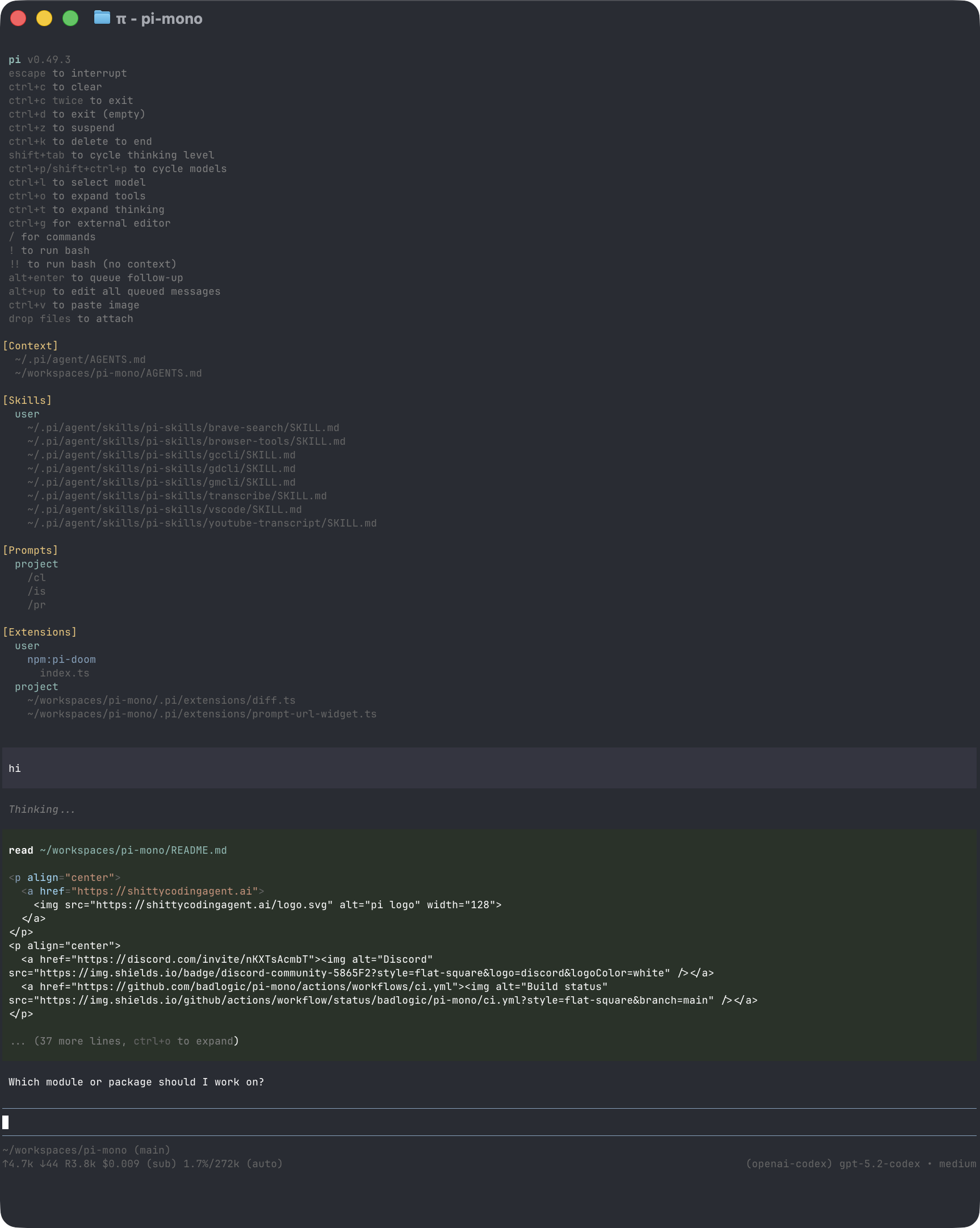
*官方原始素材:[`packages/coding-agent/docs/images/interactive-mode.png`](https://github.com/earendil-works/pi/blob/a470b121bf683b4c2b9fc0b3a7c807de7e0cfe9c/packages/coding-agent/docs/images/interactive-mode.png),由官方 Coding Agent README 使用;來源 repo 採 MIT License。*
這張圖很能代表 Pi:預設 TUI 已足夠完整,但 presentation / commands / widgets 仍可被 Extension 深度改造。
## Package Map
```text
@earendil-works/pi-ai
→ multi-provider model abstraction
@earendil-works/pi-agent-core
→ minimal stateful Agent runtime、tools、events
@earendil-works/pi-coding-agent
→ AgentSession、sessions、resources、extensions、TUI、RPC、SDK
@earendil-works/pi-tui
→ terminal UI primitives
```
```mermaid
flowchart TB
UI[TUI / Print / JSON / RPC / SDK]
CA[pi-coding-agent\nAgentSession + Resources + Coding Tools]
AC[pi-agent-core\nAgent Loop + Tool Runtime]
AI[pi-ai\nProviders + Streaming]
M[Models]
UI --> CA
CA --> AC
AC --> AI
AI --> M
```
## Minimal 不等於功能少
Pi 的 minimal philosophy 是:**不要把所有常見 Agent workflow 固定成 canonical core feature。**
很多高階能力可以放到:
```text
TypeScript Extension
Skill
Prompt Template
Pi Package
SDK / external orchestrator
container / microVM / shell environment
```
所以讀 Pi 時不要只問「有沒有某個 feature」,而要問:
> **這個 responsibility 被放在 core、extension、resource,還是 execution environment?**
## Model:pi-ai 是 first-class multi-provider layer
`pi-ai` 把 provider、model catalog、authentication、request / streaming vocabulary 抽離 Coding Agent。
```mermaid
flowchart LR
A[AgentSession / Agent] --> P[pi-ai]
P --> P1[Provider A]
P --> P2[Provider B]
P --> P3[Custom Provider]
```
因此 Pi 的多模型不是附加 feature,而是 package boundary 本身的一部分。
## Agent Loop:pi-agent-core 保持小
`pi-agent-core` 提供的是低階 stateful Agent primitives:
```text
messages / state
model streaming
tool calls
Tool execution
Agent events
continue / abort lifecycle
```
而 `pi-coding-agent` 的 `AgentSession` 再把 coding tools、session persistence、resources、extensions、TUI / RPC 等產品責任組起來。
這個分層是 Pi 最值得學的地方之一:
```text
Low-level Agent Runtime
≠
Full Coding Agent Product Session
```
## Tools:預設小,Extension 可深度增加
Pi 預設 coding tools 很精簡:
```text
read
write
edit
bash
```
其他 capability 可以由 Extension 註冊。這使 Tool surface 更像「每個 Pi installation / workflow 自己塑形」,而不是 core 內建越多越好。
## State:JSONL Session Tree
Pi Session 存成 JSONL,但 entry 透過:
```text
id
parentId
```
形成 durable tree。
```mermaid
flowchart TB
A[Entry A] --> B[Entry B]
B --> C[Branch C]
B --> D[Branch D]
D --> E[Entry E]
```
所以 branch / fork / resume 不是 UI 特效,而是 persisted lineage 的直接結果。
## Context / Compaction / Branch Summarization
Pi 把三件事分得很清楚:
```text
Session Tree
→ 保存完整 durable lineage
Context reconstruction
→ 選 current branch 需要的內容
Compaction / Branch Summary
→ 控制 context window、保留離開路徑的知識
```
這也是「State 不等於 Context」最直觀的實作之一。
## ResourceLoader
Pi 的 resources 包含:
```text
Skills
Prompt Templates
Themes
Extensions
Pi Packages
```
ResourceLoader 負責 global / project discovery 與載入;Project Trust 則會影響 project-local resources 是否應被信任與啟用。
## Extensions:Pi 的核心產品哲學
TypeScript Extension 可以深入很多 lifecycle boundary:
```text
register tools
intercept tool call
listen lifecycle events
inject context
customize compaction
register commands / shortcuts / flags
custom TUI
append durable session entries
register provider
```
```mermaid
flowchart TB
E[Extension]
E --> T[Tools]
E --> L[Lifecycle]
E --> C[Context]
E --> U[UI]
E --> S[Session State]
E --> M[Model Providers]
```
Pi 能保持 core minimal,很大一部分就是因為 ExtensionAPI 足夠深。
## Project Trust 與 Isolation 必須分開
Project Trust 主要控制:
```text
project settings
.pi/extensions
project skills / prompts / themes
project packages
```
但官方明確提醒:
> **Project Trust 不是 Sandbox。**
Pi 預設仍以啟動它的 OS user permissions 執行。若要更強 isolation,需要 container、microVM、其他 sandbox 或 Extension / execution wrapper。
## 四種主要使用模式
```text
Interactive TUI
Print / JSON
RPC
SDK
```
重要的是它們共用 `AgentSession`,不是四套不同 Agent。
```mermaid
flowchart TB
A[AgentSession]
A --> I[Interactive]
A --> P[Print / JSON]
A --> R[RPC]
A --> S[SDK]
```
## Production / Governance
Minimal core 把更多 responsibility 留給採用者,因此 production Pi 要特別關注:
- Extension provenance;
- project resource trust;
- container / sandbox policy;
- Session format compatibility;
- custom provider compatibility;
- RPC / SDK contract;
- team-level distribution / pinning;
- custom workflow regression tests。
這些不是 Pi 缺陷,而是 minimal architecture 的 ownership trade-off。
## 完整閱讀順序
### A. 架構與 Runtime
1. [官方視角:Pi TUI 與 Session Tree](./official-visuals.md)
2. [Pi 架構:從 pi-ai 到 AgentSession](./architecture.md)
3. [Model Providers:pi-ai](./model-providers.md)
4. [Agent Loop 與 Tools](./agent-loop-and-tools.md)
5. [Context、Compaction 與 Branching](./context-compaction-and-branching.md)
6. [Session、Compaction 與 Extensions](./session-and-extensions.md)
### B. Resources / Extensions
7. [Resources、Skills、Prompts 與 Pi Packages](./resources-skills-and-packages.md)
8. [Extensions 與自訂 TUI](./extensions-and-ui.md)
### C. Security / Usage / Integration
9. [Project Trust 與 Isolation](./project-trust-and-isolation.md)
10. [CLI 與日常使用](./cli-and-usage.md)
11. [SDK 與 RPC](./sdk-and-rpc.md)
12. [Production 與 Governance](./production-and-governance.md)
### D. Labs / Source
13. Pi Labs:Session Tree / Extension / Branch & Compaction
14. [`earendil-works/pi` Source Map](../reference/pi-source-map.md)
## Pi 最值得學的七件事
1. **Minimal 是 boundary choice,不是功能數量。**
2. **Low-level Agent Runtime 與產品 AgentSession 可以明確分層。**
3. **Multi-provider 可以從最底層就成為一級 abstraction。**
4. **Session Tree 讓 branch / fork 成為 durable data model。**
5. **ResourceLoader + ExtensionAPI 讓產品行為在 core 外快速塑形。**
6. **Project Trust 與 execution isolation 是不同安全問題。**
7. **Core 少做決定,代表 adoption team 要承擔更多 governance responsibility。**
## 官方來源
- [Pi](https://pi.dev/)
- [Pi Documentation](https://pi.dev/docs/latest)
- [`earendil-works/pi`](https://github.com/earendil-works/pi)
- [Coding Agent README](https://github.com/earendil-works/pi/tree/main/packages/coding-agent)
- [Extensions](https://pi.dev/docs/latest/extensions)
- [Sessions](https://pi.dev/docs/latest/sessions)
- [Security](https://pi.dev/docs/latest/security)
---
## 官方視角:Pi TUI 與 Session Tree
Pi 很適合直接看官方截圖,因為它的產品哲學和架構哲學高度一致:**介面保持輕量,功能透過 Extensions / Skills / Packages 擴充;Session 則直接把 branch 做進資料模型。**
本頁使用的兩張圖都來自 `earendil-works/pi` 官方 repo,固定到 revision `a470b12…`。該 repo 採 [MIT License](https://github.com/earendil-works/pi/blob/a470b121bf683b4c2b9fc0b3a7c807de7e0cfe9c/LICENSE)。
## 官方 Interactive Mode

*官方原始素材:[`packages/coding-agent/docs/images/interactive-mode.png`](https://github.com/earendil-works/pi/blob/a470b121bf683b4c2b9fc0b3a7c807de7e0cfe9c/packages/coding-agent/docs/images/interactive-mode.png),並由官方 [`packages/coding-agent/README.md`](https://github.com/earendil-works/pi/blob/a470b121bf683b4c2b9fc0b3a7c807de7e0cfe9c/packages/coding-agent/README.md#interactive-mode) 使用。*
官方 README 對這個畫面的拆法很直接:
```text
Startup header
Messages
Editor
Footer
```
但真正值得注意的是:這些 UI 都不是不可替換的「核心」。官方同一段文件也說 Extensions 可以:
- 暫時替換 editor;
- 在上方或下方加 widget;
- 加 status line / custom footer;
- 加 overlay;
- 註冊自訂 command。
這正好說明 Pi 的設計方向:
> **TUI 是預設 presentation,不是固定 product boundary。**
## 從官方介面反推 Pi 的 Harness 分層
```mermaid
flowchart TB
UI[Interactive TUI\nMessages / Editor / Footer]
SESSION[AgentSession\nlifecycle + resource loading]
AGENT[pi-agent-core\nAgent loop + state + tools]
AI[pi-ai\nprovider / model / stream]
EXT[Extensions / Skills / Packages]
UI --> SESSION
SESSION --> AGENT
AGENT <--> AI
EXT --> SESSION
EXT --> AGENT
EXT --> UI
```
*這張圖是教材依 Pi 官方 package boundaries 與 Coding Agent README 重繪,不是 Pi 官方原圖。*
這也是為什麼 Pi 和 Codex 的「Client Surface」概念不能完全等同:Codex 更強調一個成熟 runtime 對外暴露 App Server;Pi 則允許 Extension 直接深入同一個 AgentSession / UI lifecycle。
## 官方 `/tree` Session View
*官方原始素材:[`packages/coding-agent/docs/images/tree-view.png`](https://github.com/earendil-works/pi/blob/a470b121bf683b4c2b9fc0b3a7c807de7e0cfe9c/packages/coding-agent/docs/images/tree-view.png),由官方 README 的 [Sessions → Branching](https://github.com/earendil-works/pi/blob/a470b121bf683b4c2b9fc0b3a7c807de7e0cfe9c/packages/coding-agent/README.md#branching) 使用。*
這張圖和 Pi 的資料模型是直接對應的。官方文件明確說 Session 儲存為 JSONL,而且每個 entry 有:
```text
id
parentId
```
因此 branch 不是 UI 自己幻想出來的 view,而是 session storage 本身就是 tree。
教材可以把它抽象成:
```mermaid
flowchart TB
R[Root Entry]
A[Entry A]
B[Entry B]
C[Entry C]
B2[Entry B2]
C2[Entry C2]
R --> A
A --> B
B --> C
A --> B2
B2 --> C2
```
你在 `/tree` 看到的,就是這個 parent-linked structure 的可視化。
## `/tree`、`/fork`、`/clone` 不一樣
官方 README 把三者分得很清楚:
| 操作 | 作用 |
|---|---|
| `/tree` | 在同一個 session JSONL 裡切換 branch,歷史全部保留 |
| `/fork` | 從既有 user message 建立新的 session file |
| `/clone` | 把目前 active branch 複製成新的 session file |
這個差異很重要,因為 Pi 的「branch」不是只有 Git-like fork;它也可以在**同一個 session file 內**保留多條路徑。
## 官方畫面也透露 Multi-model 是一級 UX
Interactive Mode footer 會顯示 current model;官方 README 也把 `/model`、Ctrl+L、Ctrl+P model cycling 當成一級操作。
所以 Pi 的 multi-provider 不是只有底層 library feature,而是直接進到日常 UX:
```text
pi-ai provider abstraction
→ AgentSession model state
→ /model selector
→ current model shown in footer
```
這和 Pi 的 minimal philosophy 並不矛盾:它把「換模型」視為核心能力,但把 subagents、plan mode 等更高階 workflow 行為留給 extension ecosystem。
## Security:不要從漂亮 TUI 推論出 sandbox
官方 [Project Trust](https://github.com/earendil-works/pi/blob/a470b121bf683b4c2b9fc0b3a7c807de7e0cfe9c/packages/coding-agent/README.md#project-trust) 主要控制的是:
- 是否載入 project-local settings;
- 是否載入 project extensions / skills / packages;
- 是否執行專案 extension code。
但它**不是 process sandbox**。Pi 預設仍以啟動它的 OS user 權限工作;真正 isolation 要放在 container、microVM 或其他外層 execution environment。
所以看這些官方 UI 圖時,請同時記住:
> **可操作性 UI ≠ capability confinement。**
## 官方來源
- [Pi Coding Agent README](https://github.com/earendil-works/pi/blob/a470b121bf683b4c2b9fc0b3a7c807de7e0cfe9c/packages/coding-agent/README.md)
- [Interactive Mode 官方截圖](https://github.com/earendil-works/pi/blob/a470b121bf683b4c2b9fc0b3a7c807de7e0cfe9c/packages/coding-agent/docs/images/interactive-mode.png)
- [Tree View 官方截圖](https://github.com/earendil-works/pi/blob/a470b121bf683b4c2b9fc0b3a7c807de7e0cfe9c/packages/coding-agent/docs/images/tree-view.png)
- [Pi repository](https://github.com/earendil-works/pi)
- [MIT License](https://github.com/earendil-works/pi/blob/a470b121bf683b4c2b9fc0b3a7c807de7e0cfe9c/LICENSE)
讀完後可回到 [Pi:先建立正確心智模型](./overview.md),或繼續讀 [Session Tree、Compaction 與 Extensions](./session-and-extensions.md)。
---
## Pi 架構:從 pi-ai 到 AgentSession
# Pi 架構:從 `pi-ai` 到 `AgentSession`
Pi 的架構最好分成三層讀,而不是把 `pi-coding-agent` 當成唯一核心:
```text
pi-ai
↓
pi-agent-core
↓
pi-coding-agent
```
每一層解不同問題。
## 1. `pi-ai`:Model / Provider Runtime
`@earendil-works/pi-ai` 處理:
```text
Provider
Model catalog
Credential / auth
Streaming
Usage
Tool-call message format
Cross-provider compatibility
```
目前核心型別把 **Provider** 定義成真正的 runtime unit:provider 擁有自己的 auth、models 與 streaming behavior。
```mermaid
flowchart LR
M[Models Runtime] --> P1[Provider A]
M --> P2[Provider B]
M --> P3[Provider C]
P1 --> API1[API implementation]
P2 --> API2[API implementation]
P3 --> API3[API implementation]
```
這裡要分清楚兩件事:
```text
Provider
→ 具體 vendor / endpoint / auth / catalog
API implementation
→ reusable stream protocol implementation
```
例如多個 Provider 可以共用 OpenAI-compatible API behavior,但 Provider 本身仍擁有自己的 model catalog 與 credential semantics。
### 為什麼這個分離重要?
因為 multi-provider 不再只是:
```text
if provider === "openai" ...
else if provider === "anthropic" ...
```
而是明確形成:
```text
Models
→ resolve provider
→ resolve auth
→ merge request options
→ provider.stream()
```
這讓 `pi-agent-core` 不必理解每家 LLM API。
## 2. `pi-agent-core`:最小 Agent Runtime
`@earendil-works/pi-agent-core` 官方定位是:
> Stateful agent with tool execution and event streaming.
它建立在 `pi-ai` 之上,負責比較接近 Agent Loop 的事情:
```text
Agent state
Messages
Model invocation
Tool calls
Tool execution
Event stream
Abort / steering / follow-up
```
可以把它理解成:
```mermaid
flowchart LR
CTX[Agent State / Messages] --> MODEL[Model Stream]
MODEL --> Q{Tool Call?}
Q -->|Yes| TOOL[AgentTool]
TOOL --> OUT[Tool Result]
OUT --> CTX
Q -->|No| DONE[Complete]
```
這一層刻意不知道完整 Coding Agent 的 UI、project resources、session browser 或 terminal UX。
## 3. `pi-coding-agent`:把最小 Agent 變成 Coding Harness
真正的 Coding Agent product behavior 大量位於 `packages/coding-agent/`。
其中最重要的中心是:
```text
packages/coding-agent/src/core/agent-session.ts
```
`AgentSession` 的 source comment 已直接說明,它是所有 run mode 共用的 core abstraction,封裝:
```text
Agent state access
Event subscription + session persistence
Model / thinking-level management
Compaction
Bash execution
Session switching / branching
Extensions
```
因此比較準確的 runtime 圖是:
```mermaid
flowchart TB
MODE[Interactive / Print / RPC / SDK]
SESSION[AgentSession]
AGENT[pi-agent-core Agent]
MODEL[ModelRuntime / pi-ai]
TOOLS[read / write / edit / bash / extension tools]
SM[SessionManager]
RL[ResourceLoader]
EXT[Extension Runner]
MODE --> SESSION
SESSION --> AGENT
SESSION --> MODEL
SESSION --> TOOLS
SESSION --> SM
SESSION --> RL
RL --> EXT
EXT --> SESSION
```
## 4. `AgentSession` 為什麼不是單純 Session DTO?
名稱很容易誤導。
Pi 的 `AgentSession` 不是只有「session data」。它其實是一個高階 runtime controller。
它同時掌握:
- active agent;
- model runtime;
- session manager;
- resource loader;
- tool registry;
- extension runner;
- compaction / retry / branch summarization;
- bash executions;
- active tools;
- project cwd。
因此更接近:
```text
AgentSession
≈ 一個可互動、可保存、可擴充的 Coding Agent runtime instance
```
這和 Codex 的 `Thread` 不是同一層 abstraction。
## 5. `SessionManager` 與 `AgentSession` 要分開
這也是讀 Pi source 時很重要的一刀。
```text
AgentSession
→ runtime lifecycle / model / tools / extensions
SessionManager
→ persisted entry tree / branch / context rebuild
```
兩者分開後,SDK 可以選:
```text
SessionManager.inMemory()
SessionManager.create()
SessionManager.continueRecent()
SessionManager.open()
```
因此 persistence strategy 不會和 Agent loop 綁死。
## 6. `ResourceLoader` 是 Pi extension philosophy 的關鍵
Pi 不把所有可客製化內容塞進一個 config object。
`DefaultResourceLoader` 負責發現:
```text
Extensions
Skills
Prompt Templates
Themes
Context Files / AGENTS.md
Project resources
Global resources
```
SDK 建立 `AgentSession` 時,如果沒有自行提供 loader,就使用預設 resource discovery。
```mermaid
flowchart LR
FS[Global / Project Files] --> RL[DefaultResourceLoader]
RL --> E[Extensions]
RL --> S[Skills]
RL --> P[Prompts]
RL --> T[Themes]
RL --> A[AGENTS.md / Context]
RL --> SESSION[AgentSession]
```
所以在 Pi 裡,很多「產品功能」其實是由 **resource discovery + extension runtime** 組成,而不是 Agent core 直接內建。
## 7. ModelRuntime 是 Coding Agent 的 provider facade
`pi-coding-agent` 還有 `ModelRuntime`,把 `pi-ai` 的 Models / credential / catalog 能力整理成 Coding Agent 可直接使用的 runtime。
典型路徑是:
```text
AgentSession
→ ModelRuntime
→ pi-ai Models
→ Provider
→ stream()
```
Extension 也可以註冊 provider,因此 provider customization 和 extension system 可以接起來。
## 8. Built-in Tools 與 Tool Registry
Pi coding agent 預設工具很小:
```text
read
write
edit
bash
```
SDK 也提供 read-only / coding tool factory,以及 grep / find / ls 等可組合工具。
`AgentSession` 會維護 tool definitions / registry,Extension 可以再:
```text
registerTool()
setTools()
intercept tool_call
```
因此 Pi 的工具哲學是:
> **核心提供足夠完成 coding loop 的 primitive,再讓 extension / SDK 決定工具表面要長成什麼樣。**
## 9. `createAgentSession()` 是最重要的 SDK factory
如果你想快速理解整個 runtime 怎麼被 wiring 起來,可以直接讀:
```text
packages/coding-agent/src/core/sdk.ts
```
`createAgentSession()` 大致做:
```mermaid
flowchart TB
CWD[cwd / agentDir] --> RL[ResourceLoader]
CWD --> SET[SettingsManager]
CWD --> SM[SessionManager]
RL --> MR[ModelRuntime]
MR --> A[Agent]
SM --> A
A --> AS[AgentSession]
RL --> AS
SET --> AS
```
它會:
1. resolve cwd / agentDir;
2. 建立或接受 `ModelRuntime`;
3. 建立 Settings / Session manager;
4. 載入 resources;
5. restore session state;
6. resolve model / thinking level;
7. 建立低階 `Agent`;
8. 建立 `AgentSession`。
這是 Pi source reading 最值得先 trace 的 call path 之一。
## 10. Runtime Services 與 cwd switching
Pi 最近的 source 還把 cwd-bound services 額外整理成:
```text
createAgentSessionServices()
createAgentSessionFromServices()
createAgentSessionRuntime()
```
目的之一是:當 session / cwd 被替換時,可以重建和目錄綁定的:
```text
SettingsManager
ResourceLoader
ModelRuntime integration
SessionManager
```
這代表 Pi 雖然主張 minimal,但並不是只有單檔 loop;它已經形成相當清楚的 embedding/runtime lifecycle boundary。
## 和另外兩套對照
### Codex
```text
codex-core
→ 大型、產品化 runtime center
```
### DeepSeek
```text
Cordis
→ service composition center
```
### Pi
```text
pi-agent-core
→ minimal agent engine
AgentSession
→ coding-agent lifecycle center
ResourceLoader / Extensions
→ 大量 product behavior 的外掛面
```
因此 Pi 的「中心」其實是**分層的**,不能只看 `pi-agent-core` 或只看 CLI。
## 建議 source reading 順序
```text
README.md
→ packages/coding-agent/README.md
→ packages/agent/README.md
→ packages/ai/src/models.ts
→ packages/coding-agent/src/core/sdk.ts
→ packages/coding-agent/src/core/agent-session.ts
→ packages/coding-agent/src/core/session-manager.ts
→ resource-loader.ts
→ extensions/
→ tools/
→ modes/rpc/
```
下一章再專門看 Pi 最有辨識度的兩件事:**Session Tree** 與 **Extension Runtime**。
## 官方來源
- [`pi-agent-core` README](https://github.com/earendil-works/pi/blob/main/packages/agent/README.md)
- [`AgentSession`](https://github.com/earendil-works/pi/blob/main/packages/coding-agent/src/core/agent-session.ts)
- [`sdk.ts`](https://github.com/earendil-works/pi/blob/main/packages/coding-agent/src/core/sdk.ts)
- [`pi-ai` Models](https://github.com/earendil-works/pi/blob/main/packages/ai/src/models.ts)
- [SDK Documentation](https://pi.dev/docs/latest/sdk)
---
## Model Providers:pi-ai 與多模型 Runtime
Pi 從底層就把 Model Provider 做成獨立 package:`pi-ai`。
因此 Pi 不應被理解成「某一家模型的 terminal agent」,而是:
```text
Coding Harness
→ ModelRuntime
→ pi-ai
→ Provider
→ Model API / Local Gateway
```
## Package Boundary
```mermaid
flowchart TB
S[AgentSession] --> MR[ModelRuntime]
MR --> AI[pi-ai]
AI --> P1[Anthropic]
AI --> P2[OpenAI]
AI --> P3[Google]
AI --> P4[DeepSeek / Others]
AI --> PC[Custom Provider]
```
`pi-ai` 負責統一:
```text
model catalog
provider identity
streaming
usage / finish normalization
thinking / reasoning capability
auth / API key wiring
custom provider registration
```
而 `pi-coding-agent` 的 `ModelRuntime` 再把這些能力整理成 Coding Agent 可直接使用的 facade。
## CLI 中選 Model
Pi 支援直接指定:
```bash
pi --provider --model
```
互動模式也可以用:
```text
/model
```
切換目前 model。
這意味著 model choice 是 session/runtime 的 first-class state,而不是寫死在 binary 裡。
## Provider Auth
不同 provider 的 auth 方式可以不同:
```text
API key
OAuth / subscription login
custom gateway credential
local endpoint without cloud credential
```
Pi 將 provider / model catalog 與 auth 組合,而不是要求所有 backend 都假裝成同一個 base URL。
## Custom Models / Local Gateways
使用者可以在 models config 中加入自訂 model/provider,例如:
```text
Ollama
vLLM
LM Studio
OpenAI-compatible gateway
company internal proxy
```
真正要驗證的不只是 endpoint 能不能回字,而是:
```text
stream protocol
tool calling compatibility
reasoning fields
context window
max output tokens
usage reporting
model capability metadata
```
## Model Capability 會影響 Harness 行為
例如不同模型可能:
- 支援或不支援 reasoning effort;
- context window 不同;
- tool-call semantics 不同;
- streaming chunks 不同;
- input image / modalities 不同。
所以 Model Provider abstraction 的價值是讓 Harness 能讀 capability,而不是只換 URL。
## Session 中切 Model
Pi session 可以保存 model / thinking-level change entry。
這很重要,因為 resume 時如果只重播 message,卻忘記當時已切換 model,後續 trajectory 可能和原本不一致。
```mermaid
flowchart LR
A[Session Entry] --> M1[Model A]
M1 --> C[model-change entry]
C --> M2[Model B]
M2 --> R[Resume later]
```
State Model 因此也包含 runtime configuration history。
## Extension 也可以註冊 Provider
Pi Extension 不只加 Tool,也可以延伸 provider surface。
這代表 custom model integration 可以被包成 Pi Package,和 Skills / Extensions 一起分發。
但同時也帶來 governance 問題:
```text
provider code provenance
credential handling
model catalog correctness
upgrade compatibility
```
Production team 需要把 provider extension 當真正 runtime code review,而不是普通 config。
## Multi-provider 的實際價值
### 個人使用
快速在不同模型間切換,依任務選成本 / 品質。
### Agent Research
保持 Harness / Tool / Session 不變,只換 Model 做 controlled comparison。
### Internal Platform
讓 company gateway、local model、cloud provider 都能共用同一套 AgentSession / Extension 生態。
## 本章重點
1. **Pi 的 multi-provider 不是外掛補丁,而是 `pi-ai` 的核心責任。**
2. **ModelRuntime 將 provider/model/auth 能力帶進 Coding Agent。**
3. **Model change 可以成為 durable session state。**
4. **Custom provider 要驗證 capability semantics,不只是 base URL。**
5. **Extension provider 讓模型整合可分發,但也增加 supply-chain / credential governance。**
## 官方來源
- [Pi Models / Providers](https://pi.dev/docs/latest/models)
- [Pi Usage](https://pi.dev/docs/latest/usage)
- [`packages/ai`](https://github.com/earendil-works/pi/tree/main/packages/ai)
---
## Agent Loop 與 Tools:Minimal Core 怎麼工作
Pi 的 minimal philosophy 最容易從 `pi-agent-core` 與預設 Tools 看懂。
它不是沒有 Agent Loop,而是刻意把低階 loop 與高階 Coding Agent product behavior 分開。
## 兩層 Runtime
```mermaid
flowchart TB
S[AgentSession\nCoding lifecycle] --> A[pi-agent-core Agent]
A --> M[Model Runtime]
A --> T[Agent Tools]
S --> R[Resources / Extensions / Session]
```
### `pi-agent-core`
負責:
```text
stateful agent
model call
streaming events
tool call execution
observation → next iteration
```
### `AgentSession`
負責:
```text
persistent session
resources
extensions
compaction
commands / TUI lifecycle
model selection
bash execution tracking
```
所以 Pi 不要求「一個 Agent class 擁有所有東西」。
## 預設 Tool Surface 很小
官方預設核心 coding tools:
```text
read
write
edit
bash
```
另外還有可選的 read-only utilities,例如 grep / find / ls。
這個設計提出一個很好的問題:
> **完成 coding loop 的最小 primitive 到底需要多少?**
Pi 的答案是先保持 surface 小,再讓 Extension / SDK 加能力。
## Tool Definition
Tool 至少包含:
```text
name
description
parameter schema
execute()
result / rendering semantics
```
可以由:
- built-in tool factory;
- SDK custom tool;
- Extension `registerTool()`
加入 runtime。
## Tool Call Lifecycle
```mermaid
sequenceDiagram
participant M as Model
participant A as Agent
participant E as Extension Runtime
participant T as Tool
M->>A: tool call
A->>E: tool_call event
E-->>A: allow / modify / block
A->>T: execute
T-->>A: result
A->>E: tool_result lifecycle
A->>M: next observation
```
Extension 可以在 execution 前攔截,因此 Pi 能自己做 permission gate、validation 或 audit。
但這種 gate 仍是 application policy,不等於 OS sandbox。
## `setTools()` 與 Tool Ownership
SDK / AgentSession 可以決定 active tool set。
這很適合:
```text
read-only reviewer
→ read / grep / find
coding agent
→ read / write / edit / bash
specialized agent
→ custom domain tools only
```
Tool surface 本身就是 Context / Security / Cost 的一部分;不是越多越好。
## Bash 為什麼特別重要?
Bash 是很強的 universal escape hatch:
```text
search
build
test
git
package manager
network client
scripts
```
這也是 Pi 能保持少量 built-in tools 的原因之一。
但代價是:如果沒有外部 isolation,Bash 會直接擁有啟動 Pi 的 OS user permissions。
因此 minimal tool surface **不等於** minimal risk surface。
## Tool Result 與 Context
Tool output 不應無限制塞回 Model。
實務需要處理:
```text
large logs
binary / non-text output
truncation
rendering
error status
metadata
```
Extension 也可以攔截 result / context,讓特定工具把 raw output 轉成更合適的 observation。
## Agent Events
Pi 的 Agent Core 會產生 streaming lifecycle events,讓外層能:
- 顯示 TUI;
- JSON mode 輸出;
- SDK subscriber 觀察;
- Extension 插入 behavior。
這是低階 engine 與 presentation 解耦的關鍵。
```mermaid
flowchart LR
A[Agent Core] --> E[Agent Events]
E --> T[TUI]
E --> J[JSON / RPC]
E --> S[SDK subscriber]
E --> X[Extensions]
```
## 為什麼不內建更多高階 Tool?
Pi 官方刻意不把:
```text
MCP
subagent workflow
plan mode
todo system
background bash
permission popup
```
固定成 canonical core feature。
需要時可以透過 Extension / Package / 外部 process 建立。
這種哲學的優點是 core 小、迭代快;代價是團隊要自己決定 conventions 與 governance。
## 一個 Minimal Review Agent
如果只要做 code review,可以把 active tools 收窄:
```text
read
grep
find
ls
```
不用提供 write / bash。
這比「提供所有工具,再用 prompt 叫 Model 不要寫」更可靠。
即使 Pi 沒有內建 sandbox,**縮小 Tool Surface 仍然是一個有效 capability-reduction layer**。
## 本章重點
1. **Pi 把低階 Agent Loop 與高階 AgentSession 分層。**
2. **預設核心 coding tools 刻意保持小。**
3. **Extension / SDK 可以註冊與切換 Tool Surface。**
4. **Tool interception 可以做 policy,但不等於 OS-level sandbox。**
5. **Minimal built-in tools 不代表 minimal privilege;Bash 的 execution boundary 仍要治理。**
## 官方來源
- [`pi-agent-core`](https://github.com/earendil-works/pi/tree/main/packages/agent)
- [Pi SDK:Tools](https://pi.dev/docs/latest/sdk)
- [Pi Extensions](https://pi.dev/docs/latest/extensions)
---
## Context、Compaction 與 Branching
Pi 的 Context 設計必須和它的 Tree Session 一起看。
因為目前 Model 看到的不是「session file 全部內容」,而是:
```text
active branch
+ context files / resources
+ selected tool surface
+ compaction / branch summary
+ runtime / extension contribution
```
## Active Branch 才是主要 History
Session Entry 使用 `id / parentId` 形成 tree。
```mermaid
flowchart TB
A[Entry A] --> B[Entry B]
B --> C[Entry C]
B --> D[Entry D]
D --> E[Entry E]
```
如果目前 active leaf 是 E,Model history 會沿:
```text
A → B → D → E
```
重建,而不是把 C 也塞進 context。
這讓 branch navigation 天然也是 context selection。
## `SessionManager` 與 Context Rebuild
`SessionManager` 不只是 append JSONL。
它要能:
```text
parse / migrate session
identify active branch
walk parent lineage
interpret compaction entries
restore model / thinking metadata
build model-visible session context
```
所以 persisted format 與 context projection 雖然緊密相關,仍然是兩個責任。
## Compaction:處理 Context Window 壓力
當 context 接近 window 時,Pi 可以自動或手動 compact。
```text
/compact
```
概念上:
```mermaid
flowchart LR
OLD[Older branch entries] --> SUM[Summary]
SUM --> CE[Durable Compaction Entry]
REC[Recent exact entries] --> NEXT[Next Context]
CE --> NEXT
```
重點是 compaction 結果本身會成為 durable entry,因此 resume 後仍知道舊內容如何被壓縮。
## Branch Summarization:目的不同
這是 Pi 最值得學的 distinction。
```text
Compaction
→ 因為 context window 壓力而壓縮歷史
Branch Summarization
→ 離開一條探索 branch 時,保留那條路徑的 knowledge
```
假設:
```text
B → C → D 研究方案 A
```
你回到 B 改走:
```text
B → E → F 方案 B
```
方案 A 的重要發現可以被 summary 帶到新 branch,而不需要把完整 C/D raw history 也放進 context。
## 為什麼這比單純 Fork Copy 有趣?
線性 conversation 常用:
```text
clone entire history
→ new conversation
```
Pi 的 tree 可以保留:
```text
共同 prefix
+ multiple branches
+ branch-local knowledge
```
因此 storage duplication、branch identity、UI navigation 都更自然。
## Context Files 與 Session History 不同
Pi 會發現 project / global context files,例如 AGENTS.md 類 guidance。
```text
Context Files
→ repository / project knowledge
Session Entries
→ 這次 agent trajectory
```
兩者不應混成同一份 chat history。
`ResourceLoader` 負責前者;`SessionManager` 主要負責後者。
## Extension 可以攔截 Context / Compaction
Pi Extension 可以:
```text
inject context
modify lifecycle
listen session_before_compact
cancel default compaction
provide custom summary
append custom durable entry
```
這讓不同 workflow 可以自己決定:
- 哪些 knowledge 必須長期保留;
- 哪些 tool result 可以丟;
- branch summary 要採什麼格式。
但 custom compaction 是 correctness-sensitive extension:摘要漏掉 constraint,可能直接改變後續 Agent 行為。
## Prompt Caching 與 Tree History
Tree data model 不妨礙 prompt caching。
只要 active branch 的 request projection 維持 deterministic:
```text
stable system / resources
+ stable earlier branch entries
+ append recent observation
```
仍可能保留 reusable prefix。
切 branch、切 model、改 system prompt、執行 compaction 都可能讓 cache boundary 改變;這是正常 trade-off。
## 一個實用的 Context 分層
```mermaid
flowchart TB
R[ResourceLoader]
S[SessionManager]
E[Extensions]
T[Tool Surface]
R --> C[Context Assembly]
S --> C
E --> C
T --> C
C --> M[Model]
```
遇到 context 問題時,可以先判斷:
```text
resource 發現錯?
branch 選錯?
compaction 壞?
extension 注入過多?
tool schemas 太大?
```
不要全部歸因到 prompt 文案。
## 本章重點
1. **Pi 的 Model history 主要由 active session branch 投影。**
2. **Compaction 與 Branch Summarization 是兩種不同知識保存機制。**
3. **Context files 與 Session trajectory 分別由不同 responsibility 管理。**
4. **Extension 可以自訂 context / compaction,但這是 correctness-sensitive capability。**
5. **Tree persistence 與 prompt caching 並不衝突;真正關鍵是 request projection 是否穩定。**
## 官方來源
- [Sessions](https://pi.dev/docs/latest/sessions)
- [Session File Format](https://pi.dev/docs/latest/session-format)
- [Compaction & Branch Summarization](https://pi.dev/docs/latest/compaction)
- [`SessionManager`](https://github.com/earendil-works/pi/blob/main/packages/coding-agent/src/core/session-manager.ts)
---
## Pi Session、Compaction 與 Extensions
Pi 最有辨識度的兩個 architectural choice 是:
1. **Session 本身是 Tree。**
2. **大量產品行為由 Extension Runtime 注入。**
這兩件事其實互相呼應:既然 runtime 保持 minimal,就必須讓 state 與 extension 足夠強,才能在不改 core 的情況下長出複雜 workflow。
## 1. Session 是 JSONL,但不是線性 Log
Pi session 預設保存在:
```text
~/.pi/agent/sessions/
```
每個 session 是 JSONL file。
但 Version 2 之後,entry 使用:
```text
id
parentId
```
建立 tree structure。
```mermaid
flowchart TB
H[Session Header]
H --> A[Entry A]
A --> B[Entry B]
B --> C[Entry C]
B --> D[Entry D]
D --> E[Entry E]
```
這不是 UI 上模擬 branch,而是 persisted format 本身就保留 lineage。
## 2. 為什麼 Tree Session 很重要?
假設 Agent 做錯方向:
```text
A → B → C → D
```
你回到 B,走另一條路:
```text
A → B → E → F
```
線性 history 常見作法是:
- 建新 conversation;
- clone / fork 整份資料;
- 或把舊 branch 隱藏。
Pi 的資料模型直接允許:
```text
C → D
/
A → B
\
E → F
```
因此:
```text
branch
fork
resume
context rebuild
```
都可以直接建立在 entry lineage 上。
### 官方 `/tree` 畫面
Pi 官方 README 直接用 `/tree` 截圖展示這個資料模型如何變成實際操作介面:

*官方原始素材:[`packages/coding-agent/docs/images/tree-view.png`](https://github.com/earendil-works/pi/blob/a470b121bf683b4c2b9fc0b3a7c807de7e0cfe9c/packages/coding-agent/docs/images/tree-view.png),由官方 Coding Agent README 的 [Sessions → Branching](https://github.com/earendil-works/pi/blob/a470b121bf683b4c2b9fc0b3a7c807de7e0cfe9c/packages/coding-agent/README.md#branching) 使用。*
這張畫面很重要,因為它不是單純的 UI tree:它直接反映 persisted entry 的 `id / parentId` lineage。也就是說,教材中的 tree Mermaid 是抽象化,而這張是官方產品真正讓使用者操作 branch 的方式。
## 3. `SessionManager` 的責任
讀 Pi 時要把 `SessionManager` 和 `AgentSession` 分開。
`SessionManager` 負責的是 persisted history:
```text
append entry
read branch
build context
migrate session version
resume / open
session metadata
branch lineage
```
`AgentSession` 則是正在運行的 agent controller。
所以:
```mermaid
flowchart LR
AS[AgentSession] --> SM[SessionManager]
SM --> J[JSONL Entry Tree]
J --> CTX[buildSessionContext]
CTX --> AS
```
## 4. Session Entry 不只是聊天訊息
Pi session format 可以保存不同類型的 durable runtime facts,例如:
```text
message
model change
thinking-level change
compaction
branch summary
custom extension entry
```
因此 session 不只是 transcript,而是**可以重建 runtime context 的 durable entry tree**。
這點和 DeepSeek event sourcing 有相似之處,但 abstraction 不同:
```text
DeepSeek
→ SessionEvent 是整套 state architecture 的核心
Pi
→ SessionEntry tree 直接服務 branch / context / resume
```
## 5. Compaction
LLM context window 有上限,所以 Pi 也需要 compact。
預設概念是:
```text
contextTokens > contextWindow - reserveTokens
→ trigger auto compaction
```
Compaction 不會粗暴刪掉前半段訊息,而是建立 durable `compaction` entry,保存 summary 與 cut point。
```mermaid
flowchart LR
OLD[Older Entries] --> SUM[Generate Summary]
SUM --> CE[Compaction Entry]
RECENT[Recent Entries] --> NEXT[Next Context]
CE --> NEXT
```
Pi 還會追蹤 summary 中的重要 file operations,例如 read / modified files。
## 6. Branch Summarization
Pi 還把另一種 summary 和 compaction 分開:
```text
Compaction
→ 為了 context window
Branch Summarization
→ 為了離開一條探索路徑時保留其知識
```
當使用者透過 `/tree` 切到另一 branch 時,可以把原 branch 的重要結果摘要帶到新的路徑。
這是 Tree Session 才特別自然的能力。
## 7. Extensions 可以改寫 Compaction 行為
Pi extension 可以訂閱:
```text
session_before_compact
```
並且:
- 取消預設 compaction;
- 提供自訂 summary;
- 改變 summarization strategy。
因此 compaction 不是完全鎖死在 core 的演算法。
這很符合 Pi 一貫設計:
> **提供 default,但保留 extension seam。**
## 8. Extension Runtime 能做到什麼?
Pi TypeScript Extension 是非常高權限的 extension surface。
官方列出的能力包含:
```text
Custom tools
Lifecycle events
Tool interception
Context injection
Custom compaction
Commands
Shortcuts
Flags
Custom TUI
Session persistence
Custom rendering
Provider registration
```
簡化成:
```mermaid
flowchart TB
EXT[Extension]
EXT --> EVENT[Events]
EXT --> TOOL[Tools]
EXT --> CMD[Commands]
EXT --> UI[UI]
EXT --> STATE[Session Entries]
EXT --> MODEL[Provider]
```
## 9. Extension Event Lifecycle
Extension 可以觀察的不是只有「tool 前後」。
文件目前把 events 分成幾類:
```text
Resource Events
Session Events
Agent Events
Model Events
Tool Events
```
因此你可以在不同 lifecycle boundary 插入行為。
例如 permission gate:
```mermaid
flowchart LR
M[Model] --> TC[tool_call event]
TC --> EXT[Extension checks command]
EXT -->|allow| EX[Execute]
EXT -->|block| STOP[Blocked with reason]
```
這也是 Pi 為什麼可以「沒有 built-in permission popup」,卻仍能自己做 approval UX。
## 10. Extension 可以保存 Durable State
Extension 不必把 state 只放在 memory。
透過:
```text
pi.appendEntry()
```
可以把 JSON-serializable custom state 寫進 session。
因此 Extension 可以做:
```text
TODO state
workflow checkpoint
git checkpoint metadata
external integration cursor
custom audit facts
```
而且 state 可以隨 session resume。
## 11. `/reload` 與開發體驗
自動發現位置包括:
```text
~/.pi/agent/extensions/
.pi/extensions/
```
這些 extensions 可以用:
```text
/reload
```
hot reload。
這代表 Pi 的 extension 開發迴圈非常短:
```text
寫 TypeScript
→ /reload
→ 直接在同一個 agent workflow 測試
```
## 12. Skills、Prompts、Themes、Pi Packages
Extension 不是唯一 customization surface。
Pi 還有:
```text
Skills
Prompt Templates
Themes
Pi Packages
```
### Skills
用 Markdown / instructions 提供可發現的 workflow knowledge。
### Prompt Templates
把常用 prompt 做成 slash-command style reusable prompt。
### Themes
自訂 terminal presentation。
### Pi Packages
把 extensions / skills / prompts / themes 一起打包,透過 npm 或 git 分享。
所以 Pi 的 customization hierarchy 可以想成:
```text
Prompt / Skill
→ 改模型知道什麼、怎麼做
Extension
→ 改 runtime behavior / tools / lifecycle / UI
Pi Package
→ Distribution unit
```
## 13. 和 Codex / DeepSeek 的 Extension 哲學比較
### Codex
```text
AGENTS.md
Skill
MCP
Hook
Rule
Subagent
App Server
```
優點:語意分類清楚。
### DeepSeek
```text
Plugin
Service Definition
Provider
Consumer
Typed Events
```
優點:底層 composition mechanism 一致。
### Pi
```text
ExtensionAPI
ResourceLoader
Skills
Prompt Templates
Pi Packages
```
優點:**core 很小,但 extension 可以深入 runtime lifecycle。**
## 14. Pi 沒有 built-in Subagent,這是設計選擇
官方明確不把 sub-agent 固定成唯一抽象。
你可以:
```text
spawn another pi
用 tmux 管理多 instance
extension 裡建立自訂 delegation
SDK 裡建立 child AgentSession
安裝第三方 package
```
所以「No sub-agents」應理解成:
> **No canonical built-in subagent workflow.**
而不是「不能做 multi-agent」。
## 15. 這套 state/extension 組合適合什麼?
很適合:
- 個人化 coding workflow;
- 研究新的 agent behavior;
- 快速做 custom tools / gates;
- 想保留完整 branch history;
- 希望避免 fork core;
- 希望讓 agent 幫自己寫 extension。
但代價是:
- extension 有很高權限;
- team governance 要自己建立;
- 沒有 built-in approval system 可直接當企業 policy;
- extension compatibility 需要測試。
## 下一步
下一章看這些能力怎麼暴露到外部應用,以及 Pi 把 security boundary 放在哪裡:
[Pi Integration、Project Trust 與 Security](./integration-and-security.md)
## 官方來源
- [Sessions](https://pi.dev/docs/latest/sessions)
- [Session File Format](https://pi.dev/docs/latest/session-format)
- [Compaction & Branch Summarization](https://pi.dev/docs/latest/compaction)
- [Extensions](https://pi.dev/docs/latest/extensions)
- [Pi Coding Agent README 與官方 Tree View](https://github.com/earendil-works/pi/blob/a470b121bf683b4c2b9fc0b3a7c807de7e0cfe9c/packages/coding-agent/README.md#branching)
- [`SessionManager` source](https://github.com/earendil-works/pi/blob/main/packages/coding-agent/src/core/session-manager.ts)
---
## Resources、Skills、Prompts 與 Pi Packages
Pi 維持 minimal core 的關鍵,不只是 Extension API,而是一整套 **Resource discovery + distribution** 模型。
很多「Agent 應該知道什麼」不需要進 core code,而是由 `ResourceLoader` 發現。
## ResourceLoader 在哪一層?
```mermaid
flowchart TB
G[Global Resources] --> R[DefaultResourceLoader]
P[Project Resources] --> R
X[Explicit Paths / SDK Overrides] --> R
R --> E[Extensions]
R --> S[Skills]
R --> PT[Prompt Templates]
R --> T[Themes]
R --> C[Context Files]
R --> AS[AgentSession]
```
這讓 CLI 與 SDK 可以共用同一套 customization discovery,而不是嵌入模式又重做一次設定系統。
## Context Files
Context files 適合放 project / directory level guidance,例如:
```text
coding conventions
repo architecture notes
commands / validation rules
project-specific instructions
```
它們屬於「Model 應知道什麼」,不是「OS 能不能執行」。
因此不要用 context file 假裝做 sandbox policy。
## Skills
Skill 適合有明確 trigger 的專門 workflow / knowledge。
概念上:
```text
inventory
→ name / description
→ relevant skill selected
→ load complete instructions
```
這可以避免所有 SOP 永久塞進 system/context files。
## Prompt Templates
Prompt Template 適合 reusable task starter:
```text
/review
/release-check
/migration-plan
```
它和 Skill 的差異可以先簡化成:
```text
Prompt Template
→ 使用者主動啟動的一段可重用 prompt
Skill
→ Agent 可以發現、按需載入的 workflow knowledge
```
## Themes
Pi 把 terminal presentation 也做成 resource。
這和核心 agent behavior 分離後:
- 同一個 AgentSession 可以換 theme;
- package 可以帶自己的 UI presentation;
- theme 不需要修改 runtime core。
## Pi Packages:Distribution Unit
Pi Package 可以一起分發:
```text
Extensions
Skills
Prompt Templates
Themes
```
因此它不是單純「npm package 裡有一段 plugin code」,而是 Agent customization bundle。
```mermaid
flowchart LR
PKG[Pi Package] --> E[Extensions]
PKG --> S[Skills]
PKG --> P[Prompts]
PKG --> T[Themes]
E --> R[ResourceLoader]
S --> R
P --> R
T --> R
```
## Global 與 Project Scope
常見需求可以分成:
### Global
```text
個人通用 skill
個人 theme
個人 extension
```
### Project
```text
repo-specific extension
team skill
project prompt
project context files
```
Project-local executable resources 會牽涉 Project Trust;這一點和單純讀 Markdown guidance 的風險不同。
## SDK 可以自行注入 Resources
Embedding 時不一定要完全依賴 filesystem discovery。
可以提供:
```text
additionalExtensionPaths
inline extension factories
custom context files
resource overrides
```
這對測試與產品 embedding 很重要:
```text
production app
→ 明確注入 approved resources
→ 不必掃描任意 local project resource
```
## Resource Discovery 也是 Supply-chain Boundary
「可以被自動發現」帶來便利,也帶來風險。
需要治理:
```text
哪些 project path 可被掃描?
哪些 package source 可安裝?
resource version 是否 pin?
extension 是否 code-reviewed?
Skill / prompt 是否有 owner?
```
Pi 的 Project Trust 就是在處理其中「是否載入 project-local resources」這一層。
## 怎麼選 Resource 類型?
| 需求 | 優先考慮 |
|---|---|
| repo 長期規則 | Context file |
| 按需 SOP | Skill |
| 常用 task starter | Prompt Template |
| runtime behavior / tool | Extension |
| terminal appearance | Theme |
| 一起分發多種能力 | Pi Package |
這個分類讓很多需求不需要修改 `AgentSession` 或 `pi-agent-core`。
## 本章重點
1. **ResourceLoader 是 Pi minimal core 能成立的重要配套。**
2. **Context、Skill、Prompt、Extension 解的是不同問題。**
3. **Pi Package 是多種 customization resource 的 distribution unit。**
4. **SDK 可以使用明確 resources,而不必完全依賴 local discovery。**
5. **Resource discovery 同時也是 trust / supply-chain boundary。**
## 官方來源
- [Pi Skills](https://pi.dev/docs/latest/skills)
- [Pi Prompt Templates](https://pi.dev/docs/latest/prompt-templates)
- [Pi Packages](https://pi.dev/docs/latest/packages)
- [Pi SDK](https://pi.dev/docs/latest/sdk)
---
## Extensions 與自訂 TUI
Pi 的 TypeScript Extension 是它最寬的一個 customization surface。
它不是「多一個 Tool」而已;Extension 可以直接參與 AgentSession lifecycle、Context、Compaction、Commands、UI、Session State 與 Model Provider。
## Extension 能碰哪些層?
```mermaid
flowchart TB
E[ExtensionAPI]
E --> T[registerTool]
E --> L[Lifecycle Events]
E --> C[Commands / Shortcuts / Flags]
E --> U[Custom TUI]
E --> S[Session Entries]
E --> X[Context / Compaction]
E --> M[Model Provider]
```
這就是 Pi 能把 core 保持小的關鍵:非必要的產品行為可以先存在 Extension,而不用立刻變成 canonical built-in feature。
## Event-driven Extension
Extension 可以監聽多種 lifecycle:
```text
resource events
session events
agent events
model events
tool events
```
因此能做:
```text
before tool → validation / approval UI
after tool → logging / transformation
before compact → custom summarization
session lifecycle → checkpoint / metadata
model lifecycle → route / observe
```
## 自訂 Tool
```text
pi.registerTool(...)
```
讓 Extension 可以直接提供 Model-callable capability。
真正要設計的是:
- schema 是否清楚;
- tool 是否有 side effect;
- output 是否 bounded;
- 是否應進 active tool set;
- 是否需要 project trust / external sandbox。
不要因為 register 很簡單就忽略 capability design。
## 自訂 Commands
Extension 可以加入 slash commands、shortcuts、flags。
這對 product workflow 很有用:
```text
/deploy-check
/checkpoint
/review-state
```
Command 不一定需要 Model inference;很多 deterministic operation 可以直接由 UI / Extension 執行。
## Custom TUI
Pi 的 TUI 不是封閉殼。
Extension 可以加入:
```text
widgets
overlays
status line
footer
custom editor / input behavior
custom rendering
```
因此 presentation layer 可以隨 workflow 改變。
```mermaid
flowchart LR
A[AgentSession Events] --> T[TUI]
E[Extension] --> T
T --> W[Widget / Overlay / Status]
```
這對需要 domain-specific human-in-the-loop UI 的工具特別有吸引力。
## Durable Extension State
Extension 可以把 JSON-serializable state 寫進 Session Entry。
例如:
```text
workflow checkpoint
review cursor
external issue id
git checkpoint metadata
custom todo state
```
這樣 resume 後不必只靠 memory 或另一個 sidecar file 猜 Extension 上次做到哪裡。
但一旦 custom entry 成為 durable contract,就要考慮 schema migration。
## `/reload`:很短的開發迴圈
Project / global extension 修改後可以:
```text
/reload
```
重新載入。
典型開發流程:
```text
寫 TypeScript
→ /reload
→ 直接在 AgentSession 驗證
→ 看 events / UI / tool behavior
```
這也是 Pi 很適合 Harness experimentation 的原因之一。
## Extension 不是 Sandbox
Extension 本身以 Pi process 權限執行,可以執行任意程式碼。
因此:
```text
install extension
≈
install trusted runtime code
```
即使 Extension 做了一個 permission popup,也只是 application-level gate;真正 filesystem/process/network confinement 仍需外部 enforcement。
## Extension Governance
團隊採用 Pi 時至少要定義:
```text
approved extension sources
version pinning
code review
secret access policy
custom session-entry schema ownership
compatibility tests
package removal / migration strategy
```
Minimal core 把自由度交給團隊,也把部分治理責任一起交出來。
## 什麼需求值得做 Extension?
```mermaid
flowchart TD
Q[需求] --> A{只是一段 reusable guidance?}
A -->|Yes| S[Skill / Prompt]
A -->|No| B{需要 runtime behavior / Tool / UI?}
B -->|Yes| E[Extension]
B -->|No| C{只是 theme?}
C -->|Yes| T[Theme]
C -->|No| D{需要多種 resource 一起分發?}
D -->|Yes| P[Pi Package]
```
先用較小 abstraction 解決,避免 Extension 無限制變成新 core。
## 本章重點
1. **Pi Extension 可以深入 AgentSession lifecycle,不只是 Tool plugin。**
2. **Custom TUI / Commands 讓 domain workflow 不必改 core。**
3. **Durable custom entries 讓 Extension state 可隨 Session resume。**
4. **`/reload` 提供很短的 runtime experimentation loop。**
5. **Extension 是高權限 runtime code,必須有 governance;它不是 sandbox。**
## 官方來源
- [Pi Extensions](https://pi.dev/docs/latest/extensions)
- [Pi TUI](https://github.com/earendil-works/pi/tree/main/packages/tui)
- [Pi Session File Format](https://pi.dev/docs/latest/session-format)
---
## Project Trust 與 Containerization
Pi 的安全模型必須先記住一句官方原則:
> **Project Trust 不是 Sandbox。**
Pi 預設以啟動它的 OS user permissions 執行。Project Trust 解的是「要不要載入 project-local executable / configurable resources」,不是「Tool 執行後能不能寫某個檔案或連某個網路」。
## 先畫出兩個不同 boundary
```mermaid
flowchart TB
R[Project Resources] --> T{Project Trust}
T -->|trusted| L[Load extensions / settings / skills / prompts]
T -->|untrusted| B[Block project-local resources]
A[Agent / Tools] --> O[OS User Permissions]
O --> F[Filesystem / Process / Network / Credentials]
```
兩條線回答完全不同的問題。
## Project Trust 在保護什麼?
當你 clone 一個陌生 repo,裡面可能包含:
```text
.pi/settings.json
.pi/extensions/
.pi/skills/
.pi/prompts/
.pi/themes/
.pi/SYSTEM.md
.pi/APPEND_SYSTEM.md
```
其中 Extension 尤其是 executable code。
Project Trust 的目的是避免:
```text
clone repo
→ 啟動 pi
→ 未經確認就載入 repo 偷塞的高權限 extension
```
這是 resource-loading trust boundary。
## 為什麼它不是 Sandbox?
即使你完全不載入 project extension,Pi 的 built-in `bash` 仍然可能以你的 user permissions 執行:
```text
rm
curl
git
package manager
process
network
```
所以真正 execution isolation 仍要靠:
```text
OS permissions
container
microVM
policy-controlled sandbox
remote worker
```
## 非互動模式也要處理 Trust
Print / JSON / RPC 不應假設「因為沒有 prompt,所以自動 trust」。
Automation 要明確設定 project trust behavior,避免 CI 在無人互動時偷偷載入未知 project resources,或反過來因等待確認而卡住。
## External Isolation 的三種常見模式
### 1. 把 Pi 整個放進 Container
```mermaid
flowchart TB
H[Host] --> C[Container]
C --> P[Pi]
P --> T[Tools]
T --> W[Mounted Workspace]
```
優點:process / filesystem boundary 清楚。
需要設計:
```text
mount scope
network
credentials
git identity
cache
container lifecycle
```
### 2. MicroVM / Stronger Isolation
例如 Gondolin 類模式:讓 Tool / command 真正在隔離的 Linux environment 執行。
適合需要比一般 container 更強 boundary 的情境。
### 3. Policy-controlled External Sandbox
像 OpenShell 類型:把整個 process 放到既有 sandbox / policy system 下。
如果公司本來就有 execution platform,Pi 不會要求它必須改用 Pi 自己的 sandbox abstraction。
## Extension Gate 可以做 Approval UX
Extension 可以攔截 tool call:
```text
command
→ extension inspect
→ allow / block / ask
```
例如:
```text
sudo
rm -rf
git push --force
production deploy
```
但請明確區分:
```text
Extension Gate
→ authorization / workflow policy
Container / Sandbox
→ technical enforcement
```
兩者可以一起使用,但不能互相假裝。
## Credential Boundary
因為 Pi process 預設就是你的 user process,環境變數、credential files、CLI login state 都需要小心。
Containerization 時應明確決定:
```text
哪些 provider credential 進 container?
是 host 代送 model request,還是 worker 自己持有 key?
repo credential 是否只 read?
SSH agent 是否 mount?
cloud credential 是否 short-lived?
```
不要把「workspace 隔離」誤認成「secret 也自動隔離」。
## Minimal Harness 的安全責任轉移
Pi 的設計不是 security 不重要,而是把 ownership 放在不同層:
```text
Resource Loading
→ Project Trust
Application Policy
→ Extensions / Tool Surface
Strong Execution Isolation
→ OS / Container / MicroVM / External Sandbox
Organization Governance
→ package / extension / credential policy
```
這對已有成熟 execution platform 的團隊可能是優勢;對希望「裝完就有完整 sandbox UX」的使用者則代表更多責任。
## Production Checklist
```text
[ ] project trust policy 明確
[ ] approved extension / package sources
[ ] active tools 最小化
[ ] external sandbox / container strategy
[ ] network policy
[ ] credential injection policy
[ ] workspace mount scope
[ ] audit / command logging
[ ] session storage policy
[ ] extension compatibility tests
```
## 本章重點
1. **Project Trust 只管 project-local resource loading。**
2. **Pi 預設沿用 OS user permissions,沒有 built-in execution sandbox。**
3. **Extension Gate 是 authorization,不是 confinement。**
4. **Container / microVM / external sandbox 是 Pi 官方哲學中重要的 isolation 路線。**
5. **Minimal Harness 不是沒有 security responsibility,而是把 enforcement ownership 移到外層。**
## 官方來源
- [Pi Security](https://pi.dev/docs/latest/security)
- [Pi Extensions](https://pi.dev/docs/latest/extensions)
- [Pi Usage](https://pi.dev/docs/latest/usage)
---
## CLI 與日常使用
Pi 的 terminal experience 是它最直接的產品入口。理解 CLI 不只是背 flags,而是看 **Model、Session、Tools、Resources、Trust** 怎麼在一個 AgentSession 裡組合。
## 安裝與啟動
官方目前的 npm 安裝方式:
```bash
npm install -g --ignore-scripts @earendil-works/pi-coding-agent
pi
```
首次使用再透過 `/login` 或對應 provider credential 設定模型存取。
## Model / Provider
常用選項包括:
```text
--provider
--model
--api-key
--thinking
--models
```
互動中可用:
```text
/model
```
切換 Model。
因此「這個 Session 現在用哪個模型」是可操作 runtime state,而不是 static app setting。
## Session 操作
Pi 的 CLI 把 Tree Session 直接暴露成使用者能力。
常見操作:
```text
-c / continue
-r / resume
--session
--fork
--no-session
/tree
/fork
/clone
/compact
```
### Continue / Resume
適合接著最近或指定 session 繼續工作。
### `/tree`
直接查看 / 切換 session branch。
### Fork / Clone
Fork 偏向從既有 lineage 開新工作;Clone 則適合建立另一份 session context。
理解差異時不要只看 UI 動作,回到 `id / parentId` persisted model 會更清楚。
## Tool Surface
CLI 可以控制 tools:
```text
--tools
--exclude-tools
--no-builtin-tools
--no-tools
```
這是一個很實用的 security / context design knob。
例如 reviewer 不需要 write:
```text
read
grep
find
ls
```
就不要因為「也許有用」而順便開 `bash` / `write`。
## Resources
CLI 可以載入 / 關閉:
```text
extensions
skills
prompts
themes
context files
```
這讓你可以用同一個 Pi binary 組出很不同的 workflow。
遇到問題時先問:
```text
resource 有沒有被 discover?
project 是否 trusted?
extension 是否 reload?
active tool set 是什麼?
```
而不是先懷疑 Model。
## `/reload`
對 Extension / resource 開發特別重要:
```text
修改 TypeScript extension
→ /reload
→ 立即測試
```
這讓 Pi 很像一個可以在自身 runtime 裡快速迭代的 Agent development shell。
## Print / JSON Mode
不是所有工作都需要互動式 TUI。
一次性 automation 可以用 print / structured JSON output 路線,適合:
```text
shell pipeline
CI
batch evaluation
script wrapper
```
如果需要長時間雙向 control,再升級到 RPC / SDK。
## Project Trust
碰到陌生 project 時,`/trust` 相關行為要被視為 security decision。
Trust 主要控制 project-local resources 是否載入,不代表 tool execution 已被 sandbox。
所以 CLI 使用者仍應知道目前 process 的 OS permissions。
## 一個實用的日常閱讀流程
```text
1. 啟動 pi
2. 確認 model / provider
3. 確認 project trust
4. 確認 active tools
5. 讓 Agent 工作
6. 用 /tree 看探索路徑
7. Context 壓力高時 /compact
8. Extension 修改後 /reload
9. 需要另一條方向時 fork / branch
```
這條流程直接把 Pi 的 architecture 映射回產品 UX。
## 本章重點
1. **CLI 是 AgentSession 的 presentation surface,不是另一套 runtime。**
2. **Model、Session、Tools、Resources 都能從 CLI 明確控制。**
3. **`/tree` / fork / compact 直接反映 Pi 的 state architecture。**
4. **縮小 active tool set 是重要 capability control。**
5. **Project Trust 與 execution sandbox 要分開理解。**
## 官方來源
- [Pi Usage](https://pi.dev/docs/latest/usage)
- [Pi Models](https://pi.dev/docs/latest/models)
- [Pi Sessions](https://pi.dev/docs/latest/sessions)
---
## SDK 與 RPC:把 Pi 嵌入自己的產品
Pi 不只是一個 TUI。官方提供兩條很不一樣的 embedding 路線:
```text
SDK
→ 同一個 Node.js / TypeScript process 直接操作 runtime objects
RPC
→ 把 pi 當獨立 process,以 stdin/stdout JSONL 控制
```
## SDK:直接取得 AgentSession
高階入口是 `createAgentSession()`。
概念上:
```mermaid
flowchart TB
APP[Your Node App] --> SDK[createAgentSession]
SDK --> MR[ModelRuntime]
SDK --> SM[SessionManager]
SDK --> RL[ResourceLoader]
SDK --> A[Agent]
A --> AS[AgentSession]
AS --> APP
```
SDK 不是只包一層 CLI command;你可以直接替換 / 注入:
```text
SessionManager
ModelRuntime
ResourceLoader
Tools
Settings
Extension factories
```
## 高階與低階 Embedding
### 高階
```text
createAgentSession()
+ defaults
```
適合快速建立 custom app。
### 中階
替換:
```text
session manager
tool set
resource loader
model runtime
```
適合 internal platform。
### 低階
自行建立 runtime services / AgentSession wiring。
適合研究或高度客製化 embedding。
## Subscribe Events
SDK 可以訂閱 AgentSession / Agent events,用於:
```text
render UI
progress indicator
telemetry
audit
eval
workflow coordinator
```
這讓 presentation 不必依賴 TUI implementation。
## RPC:跨 Process / 跨語言
RPC mode 使用 stdin / stdout JSONL。
```mermaid
sequenceDiagram
participant C as Python / Go / Rust Client
participant P as pi --mode rpc
participant A as AgentSession
C->>P: JSON command + LF
P->>A: prompt / control
A-->>P: events
P-->>C: JSONL event
P-->>C: response with request id
```
適合:
- 非 Node.js client;
- IDE / desktop process boundary;
- 想隔離 crash / dependency;
- 想由其他語言管理 lifecycle。
## RPC Framing 要嚴格
官方特別提醒 RPC 是 LF-delimited JSONL。
Client 不應使用會把其他 Unicode line separator 也當換行的 generic reader,避免 framing 被錯切。
這是一個小細節,但正是 production protocol 會踩的坑。
## SDK vs RPC 怎麼選?
| 情境 | 建議 |
|---|---|
| TypeScript 同 process | SDK |
| 需要直接操作 runtime object | SDK |
| 要替換 ResourceLoader / Tools | SDK |
| Python / Go / Rust client | RPC |
| 希望 process isolation | RPC |
| 只跑一次 | Print / JSON |
| Human terminal workflow | TUI |
## SDK 的 Security 含義
同 process SDK 代表:
```text
Your App
與
Pi Extensions / Tools
```
在同一個 Node process trust boundary。
所以如果 App 需要更強隔離,不應只因 SDK 好用就忽略 process boundary;可以考慮 RPC + external sandbox。
## RPC 的 Security 含義
RPC 只隔離 process address space,不會自動建立 sandbox。
如果 `pi --mode rpc` process 仍以高權限 user 執行,它的 tools 仍然有那些 OS permissions。
真正 enforcement 仍要由 container / sandbox / worker architecture 決定。
## Session Ownership
Embedding 時要明確定義:
```text
誰建立 Session?
誰決定 persistence directory?
誰負責 resume / fork?
App 關閉時 Agent 如何 cancel?
Extension resources 來自哪裡?
誰管理 Model credentials?
```
這些都比「能不能呼叫 prompt()」更接近 production integration 問題。
## 本章重點
1. **SDK 直接暴露 Pi runtime objects,不只是 CLI wrapper。**
2. **RPC 提供 language-neutral JSONL process boundary。**
3. **SDK 適合同 process 深度客製;RPC 適合跨語言或 process separation。**
4. **RPC / SDK 都不會自動帶來 sandbox。**
5. **Embedding 真正要設計的是 Session、Resource、Credential、Cancellation ownership。**
## 官方來源
- [Pi SDK](https://pi.dev/docs/latest/sdk)
- [Pi RPC](https://pi.dev/docs/latest/rpc)
- [`sdk.ts`](https://github.com/earendil-works/pi/blob/main/packages/coding-agent/src/core/sdk.ts)
---
## Production 與 Governance:Minimal Harness 的責任清單
Pi 可以很快被改造成高度客製的 Coding Agent,但 production 使用真正要問的是:
> **哪些責任 Pi 已經幫你做掉,哪些責任因為 minimal philosophy 會落到你的團隊?**
這不是缺點清單,而是 ownership map。
## Pi 已提供的穩定 building blocks
```text
multi-provider model layer
stateful Agent core
AgentSession
JSONL session tree
compaction / branch summary
resource discovery
TypeScript extensions
TUI / Print / JSON / RPC / SDK
```
這些足以建立功能完整的 Agent workflow。
## 你通常要自行擁有的 Production Responsibility
```text
strong sandbox / container
enterprise approval protocol
network policy
credential isolation
extension allowlist
package provenance
custom session-entry migrations
central telemetry / audit
multi-agent conventions
upgrade compatibility tests
```
Pi 的 minimal design 讓這些不是被單一 first-party product model 固定住。
## Extension Governance
Extension 是 full-permission Node.js code,所以 production 不能只做:
```text
npm install some-extension
→ trust forever
```
至少應有:
```text
source / owner
version pin
review status
required permissions
secret access
session schema impact
tool surface impact
upgrade test
```
可以把 Extension 當成內部 runtime dependency,而不是 prompt asset。
## Pi Package Governance
Package 可能同時帶:
```text
Extension
Skill
Prompt
Theme
```
因此 review 時要區分:
```text
純文字 guidance risk
vs
executable extension risk
```
不要因為都裝在同一個 Package,就用同一層審核強度。
## Session Schema Governance
Custom Extension 可以 append durable entry。
一旦 production workflow 依賴這些 custom facts,就要回答:
```text
schema version 是什麼?
新版 extension 能讀舊 session 嗎?
移除 package 後舊 entry 怎麼處理?
branch / compaction 後 custom state 還有效嗎?
```
這是 minimal extensibility 常被忽略的長期成本。
## Observability
SDK / Agent events 提供足夠 observation surface,但 enterprise platform 通常還要定義自己的:
```text
turn / task latency
token / model usage
tool executions
command audit
branch / compact events
error taxonomy
user interventions
extension failures
```
Pi 不會替你決定唯一 telemetry backend,這也意味著你可以接現有 OTel / internal observability。
## Upgrade Strategy
Pi 活躍演進時,Production 不應讓 extension ecosystem 跟著 `latest` 自動漂移。
建議:
```text
pin Pi version
pin Pi Packages
contract-test custom extensions
resume old sessions
run tool smoke tests
run RPC / SDK protocol tests
verify provider catalog / auth
verify container image
```
尤其是直接使用較低階 SDK runtime objects 的產品,upgrade test 要比只使用 CLI 更完整。
## Security Ownership Matrix
| Responsibility | Pi Default | Production Owner |
|---|---|---|
| Project resource trust | 有 Project Trust | team 定義 policy |
| Tool allowlist | 可配置 | app / workflow |
| Approval UX | 可用 Extension 自建 | app / extension |
| Filesystem confinement | 無 built-in | OS / container / sandbox |
| Network policy | 無統一 built-in | execution platform |
| Credentials | provider / process config | platform / secret system |
| Extension provenance | 可安裝 package | organization governance |
這張表是採用 Pi 前最值得填的內容。
## 什麼情況 Pi 很適合 Production?
如果團隊本來就有:
```text
container / worker platform
secret management
package governance
observability
TypeScript expertise
```
Pi 的 minimal core 可能反而降低重複 abstraction:Harness 不會和你爭 execution / policy ownership。
## 什麼情況要更保守?
如果期待的是:
```text
裝完就有統一 sandbox
統一 approval UX
固定 enterprise policy model
first-party multi-agent semantics
中央 admin governance
```
那採用 Pi 時要先把缺的 platform layer 成本估進來。
## 一個 Adoption Gate
```text
[ ] 能在隔離環境完成真實 coding task
[ ] tool surface 可明確最小化
[ ] project trust policy 可自動化
[ ] credentials 不直接灑進 workspace
[ ] custom extensions 有 owner / pin / tests
[ ] old session 可跨 upgrade resume
[ ] RPC / SDK cancel / failure semantics 已測
[ ] telemetry 能追 tool / model / session
[ ] container / network policy 有明確 owner
```
全部通過後,才代表你驗證的是 production Harness,而不是只驗證 TUI 能不能回答問題。
## 本章重點
1. **Pi 的 production burden 主要來自 ownership freedom,而不是 runtime 不完整。**
2. **Extension / Package 必須被當成高權限 supply-chain dependency。**
3. **Custom durable state 會產生 schema migration responsibility。**
4. **已有 execution / secret / telemetry platform 的團隊可能特別適合 Pi。**
5. **採用前應把 Security、Governance、Upgrade responsibility 寫成明確 owner matrix。**
## 官方來源
- [Pi Security](https://pi.dev/docs/latest/security)
- [Pi Extensions](https://pi.dev/docs/latest/extensions)
- [Pi SDK](https://pi.dev/docs/latest/sdk)
- [`earendil-works/pi`](https://github.com/earendil-works/pi)
---
## Lab 1:完整追蹤一次 Turn
目標:把抽象的 agent loop 變成你可以觀察的事件。
## Step 1:準備小型 Repo
找一個有 test 的 repository,建立簡單 failing test,或選一個已知小 bug。
## Step 2:用 JSON 模式執行
```bash
codex exec --ephemeral --json \
"Find why the failing test fails. Make the smallest correct fix and rerun the test." \
> trace.jsonl
```
## Step 3:觀察事件類型
```bash
head -n 20 trace.jsonl
```
找出:
```text
thread started
turn started
model/agent items
shell/file tool items
tool outputs
turn completed / failed
```
實際 JSON field 以當前版本為準。
## Step 4:畫出真正 Loop
不要只寫「Codex 改了檔」。記成:
```text
User input
→ read package/test
→ run failing test
→ inspect implementation
→ edit file
→ rerun test
→ final message
```
這就是一次真實 action trace。
## Step 5:找 Context Growth
思考每一個 tool output 如何成為下一輪 model input。特別注意大 log:如果 test 一次吐 5000 行,agent 下一輪真的需要全部嗎?
## Step 6:故意製造 Tool Failure
讓一個 command 不存在,觀察 agent 是否:
- 把 error 當成 observation;
- 改用其他 command;
- 還是整個 turn failure。
這能幫你區分「tool error」與「runtime failure」。
## Step 7:改成 Read-only
讓相同任務在 read-only sandbox 執行,只要求提出 patch plan。比較:
- model reasoning 是否仍能完成 diagnosis;
- write action 如何被限制;
- final response 如何改變。
## 完成標準
你應該能不用看 Codex UI,只靠 event trace 回答:
1. 一個 turn 中有幾次 model↔tool loop?
2. 哪些 action 有副作用?
3. 什麼狀態會進下一輪 context?
4. turn 為何結束?
---
## Lab 2:做一套 Guardrails
目標:把「請不要做危險操作」改造成 deterministic control。
## 情境
假設 project 規則:
- 可以讀全部 repo;
- 可以改 workspace;
- 不能 `git push --force`;
- production-related command 必須 approval;
- 不允許任意外網,只需要 package registry。
## Step 1:AGENTS.md 寫行為意圖
```md
## Safety
- Never force-push shared branches.
- Production operations require explicit user authorization.
```
這讓 model 知道原因,但還不是 enforcement。
## Step 2:Rules 阻擋命令
依當前 Codex rules syntax 建立類似:
```python
prefix_rule(pattern=["git", "push", "--force"], decision="forbidden")
```
再針對 deployment command 設 prompt/approval。
## Step 3:Network 收窄
只允許真正需要的 domain。不要因為 package install 偶爾需要網路,就把 unrestricted network 當 default。
## Step 4:Hook 做 Audit
PreToolUse 記錄:
```json
{
"tool": "shell",
"cwd": "...",
"decision": "...",
"timestamp": "..."
}
```
Hook 是 observation/guardrail;真正禁止仍由 rule/permission/sandbox 保證。
## Step 5:測試繞路
安全測試不能只測 exact string:
```text
git push --force
```
還要思考:
```text
git push -f
shell script wrapper
alias
python subprocess
MCP GitHub write tool
```
你會發現 command rule 只能保護它看得到的 action surface,因此仍需要 filesystem/network/remote IAM 等多層控制。
## 完成標準
你應該能清楚指出每條規則在哪一層 enforcement:
```text
Behavior guidance → AGENTS
Command policy → Rules
Filesystem → Sandbox/Permission
Network → Network policy
Remote API → MCP credential/IAM
Audit → Hook/Telemetry
```
---
## Lab 3:寫一個最小 App Server Client
目標:不透過 TUI,直接理解 App Server 的雙向 lifecycle。
## Step 1:啟動 Process
```ts
import {spawn} from 'node:child_process';
import readline from 'node:readline';
const child = spawn('codex', ['app-server', '--stdio'], {
stdio: ['pipe', 'pipe', 'inherit'],
});
const lines = readline.createInterface({input: child.stdout});
```
## Step 2:建立 Request Manager
```ts
let nextId = 1;
const pending = new Map void;
reject: (reason: unknown) => void;
}>();
function sendRequest(method: string, params: unknown) {
const id = nextId++;
child.stdin.write(JSON.stringify({id, method, params}) + '\n');
return new Promise((resolve, reject) => {
pending.set(id, {resolve, reject});
});
}
```
## Step 3:Dispatch Incoming Messages
```ts
lines.on('line', (line) => {
const msg = JSON.parse(line);
if (msg.id != null && pending.has(msg.id) && ('result' in msg || 'error' in msg)) {
const p = pending.get(msg.id)!;
pending.delete(msg.id);
msg.error ? p.reject(msg.error) : p.resolve(msg.result);
return;
}
// notification or server->client request
console.log('event', msg);
});
```
正式版本必須把 server→client request 與 notification 再分開。
## Step 4:Initialize
```ts
await sendRequest('initialize', {
clientInfo: {
name: 'harness_lab',
title: 'Harness Lab',
version: '0.1.0',
},
});
child.stdin.write(JSON.stringify({method: 'initialized', params: {}}) + '\n');
```
## Step 5:Start Thread / Turn
方法名稱與 params 以你安裝版本產生的 schema 為準:
```bash
codex app-server generate-ts --out ./generated
```
不要從網路文章複製舊 interface。
## Step 6:做 State Reducer
把 events 轉成:
```ts
type ClientState = {
threads: Record;
activeApprovals: ApprovalRequest[];
};
```
讓 rendering 與 transport 完全分開。
## Step 7:處理 Shutdown / Failure
至少處理:
- child process exit;
- malformed line;
- request timeout;
- overload retry;
- interrupted turn;
- reconnect + thread resume。
## 完成標準
你的 demo 應能顯示:
```text
[turn] started
[tool] shell: npm test
[tool] completed
[file] src/foo.ts changed
[agent] ...streaming text...
[turn] completed
```
做到這裡,你已經不是在「呼叫 Codex CLI」,而是在實作一個 Codex client。
---
## Lab:Trace 一次 DeepSeek Turn / Step
這個 Lab 的目標不是只「跑起 dsh」,而是把一次工作拆成:
```text
Profile boot
→ Agent / Session
→ Turn
→ Step
→ Model stream
→ Tool call / result
→ next Step
→ Turn end
```
## 目標
完成後你應該能回答:
1. 一個 Turn 為什麼可能有多個 Steps?
2. 哪些 event 是 durable Session facts?
3. 哪些只是 live Agent lifecycle?
4. Tool Result 何時會進下一個 Model Request?
## 1. 先確認實際 Composition
```bash
dsh --profile headless --dump-config
```
先找出:
```text
agent-loop
llm adapter
tool registry
session / persistence
sandbox / approval
```
這一步很重要:不要在不知道 Runtime 組成的情況下直接 trace source。
## 2. 跑一個會觸發 Tool 的任務
在一個測試 repository 中執行類似:
```bash
dsh --profile headless "inspect package scripts, run the smallest relevant test, and summarize the result"
```
任務故意包含 read + process,方便觀察至少一個 Tool round trip。
## 3. 畫出你看到的 Lifecycle
理想上用這張表記錄:
| 順序 | Event / Activity | Durable? | Model-visible later? |
|---:|---|---|---|
| 1 | user input | | |
| 2 | turn/start | | |
| 3 | step/start | | |
| 4 | request / stream | | |
| 5 | tool/call | | |
| 6 | tool/result | | |
| 7 | next step | | |
| 8 | assistant/message | | |
| 9 | turn/end | | |
不要先猜答案;用 Session log / SDK observation / source trace 驗證。
## 4. 對照 Source
優先讀:
```text
packages/core/agent-loop/README.md
packages/core/session/README.md
packages/core/tools/
```
追:
```text
assembleContextFor(agent)
→ llm prepare/stream
→ tool pipeline
→ session events
```
## 5. 做一次 Steering 實驗
如果你用可互動 surface,讓 Turn 正在跑時補充:
```text
不要修改任何檔案,只讀取與測試。
```
觀察這個 input 是進 next-step 還是 next-turn,以及後續 Tool Surface / decision 是否改變。
## 6. 寫下 Invariant
最後不要只畫時序圖,寫出至少三條你認為 Runtime 必須維持的 invariant,例如:
```text
Tool Result 必須對應既有 Tool Call
Step 必須位於 open Turn 中
Resume 後 Model history 必須能由 durable log 重建
```
再去官方 invariant / session docs 對照。
## 完成標準
你能不用看圖,自己解釋:
> **DeepSeek 的 Agent Loop 是 live driver;SessionEvents 才是 durable trajectory,而 Step 是 Model Request 的正式 lifecycle boundary。**
## 官方來源
- [`dsh-agent-loop`](https://github.com/deepseek-ai/deepseek-harness/blob/master/packages/core/agent-loop/README.md)
- [Session subsystem](https://github.com/deepseek-ai/deepseek-harness/blob/master/docs/subsystems/session.md)
---
## Lab:加入一個 DeepSeek Capability
這個 Lab 練的是 DeepSeek Harness 最核心的設計語言:
```text
Service / Registry
→ Provider
→ Consumer
→ Composition
```
你不需要改 Agent Loop,就能讓 Agent 多一個能力。
## 任務
做一個 read-only 的 project metadata tool,例如回傳:
```json
{
"branch": "main",
"packageManager": "bun",
"hasTests": true
}
```
重點不是功能本身,而是能力應該放在哪個 boundary。
## 1. 先決定 Responsibility
這是一個:
```text
Model-facing Tool
→ 讀取 repository metadata
→ read-only side effect class
```
因此優先走 Tool Registry,而不是:
- 修改 system prompt;
- 修改 agent-loop;
- 在 UI 特判。
## 2. 建立 Plugin
依官方 Extension Cookbook 建立一個 plugin,將 tool definition 註冊到 `ctx.tools`。
概念結構:
```ts
export default function plugin(ctx) {
ctx.tools.add({
name: 'project_metadata',
// schema + execute
})
}
```
實際 API 以你當下 pin 的版本與官方 cookbook 為準。
## 3. 讓 Tool 只依賴需要的 Capability
如果只是讀 workspace,不要順便拿:
```text
network
credentials
arbitrary shell
```
理想依賴:
```text
project_metadata Tool
→ filesystem / project context
```
這是在練 capability minimization。
## 4. Mount 到 Profile
把 plugin 加入測試 profile / patch,然後:
```bash
dsh --profile --dump-config
```
確認它真的被 mount。
如果 Tool 沒出現,依序查:
```text
Plugin row 存在?
Dependency satisfy?
Provider mount 成功?
Tool definition 被 register?
Model-facing schema 被 assemble?
```
## 5. 觀察 Tool Pipeline
執行一個需要 metadata 的任務,確認路徑:
```text
Model tool call
→ tools/pre-execute
→ guard / policy
→ execute
→ post-execute
→ result
→ next Step
```
## 6. 替換 Backend
進階練習:不要讓 Tool implementation 直接綁 Node filesystem。
抽成:
```text
ProjectMetadata consumer
→ FS / project capability
← Local provider
```
再寫一個 fake provider 給 test。
這一步才真正體會 Capability Seam 的價值。
## 7. Teardown 測試
因為 Cordis 強調 reversible effects,卸載 plugin 後確認:
- Tool 不再存在;
- listener 被清理;
- provider 不殘留;
- remount 不產生 duplicate registration。
## 完成標準
你能回答:
> **新增 Model capability 為什麼通常應該是 Plugin / Provider,而不是去改 Agent Loop?**
## 官方來源
- [Extension Cookbook](https://github.com/deepseek-ai/deepseek-harness/blob/master/docs/cookbook/extension-cookbook.md)
- [Tools subsystem](https://github.com/deepseek-ai/deepseek-harness/blob/master/docs/subsystems/tools.md)
---
## Lab:Replay、Invariant 與 Session Correctness
DeepSeek Harness 的 event-sourced Session 最有價值的地方,是 correctness 可以被直接測試,而不只靠 UI 看起來正常。
## 任務
建立一段最小 trajectory:
```text
User asks task
→ Model calls one Tool
→ Tool returns
→ Model final answer
```
然後驗證:重新載入 / replay 後,Model-visible history 與關鍵 lifecycle facts 能被重建。
## 1. 列出你預期的 Durable Facts
例如:
```text
user/message
turn/start
step/start
assistant/message or tool call anchor
tool/call
tool/result
turn/end
```
哪些 raw token delta 不需要 durable,也一起標出來。
## 2. 定義三條 Invariant
至少包含:
### Sequence
```text
Session event seq 必須單調增加
```
### Enclosure
```text
Step 必須位於 open Turn
```
### Tool Pairing
```text
Tool Result 必須能對到一個已存在的 Tool Call
```
## 3. 破壞資料
在測試 fixture / test helper 中刻意建立錯誤情況:
```text
orphan tool result
step outside turn
invalid sequence
```
確認 invariant tooling 能抓到,而不是直到 UI render 才發現。
## 4. Replay / Projection
從同一份 durable events 重建:
```text
message history
session projection
tool trajectory
```
比對原 runtime observation。
這一步的核心問題:
> **Source of truth 到底是 event log,還是某個 in-memory messages array?**
## 5. Resume 測試
持久化後重新 resume Agent,確認:
- turn numbering 正確;
- model-visible history 一致;
- tool result 沒遺失;
- compaction boundary 若存在仍能重建;
- 已完成 work 不會再次 side effect。
## 6. Query 練習
利用 Session Query / Projection 的概念回答:
```text
哪個 Tool Call 導致這個 Result?
這段 assistant message 屬於哪個 Step?
哪個 Turn 發生 failure?
```
這是 event sourcing 從「理論」走到 production debugging 的關鍵。
## 7. Loader Smoke
如果你有 custom Profile / Plugin,再加一個 smoke test:
```text
load profile
→ mount plugin tree
→ dependencies resolve
→ unload
→ no leaked effects
```
Composable runtime 的 correctness 不只在 unit function,也在 composition lifecycle。
## 完成標準
你能解釋:
> **Event sourcing 的價值不是 log 很多,而是 durable trajectory 可以被驗證、重建、查詢與 replay。**
## 官方來源
- [Invariants](https://github.com/deepseek-ai/deepseek-harness/blob/master/docs/subsystems/invariants.md)
- [Session Query](https://github.com/deepseek-ai/deepseek-harness/blob/master/docs/subsystems/session-query.md)
- [Session Projection](https://github.com/deepseek-ai/deepseek-harness/blob/master/docs/subsystems/session-projection.md)
---
## Lab:Trace Pi Session 與 AgentSession
這個 Lab 要把 Pi 的兩個 state boundary 分開看:
```text
AgentSession
→ live coding-agent controller
SessionManager / JSONL
→ durable entry tree
```
## 1. 建立一個新 Session
在測試 repository 啟動:
```bash
pi
```
請 Agent 做一個會包含 read + command 的簡單任務,例如:
```text
讀 package.json,找出 test script,執行最小測試並解釋結果。
```
## 2. 找到 Session
Pi session 預設保存在使用者 agent session directory。
不要先修改檔案,只觀察 JSONL。
記錄:
```text
Session Header
message entries
model / thinking metadata(若有)
compaction / branch entries(若有)
custom extension entries(若有)
```
## 3. 畫 `id / parentId`
把每個 entry 畫成:
```text
id → parentId
```
即使目前只有一條線,也先確認 lineage 如何表示。
## 4. 對照 Live Events
同一個 Tool Call 在 TUI / Agent event 中可能有 live progress,但 durable session 不一定逐 token 保存所有畫面事件。
列一張表:
| Activity | UI 看得到? | Agent Event? | Session Entry? |
|---|---|---|---|
| user prompt | | | |
| token stream | | | |
| tool call | | | |
| tool result | | | |
| model change | | | |
目標是理解 live vs durable。
## 5. Resume
離開 Pi,再 resume / continue 同一 session。
確認:
```text
歷史仍存在
model / thinking state 正確
Agent 能接著完成工作
```
然後思考:這些資料是 AgentSession 自己記憶,還是由 SessionManager 重建?
## 6. 對照 Source
優先讀:
```text
packages/coding-agent/src/core/agent-session.ts
packages/coding-agent/src/core/session-manager.ts
packages/coding-agent/src/core/sdk.ts
```
追 `createAgentSession()` 如何把 ModelRuntime、SessionManager、ResourceLoader 與低階 Agent wiring 起來。
## 完成標準
你能清楚說明:
> **AgentSession 是 live runtime instance;SessionManager 保存的是可重建 context 的 durable entry tree。**
## 官方來源
- [Pi Sessions](https://pi.dev/docs/latest/sessions)
- [Session File Format](https://pi.dev/docs/latest/session-format)
- [`AgentSession`](https://github.com/earendil-works/pi/blob/main/packages/coding-agent/src/core/agent-session.ts)
---
## Lab:寫一個 Pi Extension
這個 Lab 用最小 Extension 同時練三件事:
```text
register Tool
listen lifecycle
reload without changing core
```
## 任務
建立一個 project-local Extension,提供 read-only `project_summary` tool。
它只回傳:
```text
current cwd
package manager hint
known script names
```
不要執行 destructive action。
## 1. 建立 Extension
放到 project 的 `.pi/extensions/`。
結構概念:
```ts
export default function (pi) {
pi.registerTool({
name: 'project_summary',
// description / schema / execute
})
}
```
實際 types / helper 以當前 Pi Extensions 文件為準。
## 2. 先觀察 Project Trust
因為這是 project-local executable resource,先確認 Pi 是否要求 trust。
這一步不是麻煩,而是 Lab 的一部分:
> **為什麼一個 repo 裡的 TypeScript Extension 不能在 clone 後自動無條件執行?**
## 3. `/reload`
Extension 修改後:
```text
/reload
```
確認不需要重啟整個工作流程就能看到新 tool。
## 4. 讓 Model 使用 Tool
請 Agent:
```text
use project_summary and tell me what kind of project this is
```
觀察:
```text
model tool call
→ extension interception / tool execution
→ result
→ next model iteration
```
## 5. 加一個 Lifecycle Listener
再加入一個只記錄 metadata 的 listener,例如 Tool 完成時紀錄:
```text
tool name
success / failure
duration
```
不要把 secret / full command output 無限制寫到 log。
## 6. 寫 Durable Extension State
進階:用 custom session entry 保存:
```text
project_summary version
last analyzed commit
```
重新 resume session,確認 state 仍能讀取。
這一步讓你看到 Extension 不只可以「當下改行為」,也能建立自己的 durable contract。
## 7. 想一次 Security
回答:
```text
這個 Extension 有什麼 OS permission?
Project Trust 限制的是什麼?
如果 Tool 改成 bash,真正 sandbox 在哪裡?
```
正確答案不能是「Extension 有 popup 所以安全」。
## 完成標準
你能說明:
> **Pi 把很多產品行為推出 core,是因為 Extension 能同時擴充 Tool、Lifecycle、UI 與 Durable State。**
同時也知道:這種自由度會把治理責任交給 Extension owner。
## 官方來源
- [Pi Extensions](https://pi.dev/docs/latest/extensions)
- [Pi Security](https://pi.dev/docs/latest/security)
---
## Lab:Branch、Tree 與 Compaction
這個 Lab 專門驗證 Pi 最有辨識度的 state model:**同一個 Session 是一棵可操作的 JSONL Tree。**
## 任務
讓 Agent 對同一個小問題探索兩種方案,然後在 `/tree` 間切換,最後做一次 compaction。
## 1. 建立共同 Prefix
先請 Agent:
```text
分析目前的 validation 邏輯,先不要修改;列出兩種可能修法。
```
取得共同探索 history 後,再選方案 A 繼續。
## 2. 走方案 A
讓 Agent 多做幾步 read / test,形成:
```text
A → B → C → D
```
記住目前 leaf。
## 3. `/tree` 回到 B
打開:
```text
/tree
```
回到分歧前的 entry,再走方案 B:
```text
C → D
/
A → B
\
E → F
```
觀察官方 Tree UI 如何表達這個 persisted lineage。
## 4. 檢查 JSONL
在 session file 中確認:
```text
C.parentId = B.id
E.parentId = B.id
```
這證明 branch 不是 UI 假象,而是 data model 本身。
## 5. Branch Summary
從一條有重要發現的 branch 切走時,觀察是否產生 / 使用 branch summarization。
問自己:
```text
哪些 knowledge 被帶到新 branch?
哪些 raw tool output 沒必要帶?
summary 是否保留 user constraint?
```
## 6. `/compact`
在 active branch 做:
```text
/compact
```
再檢查 session entries。
你要能區分:
```text
Branch Summary
→ 為了離開某條探索路徑時保留 knowledge
Compaction
→ 為了降低 context window 壓力
```
## 7. Resume
關閉 Pi 再 resume session,確認:
- tree lineage 仍存在;
- active branch 可重建;
- compacted history 正確;
- 其他 branch 沒被刪掉。
## 8. 和 Git Branch 不要過度類比
Pi Session Tree 類似 branch,但不是 Git object database。
它主要保存:
```text
Agent trajectory
messages
runtime metadata
summaries
custom entries
```
而不是 filesystem snapshot。
因此 session branch 與 git worktree 可以同時存在,是兩個不同 isolation/state layer。
## 完成標準
你能從 JSONL 本身解釋:
> **Pi 的 fork / tree navigation 為什麼不需要複製整份 conversation。**
並能清楚區分 branch summarization 與 compaction。
## 官方來源
- [Pi Sessions](https://pi.dev/docs/latest/sessions)
- [Session File Format](https://pi.dev/docs/latest/session-format)
- [Compaction & Branch Summarization](https://pi.dev/docs/latest/compaction)
---
## 比較框架:如何比較 Agent Harness
> 最後核對:2026-08-24。本章比較的是 Harness architecture 與 adoption trade-off,不是 GPT、DeepSeek 或其他模型本身的能力。
前面已經把 Codex、DeepSeek Harness、Pi 各自當成完整 case study。到了比較章,最容易犯的錯是直接問:
> **哪一套最好?**
更好的順序是:
```text
先定義要比較的 responsibility
→ 看三套把 boundary 放在哪
→ 看 ownership / governance cost
→ 再做情境選型
→ 最後用 PoC 驗證
```
## 本章閱讀順序
```mermaid
flowchart LR
A[6.1 比較框架] --> B[6.2 架構維度]
B --> C[6.3 情境式選型]
C --> D[6.4 PoC / Adoption]
```
| 頁面 | 只回答一件事 |
|---|---|
| 本頁 | **比較 Harness 時應該看哪些問題?** |
| [架構維度逐項比較](./architecture-comparison.md) | **三套在 Runtime / State / Tool / Security / Integration 上怎麼不同?** |
| [情境式選型](./scenario-selection.md) | **放進具體產品情境時,哪種架構比較自然?** |
| [PoC、採用與混用策略](./adoption-playbook.md) | **真正導入前怎麼驗證、治理與控制風險?** |
## 三個 Archetype
### Codex:Productized / Opinionated Runtime
```text
Runtime 已經替你固定較多 Coding Agent semantics
→ 再提供清楚的高階 extension surfaces
```
核心問題:
> **如果大多數 Coding Agent 問題 upstream 已經產品化,能降低多少整合與治理成本?**
### DeepSeek Harness:Composable Runtime Framework
```text
Runtime responsibility 本身就是 composition unit
→ Service / Provider / Consumer 可被替換
```
核心問題:
> **如果 Model、Loop、FS、Sandbox、Storage、UI 都可能換,怎麼避免 runtime 變成 monolith?**
### Pi:Minimal / Self-extensible Harness
```text
Core 刻意保持小
→ workflow / UI / policy UX 大量移到 Extension / Resource / Environment
```
核心問題:
> **哪些能力其實不需要進 core?採用者願意自己承擔多少 governance?**
## 比較 Harness 的九個核心問題
| 維度 | 真正要問什麼 |
|---|---|
| Runtime Center | 哪一層是最穩定、最難替換的中心? |
| Model / Loop | Provider、request、loop、retry 可以替換到什麼程度? |
| Context | 誰組 system prompt、tool schemas、history、compaction? |
| State | 怎麼表示工作、resume、fork、replay、audit? |
| Tools | Tool call 到 side effect 中間有哪些 pipeline / policy boundary? |
| Extensions | 新能力要進 core、plugin、extension、skill 還是外部系統? |
| Security | sandbox、approval、trust、credentials、execution world 誰負責? |
| Integration | CLI、SDK、RPC、IDE、自製 UI 從哪個 contract 接入? |
| Ownership Cost | 哪些 responsibility upstream 維護,哪些會變成你的 platform burden? |
## 不要先比較 Feature Checklist
如果只列:
```text
有沒有 Subagent?
有沒有 MCP?
有沒有 Sandbox?
有沒有 SDK?
```
很容易得到錯誤結論。
例如 Pi 沒有 canonical built-in subagent workflow,不代表它不能 multi-agent;它只是把 delegation 留給 Extension、SDK 或 external process。
又例如 DeepSeek 的 integration 不叫 App Server,不代表它缺少 client boundary;它有 SDK / JSON-RPC / ACP / Host / Typert 等不同 surfaces。
所以 feature existence 只是第一層,更重要的是:
> **這個 capability 在哪個 architectural layer?誰負責 lifecycle、security、compatibility?**
## State 是最好的第一個比較軸
```text
Codex
Thread → Turn → Item
DeepSeek
Session → SessionEvent → Projection / Replay
Pi
JSONL Session → Entry(id,parentId) → Tree / Branch
```
這三套 state model 已經透露很多產品哲學:
- Codex 對 Rich Client / product activity 很友善;
- DeepSeek 對 replay / invariant / derived projections 很自然;
- Pi 對 branch-native exploration 很直接。
## Extension 是第二個好比較軸
```text
Codex
→ 語意化 extension surfaces
DeepSeek
→ 一致的 Plugin / Service composition
Pi
→ 深度 ExtensionAPI + Resource ecosystem
```
沒有一種絕對比較好;你要比較的是 team 是否需要:
```text
clear product conventions
vs
infrastructure replaceability
vs
rapid self-extension
```
## Security 是第三個好比較軸
不要只比 sandbox mode 名稱。
應該追:
```text
untrusted input
→ policy decision
→ approval
→ execution backend
→ credentials
→ side effect
→ audit trail
```
三套最大的不同往往是 **security ownership**,不是有沒有一個 `sandbox=true`。
## Ownership Cost 常比 Feature 更重要
技術上「可以自己做」不等於「值得自己維護」。
例如:
- 自己寫 approval UX;
- 自己治理 third-party extensions;
- 自己維護 remote sandbox provider;
- 自己做 session migration;
- 自己維護 RPC compatibility。
這些都是 adoption cost。
## 比較時的證據優先順序
```text
1. 官方 public docs / contracts
2. package / source boundaries
3. tests / protocol schema / generated docs
4. current implementation details
5. 社群慣例 / third-party packages
```
不要用某個 release 的 internal class name 推導永久 architecture。
## 本章只要記住
1. **先比較 responsibility boundary,再比較功能。**
2. **State、Extension、Security、Integration 是最能看出 Harness 哲學的四個軸。**
3. **「可替換」會增加 ownership / compatibility cost。**
4. **「內建很多」會降低組合自由,但可能大幅降低產品整合成本。**
5. **選型不是找最高分,而是找 responsibility distribution 最符合你的團隊與產品。**
下一篇:[架構維度逐項比較](./architecture-comparison.md)。
---
## 架構維度逐項比較:Codex、DeepSeek Harness、Pi
這一頁只做一件事:用同一組 architecture dimensions,逐項比較三套 Harness。
前一頁已經建立比較框架;這裡不再重複「哪個比較好」,而是回答:
> **同一個責任,在三套系統裡分別被放在哪一層?**
## 先看總表
| 維度 | Codex | DeepSeek Harness | Pi |
|---|---|---|---|
| Runtime center | `codex-core` + protocol / App Server | Cordis + Service contracts | `pi-agent-core` + `AgentSession` |
| Model | Provider registry | LLM capability seam | `pi-ai` multi-provider runtime |
| Agent Loop | product runtime 主幹 | replaceable service | low-level Agent loop + AgentSession lifecycle |
| State | Thread / Turn / Item | SessionEvent / projection | JSONL Entry Tree |
| Tool | integrated coding runtime | Tool service + pipeline + Code Mode / Workflow | minimal built-ins + extension registration |
| Extension | Skills / MCP / Hooks / Rules / Subagents | Plugin / Provider / Consumer / Events | TS Extensions / Skills / Packages |
| Security | productized sandbox / approval | formal replaceable sandbox / approval | Project Trust + external isolation ownership |
| Integration | CLI / exec / SDK / App Server | Web / SDK / JSON-RPC / ACP / Typert | TUI / Print / JSON / RPC / SDK |
| 採用者主要負擔 | integration / policy customization | composition / compatibility | workflow / policy / sandbox governance |
## 1. Runtime Center:系統的重心在哪裡?
### Codex
Codex 有明確 runtime center:
```text
Client Surface
→ App Server / CLI / SDK
→ codex-core
→ Model / Tools / State / Security
```
使用者通常是在一個已成形的 Runtime 上調整 config、接 extension、接 client。
優點是 product semantics 完整、integration boundary 清楚;代價是底層 responsibility 不會全部被視為可替換 composition unit。
### DeepSeek Harness
中心更像 composition kernel:
```text
Cordis
→ Service Definition
→ Provider
→ Consumer
→ Profile / Bundle composition
```
很多通常會被寫死在 runtime core 的責任,在這裡本身就是 provider seam。
### Pi
Pi 把低階 Agent 與 Coding Agent lifecycle 分開:
```text
pi-ai
→ pi-agent-core
→ AgentSession
→ TUI / RPC / SDK / Extensions
```
它不是把所有東西 plugin 化,而是盡量讓 core 小,把很多產品行為留在 AgentSession、extension 與外部 environment。
## 2. Model / Provider:三套都不是單一模型綁定
### Codex
Codex 有 model provider registry,也能配置 custom provider。
真正要注意的是不同 first-party surface 對 provider discovery、model catalog、OpenAI-specific semantics 的整合成熟度可能不同。
### DeepSeek Harness
LLM adapter 本身就是 capability seam:
```text
Agent Loop
→ LLM Service
→ Provider / Adapter
```
如果 model routing 是更大 Runtime Composition 的一部分,這種設計很自然。
### Pi
`pi-ai` 直接把 multi-provider 做成一級 runtime abstraction,產品 UX 也直接支援切換 provider / model。
| 需求 | 較自然的方向 |
|---|---|
| 成熟 Coding Runtime,偶爾換 provider | Codex |
| Model Adapter 是 Runtime Composition 的一部分 | DeepSeek |
| Multi-provider 本身就是日常 Agent UX | Pi |
## 3. Agent Loop:固定主幹、可替換 seam,還是小型 low-level loop?
### Codex
核心是成熟 iterative coding loop:
```text
Context
→ Model
→ Tool Call
→ Execute
→ Append Result
→ Next Model Request
```
State、approval、sandbox、tool execution 都深度圍繞這條主幹。
### DeepSeek Harness
預設也有 Agent Loop,但 loop 本身位於 service boundary。
因此「同一個 Model,換不同 Agent Loop」或替換 runtime mode,架構阻力較低。
### Pi
`pi-agent-core` 提供 stateful Agent 與 tool execution;`AgentSession` 再加上:
```text
session
compaction
resource loading
extensions
coding lifecycle
```
所以 coding behavior 並不全部塞進 low-level loop。
## 4. State:三套最值得並讀的地方
### Codex:Thread / Turn / Item
```text
Thread
└─ Turn
└─ Item
```
這種 model 很適合 product UI:message、tool、diff、approval 都能自然表示成 activity。
### DeepSeek:Event-sourced Session
```text
Session
→ append-only SessionEvents
→ Projection / Context / Replay
```
這很適合:
```text
audit
replay
projection
query
runtime correctness
```
### Pi:JSONL Entry Tree
```text
Session JSONL
→ Entry(id, parentId)
→ branch / fork / resume
```
Branch 不是額外附加功能,而是 persisted format 本身就有 lineage。
| 主要需求 | 最直接的 state abstraction |
|---|---|
| Rich product activity | Codex |
| Replay / event-derived state | DeepSeek |
| Conversation branching / lineage | Pi |
## 5. Tools 與 Orchestration
### Codex
偏向完整 Coding Agent execution runtime:
```text
shell
file edits
MCP
approval
sandbox
process lifecycle
```
重點是整體產品整合。
### DeepSeek Harness
Tool 不只是 registry,還有完整 pipeline:
```text
tool/call
→ pre-execute
→ approval / guard
→ execute
→ post-execute
→ tool/result
```
另外還有 Code Mode、Workflow、Jobs 等不同 orchestration 方式。
### Pi
預設 coding tools 很小:
```text
read
write
edit
bash
```
其他能力再透過 Extension / SDK 注入。
三套其實在回答不同問題:
```text
Codex
→ 怎麼把 Coding Tool Runtime 做成熟?
DeepSeek
→ Tool / executor / policy 怎麼成為可替換 pipeline?
Pi
→ 最小工具集合到哪裡就夠?其他能力能否留給 extension?
```
## 6. Extension Boundary:新增需求應該放在哪裡?
### Codex:用途先分類
```text
AGENTS.md → Repo knowledge / guidance
Skill → Workflow / SOP
MCP → External capability
Hook → Lifecycle interception
Rule → Enforcement
Subagent → Delegation
App Server→ Client integration
```
優點是產品語意清楚。
### DeepSeek:底層機制一致
```text
Plugin
Service Definition
Provider
Consumer
Typed Events
Profile / Bundle
```
Skills、Subagents、Workflow、Hooks、Extensions 都能放進同一套 composition mental model。
### Pi:Extension API 很寬
TypeScript Extension 可以直接碰:
```text
tools
events
commands
UI
context
compaction
session entries
providers
```
優點是 core 小、實驗快;代價是 governance responsibility 也更容易落到自己身上。
## 7. Security:最不能壓成一個分數的維度
### Codex
Security 是 productized runtime 的核心組成:
```text
sandbox
approval
workspace boundary
exec / network policy
client UX
```
### DeepSeek Harness
Security 是 formal capability architecture:
```text
Sandbox Service
Approval Service
Permission Presets
Credentials
Guards / Invariants
Platform Providers
```
優勢是 enforcement / interaction backend 本身更容易替換。
### Pi
Project Trust 主要控制的是「要不要載入 project-local resources」,不是 process sandbox。
強隔離通常需要:
```text
container
microVM
OpenShell
remote worker
其他 sandbox
```
| 問題 | Codex | DeepSeek | Pi |
|---|---|---|---|
| Built-in security UX | 強 | 有 | 少 |
| Enforcement backend replaceability | 中高 | 高 | 主要在外層 |
| 外部 isolation ownership | 可搭配 | 很自然 | 通常是必要設計題 |
| 採用者要自己設計多少 policy | 較少 | 中等 | 較多 |
## 8. Integration Boundary:自製 Client 要接哪裡?
### Codex
```text
Your UI
↕
App Server
↕
Codex Runtime
```
App Server 是非常清楚的 Rich Client boundary。
### DeepSeek Harness
```text
Web Host / Client
SDK
stdio JSON-RPC
ACP
Typert
In-process Cordis APIs
```
不同 transport / UI 本身也能成為 composition 的一部分。
### Pi
```text
Node.js App
↕
AgentSession SDK
或
Any Language Client
↕ JSONL RPC
Pi process
```
Pi 很適合「把 Agent 當 library 嵌入」的思路。
## 9. Subagent / Delegation
### Codex
Subagent / collaboration 是 first-party product capability,適合希望 delegation semantics 由 Runtime 提供的團隊。
### DeepSeek Harness
Delegation 是 formal provider seam,可以替換 subagent backend 或 delegation strategy。
### Pi
官方刻意不提供 canonical built-in subagent abstraction;可用 SDK、extension、multiple processes 或外部 orchestrator 自己定義。
因此這一題真正比較的是:
> **你希望 delegation semantics 由 upstream 定義,還是由 platform team 定義?**
## 10. Production 與 Governance:技術彈性最後會變成維護成本
### Codex
通常得到:
```text
較多 first-party runtime behavior
較完整 Coding Agent UX
較低 protocol / security UX 自建成本
```
### DeepSeek Harness
主要 adoption risk 在:
```text
project-level compatibility churn
plugin / profile composition compatibility
更多 runtime infrastructure ownership
```
但已有不少 production-oriented subsystem 與 stable package APIs。
### Pi
最大的誤解是把「minimal」理解成「導入成本一定最低」。
Pi 的 core 小,但若你需要 enterprise-grade policy、sandbox、extension governance、multi-agent conventions,這些責任會回到自己的 platform layer。
## 11. 同一個 Tool Call,三套路徑有什麼不同?
### Codex
```text
Model
→ Tool Router
→ Policy / Approval
→ Executor / Sandbox
→ Item / Result
→ next model request
```
### DeepSeek Harness
```text
Model
→ Tool Registry
→ pre-execute
→ Approval / Guard
→ Provider Execute
→ post-execute
→ SessionEvent
→ next Step
```
### Pi
```text
Model
→ AgentTool
→ Extension interception
→ Tool execute
→ Agent state
→ SessionManager persistence
→ next model request
```
同樣是 Tool Call,三套把「policy、execution、state」切在不同 boundary。
## 12. 同一次 Resume,三套也不一樣
### Codex
```text
Thread Store / rollout
→ rebuild Thread context
→ continue Turn
```
### DeepSeek Harness
```text
SessionEvent persistence
→ projection / message reconstruction
→ resume Session
```
### Pi
```text
SessionManager
→ read JSONL tree
→ choose active branch
→ buildSessionContext
→ AgentSession
```
這就是為什麼 State Model 不只是 storage implementation detail。
## 13. 一張 Responsibility Matrix
| Responsibility | Codex | DeepSeek Harness | Pi |
|---|---|---|---|
| Product workflow | Runtime first-party | Profile / plugins 組成 | Extensions / external workflow |
| Runtime composition | 較固定 | 核心能力 | 輕量 factory / resource wiring |
| Model abstraction | Provider registry | service seam | first-class multi-provider |
| State projection | Thread / Item APIs | event projections | branch context build |
| Approval | first-party | formal service | optional extension / external policy |
| Sandbox | first-party | formal provider | external environment |
| Client contract | App Server | 多種 integration surface | SDK / JSONL RPC |
| Delegation | first-party | provider seam | 自行定義 |
## 14. 怎麼讀這張比較表?
不要把每一欄換算成總分。
應該做的是:
```text
列出你的關鍵 responsibility
→ 找出你想讓 upstream 擁有的部分
→ 找出你願意自己維護的部分
→ 再看哪套 boundary 最接近
```
例如你很重視可替換 Sandbox,但不想自己設計 approval UX:DeepSeek 可能很有吸引力。
如果你想直接得到完整 Coding Agent security UX:Codex 更自然。
如果你本來就有自己的 container platform,只想嵌一個小 Agent runtime:Pi 反而可能最乾淨。
## 下一步
架構差異看完後,下一頁把這些差異映射到具體產品情境:
[情境式選型:什麼時候選 Codex、DeepSeek Harness 或 Pi?](./scenario-selection.md)
---
## 情境式選型:什麼時候選 Codex、DeepSeek Harness 或 Pi?
前一頁已經把三套 Harness 放進同一組架構維度;這一頁不再重複那些定義,而是把它們放進實際產品情境。
選型時最重要的不是品牌偏好,而是:
> **你的產品要把哪些責任交給 Harness upstream,哪些責任要留在自己的 Platform?**
## 一張決策圖
```mermaid
flowchart TD
A[你主要要解決什麼?]
A --> B{成熟 Coding Agent 產品體驗?}
B -->|是| C[Codex 優先 PoC]
B -->|否| D{Runtime infrastructure 要大幅替換?}
D -->|是| E[DeepSeek Harness 優先 PoC]
D -->|否| F{希望 core 小、行為自己塑形?}
F -->|是| G[Pi 優先 PoC]
F -->|否| H[三套都做小型 PoC]
```
這只是入口。下面用情境看比較有意義。
## 情境 1:日常 Coding Agent
需求是:
```text
讀 repo
修改 code
跑 tests
看 diff
處理 approval
```
### 優先 Codex
原因不是其他兩套做不到,而是 Codex 已把:
```text
CLI / coding UX
Tool execution
Sandbox / Approval
Thread lifecycle
Repository workflow
```
整合成完整產品 Runtime。
### Pi 什麼時候也很適合?
如果你:
- 喜歡 terminal-first;
- 要快速自訂 workflow;
- 不需要 first-party sandbox / approval;
- 本來就有自己的 isolation 環境;
Pi 會很輕巧。
### DeepSeek 呢?
如果「日常 Coding Agent」只是更大 Agent Platform 的一個 profile,而你還要替換 loop / sandbox / storage,DeepSeek 才會開始顯示優勢。
## 情境 2:我要做自己的 Coding Assistant UI
### Codex
如果你想要明確的 Rich Client boundary:
```text
Your UI
↕
App Server
↕
Codex Runtime
```
Codex 很自然。
你少掉很多自己定義:
```text
thread lifecycle
approval events
runtime state protocol
client-side activity model
```
### DeepSeek Harness
如果 UI / protocol 本身也想參與 composition:
```text
Your UI
↕
SDK / JSON-RPC / Host / Typert
↕
Composable Runtime
```
DeepSeek 比較自然。
### Pi
如果你是 Node.js / TypeScript,而且想把 Agent 當 library:
```text
Your App
↕
AgentSession SDK
↕
Agent / ModelRuntime
```
Pi 很直接。
非 Node.js client 則可用 JSONL RPC。
## 情境 3:Multi-provider 是產品核心
例如:
```text
OpenAI
Anthropic
Gemini
DeepSeek
Local / Gateway
```
### Pi
`pi-ai` 本身就是 multi-provider runtime;切 provider / model 直接進產品 UX。
### DeepSeek Harness
如果 Model Adapter 只是更多可替換 Runtime capability 中的一項,DeepSeek 更完整。
### Codex
Custom provider 可行,但如果需求變成「大量 provider / role / runtime composition」,通常會需要更多外層 orchestration。
## 情境 4:我要做自己的 Agent Runtime / Platform
如果你列出:
```text
Model
Agent Loop
Sandbox
Storage
Scheduler
UI
Subagent
Execution World
```
其中很多都可能替換,優先研究 **DeepSeek Harness**。
原因不是它 feature 比較多,而是這些責任本來就被設計成 service / provider seam。
## 情境 5:我要一個小核心,Workflow 全部自己決定
如果你的偏好是:
```text
不要內建 canonical subagent
不要固定 plan mode
不要 built-in todo
不要 permission popup
不要把每個產品功能放進 core
```
Pi 很匹配。
它特別適合:
- 個人化 coding workflow;
- agent research;
- internal bespoke tools;
- embedding;
- TypeScript-heavy team;
- 對 framework ceremony 很敏感的團隊。
但要注意:這些被移出 core 的責任最後還是要有人擁有。
## 情境 6:Security 是第一優先
### Codex
適合希望直接得到成熟的:
```text
sandbox
approval UX
workspace policy
network / exec restrictions
```
### DeepSeek Harness
適合希望:
```text
sandbox provider 可替換
approval provider 可替換
credential seam
remote execution world
```
### Pi
要先確認你的 platform 已經有 isolation architecture。
Project Trust 不是 sandbox;如果你沒有:
```text
Docker
microVM
remote worker
OpenShell
其他 confinement
```
卻又把強安全隔離列為首要需求,Pi 不應該只是因為「core 小」就被優先選。
## 情境 7:Remote Sandbox / Cloud Execution
如果 execution world 在:
```text
container
microVM
remote worker
E2B-like environment
```
### DeepSeek Harness
Filesystem / subprocess / terminal / LSP 可以一起由 remote execution world 提供,capability seam 很自然。
### Codex
如果你希望使用成熟 Coding Agent runtime,再把 execution integration 接到既有安全環境,也很合理。
### Pi
如果你本來就有自己的 execution platform,Pi 不會和你爭 sandbox ownership,這反而可能是優勢。
## 情境 8:Replay / Audit / Branch 是核心
### DeepSeek Harness
如果你最在意:
```text
event sourcing
replay
projection
audit
runtime invariant
```
DeepSeek 很自然。
### Pi
如果你最在意:
```text
conversation branching
fork
回到舊節點
branch summary
```
JSONL Entry Tree 很直覺。
### Codex
如果你最在意產品 activity model:
```text
Thread
Turn
Item
```
Codex 對 Rich Client 最直接。
## 情境 9:Subagent / Multi-agent 是核心產品能力
### Codex
希望 upstream 提供 first-party delegation semantics:優先 Codex。
### DeepSeek Harness
希望 delegation provider / backend 可以替換:優先 DeepSeek。
### Pi
不希望被固定成某一種 subagent abstraction,願意自行用 SDK / extension / processes 定義:Pi 很合適。
## 情境 10:Extension 開發速度最重要
Pi 的典型迴圈:
```text
寫 TypeScript Extension
→ /reload
→ 立即測試
```
而 Extension 可以碰:
```text
tools
events
commands
UI
compaction
session entries
providers
```
如果你的主要目標是快速研究新 Agent behavior,這很有吸引力。
DeepSeek 同樣是 TypeScript plugin-first,但 framework abstraction 更深;Codex 則把不同需求拆成更明確的高階 extension surface。
## 情境 11:Production Stability 優先
如果 constraint 是:
```text
現在就上線
migration budget 低
client behavior 要穩
```
目前通常先 PoC Codex。
DeepSeek 整體仍是 Developer Preview,雖然多個 package 已標 stable API,仍要做 version pinning 與 compatibility testing。
Pi 的核心簡潔,但採用者要自己承擔更多 extension / sandbox / policy governance。
因此 Production risk 不只是 crash risk,而是:
```text
誰維護 policy?
誰維護 extension compatibility?
誰維護 sandbox?
誰維護 protocol?
```
## 情境 12:企業只想加自己的 SOP / Tool / Policy
如果只是:
```text
PR 前跑 validator
Production deploy 要 approval
查 Jira / Slack / DB metadata
Migration 先寫 rollback plan
```
通常不值得因為「想客製化」就直接換 Runtime。
Codex 的:
```text
AGENTS.md
Skill
MCP
Hook
Rule
```
常常已經足夠。
DeepSeek / Pi 的架構彈性只有在你真的需要碰更底層責任時才有價值。
## 情境 13:Harness Research / Benchmark
### DeepSeek Harness
很適合 controlled experiments:
```text
同一 Model 換 Agent Loop
同一 Loop 換 Tool Surface
Standard vs Code Mode
Minimal Mode benchmark
不同 Sandbox Provider
Replay / Invariant
```
### Pi
很適合研究:
```text
minimal agent runtime
extension-driven behavior
branch-native state
multi-provider UX
```
### Codex
很適合研究:
```text
production coding loop
context / caching
repository workflow
sandbox / approval product design
rich client integration
```
三套是互補 reference architecture。
## 快速選擇表
| 如果你最在意 | 優先 PoC |
|---|---|
| 成熟 Coding Agent product | Codex |
| App Server / Rich Client | Codex |
| Built-in security UX | Codex |
| Runtime infrastructure 全部可替換 | DeepSeek Harness |
| Event-sourced runtime | DeepSeek Harness |
| Capability composition | DeepSeek Harness |
| Minimal core | Pi |
| Multi-provider lightweight harness | Pi |
| TypeScript extension hot reload | Pi |
| 自己掌握 sandbox / workflow semantics | Pi |
## 不要只選一套也可以
一個 Internal Agent Platform 完全可能:
```mermaid
flowchart TB
PLATFORM[Internal Agent Platform]
PLATFORM --> C[Codex\nProduction Coding]
PLATFORM --> D[DeepSeek\nComposable Runtime]
PLATFORM --> P[Pi\nEmbedded / Custom Workflow]
C --> OBS[Shared Eval / Telemetry]
D --> OBS
P --> OBS
```
選型不一定是公司級唯一答案,也可能是 workload 級答案。
## 最後問自己三題
### 1.
> **我主要是在使用 Runtime,還是在設計 Runtime?**
越偏使用,Codex 越有優勢。
### 2.
> **我要替換的是高階 workflow,還是 runtime infrastructure?**
越偏 infrastructure,DeepSeek 越有優勢。
### 3.
> **我希望 core 幫我決定多少事情?**
越希望「少決定、由我自己塑形」,Pi 越有優勢。
## 下一步
情境選完之後,不要立刻全面導入。下一頁把選型轉成可驗證的 PoC:
[PoC、採用與混用策略](./adoption-playbook.md)
---
## PoC、採用與混用策略
做到這裡,選型不應再停在「我覺得哪套比較適合」。真正要做的是把判斷變成可驗證的 PoC。
這一頁的核心問題是:
> **我要怎麼證明這套 Harness 適合我的系統,而不是只因為架構看起來漂亮?**
## 先定義 PoC 的驗證目標
不要一開始就測「能不能修 bug」。三套都能做到,這個測試區分度很低。
應該驗證的是你真正關心的責任:
```text
Integration
State
Tool execution
Security
Provider
Extension
Observability
Upgrade / Compatibility
```
## 建議用同一個任務測三套
例如準備一個中型 repo,要求 Agent:
```text
1. 找出一個跨 3~5 個檔案的 bug
2. 修改程式
3. 執行測試
4. 遇到一個需要 approval / policy 的動作
5. 中途追加 steering
6. 中斷後 resume
7. 輸出 structured result
```
如果要測 branch / replay,再加:
```text
8. 從中途節點走第二條解法
9. 回放或重建一次 session state
```
## PoC 不是 Benchmark Model Quality
要固定:
```text
同一 repository
相近 prompt
相近 model tier
相同 acceptance criteria
```
然後比較 Harness 本身:
```text
integration friction
state semantics
tool reliability
policy boundary
traceability
extension cost
recovery behavior
```
否則很容易把 Model 差異誤判成 Harness 差異。
## 1. Integration PoC
### Codex
驗證:
```text
CLI / exec 是否已足夠?
App Server 是否能直接支撐你的 UI?
Thread / Turn / Item 是否和前端資料模型相容?
```
### DeepSeek Harness
驗證:
```text
你需要 SDK、JSON-RPC、ACP 還是 Host?
Profile / Bundle 是否讓 runtime 組合更容易,還是反而增加理解成本?
```
### Pi
驗證:
```text
AgentSession SDK 是否可以直接嵌入?
JSONL RPC 是否足夠跨語言?
你是否真的需要自己擁有更多 lifecycle?
```
## 2. State PoC
不要只看「聊天記錄有沒有存」。
要實際測:
```text
resume
crash recovery
branch / fork
compaction
state migration
query / debug
```
### Codex
觀察 Thread / Turn / Item 是否和你的 product activity model 契合。
### DeepSeek Harness
觀察 SessionEvent / projection / replay 是否真的降低 audit 與 debugging 成本。
### Pi
觀察 JSONL Entry Tree 是否真的讓 branch / fork / resume 比較自然。
## 3. Tool / Execution PoC
準備至少三種 Tool:
```text
read-only tool
workspace write tool
external network / API tool
```
驗證:
- Tool schema 如何註冊?
- Tool lifecycle 能否 interception?
- timeout / cancellation 怎麼處理?
- error 是否會正確回到 Model?
- Tool output 是否進 durable state?
不要只測 happy path。
## 4. Security PoC
這一項一定要實際做危險操作測試。
例如:
```text
寫 workspace 外檔案
執行高風險 shell
讀敏感檔案
發外部 network request
嘗試 bypass policy
```
### Codex
確認:
```text
sandbox boundary
approval UX
network / exec policy
client event flow
```
### DeepSeek Harness
確認:
```text
Sandbox Provider
Approval Provider
fail-closed behavior
full / partial enforcement
remote execution integration
```
### Pi
確認:
```text
Project Trust 實際管的是什麼
Extension gate 能攔到什麼
真正 OS isolation 由誰負責
container / microVM boundary 是否已建立
```
如果 Pi 的 external isolation 還沒有答案,就不能把安全需求標成「之後再補」。
## 5. Extension PoC
不要只看 API 文件,要真的新增一個 team-specific behavior。
例如:
```text
所有 migration 前必須產生 rollback plan
```
### Codex
試著判斷它應該是:
```text
AGENTS.md
Skill
Hook
Rule
```
如果可以很自然地落在某一層,表示 semantic surface 有價值。
### DeepSeek Harness
試著做成 Plugin / Consumer / Provider / Event interception,觀察 framework ceremony 是否符合團隊習慣。
### Pi
用 TypeScript Extension 做 gate / command / custom UI,觀察 `/reload` workflow 是否真的提升 iteration speed。
## 6. Provider / Multi-model PoC
如果 multi-provider 是需求,至少實測:
```text
兩家 provider
model switching
credential handling
stream behavior
tool-call compatibility
fallback / failure
```
不要只確認「config 可以填另一個 base URL」。
真正風險通常在:
```text
stream delta 差異
tool schema 差異
reasoning semantics
model catalog
provider auth
```
## 7. Observability / Debug PoC
刻意製造一次失敗:
```text
Tool timeout
invalid tool result
model provider error
process crash
approval rejected
```
然後問:
> **工程師能不能在 10 分鐘內看懂到底是哪一層失敗?**
三套應分別觀察:
```text
Codex
→ Thread / Item / runtime events
DeepSeek
→ SessionEvent / projection / relationship trace
Pi
→ AgentSession / SessionManager / extension / JSONL
```
架構可讀性只有在故障時才真正有價值。
## 8. Upgrade / Compatibility PoC
選型最容易漏掉的是 upgrade cost。
至少做一次:
```text
pin version A
→ 建立 sample extension / integration
→ 升到 version B
→ 跑 regression test
```
記錄:
```text
config migration
protocol change
extension API change
session migration
plugin compatibility
```
尤其 DeepSeek Harness 仍處於 Developer Preview,這個測試非常重要。
Pi 也要測第三方 package / extension compatibility;Codex 則要測 App Server / config / product surface compatibility。
## 建議建立 Selection Scorecard
不要用「喜歡程度」評分。
建議每項先設定權重:
| 維度 | 權重 1~5 | PoC 結果 |
|---|---:|---|
| Coding UX | | |
| Integration cost | | |
| State / Resume | | |
| Security enforcement | | |
| Extension DX | | |
| Multi-provider | | |
| Runtime replaceability | | |
| Observability | | |
| Upgrade risk | | |
| Team familiarity | | |
| Long-term ownership cost | | |
最後才比較三套。
## 不要只算開發成本,也要算 Ownership Cost
一套系統可以「很容易客製」,但不代表長期便宜。
要問:
```text
誰維護 Sandbox?
誰維護 Approval policy?
誰維護 Provider compatibility?
誰維護 Session migration?
誰維護 Extension governance?
誰維護 Client protocol?
```
這也是三套最核心的採用差異。
## 什麼情況適合混用?
不要假設公司只能有一套 Harness。
例如:
```mermaid
flowchart TB
P[Internal Agent Platform]
C[Codex\nProduction Coding]
D[DeepSeek Harness\nRuntime Experiments]
PI[Pi\nEmbedded / Bespoke Workflows]
O[Shared Eval / Telemetry / Policy]
P --> C
P --> D
P --> PI
C --> O
D --> O
PI --> O
```
混用適合:
- workload 差異很大;
- 已有統一 telemetry / eval;
- policy 可以放在更上層;
- 團隊能承擔多 runtime upgrade。
不適合:
- 團隊很小;
- operational budget 很低;
- session / policy / credential 都還沒有統一 abstraction;
- 只是因為三套都覺得有趣。
## Adoption Gate:正式導入前至少過這五關
### Gate 1:功能
核心 task success rate 達標。
### Gate 2:安全
危險操作與 fail-closed behavior 有清楚驗證。
### Gate 3:可觀察性
失敗能被 trace,不能只靠重跑。
### Gate 4:升級
有 version pinning、regression test、migration strategy。
### Gate 5:Ownership
每個自建 responsibility 都有明確 owner。
如果其中一項答案是:
> 「之後再說。」
那它還不是 production adoption,只是 prototype。
## 三套各自最容易被低估的成本
### Codex
容易低估:
```text
如果需求偏離 first-party semantics,外層 orchestration / integration 仍可能變複雜
```
### DeepSeek Harness
容易低估:
```text
composition freedom 會增加 compatibility、debugging、governance 成本
```
### Pi
容易低估:
```text
minimal core 會把 policy、sandbox、workflow convention 的 ownership 交回自己
```
## 最後的採用原則
不要問:
> **哪套 Harness 功能最多?**
應該問:
> **哪套 Harness 的 responsibility boundary,最接近我們願意長期維護的 ownership boundary?**
這才是第九章真正要建立的選型能力。
## 第九章總結
```text
9.1 比較框架
→ 先學會怎麼比較
9.2 架構維度
→ 看三套 responsibility 放在哪裡
9.3 情境式選型
→ 把產品需求映射到架構
9.4 PoC / Adoption
→ 用實驗驗證,最後才導入
```
下一章會把視角從「選哪套 Harness」轉成「如何把 Harness 用進真實系統」。
[繼續:Harness Workflows](../applications/workflows.md)
---
## 實務工作流:把 Agent Loop 變成可驗證工程流程
真正有效的 Agent Harness 應用,不是把需求改寫成「請 AI 幫我做」,而是把工程目標拆成可觀察、可執行、可限制、可驗證的閉環。
```mermaid
flowchart LR
G[Goal] --> O[Observe]
O --> A[Act]
A --> V[Verify]
V -->|Not done| O
V -->|Done| D[Deliver]
```
這套方法不屬於 Codex、DeepSeek Harness 或 Pi 任一產品;三套只是把同一組責任放在不同 extension / runtime boundary。
## 六題 Workflow Template
設計任何 Agent Workflow 前,先回答:
| 問題 | 要定義什麼 |
|---|---|
| Goal | 最終 outcome |
| Observe | 決策前需要哪些 evidence |
| Act | 需要哪些 capabilities |
| Constrain | 哪些 action 禁止、限縮或需 approval |
| Verify | 怎麼證明結果真的完成 |
| Persist | 哪些狀態必須跨步驟保存 |
## 三套 Harness 怎麼承接這六題?
| Responsibility | Codex | DeepSeek Harness | Pi |
|---|---|---|---|
| Guidance | Prompt / AGENTS.md / Skill | Prompt sections / Skills / Plugins | Prompt / Skills / Resources |
| Capability | Built-in Tool / MCP | `ctx.tools` providers / Plugins | Built-in Tools / Extension tools |
| Orchestration | Agent Loop / Skill / Subagent | Agent Loop / Workflow / Jobs / Subagent Providers | AgentSession / Extensions / external orchestrator |
| Enforcement | Rules / Approval / Sandbox | Guards / Approval / Sandbox providers | Extension gates + OS/container isolation |
| State | Thread / Turn / Item | SessionEvent log | JSONL Session Tree |
| Integration | CLI / SDK / App Server | Web / SDK / JSON-RPC / ACP | CLI / JSON / RPC / SDK |
所以真正通用的問題不是「這件事要不要寫成 Skill」,而是:
> **它屬於 Knowledge、Capability、Orchestration、Enforcement、State 還是 Integration?**
## 風險階梯
```mermaid
flowchart LR
R1[Read / Analyze] --> R2[Workspace Write]
R2 --> R3[External Write]
R3 --> R4[Production / Destructive]
```
越往右,越需要更窄的 capability、更明確的 verification、audit trail、approval 與 rollback。
## 1. Repository Comprehension
目標是快速建立陌生 codebase 的心智模型。
```mermaid
flowchart LR
E[Explore Entry Points] --> D[Trace Dependencies]
D --> C[Confirm with Code]
C --> Q[Unknowns]
Q -->|Need evidence| E
Q --> S[Architecture Summary]
```
建議:read-only、search/file capability、必要時才平行探索。三套 Harness 都能做到,但 delegation boundary 不同:Codex 可用 Subagent,DeepSeek 可用 Subagent Provider,Pi 常由外部 process / SDK / Extension 組合。
## 2. Bug Fix
```mermaid
flowchart LR
R[Reproduce] --> H[Hypothesis]
H --> I[Inspect Evidence]
I --> F[Smallest Fix]
F --> T[Test]
T -->|Fail| H
T -->|Pass| S[Explain Root Cause]
```
重點不是 Patch 生成,而是 **Test / Shell / File Result 是否真的回到 loop,形成可驗證閉環**。
## 3. Code Review
主要行為是 Observe,不是 Write。
```text
Diff + Code Context + Targeted Tests
→ Structured Findings
→ Human / CI Gate
```
適合 read-only 或極窄 write capability。輸出最好固定包含 severity、location、risk、evidence、suggestion。
## 4. Database / Migration
把「產生 migration」與「執行 production migration」拆成不同 capability。
```mermaid
flowchart LR
A[Analyze] --> G[Generate Migration]
G --> V[Validate]
V --> P[Production Gate]
P --> E[Execute]
```
能修改 migration file,不代表能連 production DB。這個 separation 應由 runtime / environment enforcement 實現,不只是 prompt 說明。
## 5. Large Refactor
先定 invariants,再小批修改。
```text
Inventory
→ establish invariants
→ small batch
→ verify
→ next batch
```
常見 invariants:public API 不變、tests 維持、performance baseline、touch scope 有界、不做 unrelated cleanup。
## 6. Dependency Upgrade
```mermaid
flowchart LR
C[Read Changelog] --> U[Update]
U --> M[Migration / Codemod]
M --> B[Build / Test]
B --> S[Search Deprecated APIs]
S -->|Problems| M
S --> R[Risk Summary]
```
需要 network 不代表要 unrestricted network;可以只開 registry、官方 docs、upstream source。
## 7. Incident Triage
先大量讀,再把 mitigation 放在獨立 gate 後。
```mermaid
flowchart LR
A[Alert] --> M[Metrics]
M --> L[Logs]
L --> D[Recent Deploy]
D --> T[Trace]
T --> H[Hypothesis]
H --> G[Mitigation Gate]
G --> X[Rollback / Restart]
```
Knowledge 可以來自 Skill / Resource;Observability capability 可以來自 MCP / Tool Provider / Extension;Production write 則必須由真正 enforcement 控制。
## 8. Documentation Drift
低風險、可驗證,特別適合 unattended automation。
```text
Source of Truth
+ Documentation
→ Compare
→ Patch
→ Link / Build Validation
```
## 9. Multi-agent / Multi-runtime Review
```mermaid
flowchart TB
ROOT[Coordinator] --> S[Security Review]
ROOT --> P[Performance Review]
ROOT --> D[Data Review]
ROOT --> T[Test Review]
S --> A[Aggregate]
P --> A
D --> A
T --> A
A --> ROOT
```
三套對 delegation 的 canonical answer 不同,因此設計時應先問:
- child work 是否真的可獨立?
- 是否需要 shared state?
- output 是否足夠短、結構化、有 evidence?
- 多 runtime protocol 是否值得引入?
不要為了「multi-agent」而製造更多 context pollution。
## 10. 自動 PR,而不是直接自動 Merge
```mermaid
flowchart LR
D[Discover] --> P[Prepare Isolated Patch]
P --> T[Test]
T --> PR[Open PR]
PR --> G[Human + CI Gate]
G --> M[Merge]
```
這是建立 automation trust 的好起點:Agent 真正做事,但 destructive boundary 仍由 review / CI 控制。
## Workflow 不只是 Prompt Template
```mermaid
flowchart TB
GOAL[Goal]
KNOW[Knowledge]
CAP[Capabilities]
SAFE[Constraints]
STATE[State]
VER[Verification]
GOAL --> W[Workflow]
KNOW --> W
CAP --> W
SAFE --> W
STATE --> W
VER --> W
```
## 一個跨 Harness 的例子:自動修 CVE
```text
Goal 修掉指定 CVE
Observe lockfile、usage、upstream advisory
Act edit dependency、run tests
Constrain 不 deploy、不改 unrelated packages
Verify build + security scan + targeted tests
Persist 修改理由、測試結果、未解風險
```
在 Codex、DeepSeek、Pi 裡,具體 surface 不同,但 workflow responsibility 完全相同。
## 本章只要記住
1. **Workflow = Goal → Observe → Act → Verify 的閉環。**
2. **先分類 responsibility,再選某套 Harness 的 extension surface。**
3. **高風險能力要拆開,不要一次給滿權限。**
4. **Verification 是 workflow 核心,不是最後附加步驟。**
5. **Harness 差異主要影響 capability / state / enforcement 被放在哪一層,不改變工程閉環本身。**
---
## 行為到底該放在哪一層?
客製 Agent Harness 最常見的錯誤,不是功能做不出來,而是**把 behavior 放錯責任層**。
同一個需求在 Codex、DeepSeek Harness、Pi 裡的 API 名稱不同,但判斷順序應該一致:
> **先判斷你在增加 Knowledge、Capability、Orchestration、Enforcement、State,還是 Runtime Primitive;最後才選產品 API。**
## 六種 Behavior Responsibility
```mermaid
flowchart TB
Q[新需求] --> K[Knowledge / Guidance]
Q --> C[Capability]
Q --> O[Orchestration]
Q --> E[Enforcement]
Q --> S[State / Lifecycle]
Q --> R[Runtime / Integration Primitive]
```
### Knowledge / Guidance
告訴 Model:
```text
應該怎麼做
有哪些 SOP
repo 有哪些 convention
這次任務的 constraints
```
### Capability
讓 Agent 原本做不到的事情變得可做:
```text
新 Tool
外部 API
新 Model Provider
filesystem / execution provider
```
### Orchestration
決定多步工作如何被組合:
```text
subagent
workflow
background job
plan / task model
```
### Enforcement
不是「建議不要」,而是真的控制 side effect:
```text
allow / deny
approval
sandbox
credential boundary
network / process policy
```
### State / Lifecycle
新增需要跨時間保存的事實或工作 primitive:
```text
checkpoint
custom session entry
new event
resume state
branch metadata
```
### Runtime / Integration Primitive
現有 extension surface 無法表示的新底層能力:
```text
new protocol primitive
new client lifecycle
fundamental scheduling
new persistence semantics
new execution world
```
## 三套 Harness 的映射
| Responsibility | Codex | DeepSeek Harness | Pi |
|---|---|---|---|
| 一次性要求 | User Prompt | User Input / Prompt | User Prompt / Template |
| Repo Guidance | AGENTS.md | System Prompt / Context contribution / Skill | Context Files / AGENTS.md |
| 按需 SOP | Skill | Skill | Skill |
| 新 Tool / API | MCP / Tool / Plugin | Tool Provider / MCP Plugin | Extension `registerTool()` / SDK Tool |
| Model Provider | `model_providers` | LLM Adapter Provider | `pi-ai` / custom provider |
| Delegation | Subagent | Subagent Provider | Extension / SDK / multiple Pi processes |
| 固定流程 | Skill / external workflow / orchestration | Workflow / Jobs | Extension / external workflow |
| Lifecycle interception | Hook | Typed Event / Hook | Extension Events |
| Deterministic policy | Rule / Permission | Guard / Approval / Sandbox | Extension Gate + external policy |
| Strong isolation | Sandbox / execution policy | Sandbox / execution providers | OS / container / microVM / external sandbox |
| Durable custom state | runtime / Thread integration | SessionEvent / plugin state | Custom Session Entry |
| Client integration | App Server / SDK | SDK / JSON-RPC / ACP / Host | SDK / RPC |
這張表不是說三套功能完全等價,而是把**相同責任映射到不同 extension philosophy**。
## 第一題:這只是「告訴 Agent 怎麼做」嗎?
如果是,不要太早寫 runtime code。
```mermaid
flowchart LR
G[Guidance] --> O[One-off Prompt]
G --> P[Project Guidance]
G --> S[Skill]
```
### Codex
```text
Prompt
AGENTS.md
Skill
```
### DeepSeek Harness
```text
Prompt / System Prompt contribution
Skill provider
Profile / agent persona
```
### Pi
```text
Prompt Template
Context files
Skill
```
共同原則:**能用 Knowledge 解決,就不要先新增 executable capability。**
## 第二題:Agent 原本「不能做」這件事嗎?
那就需要 Capability。
例如要查 Jira:
```text
寫一段「請記得查 Jira」的 prompt
≠
Agent 真的有 Jira API
```
三套可能是:
```text
Codex → MCP / Tool integration
DeepSeek → Tool Provider Plugin / MCP discovery
Pi → Extension Tool / SDK custom tool
```
Capability 的核心問題是:
```text
input contract
side-effect class
auth
execution backend
output bound
policy
```
不是套件名稱。
## 第三題:你是在增加「工作編排」嗎?
不要把所有 multi-step behavior 都塞 Agent Loop。
### Codex
可利用 Skill、Subagent、Hooks、外層 orchestrator / App Server workflow。
### DeepSeek
有明確 Subagent Provider、Workflow、Jobs 等 subsystem。
### Pi
刻意沒有 canonical built-in subagent / plan mode;可以用 Extension、SDK child session、多 process、tmux 或外部 orchestrator 定義自己的語意。
這裡的選擇本身就是三套設計哲學差異。
## 第四題:這是 Guidance 還是 Enforcement?
這句話:
```text
不要執行 production destructive command
```
若只放在 prompt / AGENTS / Skill,就是 guidance。
真正 enforcement 需要:
```text
authorization
sandbox
credential / environment boundary
```
### Codex
Rule / Permission / Approval / Sandbox。
### DeepSeek
Guard / Approval Service / Sandbox Provider / Credentials。
### Pi
Extension Gate 可以做 authorization;真正 isolation 通常在 external container / sandbox。
**文字 instruction 永遠不能取代技術 boundary。**
## 第五題:這個狀態 Resume 後還要存在嗎?
如果要,就必須有 durable representation。
例如:
```text
migration checkpoint
external ticket id
approval decision
workflow cursor
branch knowledge
```
### Codex
應放在適合的 Thread / runtime / external durable system。
### DeepSeek
若是 model-visible durable fact,應能由 Session Event / projection 重建。
### Pi
Extension 可以 append custom Session Entry,或使用外部 store;一旦寫入 session,就要考慮 schema migration。
## 第六題:什麼時候才改 Runtime Core?
只有需求真的是新的 primitive:
```text
現有 Tool / Skill / Hook / Event / Extension 無法表示
且
它是所有上層 behavior 都需要依賴的新底層 contract
```
例如:
```text
new persistence primitive
new transport semantic
new execution scheduler
new session lifecycle primitive
```
不要為公司 SOP fork runtime core。
## Production Migration:同一需求三套怎麼拆?
需求:
> 讓 Agent 安全協助 production database migration。
先拆 responsibility:
```mermaid
flowchart TB
G[Guidance\nMigration SOP]
C[Capability\nSchema / migration metadata]
V[Validation\nDeterministic checks]
E[Enforcement\nNo direct destructive prod action]
S[State\nPlan / approval / result]
G --> W[Migration Workflow]
C --> W
V --> W
E --> W
S --> W
```
### Codex Mapping
```text
AGENTS / Skill
+ MCP
+ Hook
+ Rule / Permission / Sandbox
+ Thread / external deployment state
```
### DeepSeek Mapping
```text
Skill
+ Tool Provider
+ Workflow / Tool events
+ Approval / Sandbox / Credentials
+ SessionEvents / Job state
```
### Pi Mapping
```text
Context / Skill
+ Extension Tool
+ Extension validator / command
+ Extension gate + external sandbox
+ Session custom entry / external deploy state
```
三套 API 不同,但 responsibility decomposition 幾乎相同。
## 最常見的五種錯放
1. **把所有 SOP 塞常駐 Context** → 應考慮 Skill / progressive disclosure。
2. **用 Prompt 做安全政策** → 沒有真正 enforcement。
3. **為了流程新增一堆高權限 Tools** → orchestration 與 capability 混在一起。
4. **把 UI state 當 source of truth** → resume / replay 容易 drift。
5. **太早改 Core** → extension boundary 選錯。
## 一條通用決策路徑
```mermaid
flowchart TD
A[新需求] --> B{Knowledge / SOP?}
B -->|Yes| K[Prompt / Context / Skill]
B -->|No| C{New capability?}
C -->|Yes| T[Tool / Provider]
C -->|No| D{Multi-step orchestration?}
D -->|Yes| O[Subagent / Workflow / Extension]
D -->|No| E{Must enforce?}
E -->|Yes| P[Policy / Approval / Sandbox]
E -->|No| S{Must survive resume?}
S -->|Yes| ST[Durable State]
S -->|No| R{New runtime primitive?}
R -->|Yes| CORE[Runtime / Protocol]
R -->|No| X[重新描述需求]
```
## 本章只要記住
> **先選 Responsibility,再選 Harness Surface。**
這比背「哪個產品用哪個檔案」更能跨 Harness 重用,也能讓第六章的三方選型真正落到 implementation。
---
## 從零設計自己的 Agent Harness
如果已經理解 Codex、DeepSeek Harness 與 Pi,設計自己的 Harness 時最重要的不是複製其中一套,而是知道:
> **哪些責任要固定成 core、哪些要做 seam、哪些最好留在 core 外。**
三套剛好提供三種不同教材:
```text
Codex → Productized / Opinionated Runtime
DeepSeek → Composable Runtime Framework
Pi → Minimal / Self-extensible Harness
```
## Level 0:先確認你真的需要自己造
如果你的需求只是:
- coding automation;
- CI agent;
- 自製 UI;
- 少量 custom tools;
- repository workflow;
先評估能否直接消費現成 Harness 的 CLI、SDK、RPC/App Server、Plugin/Extension surfaces。
不要因為想要「自有 Agent」就重新實作 sandbox、tool loop、session persistence、approval、streaming protocol。
## Level 1:最小 Agent Loop
```ts
while (true) {
const response = await model({context, tools});
if (response.finalMessage) return response.finalMessage;
for (const call of response.toolCalls) {
const result = await tools.execute(call);
history.push(call, result);
}
}
```
這只是一個 demo。它沒有 cancellation、authorization、state model、replay、context budget,也沒有 client protocol。
## Level 2:把責任拆成 contracts
至少先拆:
```text
Model Adapter
Context Builder
Agent Loop
Tool Registry
Executor
Authorizer
State Store
Event / Client Boundary
```
```mermaid
flowchart TB
API[Client] --> LOOP[Agent Loop]
LOOP --> CTX[Context Builder]
CTX --> MODEL[Model Adapter]
MODEL --> LOOP
LOOP --> AUTH[Authorizer]
AUTH --> TOOLS[Tool Registry / Executor]
TOOLS --> STATE[State Store]
STATE --> CTX
LOOP --> EVENTS[Event Surface]
EVENTS --> API
```
這裡最重要的問題是 dependency direction,而不是 class 名稱。
## 從 Codex 學什麼:Product Semantics 要清楚
Codex 顯示一個 production Harness 的價值不只在 loop,而在於替產品定義清楚 domain semantics:
```text
Thread / Turn / Item
Approvals
Client events
Skill / MCP / Hook / Rule
App Server
```
教訓是:
> **如果你希望大量 client 與使用者共享同一套行為,穩定、opinionated 的產品語意本身就是資產。**
不要把所有東西都做成可替換介面,否則 client contract 會失去中心。
## 從 DeepSeek 學什麼:Capability Seam 要真的可替換
DeepSeek 的核心教訓是:
```text
Service Definition
→ Provider
→ Consumer
→ Composition
```
如果 Model、Filesystem、Sandbox、Subprocess、Storage、Subagent 都可能換 backend,就讓 consumer 依賴 capability contract,而不是 concrete implementation。
```mermaid
flowchart LR
C[Consumer] --> S[Capability Seam]
P1[Provider A] --> S
P2[Provider B] --> S
```
但 seam 越多,composition / lifecycle / debugging 成本也越高。
## 從 Pi 學什麼:不是所有 Feature 都要進 Core
Pi 的教訓是:
> **Minimal 不等於功能少;它可能代表把高階行為移到 extension runtime 或 execution environment。**
例如:
```text
Core
→ Agent / Model / Tool primitives
Extension
→ custom tools / UI / lifecycle behavior / policy UX
External Environment
→ container / sandbox / process isolation
```
如果一個需求可以在高層安全地表達,就不一定要增加新的 core primitive。
## 一個實用的 Core 判斷法
某個能力要不要進 core,可以問五題:
1. 幾乎所有 use case 都需要嗎?
2. 它需要定義 durable protocol / state semantics 嗎?
3. 它若由 extension 實作,會破壞 correctness 或 security 嗎?
4. 多個 provider 是否真的需要共享同一 contract?
5. Upstream 是否願意長期承擔 compatibility cost?
如果多數答案都是否,優先放高層。
## State Model 要先選哲學,再選資料庫
三套示範了三種不同答案:
```text
Codex
→ Product activity objects
DeepSeek
→ Event-sourced durable trajectory
Pi
→ Branch-native JSONL entry tree
```
自製 Harness 前先回答:
- resume 是第一級能力嗎?
- fork 是否重要?
- replay / audit 是否重要?
- UI 是否需要 granular activity objects?
- state 是否要能被 extension 自訂?
先決定 semantics,再選 SQLite / JSONL / DB。
## Context Builder 必須是一級元件
不要在 `runTurn()` 裡 concat strings。
Context Builder 應負責:
- stable instructions;
- tool registry snapshot;
- history projection;
- compaction;
- budget;
- deterministic ordering;
- secret redaction;
- provider/model-specific adaptation。
State Store 保存的是 durable facts;Context Builder 投影的是這一輪 model 真正需要看到的 snapshot。
## Tool Contract
```ts
interface Tool {
name: string;
schema: JsonSchema;
sideEffect: 'read' | 'local-write' | 'process' | 'network' | 'external-write' | 'destructive';
execute(input: I, ctx: ExecutionContext): Promise;
}
```
至少把 schema、side effect、timeout/cancel、structured result 分開。
## Authorization 不要藏在 Tool 裡
```ts
interface Authorizer {
decide(action: ProposedAction, ctx: PolicyContext): Promise<
| {kind: 'allow'}
| {kind: 'deny'; reason: string}
| {kind: 'approval'; request: ApprovalRequest}
>;
}
```
原因是 Tool 的業務邏輯與「這次是否可以執行」是兩個不同責任。
## Execution World 是一級設計
Local process、container、microVM、remote workspace 不應只被當成一個 `shell()` 實作差異。
如果 execution world 改變,常一起影響:
```text
Filesystem
Subprocess
Terminal
Network
Credentials
LSP
Artifacts
```
這是 DeepSeek capability-family 思維和 Pi external-isolation 思維都值得吸收的地方。
## Client Protocol 不要從 Terminal Text 反推 State
如果 Harness 要被 IDE / Web / automation 使用,提供 machine-readable event/state protocol:
```text
request / response correlation
streaming events
approval requests
state identifiers
resume / reconnect
capability negotiation
```
Codex App Server、DeepSeek SDK/JSON-RPC、Pi RPC 都在提醒同一件事:**terminal UI 不是 domain protocol。**
## Production Reference Architecture
```mermaid
flowchart TB
C[Client / Automation]
C <--> API[Protocol / SDK]
API <--> O[Orchestrator]
O --> CB[Context Builder]
CB --> M[Model Adapter]
M --> O
O --> P[Policy / Approval]
P --> X[Execution Capabilities]
X --> S[Durable State]
S --> CB
O --> E[Events / Telemetry]
E --> API
```
## 不要自己實作的 Security Primitives
除非你真的在做該領域產品,優先使用成熟系統:
- OS sandbox / container / microVM;
- Git worktree / isolated checkout;
- OAuth / IAM / secret manager;
- JSON Schema validator;
- durable queue;
- OpenTelemetry;
- database transaction / idempotency primitives。
Harness 應協調它們,不應因為「Agent」而重新發明基礎安全機制。
## 最後的設計檢查
如果你的架構只能回答「怎麼 call model」,還不是 production Harness。
至少要能回答:
```text
誰組 Context?
誰定義 Tools?
誰執行?
誰能阻止?
誰保存 State?
誰投影下一輪 Context?
誰處理 Cancel / Retry?
誰對 Client 發事件?
誰負責 Upgrade Compatibility?
哪些能力在 Core,哪些是 Seam,哪些在外部?
```
## 本章只要記住
1. **不要先複製某套 Harness;先定義 responsibility boundaries。**
2. **Codex 教你 product semantics,DeepSeek 教你 composability,Pi 教你 minimal core。**
3. **State、Context、Execution、Authorization、Client Protocol 都應是獨立設計問題。**
4. **可替換不是免費的;每個 seam 都會增加 lifecycle 與 compatibility 成本。**
5. **能安全留在高層的能力,不要無故下沉 core。**
---
## Production Harness Checklist
把 Agent 放到 production 前,不要只問「模型夠不夠強」。真正需要驗證的是 Harness 是否能在模型判斷錯誤時,仍把 damage、cost 與 operational risk 限制在可接受範圍。
這份 checklist 刻意不用 Codex / DeepSeek / Pi 的特定名詞,讓三套都能套用。
## 1. Model / Provider
- [ ] Provider timeout、retry、rate limit 已定義。
- [ ] Model capability / version 顯式設定,不靠不透明 default。
- [ ] Streaming parser 能容忍 unknown / future event。
- [ ] Provider retry 不會重複已完成的 external side effect。
- [ ] Model route / credential / fallback 有清楚 ownership。
- [ ] Model switch 後 context / tool compatibility 已驗證。
## 2. Context
- [ ] Instructions 有 deterministic precedence。
- [ ] Stable prefix 不會每輪無故改寫。
- [ ] Tool schemas ordering deterministic。
- [ ] Tool output 有 size limit / truncation / locator。
- [ ] 有 context budget 與 compaction 策略。
- [ ] Secret / PII 進 context 前有 policy。
- [ ] Durable state 與 model-facing projection 分離。
- [ ] Compaction 後仍保留 constraints、unresolved work、critical IDs。
## 3. Agent Loop
- [ ] 一個 user task 可跨多個 model/tool steps,而 lifecycle boundary 清楚。
- [ ] Cancel / interrupt 能停止新工作並收斂已開始的工作。
- [ ] Retry policy 有上限、backoff 與 terminal failure semantics。
- [ ] Steering / follow-up / queued input 的 ordering 定義清楚。
- [ ] Runaway turn 有 budget、deadline 或 kill path。
- [ ] Model failure、tool failure、policy denial 不會混成同一種 error。
## 4. Tools / Capabilities
- [ ] 每個 tool schema 小且可驗證。
- [ ] Read / local write / process / network / external write / destructive 有分類。
- [ ] Timeout / cancel 有效。
- [ ] Tool error 能以 structured observation 回到 Agent。
- [ ] External write 有 idempotency strategy。
- [ ] Parallel calls 不會踩 shared state。
- [ ] Tool registry 不會把不必要能力全部暴露給所有 Agent。
- [ ] Capability provider 與 consumer 的 contract 有測試。
## 5. Security / Trust Boundary
- [ ] Filesystem default 是最小權限。
- [ ] Network default 與 allowlist 明確。
- [ ] Credentials 依 operation / tool / job 最小化。
- [ ] Repo / prompt / skill / extension content 視為 untrusted input。
- [ ] 外部 Tool / MCP / Plugin / Extension 各自完成 threat model。
- [ ] Hook / callback 不被誤當成唯一 enforcement boundary。
- [ ] Approval UI 顯示具體 action、target 與 risk。
- [ ] Headless mode 在無人可回答 approval 時 fail closed。
- [ ] CI 不把高權限 secret 暴露給 untrusted code。
- [ ] Resource trust 與 execution isolation 沒被混為一談。
## 6. Execution World
- [ ] Local / container / remote workspace 的 boundary 明確。
- [ ] Filesystem、process、terminal、network 指向同一個 coherent execution world。
- [ ] Workspace escape、symlink、mount 等 edge case 有測試。
- [ ] Remote execution 的 artifact transfer 與 cleanup semantics 明確。
- [ ] Sandbox enforcement strength 可以被觀察,而不是只回傳 enabled/disabled。
## 7. State / Persistence
- [ ] Session / thread / run identifiers stable。
- [ ] Completed / failed / interrupted / cancelled 可區分。
- [ ] Persistence 與 context projection 分離。
- [ ] Resume semantics 定義清楚。
- [ ] Fork / branch semantics 若存在,lineage 不會遺失。
- [ ] Event / entry ordering 有 guarantee。
- [ ] Replay / reconstruction 能驗證 correctness。
- [ ] Ephemeral mode 不意外持久化敏感 transcript。
- [ ] Schema / session format 有 migration strategy。
## 8. Extensions / Plugins / Skills
- [ ] Extension lifecycle 有 install / load / unload / failure boundary。
- [ ] 第三方 extension provenance 可追蹤。
- [ ] Version compatibility 有測試或明確限制。
- [ ] Extension 能力權限不會因「同 process」被默認全部信任。
- [ ] Skills / resources 使用 progressive disclosure,避免 context 污染。
- [ ] Runtime self-modification 若存在,有 approval / audit / rollback。
## 9. Client / Integration Protocol
- [ ] Request / response correlation。
- [ ] Server notifications 與 server→client requests 都能處理。
- [ ] Reconnect 後可取得 authoritative state。
- [ ] Backpressure 有策略。
- [ ] Version / capability negotiation。
- [ ] UI 不從 terminal human-readable text 解析 domain state。
- [ ] Approval / interrupt / resume 都有 machine-readable protocol。
- [ ] SDK / RPC / App Server 等 boundary 有 contract tests。
## 10. Observability
- [ ] Task / turn latency。
- [ ] Model latency / retries / route。
- [ ] Tool latency / failures / denials。
- [ ] Approval wait time。
- [ ] Token / cache / compaction 指標。
- [ ] 每次 external side effect 有 trace correlation。
- [ ] State append / replay / resume 可追蹤。
- [ ] Log 不會洩漏 secrets。
- [ ] 可區分 Agent decision 與 Harness enforcement outcome。
## 11. Evaluation
- [ ] 有固定 repository / task eval set。
- [ ] 評估 task completion,不只 final answer 文筆。
- [ ] 評估 tool correctness / unnecessary calls。
- [ ] 評估 destructive / denied action rate。
- [ ] 評估 token / latency / cache efficiency。
- [ ] 評估 resume / compaction 後是否保留關鍵 constraints。
- [ ] 重大 Harness / config / extension 變更有 regression test。
- [ ] Upgrade 前後以相同 eval 比較,不憑體感上線。
## 12. Operational Governance
- [ ] Agent 可以做什麼,文件明確。
- [ ] Agent 絕對不能做什麼,由 enforcement 實現。
- [ ] Production destructive action 有 human / machine gate。
- [ ] 有 kill switch / interrupt。
- [ ] 有 credential rotation / revocation 路徑。
- [ ] 有 extension / plugin disable path。
- [ ] 有 rollback / previous-version pinning strategy。
- [ ] Incident 時能快速回答「是哪個 model、tool、provider、extension、policy 造成?」
## 13. 三套 Harness 特別要多問什麼?
### Codex
- App Server / client protocol 版本是否和 client 相容?
- Sandbox / approval / rules 是否符合 deployment boundary?
- Skill / MCP / Hook 是否被放在正確 abstraction?
### DeepSeek Harness
- 最終 boot 的 Plugin Tree 是否符合預期?
- Provider / Consumer dependency 是否完整?
- `full` / `partial` enforcement 是否被產品層正確處理?
- Event replay / invariant 是否通過?
### Pi
- Project Trust 是否被錯當 sandbox?
- Extension provenance / permissions 是否可治理?
- External container / sandbox 是否真的覆蓋 execution boundary?
- Session Tree / custom entries 的 compatibility 是否有測試?
## 最後一題
如果今天模型突然做了一個**非常有說服力但完全錯誤**的決定,你的系統是否仍能:
```text
限制 capability
→ 阻止高風險 side effect
→ 保留 audit trail
→ 正確停止 / rollback
→ 讓人知道發生了什麼
```
如果答案是否定,問題通常不在 prompt,而在 Harness architecture。
---
## Glossary:Agent Harness 三方名詞速查
這份 Glossary 先放**通用概念**,再分 Codex、DeepSeek Harness、Pi。目的不是把三套名詞硬翻成同一套,而是知道它們各自在回答哪一種 responsibility。
```mermaid
flowchart TB
A[Agent System Terms]
A --> B[Decision\nModel / Context / Agent Loop]
A --> C[Capability\nTool / Skill / MCP / Extension]
A --> D[Execution\nProcess / FS / Network / Runtime]
A --> E[Enforcement\nSandbox / Approval / Trust]
A --> F[State\nThread / Session / Event / Entry]
A --> G[Integration\nApp Server / SDK / RPC / ACP]
```
# 通用名詞
## Agent
**一句話:** 會根據目標反覆「判斷 → 行動 → 觀察 → 再判斷」的工作系統。
Model 只是 Agent 的推理元件;完整 Agent 還需要 Harness、Tools、Environment、Policy、State。
## Agent Harness
**一句話:** 把 Model 的判斷連到真實世界,並管理 Context、Tools、Execution、Policy、State、Events 的 runtime / control system。
## Agent Loop
**一句話:** Agent 的主控制循環。
```text
Model → Action / Tool → Observation → Model → ... → Complete
```
## Model
**一句話:** 負責理解、推理、產生下一步提案的元件。
## Model Provider / Adapter
**一句話:** Harness 連到某個模型服務時使用的 transport / request / streaming abstraction。
Harness 品牌不等於只能使用同品牌模型。
## Context
**一句話:** Model 這一次 inference 真正看得到的工作資料集合。
## Context Projection
**一句話:** 從 durable state、instructions、tools、resources 中投影出本輪 Model Request 的過程。
## Compaction
**一句話:** Context 太長時,把較舊歷史轉成未來仍可繼續工作的壓縮狀態。
## Prompt Caching
**一句話:** 後續 request 前綴穩定時,Provider 可能重用既有計算;Harness 的 ordering / context stability 會影響命中率。
## Tool
**一句話:** Model 可以提出呼叫、由 Harness 真正執行的一種 capability。
Tool Call 是行動提案,不代表 side effect 已經發生。
## Tool Registry
**一句話:** 管理可提供給 Model 的 tool definitions、schemas、execution handlers 的 runtime registry。
## Skill
**一句話:** 按需載入的 workflow / domain knowledge / SOP。不同 Harness 的載入與 distribution 方式不同。
## Plugin / Extension
**一句話:** 掛入 runtime、增加 capability 或 lifecycle behavior 的擴充單位;三套對這個詞的 abstraction depth 不同。
## Sandbox
**一句話:** 在 execution layer 技術上限制 Agent 可以造成的 effect。
## Approval
**一句話:** 針對某個具體 action 的一次性授權決策。
```text
Sandbox → 技術上能不能造成某種 effect
Approval → 這一次是否放行
```
## Trust Boundary
**一句話:** 系統在哪一層把輸入、程式碼、extension、credential 或 process 視為不可信,並建立控制界線。
## Execution World
**一句話:** Agent 真正工作的 filesystem、process、network、terminal、credentials 等環境集合;可能是 local OS、container、microVM 或 remote workspace。
## Resume
**一句話:** 從 durable state 重建先前工作並繼續執行。
## Fork / Branch
**一句話:** 從某個既有 state boundary 建立另一條工作路徑。
## Replay
**一句話:** 從 durable events / entries 重新重建或驗證 trajectory。
## Idempotency
**一句話:** 同一 operation 因 retry 執行多次時,不造成重複 side effect。
## Backpressure
**一句話:** Producer 產生資料太快時,Consumer 如何限制 queue / memory / latency 成長。
# Codex 名詞
## codex-core
**一句話:** Codex Rust runtime 的核心區域,承擔 Agent Loop、context/state/tool/security 等主要控制責任。
## Thread
**一句話:** Codex 中一整段可延續的 Agent 工作容器。
## Turn
**一句話:** Codex 中從一次 user input 開始,到完成、失敗或中斷的工作單位。
## Item
**一句話:** Codex Turn 裡的細粒度活動物件,例如 message、reasoning、command、file change、tool result。
## App Server
**一句話:** 讓 IDE、自製 App 等 Rich Client 驅動完整 Codex runtime 的主要 integration boundary。
## AGENTS.md
**一句話:** Repository / directory scope 的長期 guidance / instructions。
它是 instruction surface,不等同 enforcement。
## MCP
**全名:** Model Context Protocol。
**一句話:** Codex 可透過 MCP 連接外部 tools / resources / services。
## Rule / Permission
**一句話:** Codex 裡用來限制或要求批准特定 action 的 deterministic policy surface。
## Hook
**一句話:** 在 lifecycle checkpoint 執行 deterministic integration behavior 的 extension surface。
## Subagent
**一句話:** Root Agent 可委派相對獨立工作給另一個 Agent execution unit。
## Worktree
**一句話:** Git 提供的獨立 working directory,適合隔離並行修改。
# DeepSeek Harness 名詞
## Cordis
**一句話:** DeepSeek Harness 底下管理 Plugin lifecycle、services、typed events、dependency 與 reversible effects 的 composition framework。
## Service Definition
**一句話:** 一種 capability contract;Consumer 依賴它,而不是依賴 concrete backend。
## Provider
**一句話:** 實際提供某個 Service / Capability 的 implementation。
## Consumer
**一句話:** 使用某個 Service 的 Plugin / subsystem。
## Capability Seam
**一句話:** 把「我要這種能力」與「它實際怎麼做」分開的 abstraction boundary。
```text
Consumer → Service Definition ← Provider
```
## Profile
**一句話:** 一個具名 Runtime composition,決定要 boot 哪些 bundles / plugins / patches。
## Bundle
**一句話:** 可重用的一組 Plugin composition / config rows。
## Session
**一句話:** DeepSeek Harness durable Agent trajectory 的主要 boundary。
## SessionEvent
**一句話:** 被 append 到 Session log 的 durable fact。
## Event Sourcing
**一句話:** 保存造成目前狀態的一連串 events,再從 events derive projection,而不是只保存最後 snapshot。
## Turn
**一句話:** 從一批 input 被 claim 到沒有待完成 work 的 lifecycle boundary。
## Step
**一句話:** 一次 model request,加上該 request 產生的 tool execution phase。
## Agent Event
**一句話:** 描述 live in-flight Agent lifecycle、steering、step、status 等非單純 durable transcript 的 event domain。
## Guard
**一句話:** 在 capability / tool boundary 做 deterministic policy / runtime hygiene 的機制。
## Permission Preset
**一句話:** 把 Sandbox Mode + Approval Policy 組成產品層可理解的權限模式。
## Code Mode
**一句話:** 讓 Model 產生受控 TypeScript program,透過 generated bindings 組合多個 tool operations 的 presentation / execution mode。
## Code Runtime
**一句話:** 執行 Code Mode program 的獨立 capability seam。
## Subagent Provider
**一句話:** 把 delegation 抽象成 provider,可委派給 in-process Agent、ACP、其他 runtime 等不同 backend。
## Workflow / Jobs
**一句話:** 把固定流程與長生命週期背景工作從單一 Agent Loop 拆出的 formal capability families。
## Invariant
**一句話:** 對 runtime / session / request reconstruction 做 correctness 驗證的結構性契約。
## Reversible Effect
**一句話:** Plugin mount 時註冊的 effect 在 unload 時可以一起撤銷,維持 composition lifecycle 一致性。
# Pi 名詞
## pi-ai
**一句話:** Pi 的 multi-provider model abstraction layer,負責不同模型 Provider、streaming、tool-call vocabulary 等能力。
## pi-agent-core
**一句話:** Pi 的 minimal stateful Agent runtime,負責 Agent Loop、messages、tools、events 等核心 primitive。
## pi-coding-agent
**一句話:** 建立在 `pi-ai` 與 `pi-agent-core` 上的完整 terminal coding harness,包含 AgentSession、Session、Resources、Extensions、TUI、RPC、SDK。
## AgentSession
**一句話:** Pi Coding Agent 的主要 runtime controller;interactive、print、RPC 等 mode 共用這個 session lifecycle 中心。
## SessionManager
**一句話:** Pi durable JSONL Session Tree 的管理元件,負責 append、resume、branch lineage、context reconstruction 等。
## Session Entry
**一句話:** Pi session file 裡的一筆 durable entry;透過 `id / parentId` 形成 tree,而不是只有線性 message array。
## Session Tree
**一句話:** Pi 用 entry lineage 表示完整 branch history 的 durable state model。
## Branch Summary
**一句話:** 離開某條 Session branch 時,把該探索路徑的重要資訊帶到另一條路徑的 summary 機制。
## ResourceLoader
**一句話:** Pi 發現與載入 Skills、Prompt Templates、Extensions、Themes 等 resources 的 subsystem。
## ExtensionAPI
**一句話:** Pi TypeScript Extension 用來註冊 tools、events、commands、UI、providers、durable state 等 runtime behavior 的主要 surface。
## Pi Package
**一句話:** 可一起分發 Extensions、Skills、Prompts、Themes 等 resources 的 package unit。
## Project Trust
**一句話:** Pi 用來控制是否載入專案內 `.pi/` resources 的信任機制。
**重要:Project Trust 不是 sandbox。**
## Interactive Mode
**一句話:** Pi 的完整 TUI 使用模式。
## Print / JSON Mode
**一句話:** 適合 shell pipeline / automation 的非互動輸出模式。
## RPC Mode
**一句話:** 透過 stdin/stdout machine-readable protocol 驅動 Pi AgentSession 的 integration mode。
## Pi SDK
**一句話:** 在 Node/TypeScript process 內直接建立、控制 Pi AgentSession 的 integration surface。
# 最容易混淆的名詞
| 不要混淆 | 正確理解 |
|---|---|
| Model vs Agent | Model 是推理元件;Agent 是完整工作系統 |
| Agent vs Harness | Agent 是行為主體;Harness 是驅動與限制它的 runtime/control layer |
| Tool Call vs Side Effect | Tool Call 是提案;Executor 真正執行才產生 effect |
| State vs Context | State 保存 durable facts;Context 是本輪 Model 的 projection |
| Sandbox vs Approval | Sandbox 是 execution boundary;Approval 是一次 action decision |
| Trust vs Isolation | 信任某個 resource 能不能載入,不等於 OS effect 已隔離 |
| Codex Item vs DeepSeek SessionEvent vs Pi Entry | 都可描述活動/狀態,但 data model、durability、UI semantics 不同 |
| Codex Thread vs DeepSeek Session vs Pi Session | 都是長生命週期工作邊界,但不是同一資料模型 |
| Codex Skill vs DeepSeek Skill vs Pi Skill | 都偏 workflow knowledge,但 discovery / provider / resource mechanism 不同 |
| Plugin vs Extension | DeepSeek Plugin 是 runtime composition primitive;Pi Extension 是深度 runtime extension;Codex 則有多個語意化 extension surfaces |
| App Server vs JSON-RPC SDK vs Pi RPC | 都可做 client integration,但 protocol scope、state model、產品責任不同 |
## 最後的閱讀原則
遇到陌生名詞先不要問「它對應另一套的哪個同名功能」,先問:
> **它是在處理 Decision、Context、Capability、Execution、Enforcement、State,還是 Integration?**
先找到 responsibility,再做跨 Harness 對照,通常比較不會誤解。
---
## 三套 Harness 原始碼導讀入口
本教材現在把 Codex、DeepSeek Harness 與 Pi 當成三套完整 architecture case study,因此 source reading 也用同一組 responsibility 來並讀。
不要先問 repo 大小,而是先問:
> **我想理解的是 Model、Loop、Tools、State、Security、Extension,還是 Client integration?**
```mermaid
flowchart TB
Q[我要理解 Harness 哪個 responsibility?]
Q --> C[Codex]
Q --> D[DeepSeek Harness]
Q --> P[Pi]
C --> C1[crate / core / protocol boundary]
D --> D1[service / provider / consumer / composition]
P --> P1[layer / AgentSession / resource / environment]
```
## Codex:先找 responsibility boundary
[閱讀 `openai/codex` 原始碼導讀地圖](./source-map.md)
推薦入口:
```text
codex-rs/Cargo.toml
→ codex-core
→ Thread / Turn / task
→ model client + tools
→ sandbox / MCP / hooks
→ App Server
→ state / persistence
```
Codex 最適合先問:
> **這個責任屬於哪個 crate / core module / protocol boundary?**
再沿 call graph 往下追。
## DeepSeek:先找 capability seam
[閱讀 `deepseek-ai/deepseek-harness` 原始碼導讀地圖](./deepseek-source-map.md)
推薦入口:
```text
architecture.md
→ packages/README.md
→ core / agent-loop
→ session / events
→ llm / prompt
→ tools / capability seams
→ sandbox / approval
→ skills / subagent / workflow
→ sdk / host / client
→ profiles / bundles
```
DeepSeek 最適合先問:
> **Service Definition 在哪?誰是 Provider?誰是 Consumer?哪個 Composition 把它們 mount 起來?**
再追 function call。
## Pi:先判斷 behavior 位於哪一層
[閱讀 `earendil-works/pi` 原始碼導讀地圖](./pi-source-map.md)
推薦入口:
```text
README.md
→ packages/coding-agent/README.md
→ packages/ai/src/models.ts
→ packages/agent/
→ packages/coding-agent/src/core/sdk.ts
→ agent-session.ts
→ session-manager.ts
→ resource-loader.ts
→ extensions/
→ tools/
→ modes/rpc/
→ security / containerization docs
```
Pi 最適合先問:
> **這個 behavior 應該在 pi-ai、pi-agent-core、AgentSession、Extension / Resource,還是 external environment?**
這個問題本身就是 Pi 的 architectural boundary。
## 同一個問題,三邊去哪裡看?
| 我想理解 | Codex | DeepSeek Harness | Pi |
|---|---|---|---|
| 整體模組 | `codex-rs/Cargo.toml` | `packages/README.md`, module graph | repo README + package READMEs |
| Agent Loop | `codex-core` tasks / turn | agent-loop service | `pi-agent-core` |
| Coding Runtime Center | `codex-core` | Cordis composition | `AgentSession` |
| Model Provider | model-provider crates / core client | LLM adapter seam | `packages/ai/src/models.ts`, `ModelRuntime` |
| Context / Prompt | core context / instructions | system-prompt + projection | system-prompt + ResourceLoader |
| State | Thread / Rollout / Thread Store | SessionEvent + projection | SessionManager + JSONL tree |
| Tools | core tools / exec / MCP | tool registry / capability providers | tools/ + AgentTool + Extension tools |
| Sandbox | sandbox / exec policy | sandbox service / platform providers | external container / OS boundary |
| Approval | core / App Server flow | approval service | optional Extension gate |
| Skills | skills / core integration | skill provider | ResourceLoader / skills |
| Subagents | first-party agent collaboration | subagent provider | no canonical built-in abstraction |
| Extension lifecycle | Hooks / Skills / MCP / Rules | Typed events / Plugins | `ExtensionAPI`, `pi.on()` |
| Client integration | App Server / SDK | SDK / JSON-RPC / ACP / Host | SDK / JSONL RPC / Print / TUI |
| Runtime composition | config + high-level surfaces | Profile / Bundle / Cordis tree | SDK factories + ResourceLoader + Extensions |
## 練習 1:一次 Tool Call
### Codex
```text
Model response
→ tool routing
→ policy / approval
→ executor
→ output item
→ next model request
```
### DeepSeek
```text
assistant tool call
→ tools/pre-execute
→ tools/execute
→ capability provider
→ tools/post-execute
→ tool/result SessionEvent
→ next Step
```
### Pi
```text
AgentSession
→ pi-agent-core Agent
→ model emits tool call
→ extension tool_call interception
→ AgentTool.execute
→ result appended to Agent state
→ SessionManager persistence
→ next model request
```
## 練習 2:一次 Resume
### Codex
追:
```text
Thread Store
→ rollout / history
→ context rebuild
→ continue Turn
```
### DeepSeek
追:
```text
SessionEvent persistence
→ derive projection / messages
→ resume Session
```
### Pi
追:
```text
SessionManager.open / continueRecent
→ parse JSONL
→ choose branch
→ buildSessionContext
→ restore model / thinking metadata
→ AgentSession
```
## 練習 3:一次 Branch / Fork
這是 Pi 最值得加入後的新並讀題目。
### Codex
看 Thread / fork / rollout semantics。
### DeepSeek
看 Session lineage / event projection。
### Pi
看:
```text
id / parentId entry tree
→ active branch
→ branch summary
→ rebuild context
```
## 練習 4:危險 Bash
### Codex
```text
policy
→ approval
→ sandbox
→ exec
```
### DeepSeek
```text
approval service
→ sandbox provider
→ execution capability
```
### Pi
```text
optional extension gate
→ bash tool
→ OS user permissions / external sandbox
```
這個練習能直接看出三種 security philosophy。
## 練習 5:換 Model Provider
### Codex
追 model provider registry、config 與 product surface model discovery。
### DeepSeek
追 LLM Service Definition → Adapter Provider → composition。
### Pi
追:
```text
ModelRuntime
→ pi-ai Models
→ Provider
→ auth
→ provider.stream()
```
以及 extension provider registration。
## 三種 source-reading 心法
### Codex
```text
先定位 crate / core subsystem / protocol boundary
→ 再追 call graph
```
### DeepSeek
```text
先找 Service Definition
→ Provider
→ Consumer
→ Composition
→ 再追 function call
```
### Pi
```text
先判斷 responsibility layer
→ pi-ai / agent-core / AgentSession / Resource / Extension / Environment
→ 再追 runtime object wiring
```
## 為什麼三套一起讀更有價值?
因為同一個 feature 在三套系統裡可能根本不位於同一層。
例如「permission」:
```text
Codex
→ first-party Runtime capability
DeepSeek
→ formal service seam
Pi
→ optional extension policy + external enforcement
```
如果只讀一套,很容易把該套的 design choice 誤認成「Agent 必然如此」。
## 讀 source 的共同原則
不論哪一套,最有效的順序仍然是:
> **先知道 responsibility boundary,再看 implementation detail。**
三套 boundary 的形狀不同:
```text
Codex
→ crate / core subsystem / protocol
DeepSeek
→ service / provider / consumer / composition
Pi
→ runtime layer / AgentSession / resource / extension / external environment
```
這正是三套 Harness 並讀的核心學習價值。
---
## openai/codex 原始碼導讀地圖
# `openai/codex` 原始碼導讀地圖
本頁不是完整 crate catalog,而是用「你想理解什麼」來決定去哪裡看。
> Source tree 變動很快;以下以 2026-08-23 核對的 `main` 架構為導讀基準。實際檔案請以 repository 當前狀態為準。
## 1. 我想看整體 workspace
[`codex-rs/Cargo.toml`](https://github.com/openai/codex/blob/main/codex-rs/Cargo.toml)
先看 `[workspace].members`。目前可看到數十個 crates,涵蓋 core、app-server、protocol、exec、sandbox、MCP、skills、hooks、thread store、model provider 等。
**目的:** 建立模組邊界,不要一開始鑽函式。
## 2. 我想知道 Core 有什麼
[`codex-rs/core/src/lib.rs`](https://github.com/openai/codex/blob/main/codex-rs/core/src/lib.rs)
這是最好的 core map。重點模組:
```text
session
codex_thread
thread_manager
client
context / context_manager
agent
exec / unified_exec / exec_policy
mcp
skills / plugins / agents_md
hook_runtime
guardian / safety / sandboxing
rollout / state / tasks
tools
compact*
```
## 3. 我想理解 Thread
[`core/src/codex_thread.rs`](https://github.com/openai/codex/blob/main/codex-rs/core/src/codex_thread.rs)
看:
- `ThreadConfigSnapshot`;
- `CodexThread`;
- session/io relation;
- submit/event lifecycle。
## 4. 我想理解 Turn / Agent Loop
[`core/src/tasks/regular.rs`](https://github.com/openai/codex/blob/main/codex-rs/core/src/tasks/regular.rs)
先從較小的 RegularTask 進入,再追:
[`core/src/session/turn.rs`](https://github.com/openai/codex/blob/main/codex-rs/core/src/session/turn.rs)
不要反過來,否則容易陷在細節。
## 5. 我想知道 Model Call
```text
core/src/client.rs
core/src/client_common.rs
codex-client/
model-provider/
models-manager/
responses-api-proxy/
```
對照官方 [agent loop article](https://openai.com/index/unrolling-the-codex-agent-loop/) 理解 request / stream / retry。
## 6. 我想知道 Tools 怎麼執行
```text
core/src/tools/
core/src/unified_exec.rs
exec/
exec-server/
apply-patch/
shell-command/
```
建議從 tool registry/handler 追到 executor,再看 OS/sandbox integration。
## 7. 我想知道 Sandbox / Security
```text
sandboxing/
linux-sandbox/
network-proxy/
execpolicy/
core/src/safety.rs
core/src/guardian.rs
core/src/exec_policy.rs
```
閱讀時區分:
- instruction/guidance;
- deterministic policy;
- OS enforcement;
- reviewer/approval。
## 8. 我想知道 MCP
```text
codex-mcp/
mcp-server/
rmcp-client/
core/src/mcp/
core/src/mcp_tool_call.rs
core/src/mcp_tool_exposure.rs
```
看 MCP discovery/exposure/call 與 Codex internal tool pipeline 如何接合。
## 9. 我想知道 Skills / Plugins / Hooks
```text
skills/
plugin/
core/src/skills.rs
core/src/plugins/
hooks/
core/src/hook_runtime.rs
```
這一區最容易因版本快速演進,先讀官方 docs 再讀 source。
## 10. 我想知道 App Server
[`codex-rs/app-server/README.md`](https://github.com/openai/codex/blob/main/codex-rs/app-server/README.md)
再看:
```text
app-server/
app-server-client/
app-server-transport/
app-server-protocol/
app-server-daemon/
```
README 本身已詳細描述 protocol、primitives、lifecycle、API。
## 11. 我想知道 Protocol Types
[`codex-rs/protocol/README.md`](https://github.com/openai/codex/blob/main/codex-rs/protocol/README.md)
這個 crate 的設計原則是保持 minimal dependencies,定義 core↔TUI 與 App Server 用的 types,避免 material business logic。
這是很好的 layering 範例。
## 12. 我想知道 Persistence
```text
thread-store/
rollout/
history/
state/
core/src/rollout/
core/src/state.rs
```
搭配 App Server 的 thread/list/read/resume/fork API 看,會比只讀 DB/storage code 更容易理解。
## 建議閱讀順序
```mermaid
flowchart LR
A[Cargo.toml] --> B[core/lib.rs]
B --> C[codex_thread.rs]
C --> D[tasks/regular.rs]
D --> E[session/turn.rs]
E --> F[client + tools]
F --> G[sandbox / MCP / hooks]
G --> H[App Server]
H --> I[state / persistence]
```
### 原則
**先找 responsibility boundary,再追 call graph。**
大型 agent runtime 最容易讀錯的方式,就是從某個 2000 行函式逐行讀,最後記得很多細節卻不知道系統為什麼這樣切。
---
## deepseek-ai/deepseek-harness 原始碼導讀地圖
# `deepseek-ai/deepseek-harness` 原始碼導讀地圖
本頁和 [`openai/codex` 原始碼導讀地圖](./source-map.md)採取相同原則:**不是列出所有 package,而是從「我想理解什麼」反推該從哪裡讀。**
> 最後核對:2026-08-23。DeepSeek Harness 整體仍是 developer preview,package tree 變動速度快;請把本頁當責任地圖,而不是永久固定的檔案清單。
## 先看最重要的差異
讀 Codex source 時,通常先找 `codex-core` 這個 runtime center。
讀 DeepSeek Harness 時,第一步反而是先理解:
```mermaid
flowchart TB
C[Cordis composition]
C --> S[Service Definition]
C --> P[Service Provider]
C --> U[Consumer]
C --> B[Bundles / Profiles]
S --> R[Running Agent Runtime]
P --> R
U --> R
B --> R
```
你要找的不是單一 privileged core,而是:
1. 這個 capability 的 **service contract** 在哪裡;
2. 目前有哪些 **provider**;
3. 哪些 **consumer / model-facing tools** 使用它;
4. 哪個 **bundle / profile** 把它們組起來。
這四個問題會貫穿整個 source tree。
## 1. 我想先看整體 package 地圖
先讀:
- [`packages/README.md`](https://github.com/deepseek-ai/deepseek-harness/blob/master/packages/README.md)
- [`docs/module-graph.md`](https://github.com/deepseek-ai/deepseek-harness/blob/master/docs/module-graph.md)
- [`docs/subsystems/README.md`](https://github.com/deepseek-ai/deepseek-harness/blob/master/docs/subsystems/README.md)
`packages/README.md` 是最重要的 package hierarchy map。它把 packages 分成:
```text
core / api / llm / shell / terminal / sandbox / fs
skill / compaction / subagent / workflow / jobs
session / settings / credentials / storage
sdk / acp / interaction / host / client
bundle / extensions / hooks / examples ...
```
而 `docs/subsystems/README.md` 則從 domain vocabulary 角度整理每個 subsystem。
**建議:先看 package group,再看 subsystem;不要一開始搜尋某個 function 名稱。**
## 2. 我想理解 Cordis 與 composition
先讀:
- [`docs/architecture.md`](https://github.com/deepseek-ai/deepseek-harness/blob/master/docs/architecture.md)
- [`docs/capability-seams.md`](https://github.com/deepseek-ai/deepseek-harness/blob/master/docs/capability-seams.md)
- `packages/boot/`
- `packages/bundle/`
重點概念:
```text
Plugin
Service
Provider
Consumer
ctx.effect()
ctx.on()
ctx.waterfall()
Profile
Bundle
cordis.patch.yml
```
如果這一層還沒看懂,就不要急著鑽 Agent Loop,否則會一直困惑「為什麼同一種能力散落在不同 package」。
## 3. 我想理解 Agent Loop
從:
- [`docs/subsystems/core.md`](https://github.com/deepseek-ai/deepseek-harness/blob/master/docs/subsystems/core.md)
- `packages/core/`
開始。
Package map 中可以看到:
```text
agent
agent-loop
session
system-prompt
tools
scope
invariants
```
這裡要特別注意 DeepSeek 的抽象方式:
```text
dsh-agent-loop = concrete loop plugin
Agent / Session / Tools / LLM = loop 依賴的 services
```
所以「Loop 可替換」不是代表整套 runtime 沒有共同 contract,而是 loop 本身也透過 service seam 參與 composition。
## 4. 我想知道模型怎麼接
先讀:
- [`docs/subsystems/llm-streaming.md`](https://github.com/deepseek-ai/deepseek-harness/blob/master/docs/subsystems/llm-streaming.md)
- `packages/llm/`
重點找:
```text
Message / ContentBlock
assembled model request
StreamChunk
BlockAssembler
LlmAdapter
model adapter registration
```
DeepSeek Harness 的 Model 不是硬寫死在 Agent Loop 裡,而是 capability family。
讀 source 時分三層:
```mermaid
flowchart LR
A[LLM service contract] --> P[Provider Adapter]
P --> M[Concrete Model API]
A --> L[Agent Loop Consumer]
```
## 5. 我想理解 Session / Turn / Step / Event
先讀:
- [`docs/subsystems/session.md`](https://github.com/deepseek-ai/deepseek-harness/blob/master/docs/subsystems/session.md)
- [`docs/subsystems/persistence.md`](https://github.com/deepseek-ai/deepseek-harness/blob/master/docs/subsystems/persistence.md)
- `packages/session/`
- `packages/core/session*` 相關程式
重點不是找 `messages[]`,而是理解:
```text
SessionHeader
SessionEventMap
turn/start
step/start
user/message
tool/call
tool/result
turn/end
```
再追:
```text
JSONL backend
SQLite backend
projection
session query
replay / fork
```
這是 DeepSeek 和 Codex 最值得並讀的地方之一。
## 6. 我想知道 Prompt / Context 怎麼組
先看:
- [`docs/subsystems/system-prompt.md`](https://github.com/deepseek-ai/deepseek-harness/blob/master/docs/subsystems/system-prompt.md)
- `packages/context/`
- `packages/core/system-prompt*`
讀的時候分清楚:
```text
Context contribution
System prompt section
Tool schemas
Runtime context snapshot
Session-derived messages
```
DeepSeek 很多 runtime state 會先記錄成 event,再由 projection / assembly 在 model call 前重建。
## 7. 我想知道 Tools 怎麼註冊與執行
先讀:
- [`docs/subsystems/tools.md`](https://github.com/deepseek-ai/deepseek-harness/blob/master/docs/subsystems/tools.md)
- `packages/core/tools*`
- 各種 `tool-*` consumer package
典型結構可以想成:
```mermaid
flowchart LR
D[Tool Definition] --> R[Tool Registry]
R --> G[Guard / pre-execute]
G --> E[Capability Executor]
E --> O[Tool Result]
O --> X[post-execute / events]
```
接著再去看具體 family:
```text
shell/
fs/
terminal/
lsp/
web/
workflow/
jobs/
```
## 8. 我想知道 Code Mode
先讀:
- [`docs/subsystems/code-runtime.md`](https://github.com/deepseek-ai/deepseek-harness/blob/master/docs/subsystems/code-runtime.md)
- `packages/code-runtime/`
要分三件事:
```text
Code Runtime service definition
Worker-thread provider
Code Mode consumer / tool bindings
```
重點不是「執行 TypeScript」本身,而是 model-written program 如何只能透過 host 提供的 bindings 編排 capability。
## 9. 我想知道 Sandbox / Approval / Permission
這區建議一起讀:
- [`docs/subsystems/sandbox.md`](https://github.com/deepseek-ai/deepseek-harness/blob/master/docs/subsystems/sandbox.md)
- [`docs/subsystems/approval.md`](https://github.com/deepseek-ai/deepseek-harness/blob/master/docs/subsystems/approval.md)
- [`docs/subsystems/permission-presets.md`](https://github.com/deepseek-ai/deepseek-harness/blob/master/docs/subsystems/permission-presets.md)
- `packages/sandbox/`
- `packages/interaction/`
先畫清楚:
```mermaid
flowchart LR
P[Permission Preset] --> S[Sandbox Mode]
P --> A[Approval Policy]
S --> E[Execution Enforcement]
A --> Q[One-shot approval decision]
```
不要把 Permission Preset 當成 enforcement 本身;它只是把兩個獨立 knob 組成產品層選項。
## 10. 我想知道 Filesystem / Shell / Terminal
分別看:
- [`docs/subsystems/filesystem.md`](https://github.com/deepseek-ai/deepseek-harness/blob/master/docs/subsystems/filesystem.md)
- [`docs/subsystems/shell.md`](https://github.com/deepseek-ai/deepseek-harness/blob/master/docs/subsystems/shell.md)
- [`docs/subsystems/terminal.md`](https://github.com/deepseek-ai/deepseek-harness/blob/master/docs/subsystems/terminal.md)
- `packages/fs/`
- `packages/shell/`
- `packages/terminal/`
- `packages/subprocess/`
這裡非常適合觀察 capability seam:
```text
Service Definition
→ local / sandbox / remote provider
→ model-facing tool consumer
```
例如 filesystem 不必假設永遠是本機 filesystem。
## 11. 我想知道 Skills / Subagents / Workflows
先看:
- [`docs/subsystems/skills.md`](https://github.com/deepseek-ai/deepseek-harness/blob/master/docs/subsystems/skills.md)
- [`docs/subsystems/subagent.md`](https://github.com/deepseek-ai/deepseek-harness/blob/master/docs/subsystems/subagent.md)
- [`docs/subsystems/workflow.md`](https://github.com/deepseek-ai/deepseek-harness/blob/master/docs/subsystems/workflow.md)
- `packages/skill/`
- `packages/subagent/`
- `packages/workflow/`
DeepSeek 的 subagent 特別值得注意:provider registry 可以把 delegation 接到不同 execution strategy,甚至外部 agent runtime。
這裡很適合和 Codex 的 Skills / Subagents / Worktrees 章節對照閱讀。
## 12. 我想知道 Extensions / Hooks / Runtime 自我修改
看:
- [`docs/subsystems/extensions.md`](https://github.com/deepseek-ai/deepseek-harness/blob/master/docs/subsystems/extensions.md)
- [`docs/cookbook/extension-cookbook.md`](https://github.com/deepseek-ai/deepseek-harness/blob/master/docs/cookbook/extension-cookbook.md)
- `packages/extensions/`
- `packages/hooks/`
這是 DeepSeek plugin-first 哲學真正落地的地方:
```text
inspect services
mount plugin
unmount plugin
hot reload
lifecycle teardown
```
讀這裡時要同時注意 approval 與 trust boundary,因為「runtime 可以改自己」也代表安全面積更大。
## 13. 我想知道 Web / Client / Remote API
看:
```text
packages/host/
packages/client/
packages/api/
packages/sdk/
packages/acp/
```
以及:
- `docs/subsystems/typert.md`
- `docs/subsystems/web-server.md`
- `docs/subsystems/client-modules.md`
可以把整體想成:
```mermaid
flowchart LR
UI[Web / Custom Client] --> HOST[Host / API Gateway]
HOST --> RPC[Typert / JSON-RPC / Protocol]
RPC --> R[Running Harness]
```
若要找「DeepSeek 對應 Codex App Server 的整合面」,不要只找一個同名 server;要一起看 SDK、API、Host/Client 與 ACP。
## 14. 我想知道 Profiles / Bundles 到底怎麼把東西組起來
看:
- [`docs/architecture.md`](https://github.com/deepseek-ai/deepseek-harness/blob/master/docs/architecture.md)
- `packages/bundle/base/`
- `packages/boot/`
- profiles / bundles 的 `cordis.patch.yml`
官方提供一個非常實用的入口:
```bash
dsh --profile web --dump-config
```
它會顯示**這台機器實際要 boot 的 plugin tree**。
對 DeepSeek source reading 而言,這甚至比只看 package tree 更重要:package tree 告訴你「有哪些零件」,dump-config 告訴你「這次到底裝了哪些零件」。
## 15. 我想看測試、Invariant 與 Replay
看:
```text
packages/test-support/
packages/guard/
docs/subsystems/invariants.md
```
DeepSeek 將許多 runtime invariant 做成可驗證 contract,也有 replay / loader smoke 等測試支援。
如果你在研究 Harness correctness,而不只是 feature,這區值得單獨讀。
## 建議閱讀順序
```mermaid
flowchart LR
A[architecture.md] --> B[packages/README.md]
B --> C[core + agent-loop]
C --> D[session + events]
D --> E[llm + prompt]
E --> F[tools + capability seams]
F --> G[sandbox + approval]
G --> H[skills / subagent / workflow]
H --> I[sdk / host / client]
I --> J[bundles / profiles]
```
### DeepSeek source reading 的一句原則
> **先找 Service Definition → Provider → Consumer → Composition,再追 function call。**
這和 Codex 的「先找 responsibility boundary,再追 call graph」其實是同一個精神,只是 DeepSeek 的 responsibility boundary 更常沿著 capability seam 分散在多個 package。
---
## earendil-works/pi 原始碼導讀地圖
# `earendil-works/pi` 原始碼導讀地圖
> 最後核對:2026-08-24。Pi repo 目前主線 package 名稱使用 `@earendil-works/*`。
這份地圖不是 package catalog,而是回答:
> **如果我想理解 Pi 的某個 responsibility,第一個該看哪裡?**
Pi 最有效的讀法不是從 CLI main function 一路往下,而是先分清楚三層:
```text
pi-ai
→ Model / Provider / Streaming
pi-agent-core
→ Agent state / Tool execution / Event loop
pi-coding-agent
→ AgentSession / SessionManager / Resources / Extensions / UI modes
```
## 1. 先看 repo 根目錄
### `README.md`
先確認專案定位:
```text
Pi Agent Harness
pi-ai
pi-agent-core
pi-coding-agent
pi-tui
```
也先讀它對 permissions / containerization 的明確聲明,避免把 Project Trust 誤認成 sandbox。
### `packages/coding-agent/README.md`
這是理解 Pi product philosophy 最重要的文件之一。
重點看:
```text
minimal terminal coding harness
Extensions
Skills
Prompt Templates
Themes
Pi Packages
Interactive / Print / JSON / RPC / SDK
```
以及官方刻意不內建的能力。
## 2. Model / Provider:`packages/ai/`
### 先讀
```text
packages/ai/src/models.ts
```
這裡可以看見 Provider / Models runtime 的主要 contract。
要回答:
```text
Provider 怎麼定義?
Auth 怎麼 resolve?
Model catalog 怎麼 refresh?
stream() 怎麼 dispatch?
```
### 再讀
```text
packages/ai/src/types.ts
packages/ai/src/providers/
packages/ai/src/api/
```
Pi 有一個很值得學的分離:
```text
Provider
→ vendor / auth / models / runtime ownership
API implementation
→ reusable streaming protocol behavior
```
### 新增 Provider 時
Repo 自己的 skill 也提供很好的 reading path:
```text
.pi/skills/add-llm-provider.md
```
它會把你帶到:
```text
providers/
register-builtins.ts
env-api-keys.ts
generate-models.ts
coding-agent model resolver
provider display names
provider tests
```
## 3. 最小 Agent Runtime:`packages/agent/`
### `packages/agent/README.md`
官方定位:
```text
Stateful agent
Tool execution
Event streaming
Built on pi-ai
```
如果你只想理解「不含 Coding Agent product behavior 的 Agent Loop」,先在這一層停留。
### 讀 source 時找
```text
Agent
AgentState
AgentEvent
AgentTool
stream function
message queue / steering / follow-up
```
這裡回答:
> **最小 stateful agent engine 到底負責什麼?**
## 4. Coding Runtime 中心:`agent-session.ts`
最重要檔案:
```text
packages/coding-agent/src/core/agent-session.ts
```
source comment 已直接說它是 interactive / print / RPC 共用 abstraction。
建議先看 class header 與 constructor dependencies:
```text
Agent
SessionManager
SettingsManager
ResourceLoader
ModelRuntime
Tool definitions
ExtensionRunner
cwd
```
接著追:
```text
prompt
agent event handling
tool refresh
model switching
compaction
branch navigation
bash execution
extension lifecycle
```
讀 Pi 時,`AgentSession` 比 CLI entry point 更值得當 runtime center。
## 5. Session / Persistence:`session-manager.ts`
```text
packages/coding-agent/src/core/session-manager.ts
```
重點先找 entry types:
```text
SessionHeader
SessionEntry
SessionMessageEntry
CompactionEntry
BranchSummaryEntry
ModelChangeEntry
ThinkingLevelChangeEntry
CustomEntry
```
然後找:
```text
id / parentId
getBranch()
buildSessionContext()
append...
parse / migrate
list / open / continue
```
核心問題是:
> **目前 active branch 怎麼從 JSONL tree 被投影成 model context?**
## 6. Compaction / Branch Summarization
官方文件已直接列出主要 source:
```text
packages/coding-agent/src/core/compaction/compaction.ts
packages/coding-agent/src/core/compaction/branch-summarization.ts
packages/coding-agent/src/core/compaction/utils.ts
packages/coding-agent/src/core/session-manager.ts
```
讀法:
```text
何時 compact?
cut point 怎麼選?
summary 存在哪?
branch switch 怎麼保留舊路徑知識?
extension 怎麼 intercept?
```
## 7. SDK Composition:`sdk.ts`
```text
packages/coding-agent/src/core/sdk.ts
```
這是 trace boot sequence 的最佳入口之一。
先找:
```text
createAgentSession()
```
並依序追:
```text
cwd / agentDir
→ ModelRuntime
→ SettingsManager
→ SessionManager
→ ResourceLoader
→ existing session restore
→ model resolution
→ Agent
→ AgentSession
```
如果你想嵌入 Pi,不要只讀 CLI;`sdk.ts` 才是正式 programmatic composition boundary。
## 8. Runtime Replacement / cwd-bound Services
再看:
```text
packages/coding-agent/src/core/agent-session-services.ts
packages/coding-agent/src/core/agent-session-runtime.ts
```
這裡把:
```text
create services
create session from services
replace active session
rebuild cwd-bound state
```
拆開。
這對 `/new`、`/resume`、`/fork`、cwd switch 與 custom embedding 很重要。
## 9. ModelRuntime
```text
packages/coding-agent/src/core/model-runtime.ts
```
它是 coding-agent 對 `pi-ai` Models / auth / model catalog 的 facade。
追:
```text
provider registration
auth store
models.json
model refresh
extension provider registration
```
若你要理解 `/login`、`/model`、custom provider,這裡是中樞。
## 10. Resource Loading
```text
packages/coding-agent/src/core/resource-loader.ts
```
要理解 Pi 為什麼能保持 minimal,這個檔案非常重要。
追它如何發現:
```text
Extensions
Skills
Prompts
Themes
AGENTS.md
Project resources
Global resources
Packages
```
並特別看 project trust 對 resource discovery 的影響。
## 11. Extensions
主要入口:
```text
packages/coding-agent/src/core/extensions/
```
先找:
```text
ExtensionAPI
ExtensionContext
ExtensionRunner
Event types
registerTool
registerCommand
registerProvider
appendEntry
```
再對照官方 [Extensions docs](https://pi.dev/docs/latest/extensions)。
最值得 trace 的三條路:
### Tool Gate
```text
model tool call
→ extension tool_call event
→ block / allow
→ tool execute
```
### Custom Tool
```text
extension factory
→ registerTool()
→ AgentSession tool registry
→ model-visible tool
```
### Durable Extension State
```text
appendEntry()
→ SessionManager
→ JSONL custom entry
→ resume
```
## 12. Built-in Tools
```text
packages/coding-agent/src/core/tools/
```
重點:
```text
read
write
edit
bash
grep
find
ls
```
不要只讀 execute function,也看 tool factory 如何綁定 cwd / operations。
尤其 `bash` 要分清楚:
```text
Tool schema
Bash operations
spawn lifecycle
extension hook
OS process boundary
```
## 13. System Prompt / Context Files
找:
```text
packages/coding-agent/src/core/system-prompt.ts
packages/coding-agent/src/core/resource-loader.ts
AGENTS.md loading
Skills formatting
Prompt Templates
```
Pi 的 context assembly 會把 builtin system prompt 與 project/global resources 組起來。
## 14. Interactive Mode
如果你要理解 TUI:
```text
packages/coding-agent/src/modes/interactive/
packages/tui/
```
但建議最後才讀。
先理解 `AgentSession`,再看 UI 如何訂閱 events、呼叫 commands、切 session。
## 15. RPC Mode
```text
packages/coding-agent/src/modes/rpc/
```
官方文件特別建議:
```text
Node / TypeScript
→ 優先 AgentSession SDK
Other language / subprocess
→ RPC
```
追:
```text
stdin JSONL command
→ rpc command handler
→ AgentSession
→ Agent events
→ stdout JSONL
```
如果要自製 IDE / daemon,這是重要 integration boundary。
## 16. Project Trust
安全文件:
```text
packages/coding-agent/docs/security.md
```
以及 settings / trust store code。
先問:
```text
哪些 project resources 需要 trust?
interactive / non-interactive 行為差在哪?
defaultProjectTrust 怎麼套用?
trust decision 存在哪?
```
最重要的 invariant:
> **Project Trust controls resource loading; it is not execution sandboxing.**
## 17. Containerization / Isolation
看:
```text
packages/coding-agent/docs/containerization.md
```
理解三種 pattern:
```text
Gondolin
Docker
OpenShell
```
Pi 的 source reading 到這裡才算把 security boundary 看完整,因為 isolation 不是只在 core source 裡。
## 18. Tests
Pi 的 provider layer 有大量 cross-provider tests;Agent core 也有 harness tests。
讀測試時優先看:
```text
provider streaming
abort
context overflow
tool-call-without-result
cross-provider handoff
session migration
branching
compaction
extension lifecycle
```
測試往往比 README 更能揭露真正 contract。
## 19. 一次完整 Prompt 怎麼追?
推薦練習:
```text
createAgentSession()
→ AgentSession.prompt()
→ pi-agent-core Agent
→ ModelRuntime
→ pi-ai Provider.stream()
→ model emits tool call
→ extension interception
→ AgentTool execute
→ tool result appended
→ next model request
→ SessionManager persistence
```
這條 trace 幾乎串起 Pi 所有重要層。
## 20. 一次 Resume 怎麼追?
```text
SessionManager.open / continueRecent
→ parse JSONL
→ select active branch
→ buildSessionContext()
→ restore model / thinking metadata
→ createAgentSession()
→ Agent state messages
→ AgentSession
```
## 21. 一次 Branch Switch 怎麼追?
```text
current entry
→ tree navigation
→ branch summarization(必要時)
→ parent/child lineage
→ rebuild active context
→ continue prompt
```
這是 Pi 最值得和 Codex / DeepSeek 並讀的練習。
## 22. Source Reading 原則
Codex 最適合先問:
```text
這個 responsibility 屬於哪個 crate / core module?
```
DeepSeek 最適合問:
```text
Service Definition / Provider / Consumer / Composition 在哪?
```
Pi 最適合問:
```text
這個 behavior 位於哪一層?
pi-ai?
pi-agent-core?
AgentSession?
Resource / Extension?
還是 external environment?
```
這就是 Pi 的 responsibility boundary。
## 建議閱讀順序
```text
README.md
→ packages/coding-agent/README.md
→ packages/agent/README.md
→ packages/ai/src/models.ts
→ packages/coding-agent/src/core/sdk.ts
→ agent-session.ts
→ session-manager.ts
→ compaction/
→ resource-loader.ts
→ extensions/
→ tools/
→ model-runtime.ts
→ modes/rpc/
→ security / containerization docs
```
## 官方入口
- [`earendil-works/pi`](https://github.com/earendil-works/pi)
- [Pi docs](https://pi.dev/docs/latest)
- [`AgentSession`](https://github.com/earendil-works/pi/blob/main/packages/coding-agent/src/core/agent-session.ts)
- [`sdk.ts`](https://github.com/earendil-works/pi/blob/main/packages/coding-agent/src/core/sdk.ts)
- [`pi-ai` Models](https://github.com/earendil-works/pi/blob/main/packages/ai/src/models.ts)
- [Sessions](https://pi.dev/docs/latest/sessions)
- [Extensions](https://pi.dev/docs/latest/extensions)
- [Security](https://pi.dev/docs/latest/security)
---
## 官方閱讀清單與版本策略
Codex、DeepSeek Harness 與 Pi 都演進很快。這份清單按「架構價值」排序,並盡量讓三套都覆蓋:
```text
架構
使用
Model / Loop
State
擴充
Security
Integration
Source
```
## 第一層:先理解三套 Harness 的定位
### Codex
- [Unrolling the Codex agent loop](https://openai.com/index/unrolling-the-codex-agent-loop/)
- [Unlocking the Codex harness / App Server](https://openai.com/index/unlocking-the-codex-harness/)
- [Codex documentation](https://learn.chatgpt.com/docs/codex)
重點:prompt assembly、Responses request、tools、stream、tool output append、prefix caching、Thread / Turn / Item、App Server。
### DeepSeek Harness
- [DeepSeek Harness 官方總覽](https://deepseek.com/harness/en/)
- [Architecture](https://github.com/deepseek-ai/deepseek-harness/blob/master/docs/architecture.md)
- [`packages/README.md`](https://github.com/deepseek-ai/deepseek-harness/blob/master/packages/README.md)
重點:Everything is a Plugin、Cordis、Profiles / Bundles、Service / Provider / Consumer、Session Log、Capability Seams。
### Pi
- [Pi 官方網站](https://pi.dev/)
- [Pi Documentation](https://pi.dev/docs/latest)
- [`earendil-works/pi`](https://github.com/earendil-works/pi)
- [Coding Agent README](https://github.com/earendil-works/pi/blob/main/packages/coding-agent/README.md)
重點:minimal terminal coding harness、`pi-ai`、`pi-agent-core`、`AgentSession`、Extensions、四種 run mode,以及刻意不內建的 features。
## 第二層:實際使用 / Boot / Runtime Composition
### Codex
- CLI: https://learn.chatgpt.com/docs/codex/cli
- Non-interactive: https://learn.chatgpt.com/docs/non-interactive-mode
- SDK: https://learn.chatgpt.com/docs/codex-sdk
- App Server: https://learn.chatgpt.com/docs/app-server
- Config: https://learn.chatgpt.com/docs/config-file/config-reference
### DeepSeek Harness
- README: https://github.com/deepseek-ai/deepseek-harness/blob/master/README.md
- Architecture: https://github.com/deepseek-ai/deepseek-harness/blob/master/docs/architecture.md
- Packages map: https://github.com/deepseek-ai/deepseek-harness/blob/master/packages/README.md
- Base bundle: https://github.com/deepseek-ai/deepseek-harness/blob/master/packages/bundle/base/README.md
實際 boot 建議搭配:
```bash
dsh --profile web --dump-config
```
### Pi
- Usage: https://pi.dev/docs/latest/usage
- Settings: https://pi.dev/docs/latest/settings
- SDK: https://pi.dev/docs/latest/sdk
- Coding Agent README: https://github.com/earendil-works/pi/blob/main/packages/coding-agent/README.md
Pi 的 boot 心智模型建議從:
```text
createAgentSession()
→ ModelRuntime
→ SettingsManager
→ SessionManager
→ ResourceLoader
→ Agent
→ AgentSession
```
開始讀。
## 第三層:Model / Agent Loop
### Codex
- Agent loop article: https://openai.com/index/unrolling-the-codex-agent-loop/
- Core: https://github.com/openai/codex/tree/main/codex-rs/core
- Model provider registry: https://github.com/openai/codex/blob/main/codex-rs/model-provider-info/src/lib.rs
### DeepSeek Harness
- Core: https://github.com/deepseek-ai/deepseek-harness/blob/master/docs/subsystems/core.md
- LLM streaming: https://github.com/deepseek-ai/deepseek-harness/blob/master/docs/subsystems/llm-streaming.md
- System prompt: https://github.com/deepseek-ai/deepseek-harness/blob/master/docs/subsystems/system-prompt.md
### Pi
- `pi-agent-core`: https://github.com/earendil-works/pi/blob/main/packages/agent/README.md
- `pi-ai` Models: https://github.com/earendil-works/pi/blob/main/packages/ai/src/models.ts
- `pi-ai` types: https://github.com/earendil-works/pi/blob/main/packages/ai/src/types.ts
- `AgentSession`: https://github.com/earendil-works/pi/blob/main/packages/coding-agent/src/core/agent-session.ts
- SDK composition: https://github.com/earendil-works/pi/blob/main/packages/coding-agent/src/core/sdk.ts
Pi 特別值得分清:
```text
Provider
→ vendor / auth / model catalog / stream ownership
API implementation
→ reusable protocol behavior
```
## 第四層:State / Persistence / Compaction
### Codex
重點讀 Thread / Rollout / Thread Store 與 App Server lifecycle。
### DeepSeek Harness
- Session: https://github.com/deepseek-ai/deepseek-harness/blob/master/docs/subsystems/session.md
- Persistence: https://github.com/deepseek-ai/deepseek-harness/blob/master/docs/subsystems/persistence.md
- Session Projection: https://github.com/deepseek-ai/deepseek-harness/blob/master/docs/subsystems/session-projection.md
- Session Query: https://github.com/deepseek-ai/deepseek-harness/blob/master/docs/subsystems/session-query.md
### Pi
- Sessions: https://pi.dev/docs/latest/sessions
- Session Format: https://pi.dev/docs/latest/session-format
- Compaction: https://pi.dev/docs/latest/compaction
- `SessionManager`: https://github.com/earendil-works/pi/blob/main/packages/coding-agent/src/core/session-manager.ts
Pi 的核心 state invariant 是:
```text
Session Entry
→ id / parentId
→ Tree / Branch
```
這和 DeepSeek event sourcing、Codex Thread / Turn / Item 是三種不同 state design。
## 第五層:Extension / Skills / Subagents
### Codex
- AGENTS.md: https://learn.chatgpt.com/docs/agent-configuration/agents-md
- Rules: https://learn.chatgpt.com/docs/agent-configuration/rules
- Subagents: https://learn.chatgpt.com/docs/agent-configuration/subagents
- MCP: https://learn.chatgpt.com/docs/extend/mcp
- Skills: https://learn.chatgpt.com/docs/build-skills
- Hooks: https://learn.chatgpt.com/docs/hooks
### DeepSeek Harness
- Skills: https://github.com/deepseek-ai/deepseek-harness/blob/master/docs/subsystems/skills.md
- Subagents: https://github.com/deepseek-ai/deepseek-harness/blob/master/docs/subsystems/subagent.md
- Workflow: https://github.com/deepseek-ai/deepseek-harness/blob/master/docs/subsystems/workflow.md
- Extensions: https://github.com/deepseek-ai/deepseek-harness/blob/master/docs/subsystems/extensions.md
### Pi
- Extensions: https://pi.dev/docs/latest/extensions
- Pi docs customization index: https://pi.dev/docs/latest
- `ResourceLoader`: https://github.com/earendil-works/pi/blob/main/packages/coding-agent/src/core/resource-loader.ts
- Extensions source: https://github.com/earendil-works/pi/tree/main/packages/coding-agent/src/core/extensions
Pi 要特別注意官方刻意不提供 canonical built-in:
```text
MCP
Subagents
Plan mode
Permission popups
Built-in todos
Background bash
```
這些是 design choice,不是「做不到」。
## 第六層:Security / Execution
### Codex
- Sandboxing: https://learn.chatgpt.com/docs/sandboxing
- Permissions: https://learn.chatgpt.com/docs/permissions
- Git worktrees: https://learn.chatgpt.com/docs/environments/git-worktrees
### DeepSeek Harness
- Sandbox: https://github.com/deepseek-ai/deepseek-harness/blob/master/docs/subsystems/sandbox.md
- Approval: https://github.com/deepseek-ai/deepseek-harness/blob/master/docs/subsystems/approval.md
- Permission Presets: https://github.com/deepseek-ai/deepseek-harness/blob/master/docs/subsystems/permission-presets.md
- Credentials: https://github.com/deepseek-ai/deepseek-harness/blob/master/docs/subsystems/credentials.md
### Pi
- Security: https://pi.dev/docs/latest/security
- Settings / Project Trust: https://pi.dev/docs/latest/settings
- Repo permission / containerization overview: https://github.com/earendil-works/pi
Pi 必須牢記:
```text
Project Trust
≠
Sandbox
```
Pi 預設沿用啟動它的 OS user permissions;強 isolation 應放到 Docker、microVM、OpenShell 或其他外部 execution environment。
## 第七層:Integration / Client Surface
### Codex
- App Server: https://learn.chatgpt.com/docs/app-server
- App Server source: https://github.com/openai/codex/blob/main/codex-rs/app-server/README.md
- Protocol: https://github.com/openai/codex/blob/main/codex-rs/protocol/README.md
### DeepSeek Harness
- SDK: https://github.com/deepseek-ai/deepseek-harness/blob/master/packages/sdk/README.md
- ACP: https://github.com/deepseek-ai/deepseek-harness/blob/master/packages/acp/README.md
- Typert: https://github.com/deepseek-ai/deepseek-harness/blob/master/docs/subsystems/typert.md
- Web server: https://github.com/deepseek-ai/deepseek-harness/blob/master/docs/subsystems/web-server.md
### Pi
- SDK: https://pi.dev/docs/latest/sdk
- RPC: https://pi.dev/docs/latest/rpc
- `sdk.ts`: https://github.com/earendil-works/pi/blob/main/packages/coding-agent/src/core/sdk.ts
- Coding Agent modes: https://github.com/earendil-works/pi/blob/main/packages/coding-agent/README.md
Pi integration surface:
```text
Interactive TUI
Print / JSON
RPC over stdin/stdout JSONL
SDK
```
## 第八層:Production Correctness / Tests
### Codex
搭配 core tests、protocol schemas、App Server contracts 與官方 engineering articles。
### DeepSeek Harness
- Invariants: https://github.com/deepseek-ai/deepseek-harness/blob/master/docs/subsystems/invariants.md
- Session Telemetry: https://github.com/deepseek-ai/deepseek-harness/blob/master/docs/subsystems/session-telemetry.md
- Package release expectations: https://github.com/deepseek-ai/deepseek-harness/blob/master/packages/README.md
### Pi
Pi provider layer有大量:
```text
stream
abort
context overflow
tool-call-without-result
cross-provider handoff
```
等測試;另外應搭配 session / compaction / extension lifecycle tests 閱讀。
Repo:
https://github.com/earendil-works/pi
## 第九層:Source Maps
教材內建三張 source map:
- [`openai/codex` 原始碼導讀地圖](./source-map.md)
- [`deepseek-ai/deepseek-harness` 原始碼導讀地圖](./deepseek-source-map.md)
- [`earendil-works/pi` 原始碼導讀地圖](./pi-source-map.md)
- [三套 Harness 原始碼導讀入口](./source-reading.md)
## 文件與 Source 衝突時怎麼辦?
### Codex
Public docs 優先判定公開使用 contract;source 用來理解 implementation 與實驗能力。
### DeepSeek Harness
同時看:
```text
Top-level project status
Package-level release expectation
Current source / generated subsystem docs
```
因為整體 Developer Preview 與部分 stable packages 可以同時成立。
### Pi
優先順序:
```text
pi.dev latest docs
→ current main source
→ package README / tests
```
Pi 目前改動很活躍,特別是 Models / Provider、AgentSession runtime、extension API 與 session behavior,不宜把主分支內部細節當永久 contract。
## 每次重大更新至少重查
### Codex
1. App Server lifecycle / API;
2. model provider / discovery;
3. config precedence;
4. sandbox / permission;
5. Skills / Plugins / Hooks;
6. subagents;
7. Rust workspace members。
### DeepSeek Harness
1. project release status;
2. package release expectations;
3. Architecture service map;
4. Profiles / Bundles;
5. SessionEvent / persistence / projection;
6. Agent Loop / LLM adapter;
7. Skills / Subagents / Extensions;
8. Sandbox / Approval / Credentials;
9. SDK / ACP / Host / Client;
10. Code Mode / Workflow / Invariants。
### Pi
1. package names / repo migration;
2. `pi-ai` Provider / Models contract;
3. `pi-agent-core` Agent state / events;
4. `AgentSession` responsibilities;
5. Session format version / migration;
6. compaction / branch summarization;
7. ResourceLoader / project trust;
8. ExtensionAPI / event lifecycle;
9. SDK / RPC protocol;
10. security / containerization guidance。
這比把 package 名稱、版本號或 feature list 當永久事實更耐維護。